Meta's first image model, from Meta Superintelligence Labs
Muse Image AI Image Generator: Real Looking Photos and Edits
Muse Image makes people and places look photographed, with real skin, real light and real texture, then keeps that same face and product steady when you edit.
Muse Image is Meta's first image model. It makes 2K images from a prompt in 8 aspect ratios, and it edits and combines up to 10 reference images in the same model. We made every image on this page with Meta Muse Image on Pixel Dojo, and each one comes with the exact prompt behind it. It is 0.5 credits an image and comes with every plan, from $10/month, next to every top image and video model.
0.5 credits ($0.03) per image. Included in every plan, from $10/month.
Already a member? Sign in
By Brian Lovett · Updated
Muse Image examples and prompts to start from
Seven images we made with Muse Image, from a portrait and a street scene to a product shot, food, architecture, concept art and a two reference edit. Every prompt reads like a shot note. Tap Use this prompt and swap in your own subject.
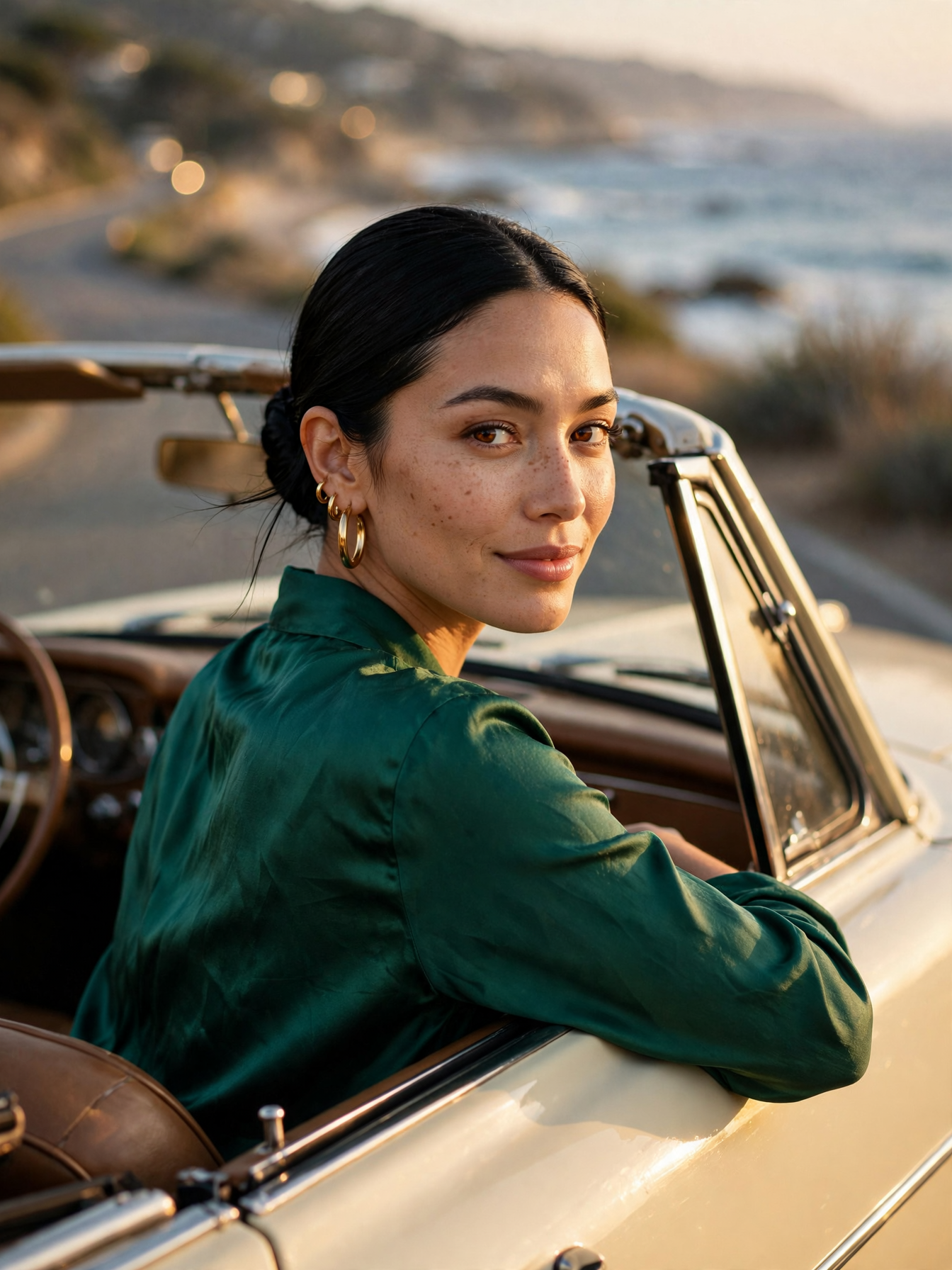
Editorial portrait at 3:4. Warm low sun on her cheekbones, real freckles and skin texture, and a soft coastal road behind her. Start from this prompt for campaign and author portraits.
Editorial portrait on an 85mm lens at f/1.8: a strikingly beautiful woman in her late twenties with sleek black hair in a low bun, warm brown eyes and gold hoop earrings, in an emerald silk blouse, leaning on the open window of a vintage cream convertible at golden hour, glancing over her shoulder at the camera with a calm half smile, warm low sun on her cheekbones, coastal road and sea softly blurred behind her, natural skin texture, fine film grain, magazine cover quality, no text.
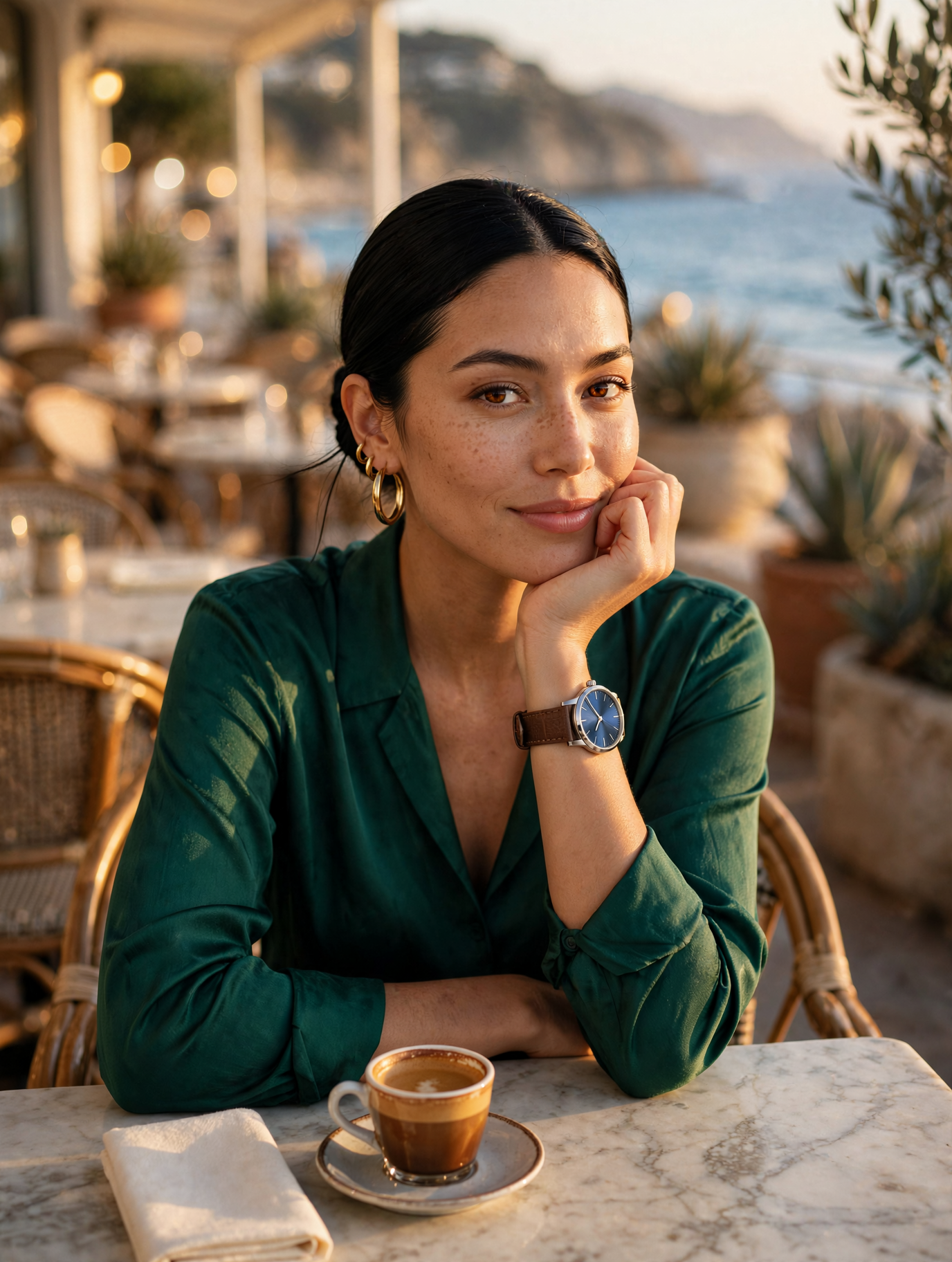
Two references in one picture: our convertible portrait as image 1 and our watch shot as image 2. Her face, earrings and blouse stay hers and the watch keeps its dial and strap. Use this for product placement with a real model.
The strikingly beautiful woman from image 1 wearing the steel watch with the blue sunburst dial and brown leather strap from image 2 on her left wrist, seated at a sunlit seaside cafe terrace, resting her chin lightly on her hand so the watch faces the camera, a cup of espresso on the marble table, warm late afternoon light, keep her face, hair, earrings and emerald silk blouse unchanged, keep the watch design exact, 85mm lens, shallow depth of field, photoreal, no text.
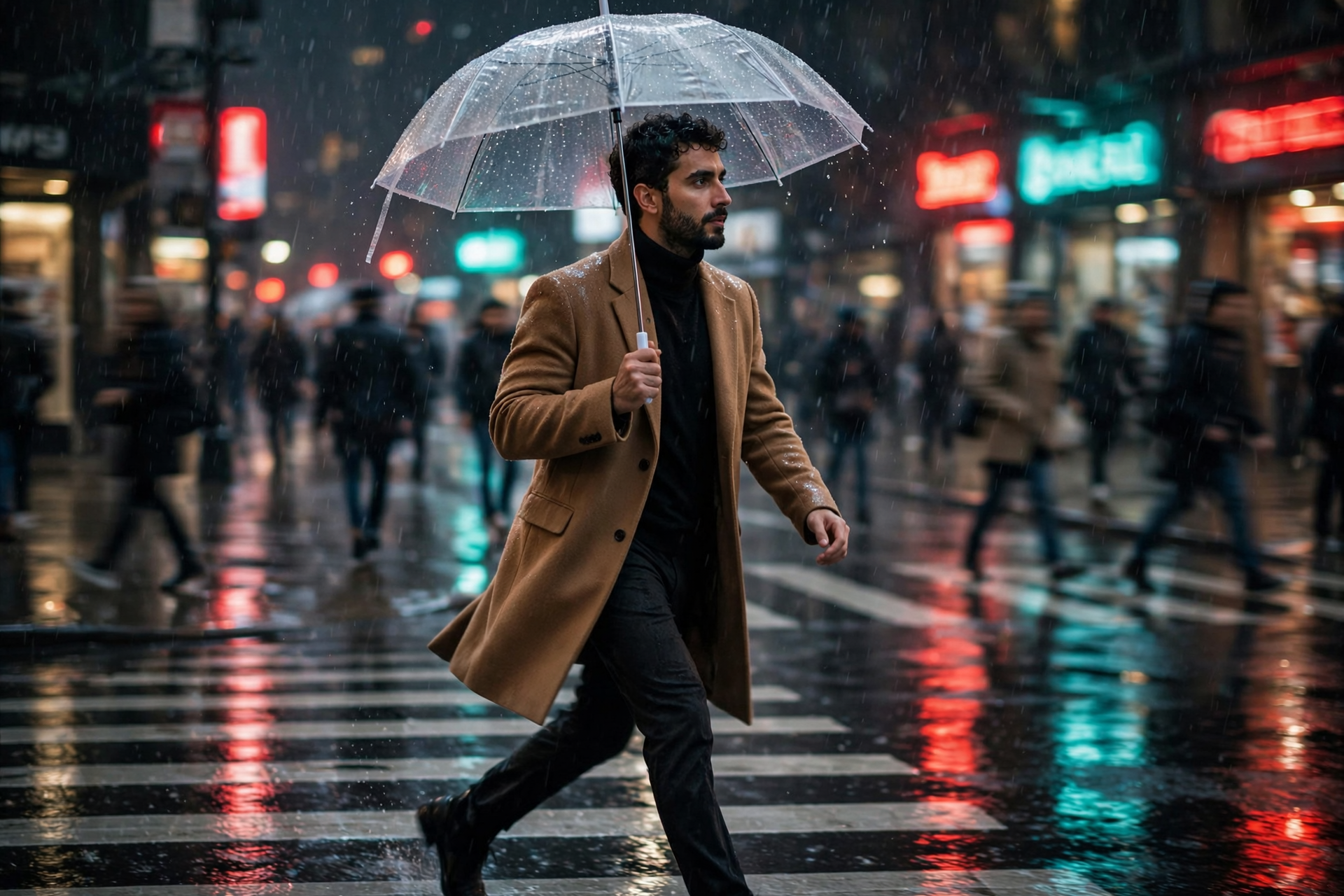
Street candid at 3:2. Rain caught in the neon, reflections in every puddle and a full mid stride. Start from this prompt for fashion and lifestyle stories.
Photoreal street candid on a 35mm lens: a handsome man in his early thirties with short dark curly hair and a trimmed beard, in a camel wool overcoat, crosses a rain-soaked city crosswalk at night under a clear umbrella, mid stride, looking off to the side, neon shop signs in red and teal reflecting in the puddles, light rain caught in the glow, passersby blurred, shallow depth of field, cinematic color, no readable text.
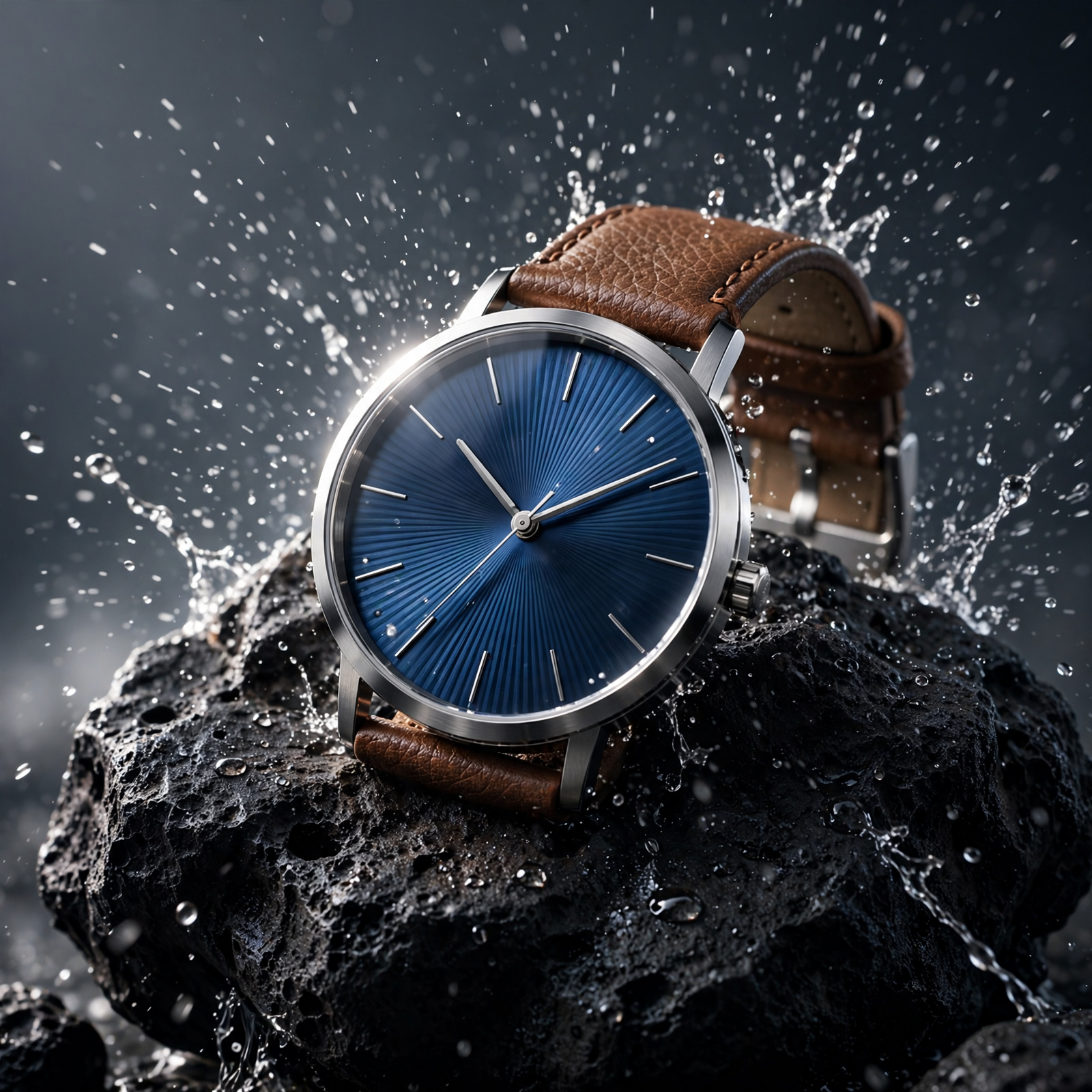
Product hero at 1:1. Frozen water spray, a rim lit steel case and fine lines in the sunburst dial. Swap in your own product and start from this prompt.
Studio product photograph on a 100mm macro lens: a minimalist steel wristwatch with a deep blue sunburst dial and a brown leather strap rests on a block of black volcanic rock, fine water spray frozen mid air around it, a hard rim light from behind outlining the case, soft fill from the left, dark slate gradient background, crisp reflections on the crystal, advertising quality, photoreal, no logos, no text.
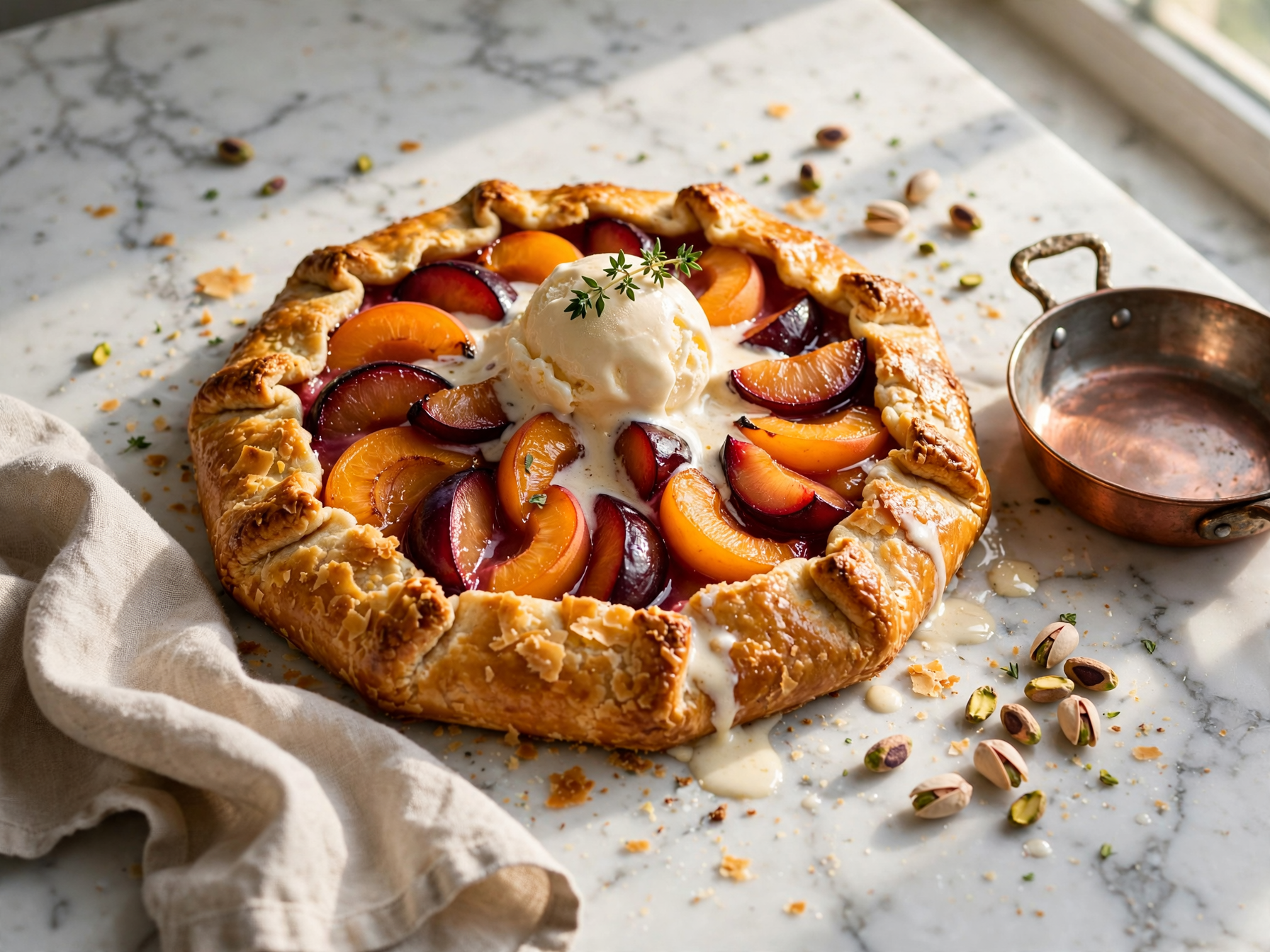
Food photograph at 4:3. Glossy fruit, melting ice cream and crumbs on marble in soft side light. Start from this prompt for menus, recipe posts and cafe ads.
Food photograph at a 45 degree angle on a 50mm lens: a rustic apricot and plum galette with a golden flaky crust on a white marble counter, a scoop of vanilla ice cream melting on top, a sprig of thyme, scattered pistachios, a linen napkin and a small copper pan beside it, soft morning window light from the right with gentle shadows, glossy fruit, crumbs on the marble, photoreal, no text.
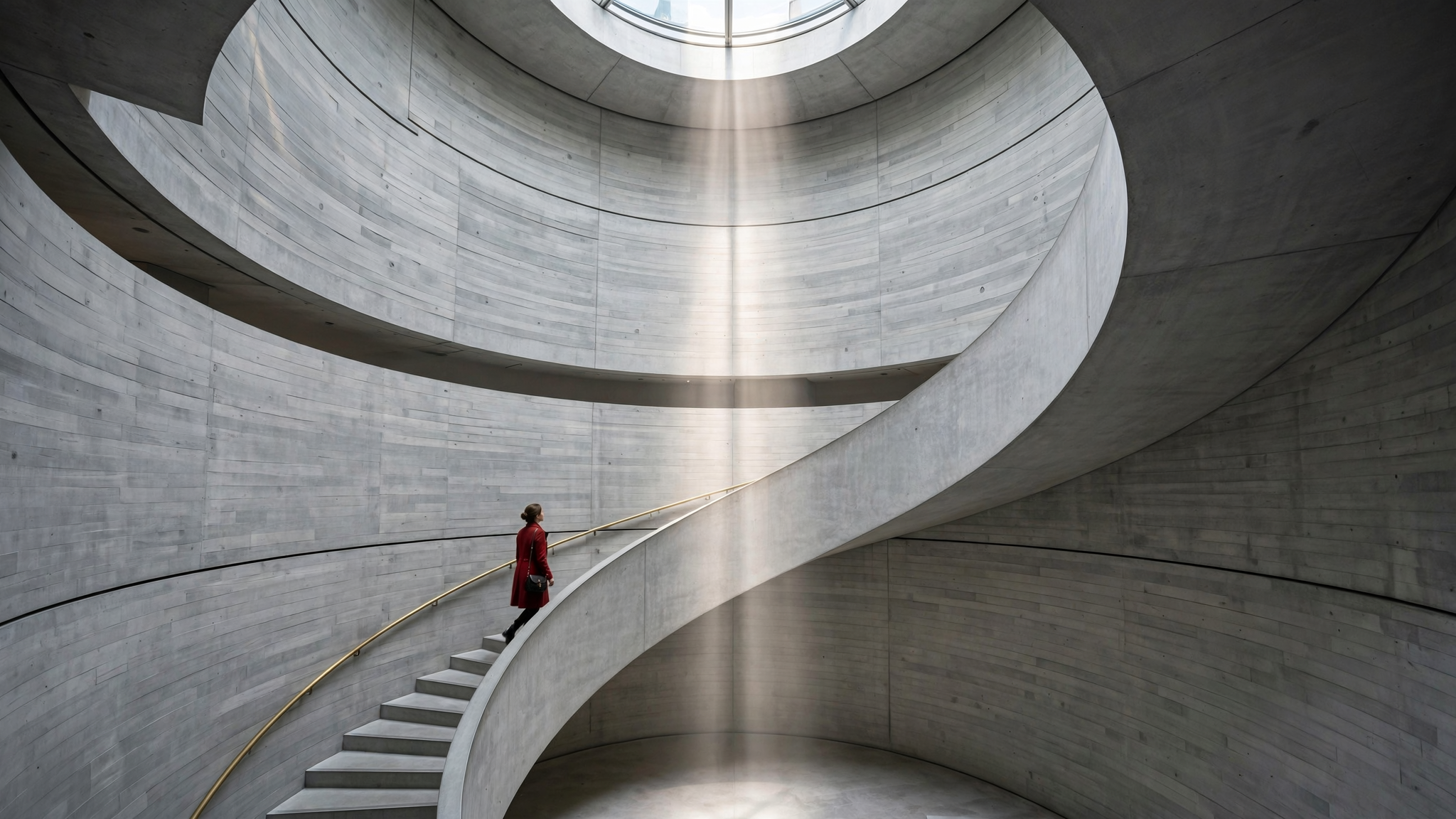
Architecture at 16:9. Clean curves, concrete grain and one red coat for scale under a column of daylight. Start from this prompt for interiors and real estate visuals.
Architectural interior photograph on a 24mm tilt shift lens: a spiral concrete staircase rising through a tall round atrium in a modern museum, a skylight above pouring a column of soft daylight down the center, smooth board formed concrete and a brass handrail curving upward, one elegant woman in a red coat climbing the stairs halfway up for scale, straight verticals, calm minimal palette of grey, brass and red, crisp detail, no text.
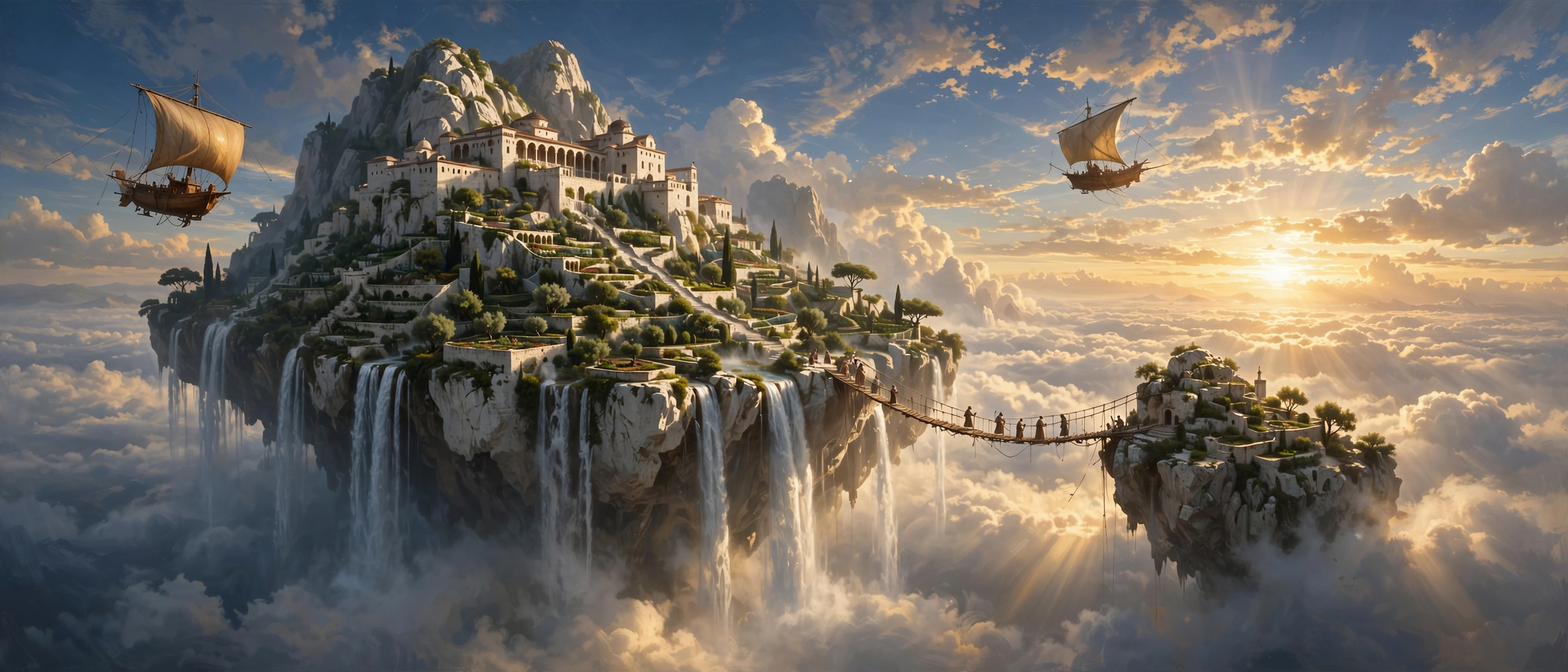
Concept art at 21:9. A whole world in one wide frame, from waterfalls to tiny figures on a rope bridge. Start from this prompt for game worlds, book covers and pitch decks.
Epic concept art matte painting: a white stone monastery with terraced gardens and waterfalls spilling off a floating island high above a sea of clouds, two wooden airships with canvas sails drifting past at sunrise, tiny robed figures crossing a rope bridge to a smaller island, warm gold light breaking through the clouds, deep blue sky, painterly yet detailed, sweeping cinematic scale, no text.
What Meta Muse Image does best
Muse Image is the first image model from Meta Superintelligence Labs. Its standout is realism: faces with freckles and fine skin texture, fabric that catches light, and scenes that look like a photographer framed them. Our convertible portrait and our rainy crosswalk came from one prompt each.
It is just as strong away from people. We made a watch splashed with water, a fruit galette on marble, a concrete spiral staircase and a floating island world, all at 2K, and each one kept the lens, light and mood the prompt asked for.
Editing lives in the same model. Attach up to 10 reference images, refer to them as image 1, image 2 and so on, and say what should change and what should stay.
Edit your own pictures with Muse Image
We fed our own images back in. One edit put the watch from our product shot on the woman from our portrait. The other turned our rainy street into a snowy one.
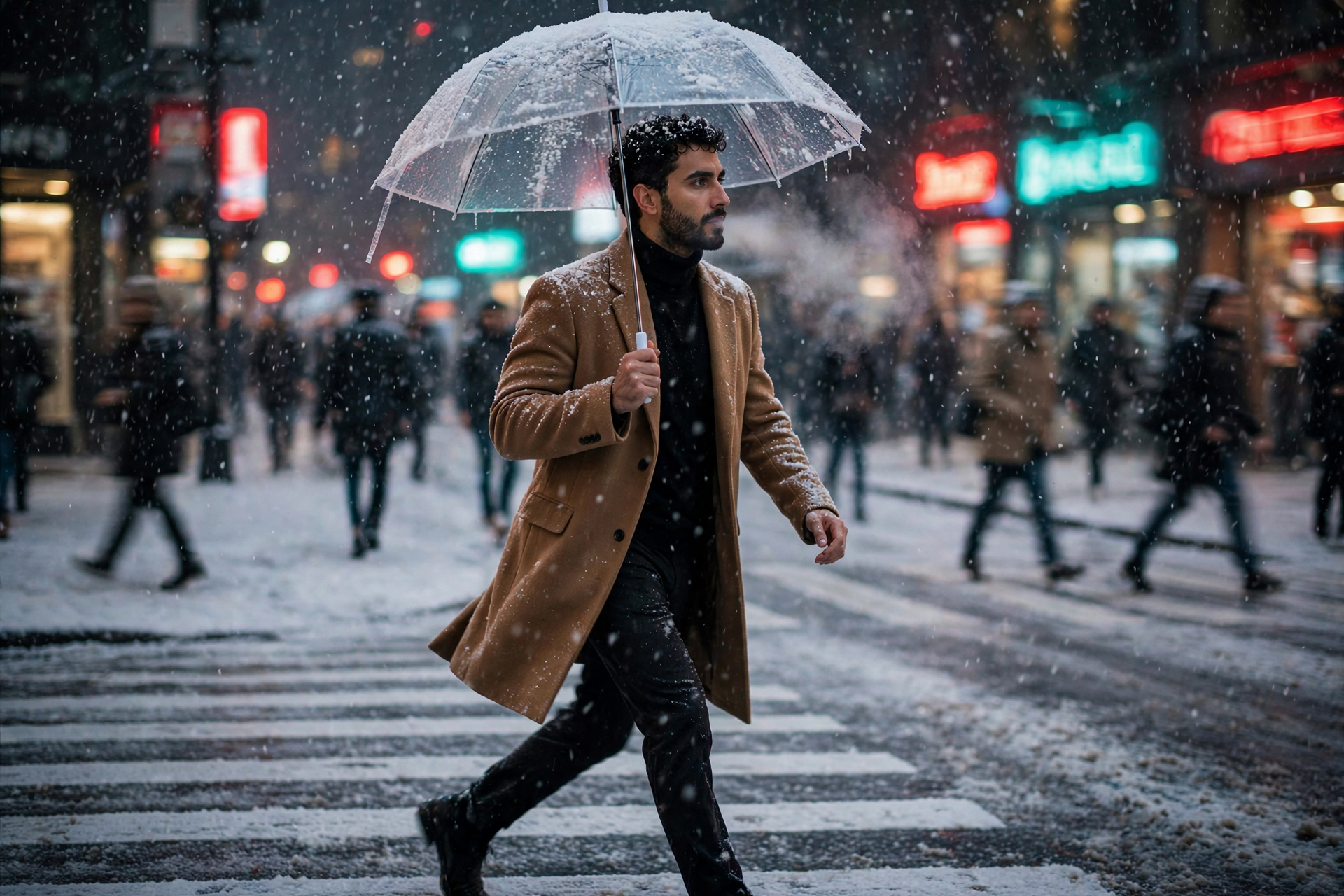
One reference, our rain street candid. Muse Image turned the rain to snow and kept the man, his coat, his stride and the neon exactly where they were.
Turn the rain into a heavy snowfall on the same night street: snowflakes caught in the neon glow, a thin layer of fresh snow on the crosswalk and on the clear umbrella, his breath visible in the cold air, keep the man, his camel coat, his stride, the camera angle and the red and teal neon exactly the same, photoreal.
- Say what stays. Our snow prompt asked to keep the man, his coat, his stride and the neon, and all four stayed put.
- Point at pictures by number. Write the woman from image 1 and the watch from image 2 so Muse Image knows which reference is which.
- With pictures attached, the result takes the shape of the first one, so put the image with the framing you want first.
Five ways to use Muse Image this week
Portraits that look photographed
Name the lens, the light and one detail like freckles or earrings. Our 85mm golden hour portrait is a good starting point.
Product shots for your store
Describe the surface, the light and one action like water spray. Then use the result as a reference to put the product in a lifestyle scene.
A model wearing your product
Attach a portrait and a product photo, and ask for the person from image 1 with the product from image 2. Our cafe watch shot was made this way.
Food and interiors
Ask for the angle, the time of day and the materials. Marble, copper, concrete and brass all come through with real texture.
Worlds for games and stories
Use 21:9 for wide concept art, and give the scene one focal point plus small details like figures on a bridge.
Muse Image sizes, ratios and references
- Aspect ratio1:1, 3:2, 2:3, 4:3, 3:4, 16:9, 9:16, 21:9
- Every image is 2K. A square is 1600 x 1600 and a 16:9 frame is 2048 x 1152.
- Reference imagesNone, or 1 to 10
- With pictures attached, the output follows the shape of the first one, so the ratio setting is skipped.
- Number of images1 to 4
- Make a few at once to pick the framing you like. Each one is charged on its own.
How to use Muse Image on Pixel Dojo
- 1
Write the shot
Start with the kind of picture and the lens, then one clear subject, one action, the place and the light.
- 2
Pick a shape
Choose one of 8 aspect ratios, from square 1:1 to cinema 21:9.
- 3
Add pictures to edit
Attach up to 10 reference images, call them image 1, image 2 and so on, and say what to keep.
- 4
Generate and keep going
Make up to 4 images at once, then feed your favorite back in as a reference for the next edit.
Muse Image price: 0.5 credits an image
Muse Image is included in every Pixel Dojo plan, from $10/month. Every image is 0.5 credits at 2K, from a prompt or from reference images, and every image on this page cost 0.5 credits.
Want to compare? See GPT Image 2.5 and Seedream 5.5, or read the Muse Image prompting guide for more prompt patterns.
Muse Image questions
What is Meta Muse Image?
Muse Image is the first image model from Meta Superintelligence Labs. One model makes images from text, edits photos and combines several reference pictures into one scene. On Pixel Dojo you type a prompt, pick a shape and generate.
What is Muse Image good at?
Real looking photos of people and places, product shots, food, interiors and concept art. It also keeps a face or a product steady when you edit with reference images.
How much does Muse Image cost?
Muse Image is 0.5 credits an image on every Pixel Dojo plan, from $10/month. The price is the same with or without reference images.
What resolution and aspect ratios does Muse Image make?
Every image is 2K, in 1:1, 3:2, 2:3, 4:3, 3:4, 16:9, 9:16 or 21:9. A square is 1600 x 1600 and a 16:9 image is 2048 x 1152.
How do I edit photos with Muse Image?
Attach up to 10 reference images, refer to them as image 1, image 2 and so on, and describe the change and what should stay. The result follows the shape of the first picture.
Is Muse Image in the API?
Yes. Developers can call it as muse-image through the Pixel Dojo API with a prompt, optional image_urls, an aspect ratio and up to 4 outputs, at the same price as on the site.
Make your first Muse Image image
Write a prompt above or start from any example on this page. One plan covers every top model, six studios and Sensei, and your credits roll over.
Start with Muse Image