Muse Image Prompting Guide

Meta's first image model.
Make, edit and combine.

Muse Image thinks through your prompt before it draws. Make 2K images in 8 shapes, edit a photo, or mix up to 10 pictures into one scene.

Image made with Muse Image

Overview

Muse Image is the first image model from Meta Superintelligence Labs, released in July 2026. One model makes images from text, edits photos and combines several reference pictures into one scene.

It reasons about your prompt before it draws, and it can look things up on the web when you ask for real, current subjects. It shines on portraits and photo scenes that need to feel real.

2K

Every image

8

Aspect ratios

10

Reference pictures

Strengths

Thinks before it draws

Muse Image reasons about your prompt first. Who is in the scene, where they stand and how the light falls get worked out before any pixels appear.

Knows the real world

It can look things up on the web for current, real subjects. Ask for a recent landmark or a known style and it checks what that really looks like.

Portraits and photo scenes

Faces, skin, fabric and light read like a real photo. It is at its best with people and believable places.

Edit and combine in one model

Add one picture to edit it, or up to 10 to mix people, products and places. The same prompt box does it all.

2K in 8 shapes

Square, portrait, landscape, wide and tall. Every shape renders at 2K, so nothing needs an upscale.

Prompt Framework

Build prompts in this order. Each step adds one layer the model can act on.

  1. 1

    Subject

    Start with who or what. Be concrete about age, material and pose.

    A jazz singer in an emerald silk dress, eyes closed mid-note

  2. 2

    Setting

    Place the subject somewhere real. Add one or two details that set the mood.

    a smoky club falling into deep shadow

  3. 3

    Light

    Give the light a direction, a color and a time of day.

    a single warm spotlight from above left

  4. 4

    Camera or craft

    Name a lens or film look for photos. Name the medium for art.

    shot on 85mm film, gentle grain

  5. 5

    Finish

    Close with what the image is for, like an ad, a film still or a book cover.

    editorial magazine portrait

Sample Prompts

Six ready-to-copy prompts across portraits, ads, film stills, illustration, food and architecture.

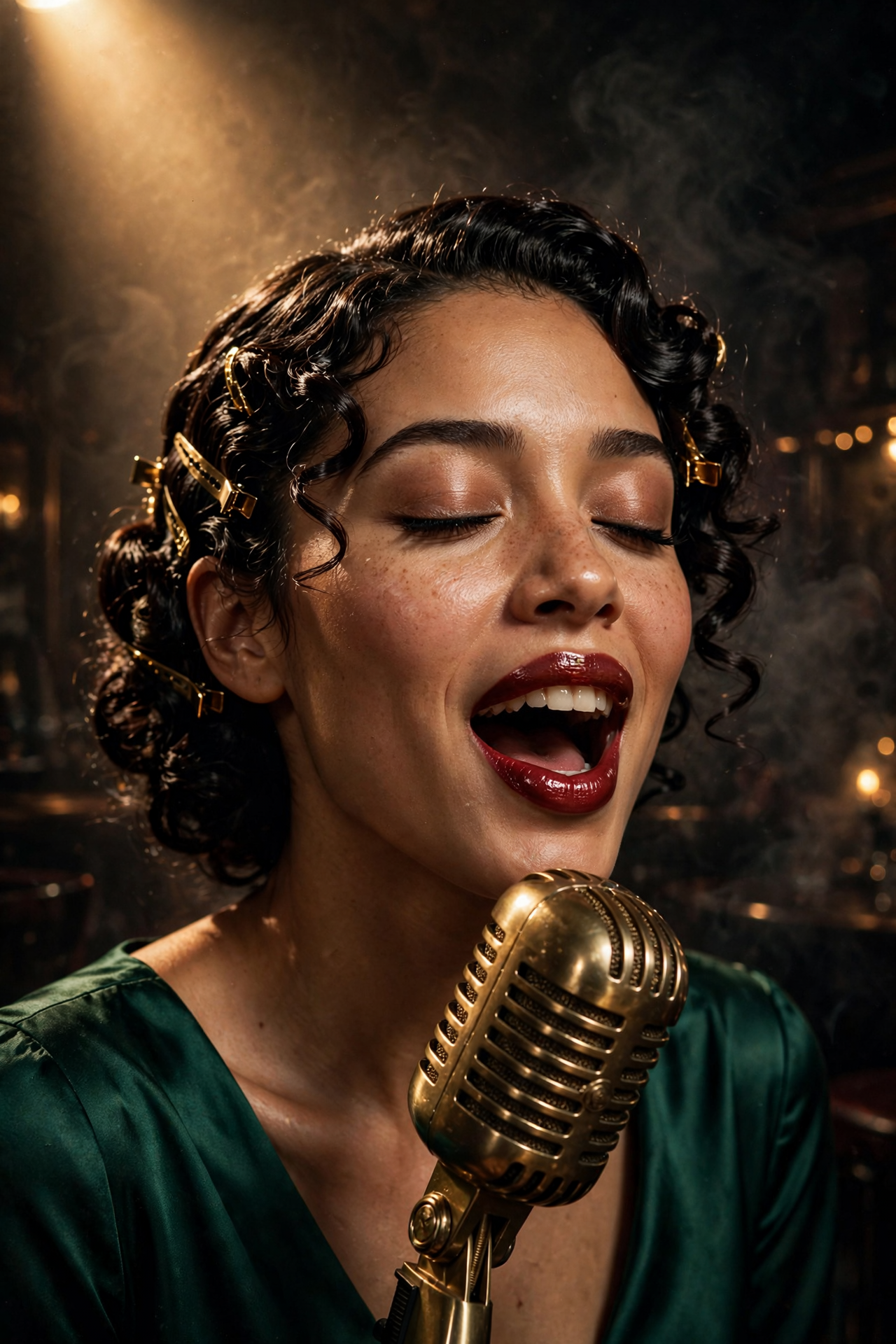
Editorial portrait

Editorial portrait

2:3

Close portrait of a stunningly beautiful jazz singer in her late twenties, glossy dark curls pinned back, radiant skin, deep red lipstick, an emerald silk dress, eyes closed mid-note, a single warm spotlight from above left, smoky club behind her falling into deep shadow, brass microphone in sharp focus, shot on 85mm film, rich skin texture, gentle grain

Give the light a direction and a color. Muse Image builds the whole mood from one clear light source, and skin texture holds up at 2K.
Product ad

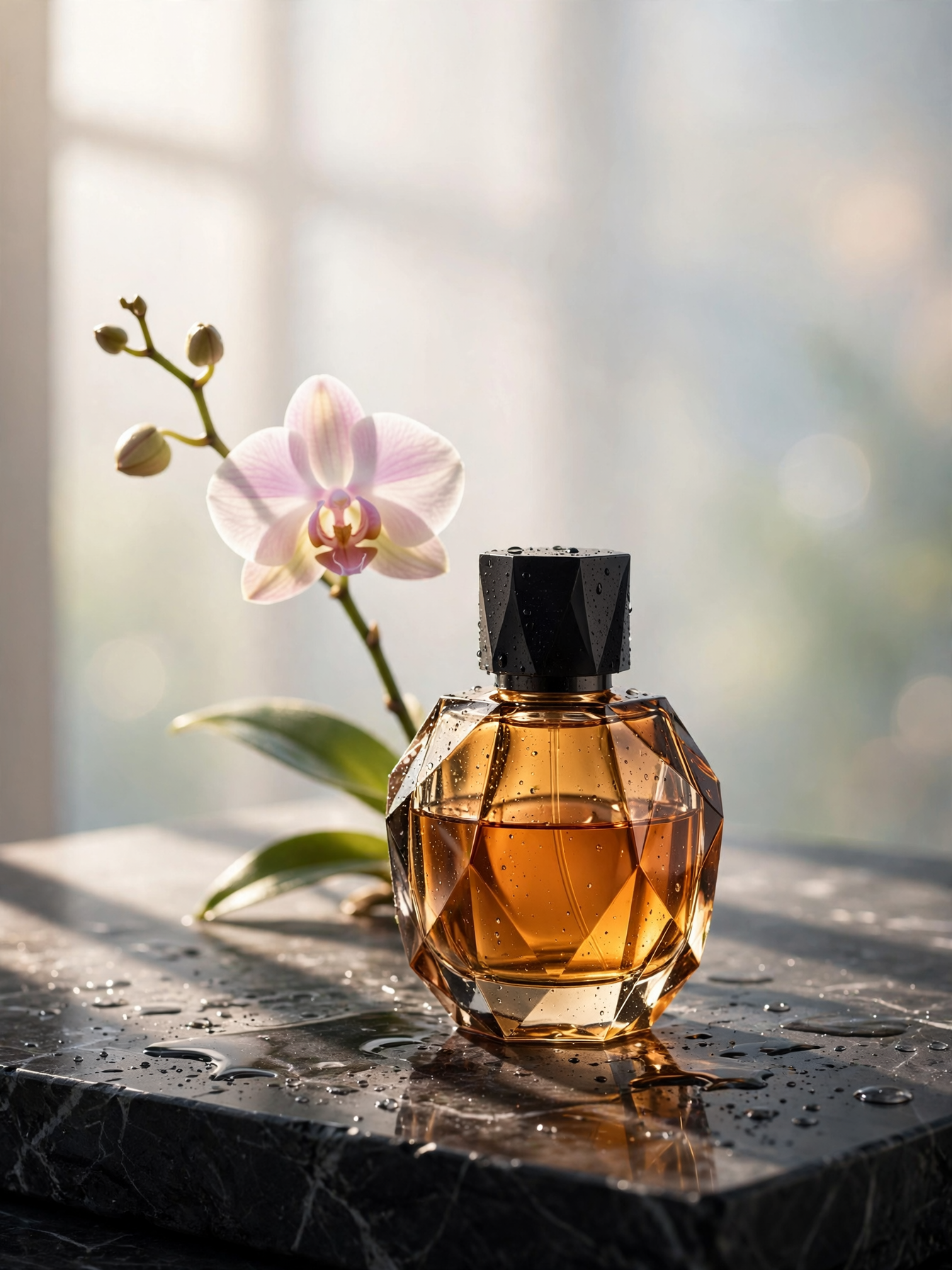
Product ad

3:4

Luxury perfume ad: a faceted amber glass bottle standing on a slab of wet black marble, a single orchid stem leaning behind it, morning light through a window throwing long soft shadows, tiny water droplets on the glass, the upper third of the frame is soft out-of-focus window light with room for a headline, high-end studio photography

Ask for empty space where copy will go. Naming the surface, the props and the light gets you a shot that is ready for an ad layout.

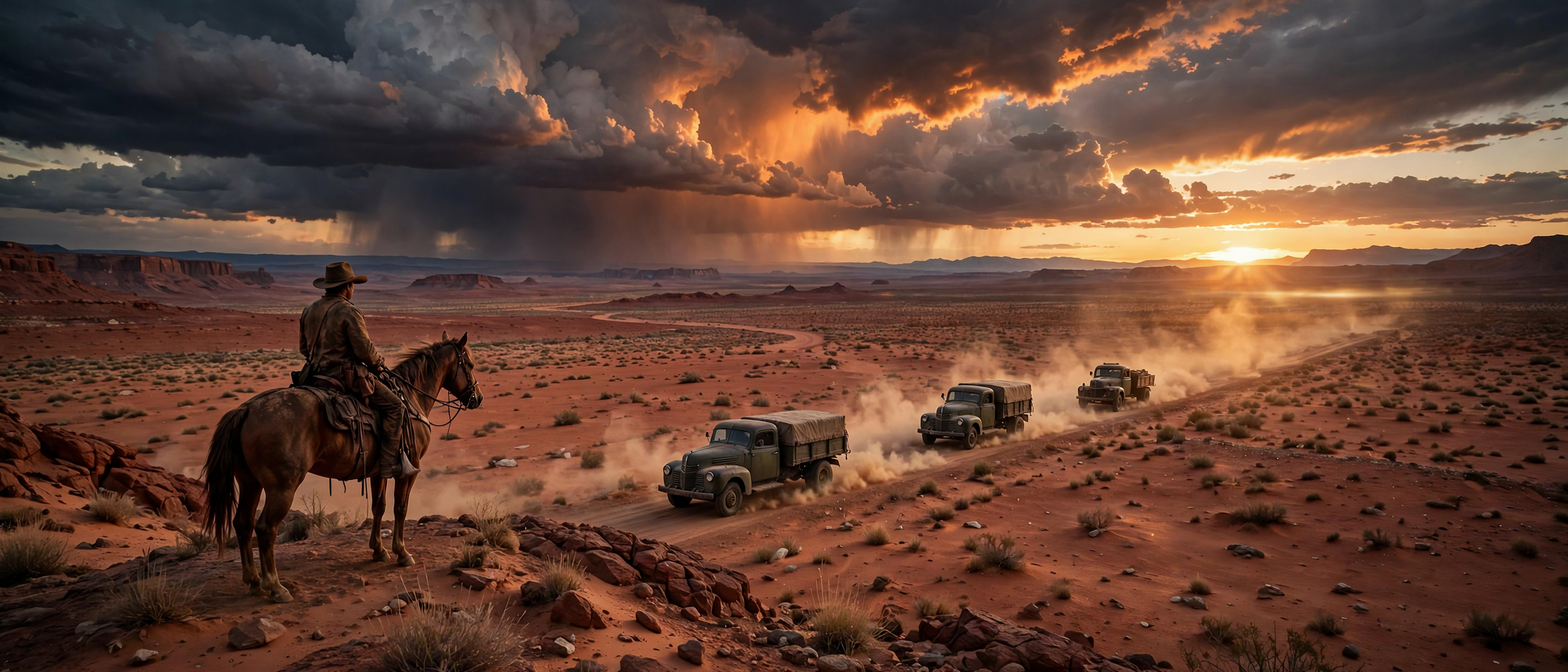
Cinematic wide

Cinematic wide

21:9

Ultra wide cinematic frame: a convoy of three vintage trucks crossing a red desert at dusk, dust trailing behind them in the low sun, a lone rider on horseback on a ridge in the foreground, huge storm clouds lit orange from below, anamorphic lens flare, film still

21:9 rewards layered depth. Put something in the foreground, the action in the middle and a big sky behind, and the frame reads like a movie.

Stylized illustration

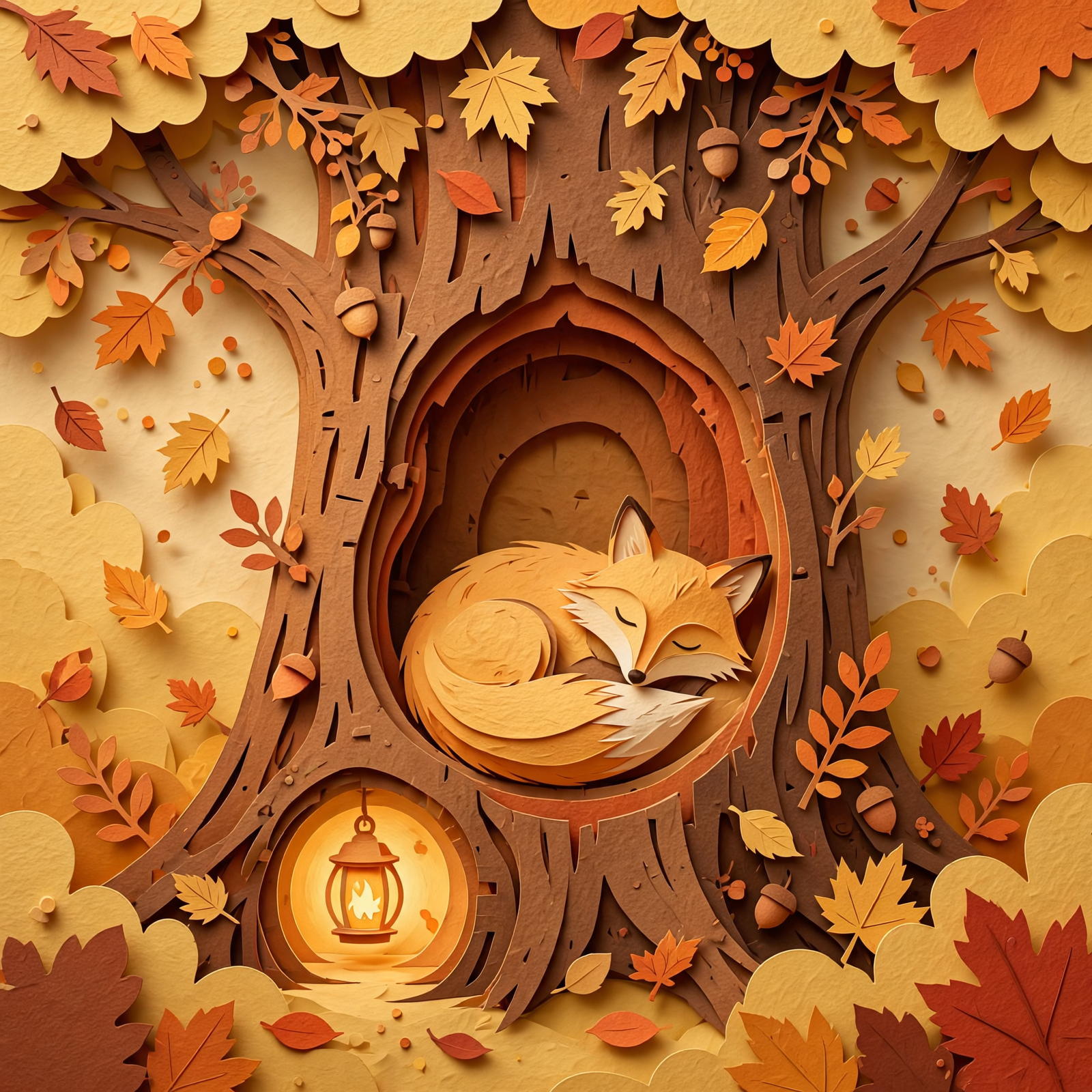
Stylized illustration

1:1

Layered paper cut illustration of a fox curled asleep inside a hollow tree, autumn leaves drifting down, each layer a different warm paper color, soft shadows between the layers, tiny lantern glowing at the entrance, cozy storybook style

Name the craft, not just the style. Paper cut, gouache, clay or linocut each bring their own textures and shadows.

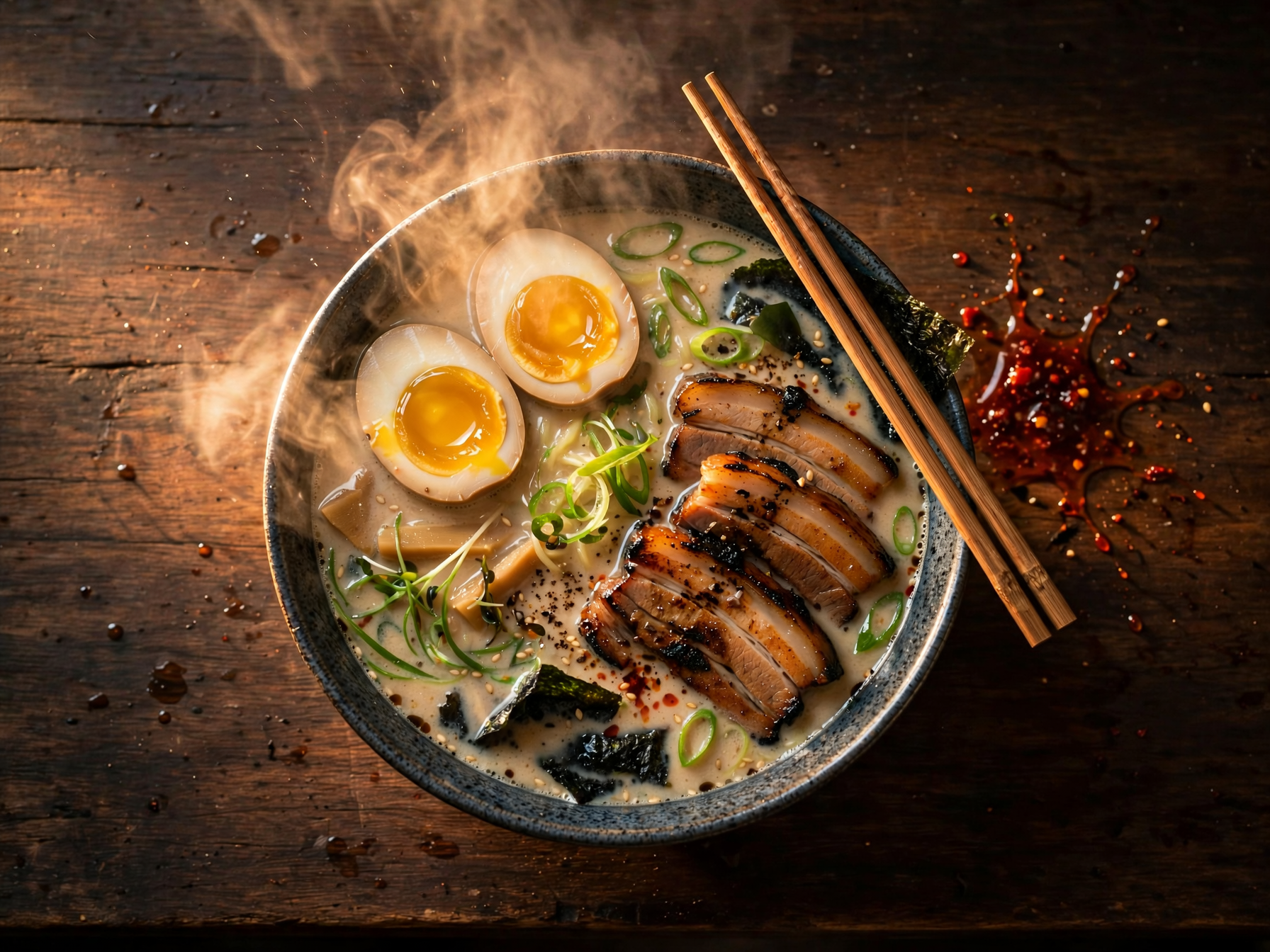
Food photography

Food photography

4:3

Overhead shot of a steaming bowl of tonkotsu ramen on a dark wooden counter, glossy soft egg cut in half, charred pork slices, scallions and nori, chopsticks resting on the rim, a splash of chili oil on the side, warm side light, steam catching the light

List the ingredients you want to see. Muse Image places each one, so the bowl looks full and real instead of generic.

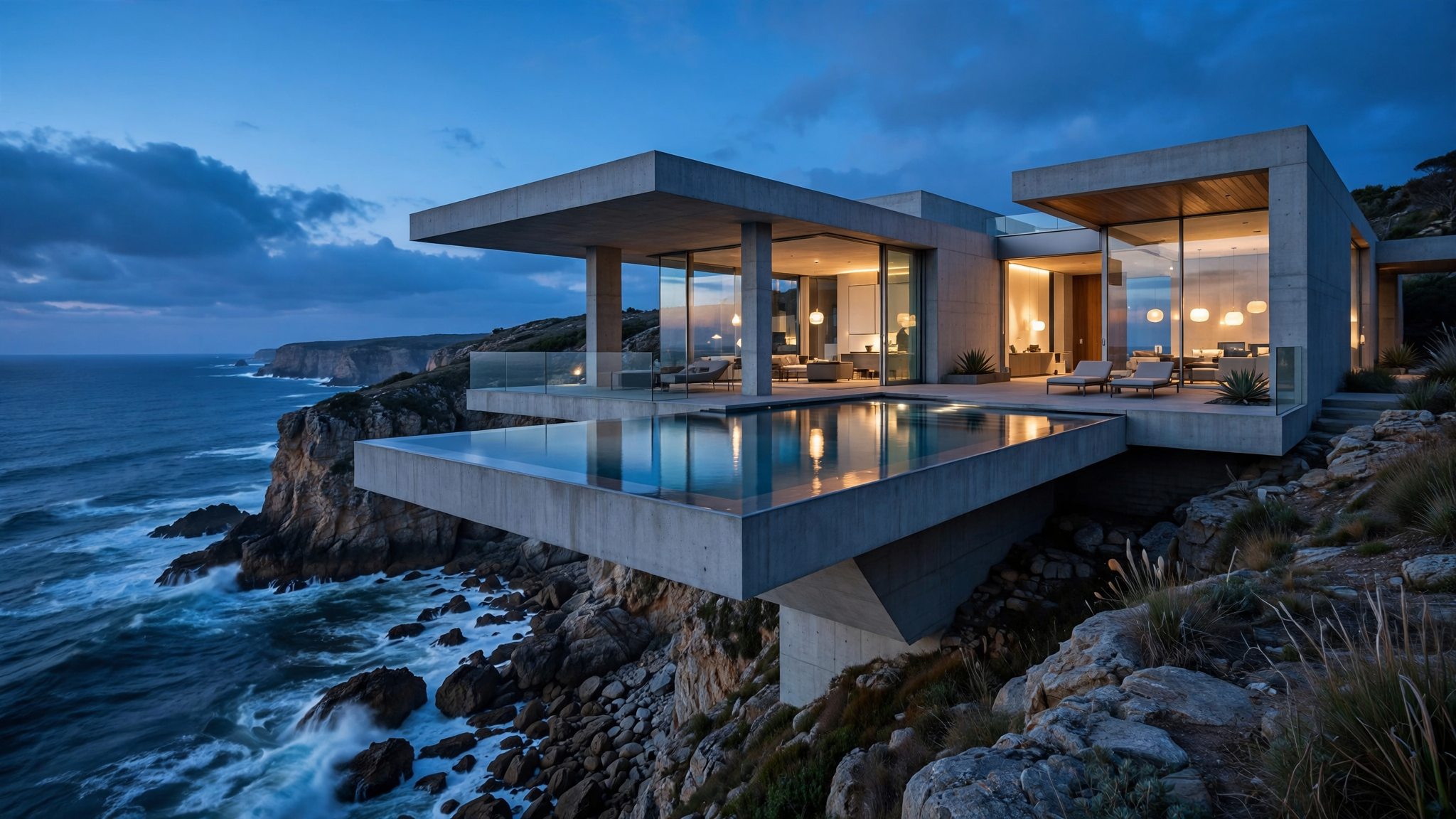
Architecture

Architecture

16:9

A modern concrete and glass house cantilevered over a sea cliff at blue hour, warm interior lights glowing through floor to ceiling windows, an infinity pool reflecting the last light, waves breaking on the rocks below, architectural photography, wide angle, crisp straight lines

Say the time of day and the materials. Blue hour plus warm interior light is a reliable recipe for architecture that glows.

Editing and Multi-Reference

Add pictures to the composer and your prompt becomes an edit. One picture lets you change a photo. Several let you put a person, a product and a place into one shot. You can add up to 10.

Call each picture by its number: image 1, image 2, image 3. Say what should change, then say what must stay the same. The result takes the shape of your first picture.

Simple edit (1 picture)

Change the season to deep winter. Add fresh snow on the ground and the roof. Keep the house, the people and the camera angle unchanged.

Person + product (2 pictures)

The woman from image 1 holding the water bottle from image 2 on a sunny rooftop terrace. Keep her face and the bottle's label unchanged.

Person + product + scene (3 pictures)

Put the man from image 1 in the cafe from image 3, sitting by the window, wearing the jacket from image 2. Keep his face, the jacket's color and the cafe layout unchanged.

Pro Tips

Write sentences, not tags

Muse Image reasons about your words. Full sentences with clear relationships beat a long list of keywords.

Say what stays the same

When editing, end with "keep ... unchanged". Name the face, the logo or the layout you want to protect.

Number your pictures

Refer to references as image 1, image 2 and so on. Tap a picture in the composer to add its name to your prompt.

Put the main picture first

The result takes the shape of your first picture. Drag the picture whose framing you want to the front.

Use real names for real things

For a real landmark, car or style, name it. The model can check what it looks like today.

Pick the shape first

Choose the aspect ratio before you write. A 9:16 story and a 21:9 banner need different compositions.

Parameters

SettingValuesNotes
PromptUp to 5,000 charactersDescribes the image, or the change when pictures are attached.
Reference images0 to 10Any picture turns the request into an edit. The result takes the shape of the first one.
Aspect ratio1:1, 3:2, 2:3, 4:3, 3:4, 16:9, 9:16, 21:9All at 2K. Used only when no pictures are attached.
Number of images1 to 4Each image is charged on its own.

FAQ

Muse Image is the first image model from Meta Superintelligence Labs, released in July 2026. It makes images from text, edits photos and combines several reference pictures, all in one model.