Pony Diffusion XL: anime art and photoreal portraits
PonyXL AI Image Generator: Anime and Photoreal Art
Turn a few comma separated tags into finished anime and fantasy illustration, with a photoreal style one switch away.
PonyXL is the Pony Diffusion XL family: community fine tunes of Stable Diffusion XL loved for anime, illustration and concept art. On Pixel Dojo you get two styles in one tool, Pony NAI for crisp anime art and Pony Realism for photographic images, with no install, no GPU and no setup, and it sits beside every top image model in one plan with six studios, Sensei the AI director and commercial use on every plan. We made every example on this page here, and each one comes with the exact prompt and settings behind it.
0.4 credits ($0.03) per image. Included in every plan, from $10/month.
Already a member? Sign in
By Brian Lovett · Updated
PonyXL examples: dragons, sky islands, mecha and more
Eight images we made with PonyXL at its native SDXL sizes. Tap Use this prompt on any tile to start from it, then swap in your own subject.
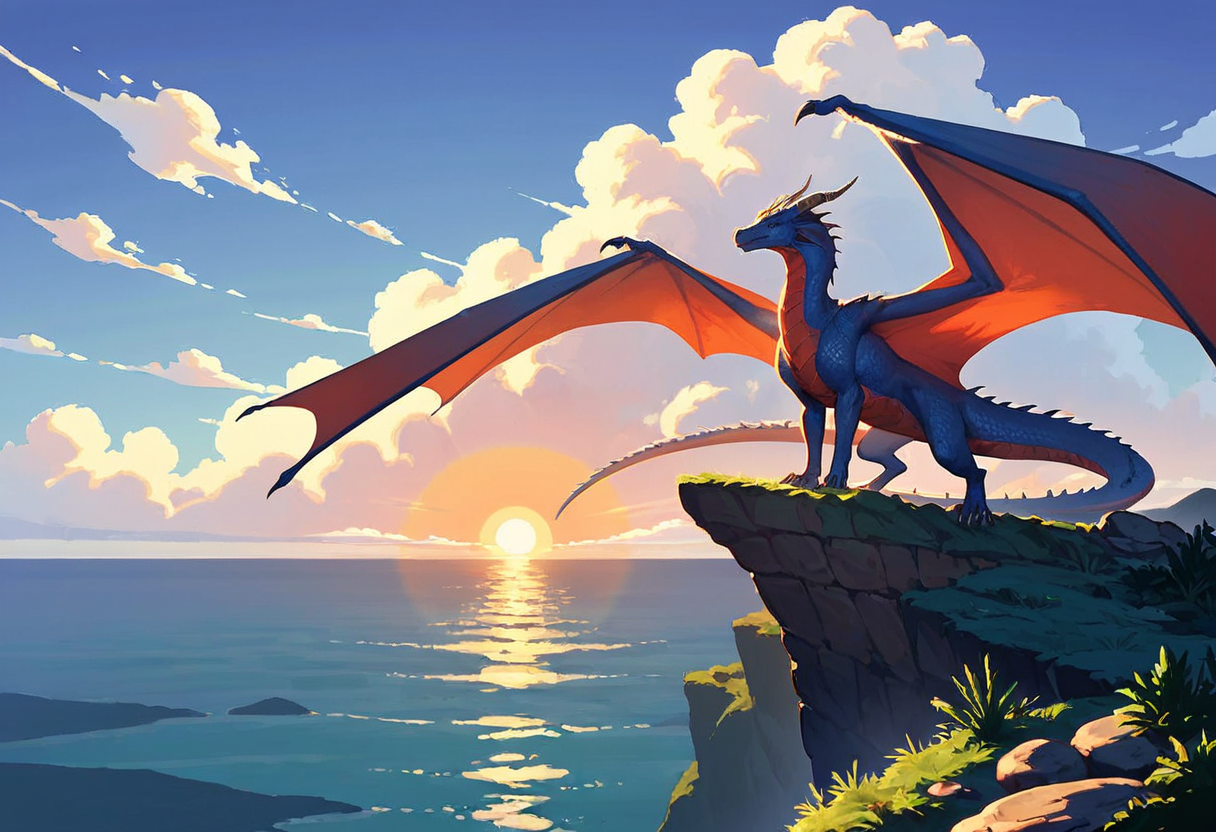
Fantasy creature on Pony NAI at 1216 x 832. A strong silhouette, a low sun and painterly clouds from one short tag prompt.
source_anime, no humans, majestic emerald dragon perched on a rocky cliff above a sea of clouds, wings spread wide, glinting scales, long tail, golden sunrise, distant mountain peaks, wind blown mist, epic scale, painterly fantasy illustration
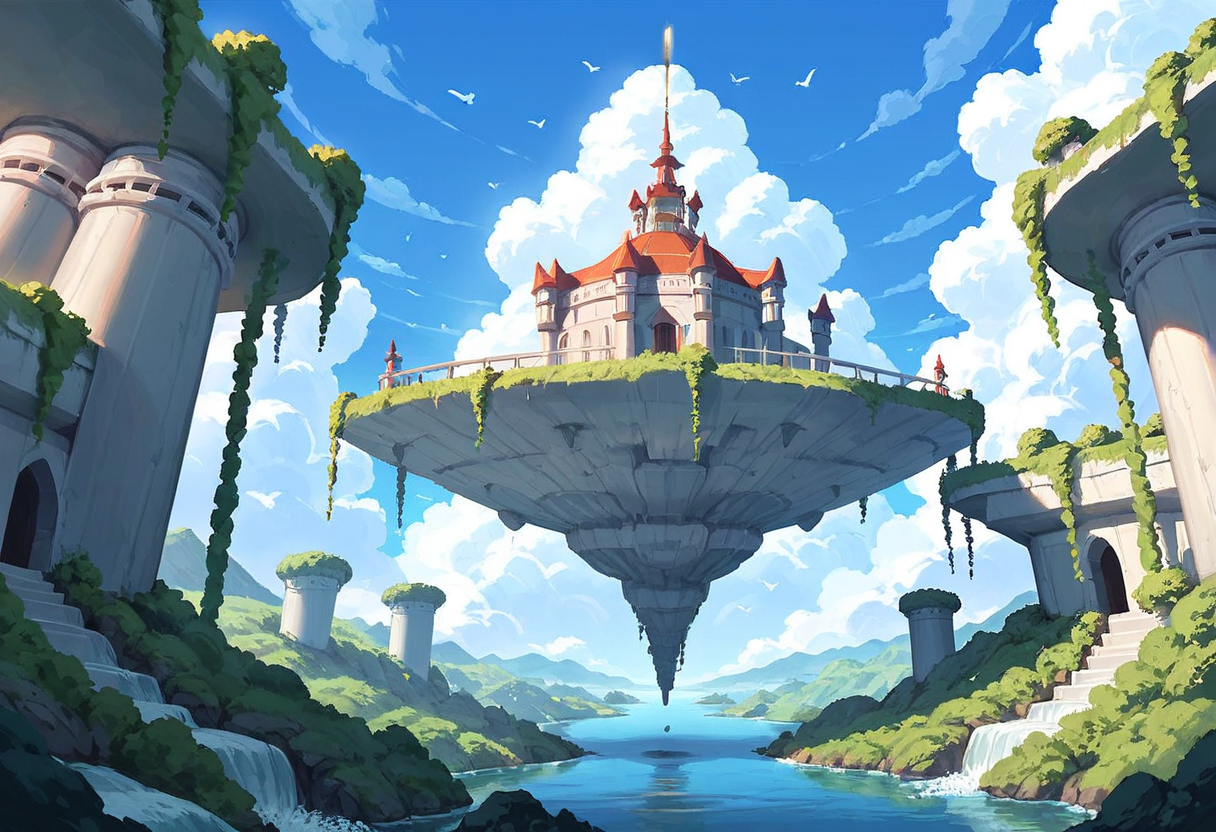
Anime scenery on Pony NAI at 1216 x 832. Floating rocks, waterfalls and a sky full of cumulus, the classic background art look.
source_anime, no humans, scenery, floating island, sky island, waterfalls falling from floating rocks into the clouds, small stone temple on top, airship with red sails, blue sky, towering clouds, birds, wide shot, very detailed background
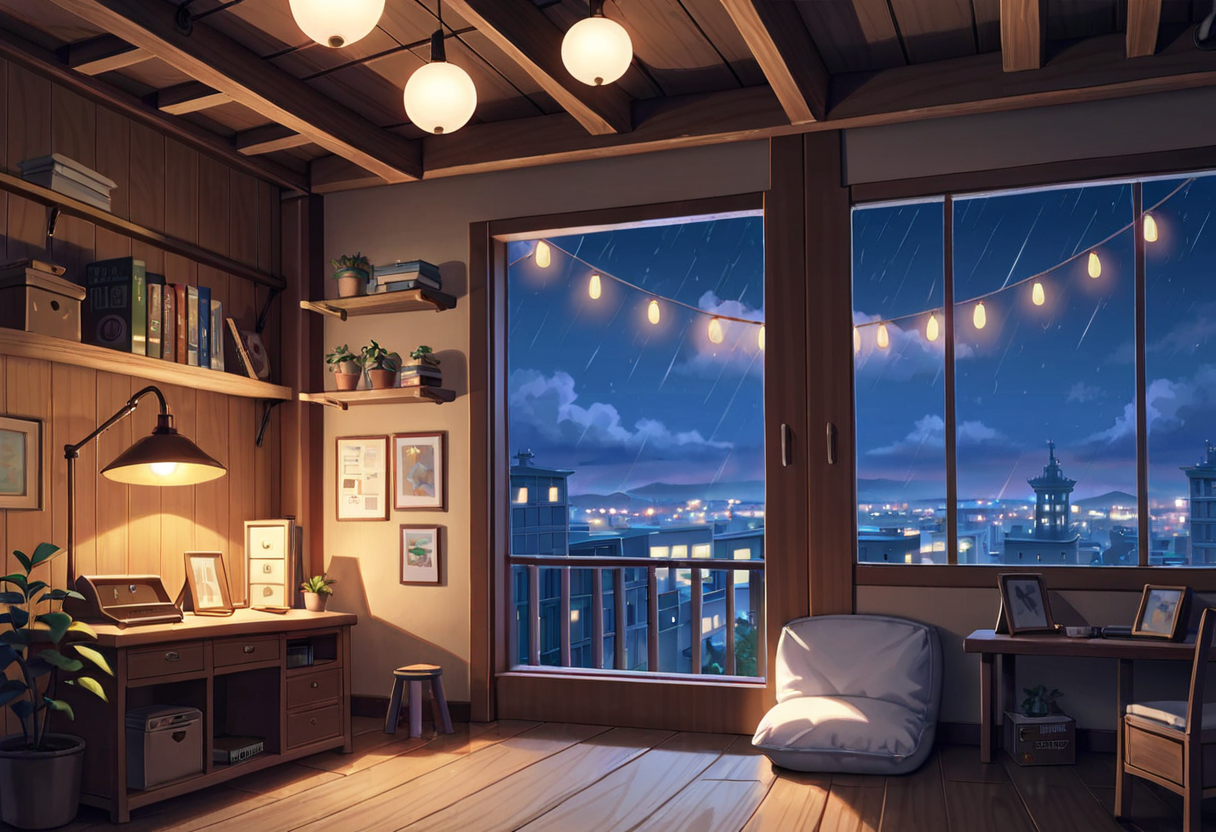
Cozy interior on Pony NAI at 1216 x 832. Warm lamp light inside, cool city night outside: perfect for lo fi covers and wallpapers.
source_anime, no humans, scenery, cozy attic workshop at night, sloped wooden ceiling beams, cluttered desk with open books and a brass telescope, hanging plants, string lights, an orange cat sleeping on a cushion, rain on a round window, city lights outside, warm lamp glow, cool blue night outside, detailed background
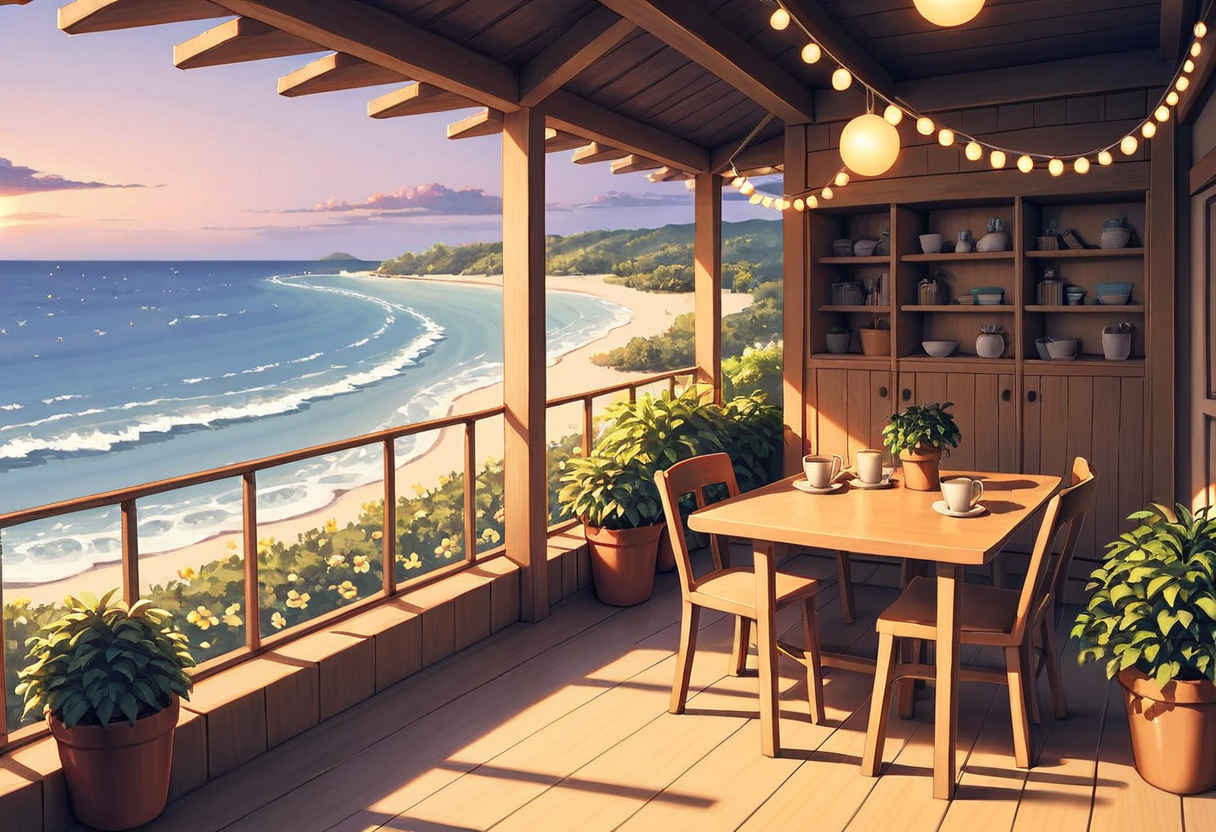
Seaside terrace on Pony NAI at 1216 x 832. Golden hour light, string lights and a long beach, from a nine tag prompt.
no humans, scenery, cozy seaside cafe terrace at sunset, string lights, potted lemon trees, wooden tables with coffee cups, sea view, warm golden light, detailed
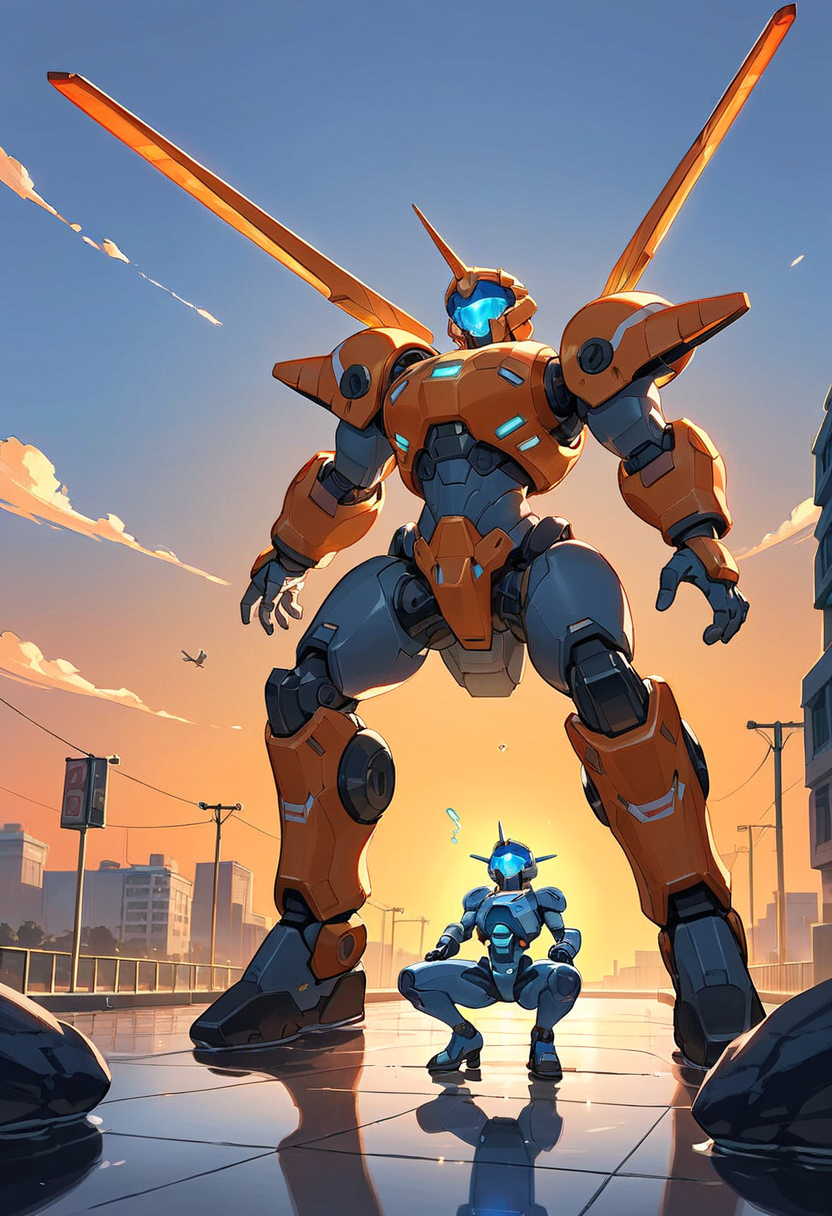
Mecha on Pony NAI at 832 x 1216. Panel lines, glowing visor and a low angle against an orange sky.
source_anime, mecha, robot, no humans, giant white and orange humanoid mecha kneeling on one knee in a flooded city street at sunset, glowing blue visor, water splashing around its legs, panel lines, exposed cables, ruined skyscrapers, orange sky, low angle, detailed mechanical parts
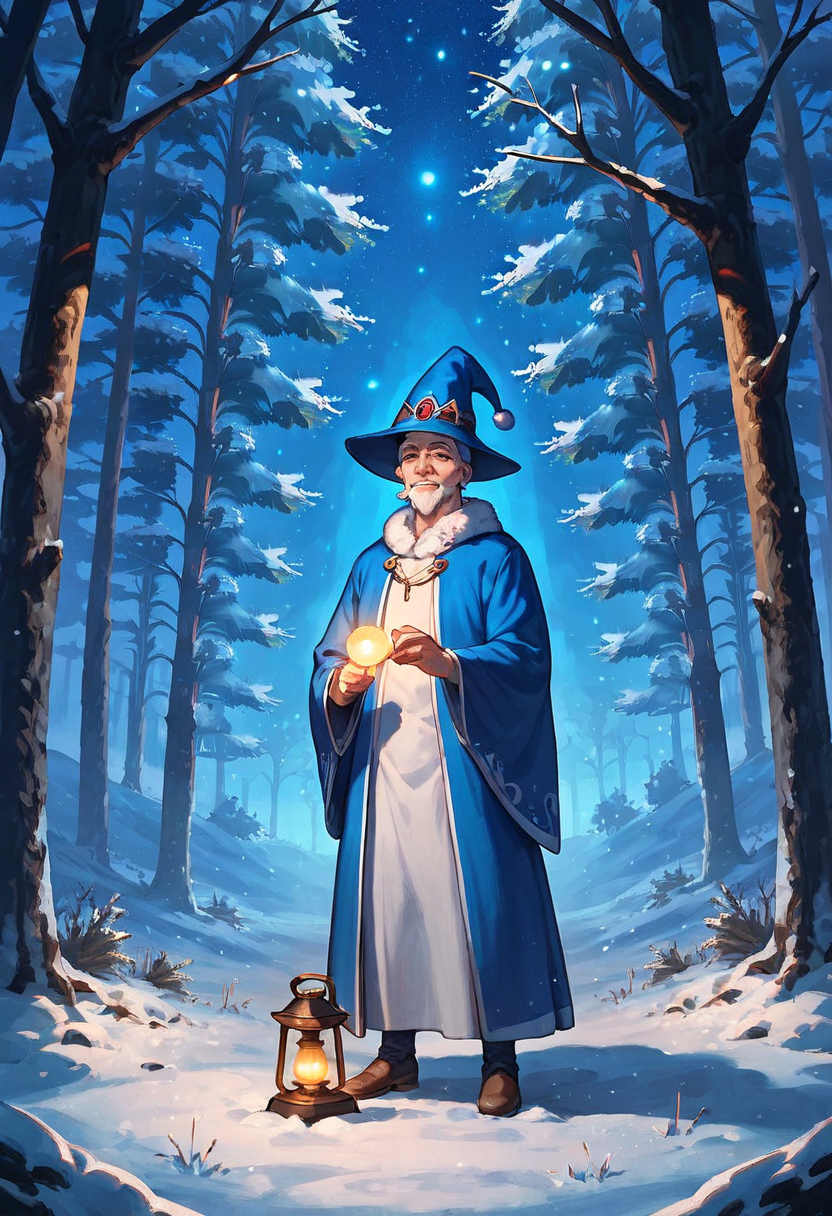
Character art on Pony NAI at 832 x 1216. A kind old wizard, warm light on his face and falling snow in a blue night forest.
source_anime, solo, old man, long white beard, kind wrinkled face, wizard, deep blue robe with silver stars, pointed hat, holding up a glowing lantern, standing in a snowy pine forest at night, falling snow, warm light on his face, full body, gentle smile
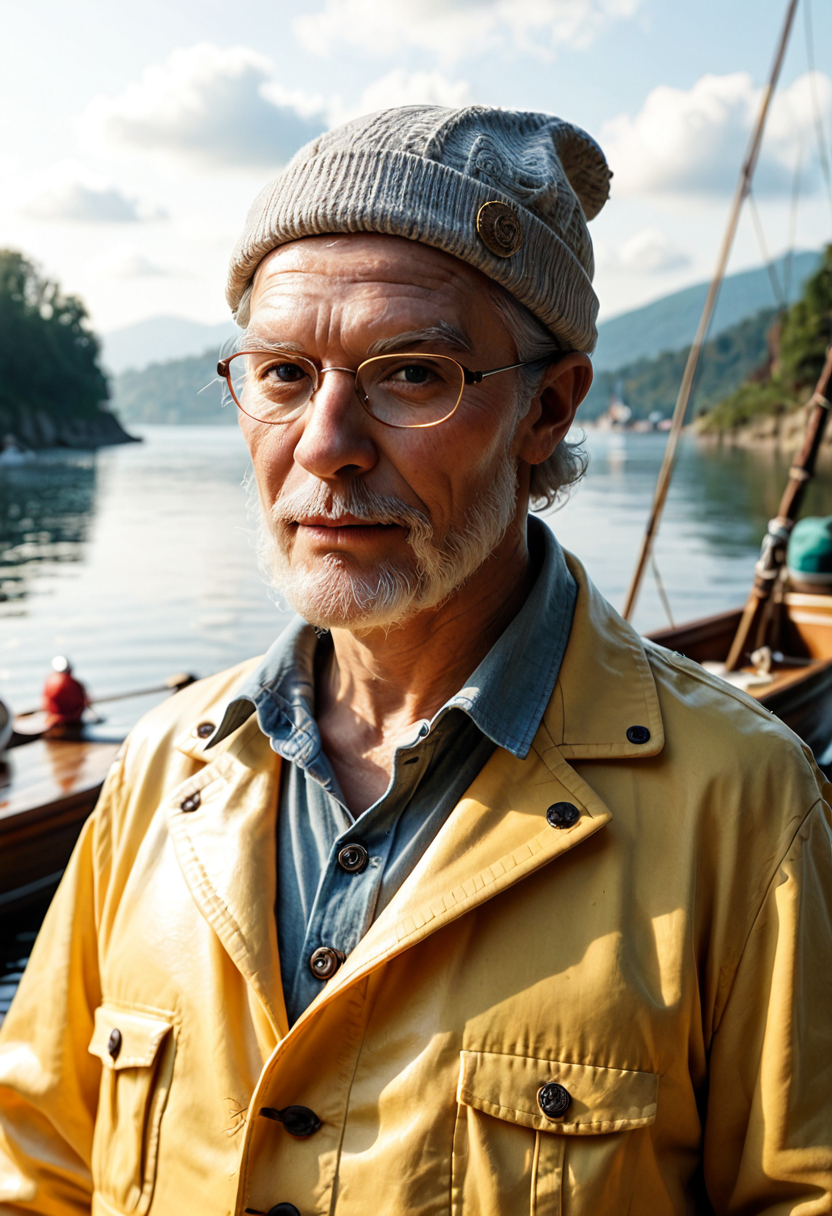
Realistic portrait on Pony Realism at 832 x 1216. Deep wrinkles, a knit beanie and soft overcast light at the harbor.
photo, realistic, solo, old man, elderly man, 70 years old, deep wrinkles, white beard, grey wool beanie, yellow raincoat, fishing harbor, boats in background, overcast daylight, portrait, upper body, detailed skin texture, 85mm
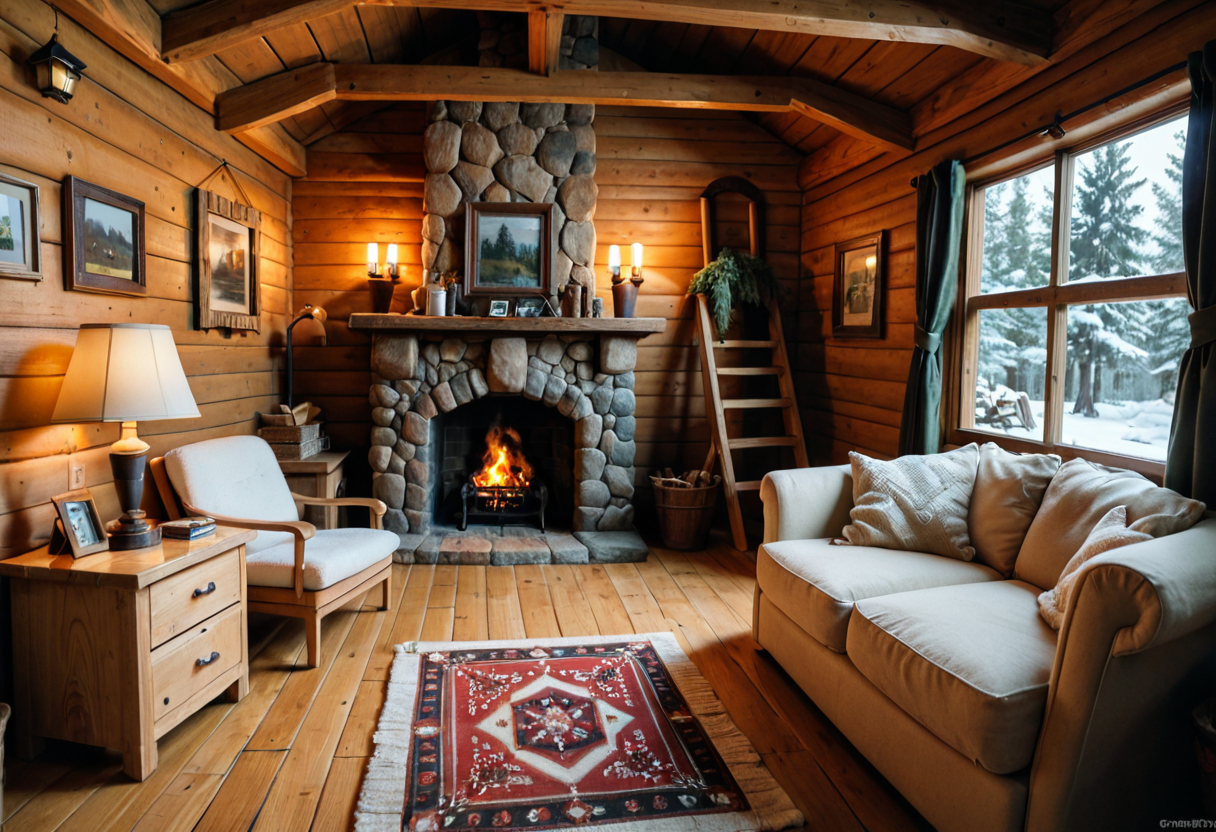
Interior photo on Pony Realism at 1216 x 832. Firelight, wood grain and snow outside the window, in an interior magazine style.
photo, realistic, no humans, cozy log cabin interior, stone fireplace with a crackling fire, wool blankets on a leather armchair, steaming mug on a wooden side table, large window with a snowy pine forest outside, warm lamp light, interior design photography
From tags to finished art: a PonyXL walkthrough
- 1
Pick the style first
Choose Pony NAI for anime, illustration and fantasy art, or Pony Realism for photographic images. Every anime tile above is Pony NAI and the fisherman and cabin are Pony Realism.
- 2
Lead with the style tag
Start anime prompts with source_anime and photo prompts with "photo, realistic". PonyXL reads the first tags as the look, so this one choice sets the whole image.
- 3
Say who is in the frame
Write "no humans" and "scenery" for landscapes, interiors and creatures, as in our dragon, sky island and terrace. For one character, write "solo" and describe them plainly: "old man, long white beard, wizard".
- 4
Add the subject, light and setting as tags
Short comma separated phrases work best: "floating island, waterfalls falling from floating rocks into the clouds, small stone temple on top, airship with red sails, blue sky".
- 5
Keep the Quality Preset on
The tool adds PonyXL quality tags for you when Use Quality Preset is on (the default), so your prompt stays about the picture.
- 6
Pick a native size and generate
1216 x 832 for landscapes and scenes, 832 x 1216 for characters and mecha, 1024 x 1024 for squares. Generate up to 4 at once and keep the one you like.
Pony Realism vs Pony NAI: one seaside portrait, two styles
We sent the same prompt to both PonyXL styles: an old man with a white beard in a cream wool sweater on a rocky shore below a lighthouse. Pony Realism made a sharp photographic portrait with breaking waves and a striped lighthouse on the cliff. Pony NAI drew him as anime key art, a small figure on the rocks under a towering summer cloud. Same words, same 0.4 credits, two very different pictures.
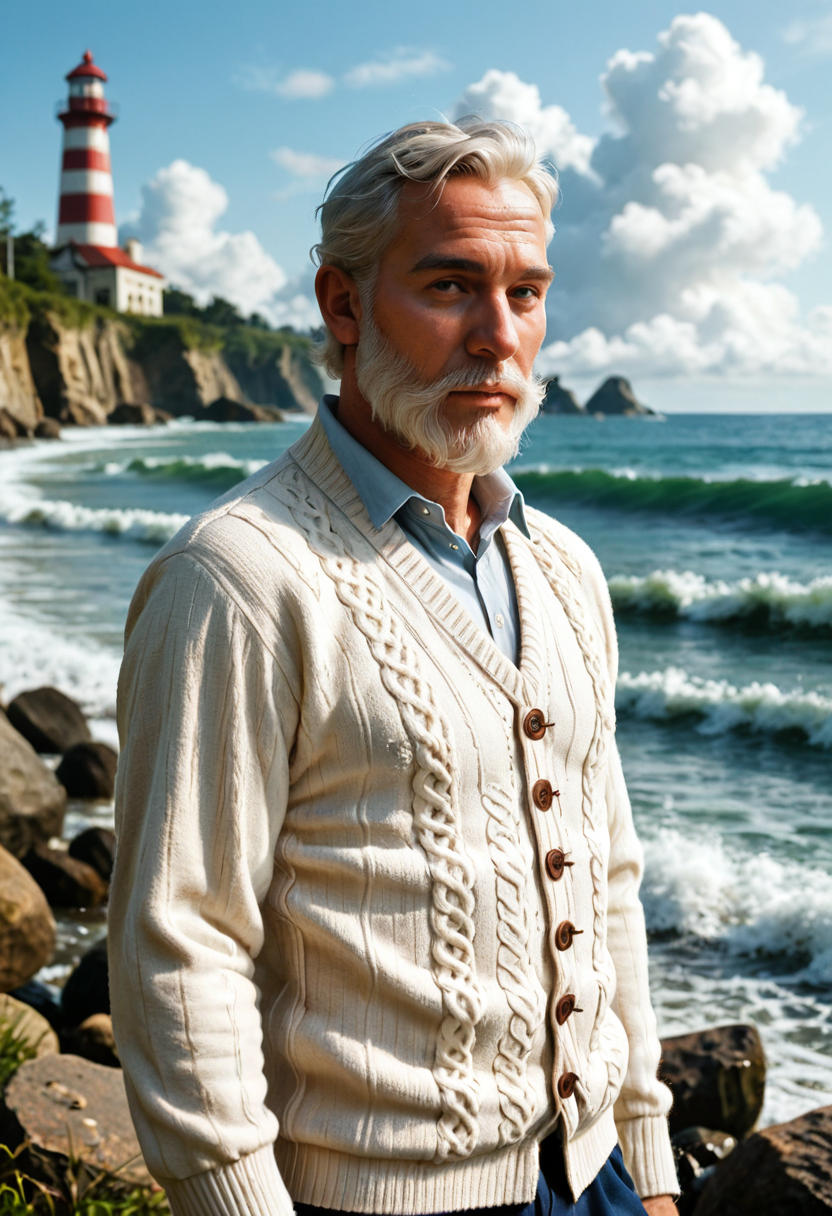
Pony Realism at 832 x 1216. A photographic portrait with real knit texture and sea spray.
solo, old man, white beard, lighthouse keeper, thick cream wool sweater, standing on a rocky shore, lighthouse behind him, stormy sky, waves, upper body, portrait
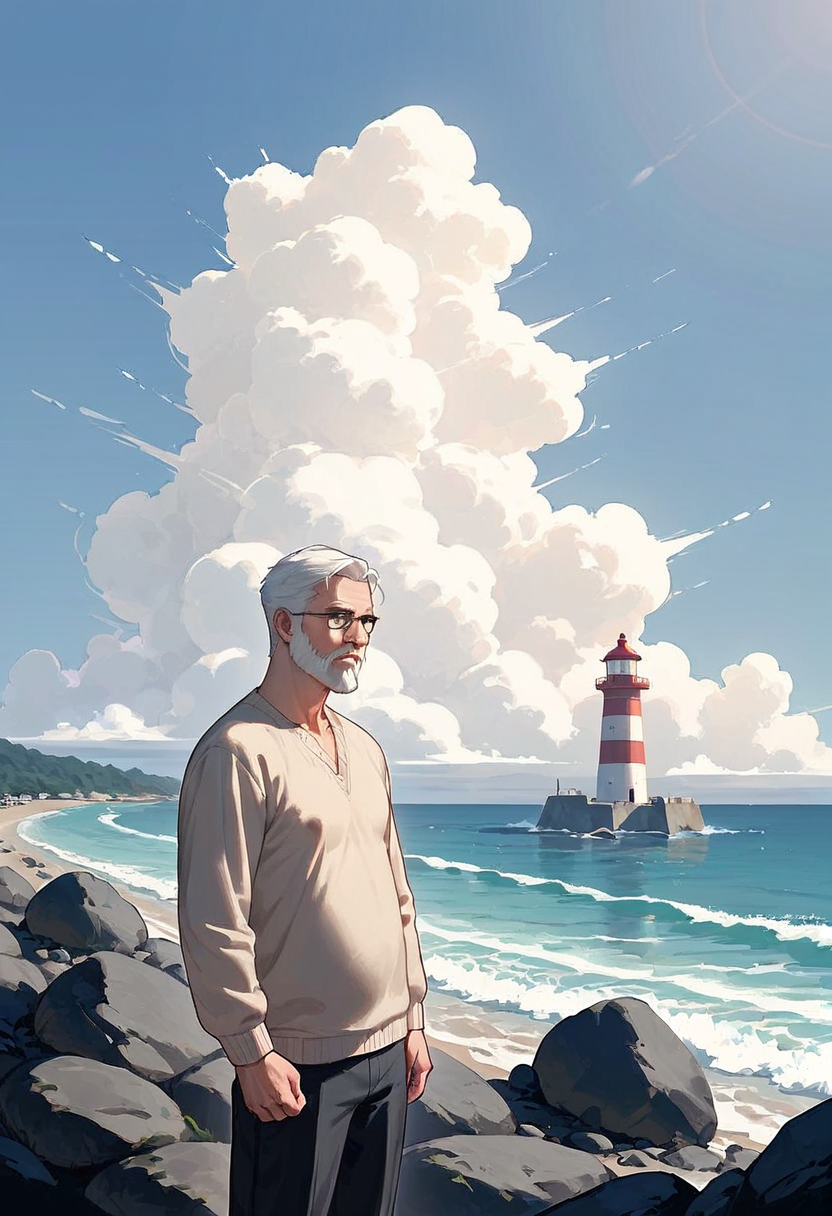
Pony NAI at 832 x 1216. The same prompt as anime key art, with a big sky and clean shapes.
solo, old man, white beard, lighthouse keeper, thick cream wool sweater, standing on a rocky shore, lighthouse behind him, stormy sky, waves, upper body, portrait
- The checkpoint is the art director. Pick Pony NAI for anime and illustration and Pony Realism for photos before you touch the prompt.
- For landscapes, rooms and creatures, add "no humans" and "scenery" so the frame stays about the place.
- Describe people plainly and specifically: age, hair, beard, clothing, pose. "old man, white beard, thick cream wool sweater" gave both styles the same character.
- Use the negative prompt for craft, not content: "deformed hands, bad anatomy, watermark, text, logo" keeps hands and backgrounds clean.
- Our settings for every tile: 35 steps, CFG 5, DPM++ 2M SDE Karras. They are the tool defaults and a reliable starting point.
PonyXL settings explained
PonyXL gives you the full set of SDXL controls. These are the ones that matter most, with the values we used.
- ModelPony NAI, Pony Realism
- Pony NAI for anime and illustration, Pony Realism for photographic images. Both take the same prompt.
- SizeWidth and height up to 4096 px
- Stay near the native SDXL sizes for the cleanest results: 1216 x 832 landscape, 832 x 1216 portrait, 1024 x 1024 square.
- Steps1 to 100, default 35
- 35 steps gave every image on this page its detail. More steps rarely change much.
- CFG scale1 to 50, default 5
- Around 5 keeps colors natural. Higher values follow the prompt more literally but can look overcooked.
- SchedulerDPM++ 2M SDE Karras, DPM++ 2M Karras, Euler, Euler Ancestral
- DPM++ 2M SDE Karras is the default and what we used throughout.
- Quality PresetOn or off, default on
- Adds PonyXL quality tags to your prompt automatically. Leave it on unless you want full manual control.
- Batch size1 to 4 images
- Generate four takes of one prompt in a single run and keep your favorite.
What people make with PonyXL
Anime backgrounds and scenery
Sky islands, seaside towns, cozy rooms and city nights in the clean background art style, like our floating temple and cafe terrace.
Fantasy creatures and concept art
Dragons, mecha and imagined worlds with strong silhouettes and dramatic skies, ready for game pitches and book covers.
Original characters
Wizards, adventurers and heroes with consistent costume details, drawn in anime or painted styles.
Lo fi covers and wallpapers
Warm interiors with string lights and night windows, the look behind countless study playlists and phone backgrounds.
Realistic portraits and interiors
Switch to Pony Realism for character portraits with real skin texture and interior photos with firelight and snow outside.
PonyXL pricing: 0.4 credits per image
PonyXL is included in every Pixel Dojo plan, from $10/month. Each image costs 0.4 credits on either style, at any size, so a batch of four costs 1.6 credits.
Every image on this page cost 0.4 credits. We made them through the Pixel Dojo API, and the same prompts cost the same in the web tool.
PonyXL questions
What is PonyXL?
PonyXL is the Pony Diffusion XL family of community fine tunes of Stable Diffusion XL, popular for anime, illustration and concept art. Pixel Dojo runs two of its styles in the browser: Pony NAI for anime art and Pony Realism for photographic images.
What is the difference between Pony Realism and Pony NAI?
They read the same prompt and render it in different styles. Pony NAI draws crisp anime and illustration art. Pony Realism makes photographic images. Our seaside portrait of an old man by a lighthouse shows the same prompt in both.
How do I write a good PonyXL prompt?
Use short comma separated tags. Start with the style (source_anime, or photo, realistic), say who is in the frame (no humans, scenery, or solo plus a plain description), then add subject, setting and light. Keep Use Quality Preset on so the tool adds quality tags for you.
How much does PonyXL cost?
PonyXL is included in every Pixel Dojo plan, from $10/month, and costs 0.4 credits per image on either style at any size.
Is PonyXL free?
A free account gets 3 free effects every day to try Pixel Dojo. PonyXL is included in every plan from $10/mo, and your credits roll over while you stay subscribed.
Can I use PonyXL images and videos commercially?
Yes. You own what you make, on every plan.
Make your first PonyXL image
Write a prompt above or start from any example on this page. One plan covers every top model, six studios and Sensei, and your credits roll over.
Start with PonyXL