Ads & marketing · Lesson 3 of 3
How to make ads from templates and remake ads that already win
Start from a template that is already a real ad, or drop in an ad that works and get it back with your product, your words and your brand.
You need: A saved product. For the multiplier, an ad you like (an image, or a clip up to 30 seconds).
Step by step
Browse the templates
Scroll to Explore templates in Marketing Studio. Every card is a real output of its template. Filter by Product shot, Motion, UGC, TikTok, Ads, Posters or Marketplace.
Use one
Press Use on a template, like Retro Pop. It opens in Image mode with your saved product attached and the template's scene already written.
Write the headline
Type the words exactly as they should read on the ad. Two images cost only a few credits.
Multiply an ad that wins
Press Recreate an ad (or Image ad under Ad multiplier) and drop in the ad. The scene line switches to: same staging and art direction, your product in its place.
Change the offer and generate
Type your own headline, like 20% OFF THIS WEEK, and press Generate. Same layout, your product, your words.
Do the same for video
In Video mode, press Reference ad to upload a clip, pick one from your library or paste a link, up to 30 seconds. The new ad keeps its pacing and framing.
Why it works
- Import your brand kit first: the logo, colors and voice ride on every template and every remake.
- Remake only ads you made or have permission to reuse. The layout is the idea; your product and words make it yours.
Made this way
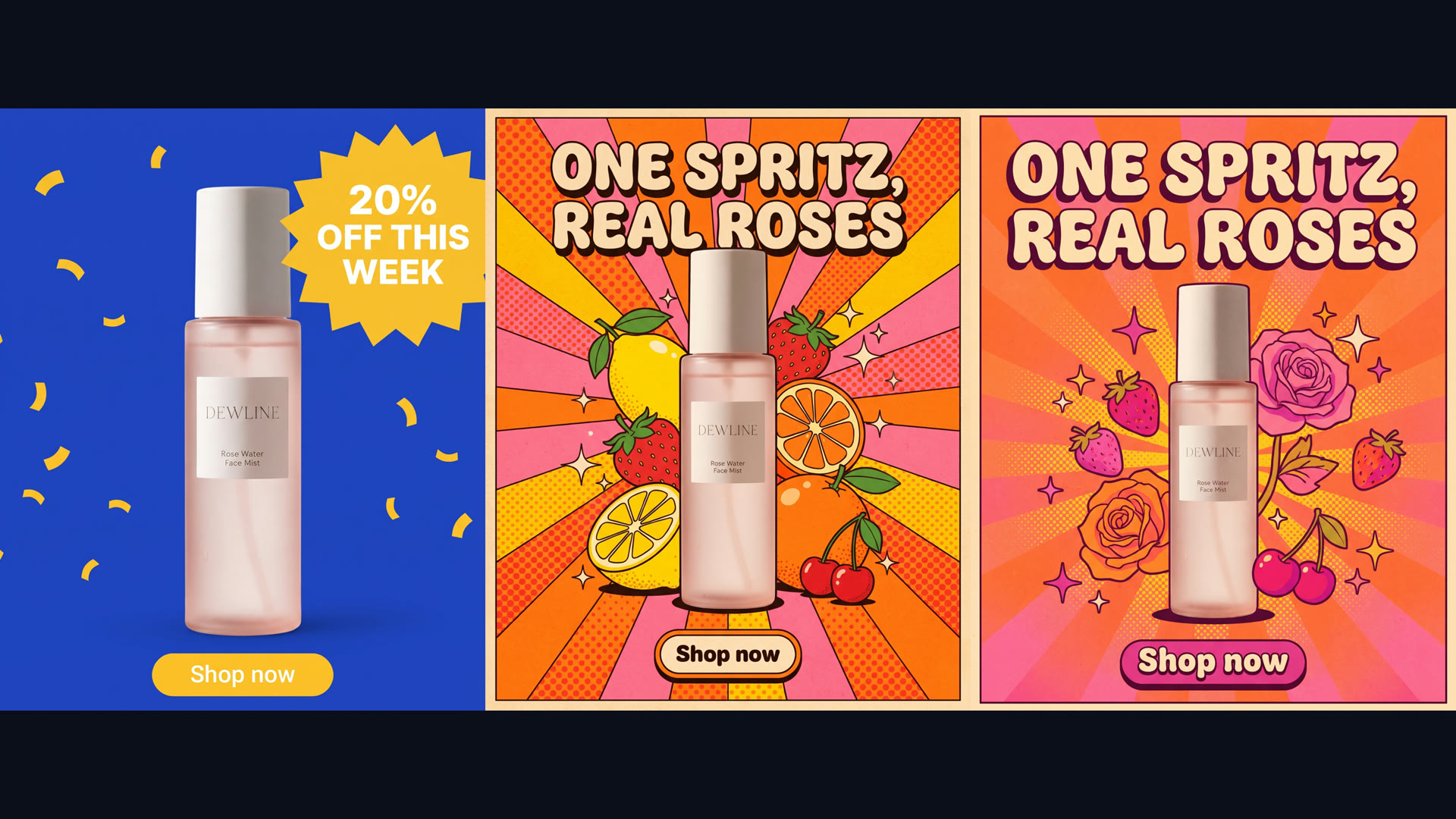
Your practice task
Make one poster from a template, then remake it as a sale ad with the multiplier.
Read the transcript(1:53)
Build a poster with your own headline, then recreate a winning ad around your product in PixelDojo Marketing Studio. Scroll to explore templates. Every card is a real output. Filter by posters, marketplace, UGC, and more to browse examples. The ad multiplier sits just above the gallery. Press Use on the Retro Pop card. The template opens in image mode, with your saved product already attached, ready for you to add the ad's headline. Type your headline exactly as you want it to read on the ad. Here, enter, One Spritz, Real Roses. These are the words the poster will use. Press Generate to make two poster ads for nine credits. Both versions use your bottle and headline, with different arrangements of the retro rays, fruit, and flowers. Now try the ad multiplier. Press Recreate an ad, and drop in an ad that already wins. The attached reference appears as a recreating ad chip in the composer. Change the headline to your offer, 20% off, this week. The scene instruction keeps the reference's layout, staging, and art direction, with your product in its place. Generate the ad with your new offer. The recreated version keeps the same layout and yellow burst, while putting your bottle and your sale against the blue background. For video, press Reference Ad in video mode. In this dialog, upload a clip, choose one from My Library, or paste a direct video link, up to 30 seconds. You've made a template poster, and recreated an ad. Next, try another gallery style, with a different headline.