Images in Claude
Claude Image Generator: ask Claude for a picture and get one
Claude writes, but it does not draw. Add the Pixel Dojo MCP server at https://pixeldojo.ai/mcp and Claude can make images and video for you, on the top models, right in the chat.
We typed plain requests the way you would in Claude and sent each one through the same public API the Pixel Dojo MCP server calls. Each tile below shows what we asked for, the prompt that ran, the model and the credits it cost.
2.75 credits ($0.17) per image at 2K. Included in every plan, from $10/month.
Already a member? Sign in
By Brian Lovett · Updated
What you can ask Claude for once it is connected
The caption under each tile is the request a person types into Claude. Claude turns it into a prompt, picks the tool and hands back the file.
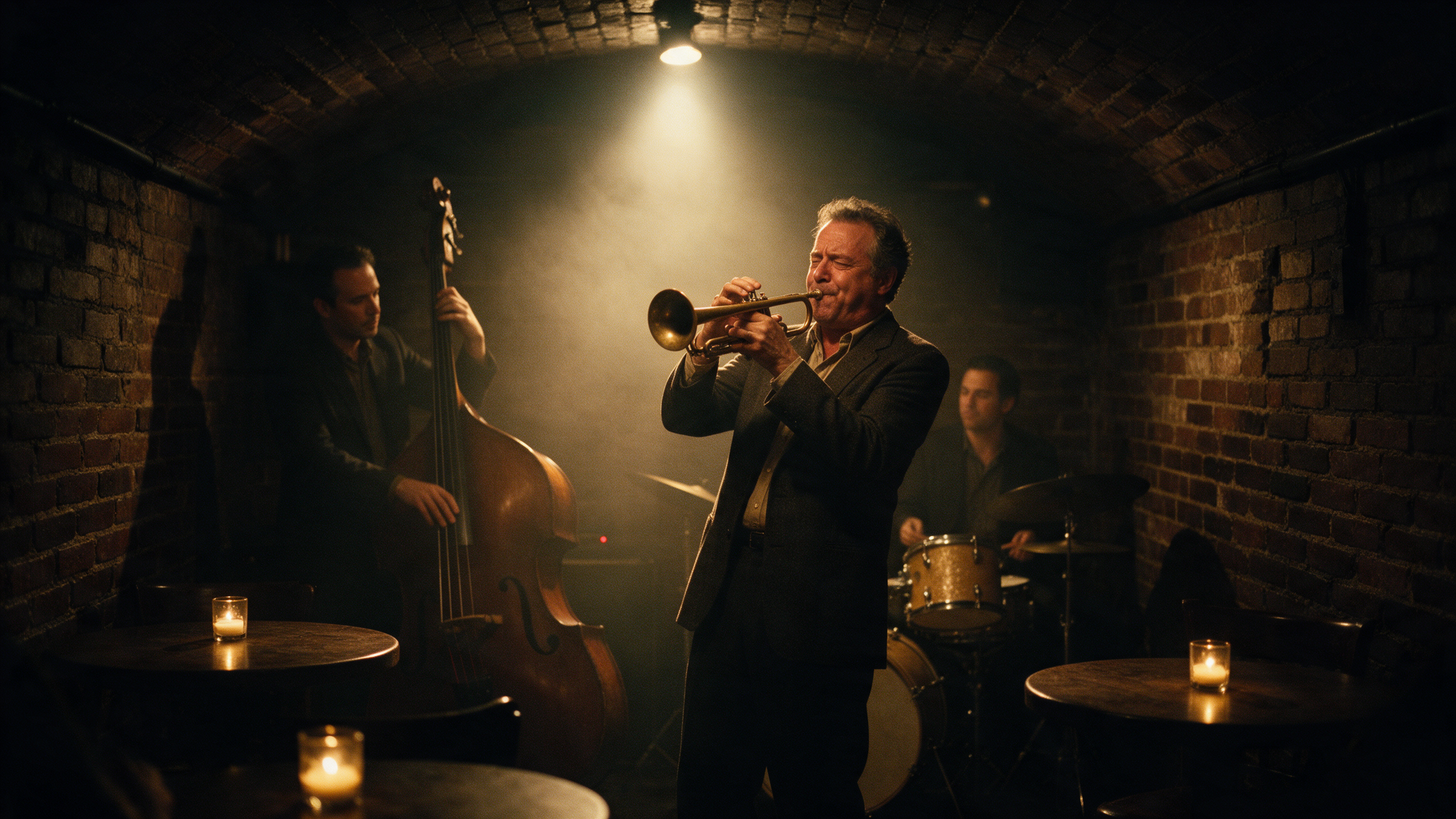
"Make me a moody film photo of a jazz trio playing in a tiny basement club." With no model named, the server uses Seedream 5.
Moody editorial film photograph of a jazz trio playing in a tiny brick basement club: a trumpet player in his fifties mid solo, an upright bass player and a drummer behind him, haze in a single amber spotlight, a few candlelit tables in the foreground, Portra 800 grain, shallow depth of field.
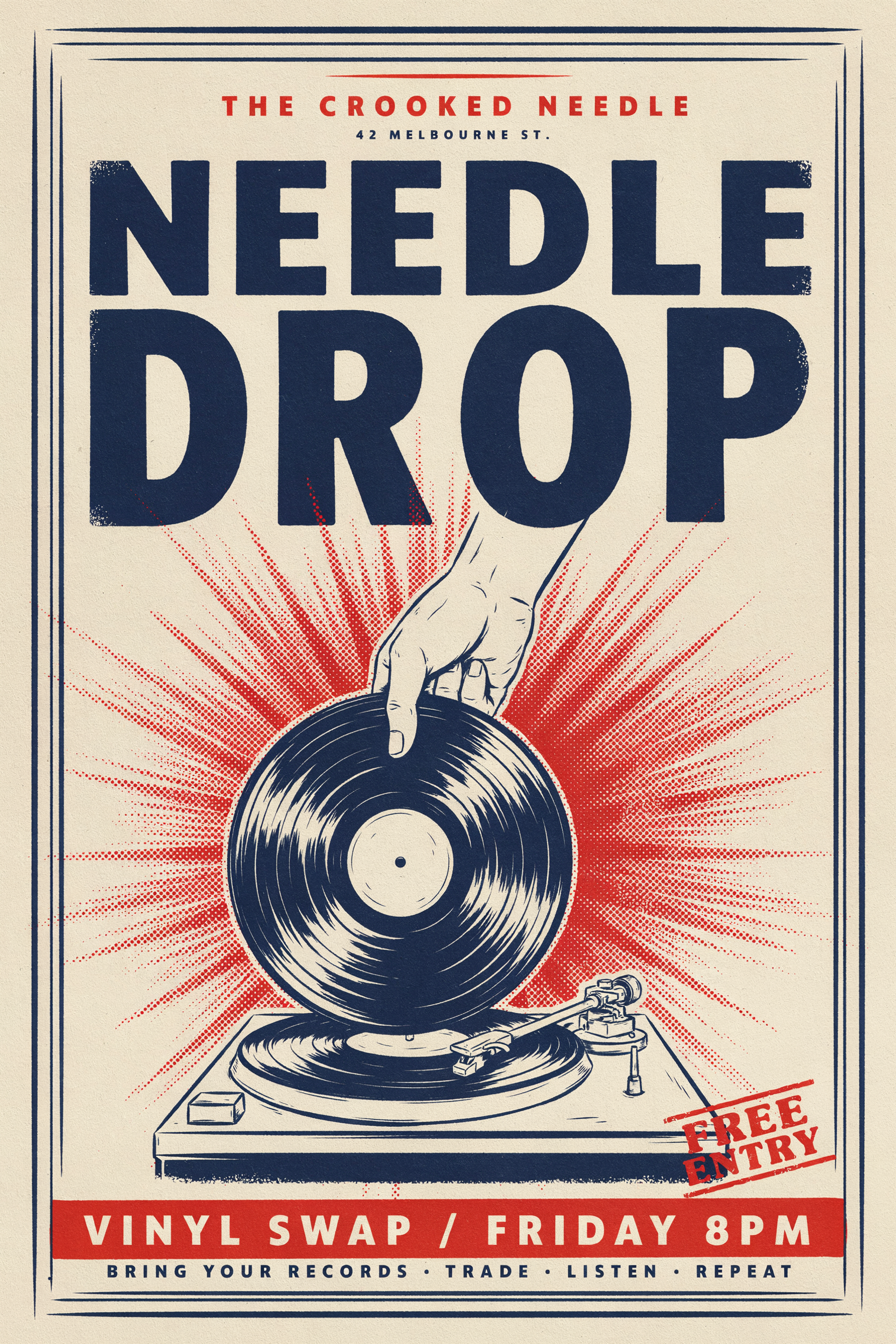
"Design a poster for a vinyl swap night called NEEDLE DROP, Friday 8pm, two color screen print look. Use Ideogram 4.5." Ideogram is the one to name when the words have to be spelled right.
Screen printed gig poster for a record swap night. Big bold title "NEEDLE DROP" at the top, a hand holding a vinyl record over a turntable in the middle, and the line "VINYL SWAP / FRIDAY 8PM" at the bottom. Two color print in tomato red and deep navy on cream paper, halftone texture, slight misregistration.
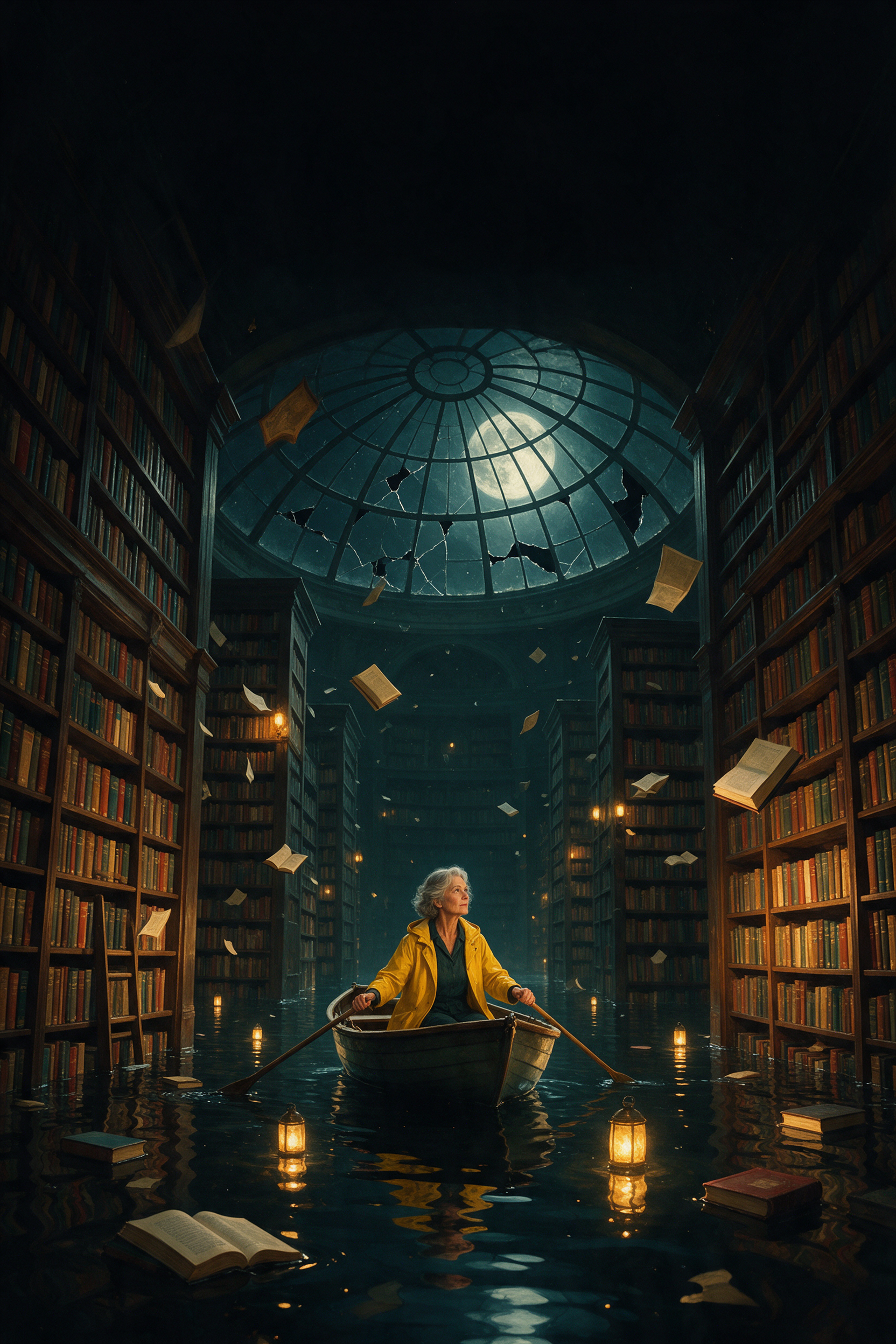
"Make a book cover for my novel: an old woman rowing through a flooded library at night. Leave room at the top for the title." Seedream 5, the default, in a tall 2:3 frame.
Cinematic book cover art: a woman in her sixties in a yellow raincoat steers a little rowboat between the stacks of a grand flooded library at night, tall shelves rising out of still black water, moonlight falling through a cracked glass dome, floating books and lantern reflections, painterly realism, deep teal and amber palette, empty dark space at the top for a title.
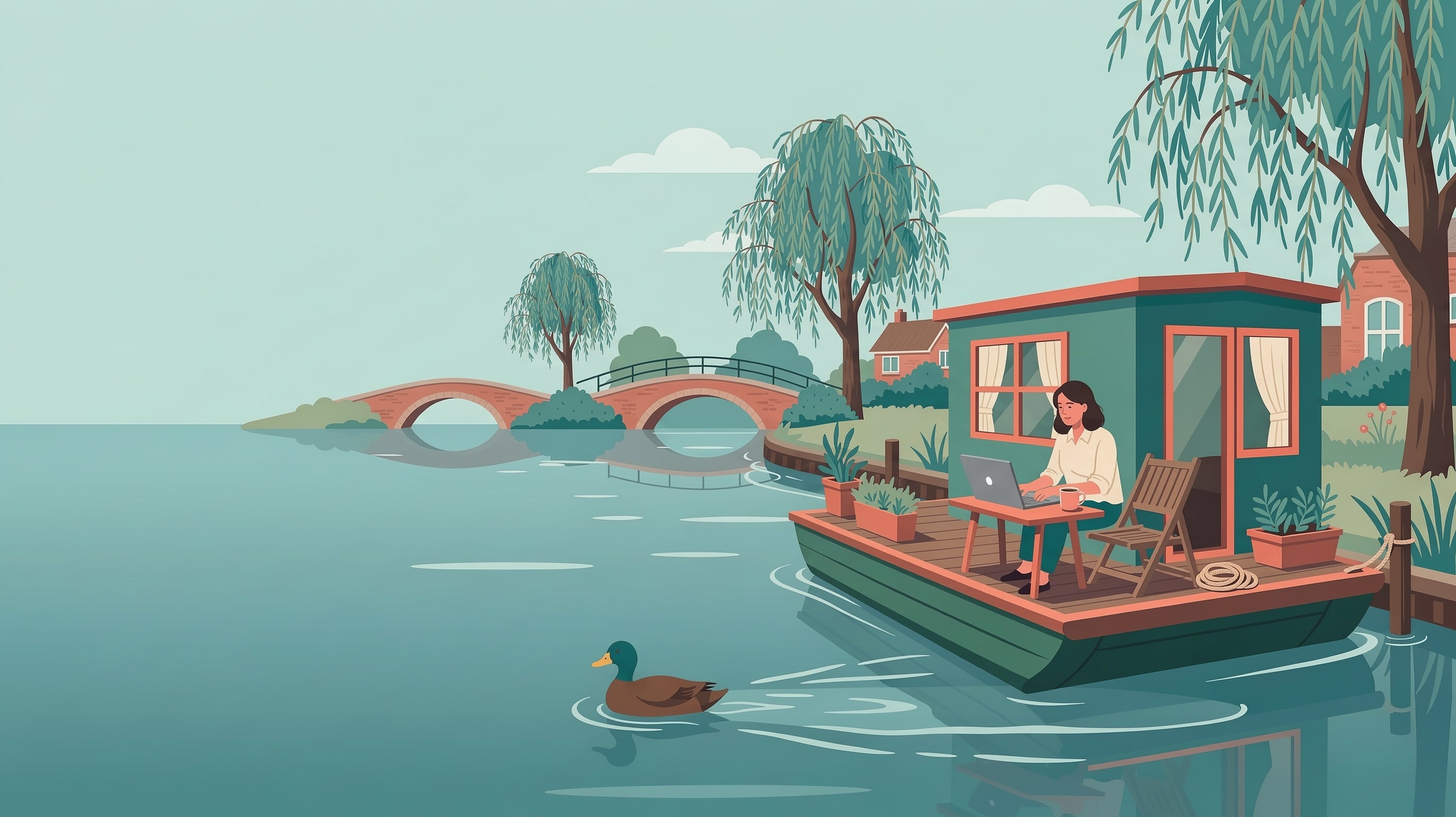
"I need a 16:9 header image for a blog post about working remotely. Flat illustration, calm colors, on FLUX 3 Image."
Flat editorial illustration for a blog header about working remotely: a woman in her thirties with a laptop on the deck of a small green houseboat moored on a calm canal, a mug of coffee beside her, willow trees and brick bridges, a duck paddling past, muted teal and coral palette, clean shapes, generous empty sky on the left.
How to add image generation to Claude
- 1
Claude on the web or desktop
Open Settings, then Connectors, and add a custom connector with the URL https://pixeldojo.ai/mcp. The Add to Claude button on our skills page fills it in for you. claude.ai and the Claude desktop app share connectors, so you add it once.
- 2
Claude Code
Run claude mcp add --transport http pixeldojo https://pixeldojo.ai/mcp in your terminal. The first time Claude calls it, a browser window opens.
- 3
Sign in and approve
Sign in to Pixel Dojo and click Approve. There is no API key to copy. Prefer a key? The local package @pixeldojo/mcp runs with one, and the skills page shows the config.
- 4
Just ask
Say what you want in your own words, and name a model if you have a favorite. Claude calls pixeldojo_generate and shows you the result. Say "save it" to keep it in My Media.
One conversation, three requests
Most image work is a back and forth. We asked for a picture, then asked for a change, then asked for it to move, the way you would in one chat. Each step started from the result of the one before.
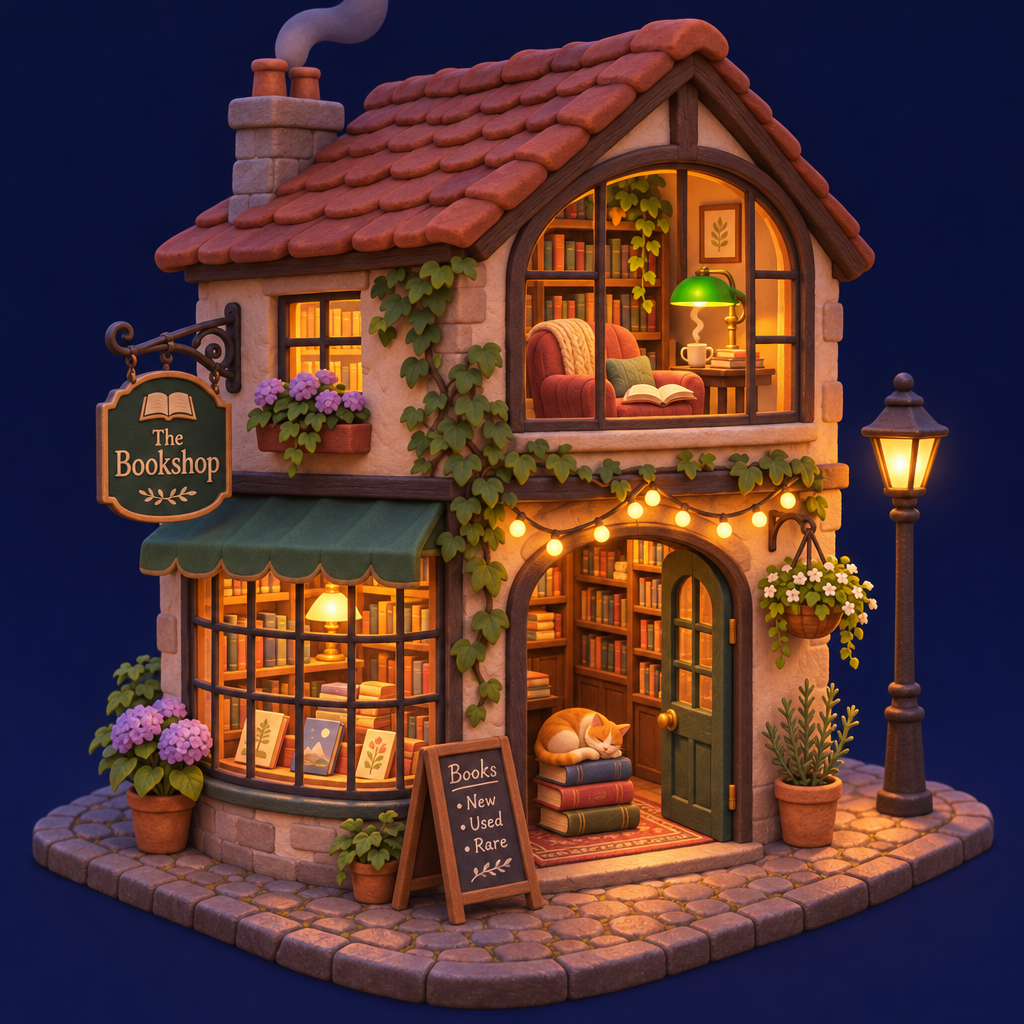
First ask: the bookshop illustration, on GPT Image 2.6.
Isometric 3D illustration of a tiny two story bookshop at night on a cobbled corner: warm light in the windows, a cat asleep on a stack of books in the doorway, a reading nook upstairs with a green lamp, string lights over the door, soft clay render style, deep blue night background.
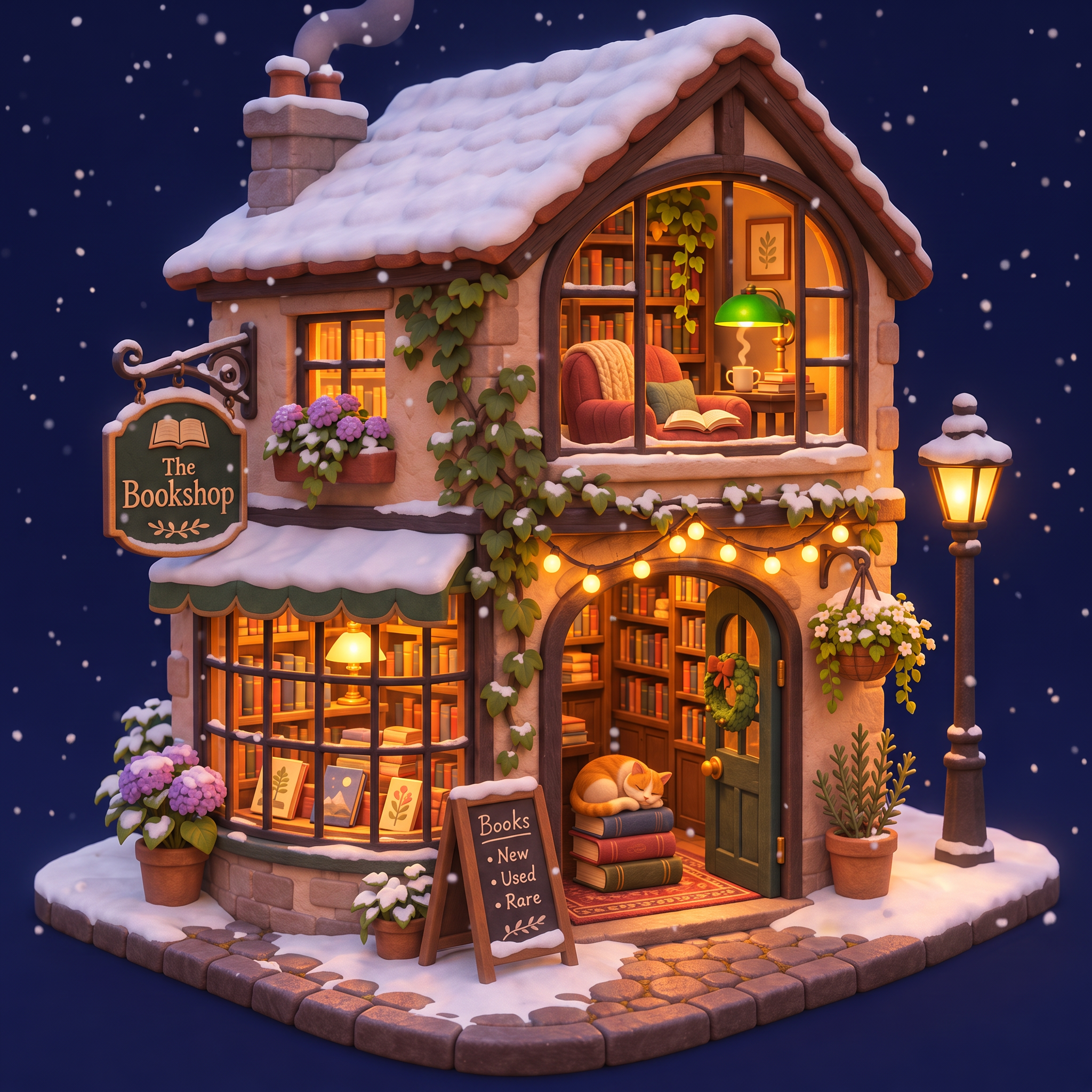
"Now make it a snowy winter night, same angle." Claude sends the first picture to Nano Banana 2.1 as a reference.
Same tiny bookshop, same angle and same clay render style, but on a snowy winter night: snow piled on the roof and window sills, gentle snowfall, a small wreath on the door, warm light glowing from every window.
"Now make it move: falling snow, and let the cat wake up." Claude starts a Seedance 2.5 clip from the snowy picture.
Snow falls gently over the tiny bookshop, the string lights twinkle, the sleeping cat in the doorway stretches and curls back up, a curl of smoke rises from the chimney. The camera slowly pushes in. Soft winter wind, snow crunching and a small door bell jingling, no music.
- GPT Image 2.6 drew the whole scene from one sentence: lit windows, string lights, a green reading lamp upstairs and the cat on a stack of books.
- Nano Banana 2.1 kept the same building, angle and clay look when we asked for winter, and added snow on every ledge and a wreath on the door.
- Seedance 2.5 started from the snowy picture, let the snow fall and woke the cat for a stretch before it curled up again, with a sound track built in.
What Claude can make through Pixel Dojo
These are tools on the Pixel Dojo MCP server. Claude picks the right one from your request.
| You ask Claude for | Tool it calls | Models behind it |
|---|---|---|
| An image from a description | pixeldojo_generate | Seedream 5 by default, or any image model you name, like Nano Banana 2.1, GPT Image 2.6, FLUX 3 Image or Ideogram 4.5 |
| A change to a picture you have | pixeldojo_edit | Image editing models that take your picture as a reference |
| A video clip | pixeldojo_generate with a video model | Seedance 2.5, Kling 4.0, MiniMax H3 Turbo, WAN 3.0 and the other video models |
| The same character again | pixeldojo_character | Your saved Character Studio characters, called by @name |
| A bigger, sharper file | pixeldojo_upscale | Our image and video upscalers |
| Keep a result | pixeldojo_save | Files it to My Media on your account |
What else you get on Pixel Dojo
Unlimited on every plan
On every paid plan, Relax runs Qwen Image 2.1, FLUX 3 Image Klein and MiniMax H3 Turbo, plus every video and photo effect, unlimited with no credits spent.
Sensei, the AI director
Describe a project and Sensei plans it, prices it, waits for your approval and reviews every take.
Photo effects
45+ photo effects restyle a picture in one click, from a hand painted anime still to a boxed action figure or a magazine cover, and every one starts from your own upload.
One job AI tools
35 single purpose tools each do one edit from an upload: remove a watermark, an object or text, restore and colorize an old photo, swap a background, retouch a portrait or make a thumbnail.
Character Studio
Save a face once and call it by @name in any prompt, so the same person shows up in every image and clip.
Start from a genre
Pick a format such as a UGC ad, a micro drama, a movie trailer or an explainer, and the matching studio opens with the settings and a sample idea filled in.
Credits that roll over
Your credits roll over while you stay subscribed, so nothing you pay for disappears at the end of the month.
Every top model, plus an API
More than 80 image and 60 video models in one account, with a public API and a hosted MCP server for your own apps and AI assistants.
What it costs to make images in Claude
Claude uses your Pixel Dojo plan. Plans are Lite $10 a month for 160 credits, Pro $25 for 500 credits, Pro Max $50 for 1,100 credits. You can also buy API credit packs from $5 and skip the plan. Credits roll over while you stay subscribed.
Each tile on this page shows its price: 2.75 credits for the Seedream 5 photo, 2 credits for the Ideogram 4.5 poster, 1.5 credits for the Nano Banana 2.1 edit and 30 credits for the 5 second Seedance 2.5 clip at 720p.
Under our refund policy, a first purchase can be refunded within 7 days, in full if under 20% of the credits are used and pro-rated after that. Commercial use is included on every plan.
Made with Seedream 5
All how-tosThe exact prompts and settings behind each one.
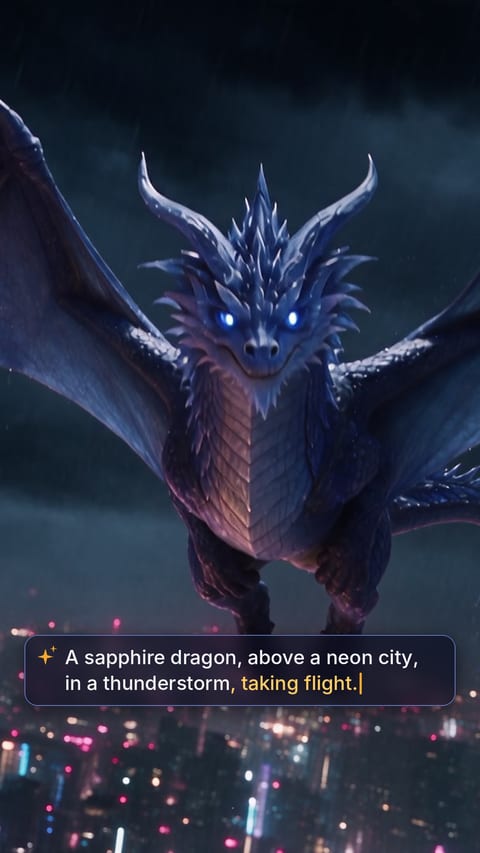 One Sentence, One ShotEight stills to one unbroken shotNov 9 · About 691 creditsSeedream 5Seedance 2.5Seed Audio
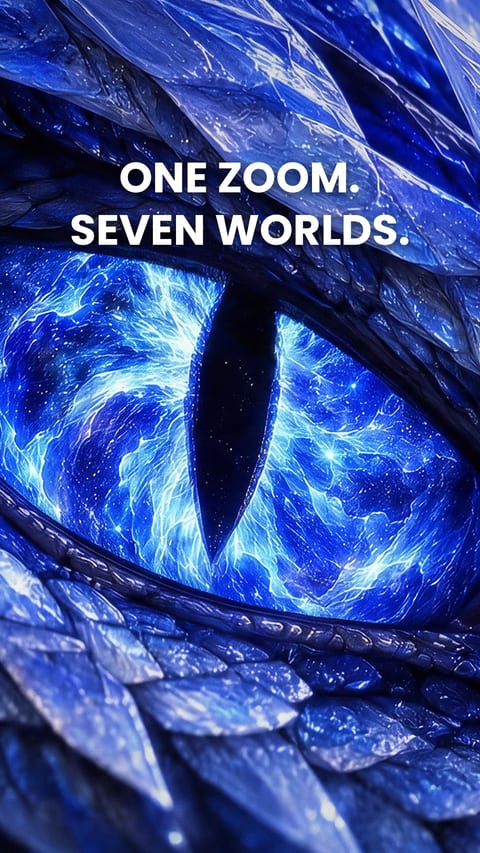 Infinite ZoomSeven stills to a zoom that never endsNov 9 · About 653 creditsSeedream 5Seedance 2.5Seed Audio
 The Dragon TrailerNine stills to a blockbuster trailerNov 9 · About 732 creditsSeedream 5Seedance 2.5Seed Audio
Claude Image Generator questions
Can Claude generate images?
Not on its own. Claude writes text and reads images, but it does not draw them. Connect an image tool through MCP, like the Pixel Dojo server at https://pixeldojo.ai/mcp, and Claude can make images and video for you in the chat.
How do I add image generation to Claude Desktop?
Open Settings, then Connectors, add a custom connector and paste https://pixeldojo.ai/mcp. Sign in to Pixel Dojo and click Approve. The connector works in Claude Desktop and on claude.ai.
Does it work in Claude Code?
Yes. Run claude mcp add --transport http pixeldojo https://pixeldojo.ai/mcp, approve in the browser once, then ask for an image or a clip in your session.
Which image models can Claude use?
Any image or video model on Pixel Dojo. Seedream 5 is the default for images. Name another, like Nano Banana 2.1, GPT Image 2.6 or Ideogram 4.5, and Claude uses it.
How long are the images kept?
Results from the MCP server stay online for one hour. Ask Claude to save one and it goes into My Media on your Pixel Dojo account.
Is Pixel Dojo made by Anthropic?
No. Pixel Dojo is an independent image and video platform. Its MCP server works with Claude the same way it works with ChatGPT, Cursor and other MCP clients.
Make your first Seedream 5 image
Write a prompt above or start from any example on this page. One plan covers every top model, six studios and Sensei, and your credits roll over.
Start with Seedream 5