AI Video in Claude
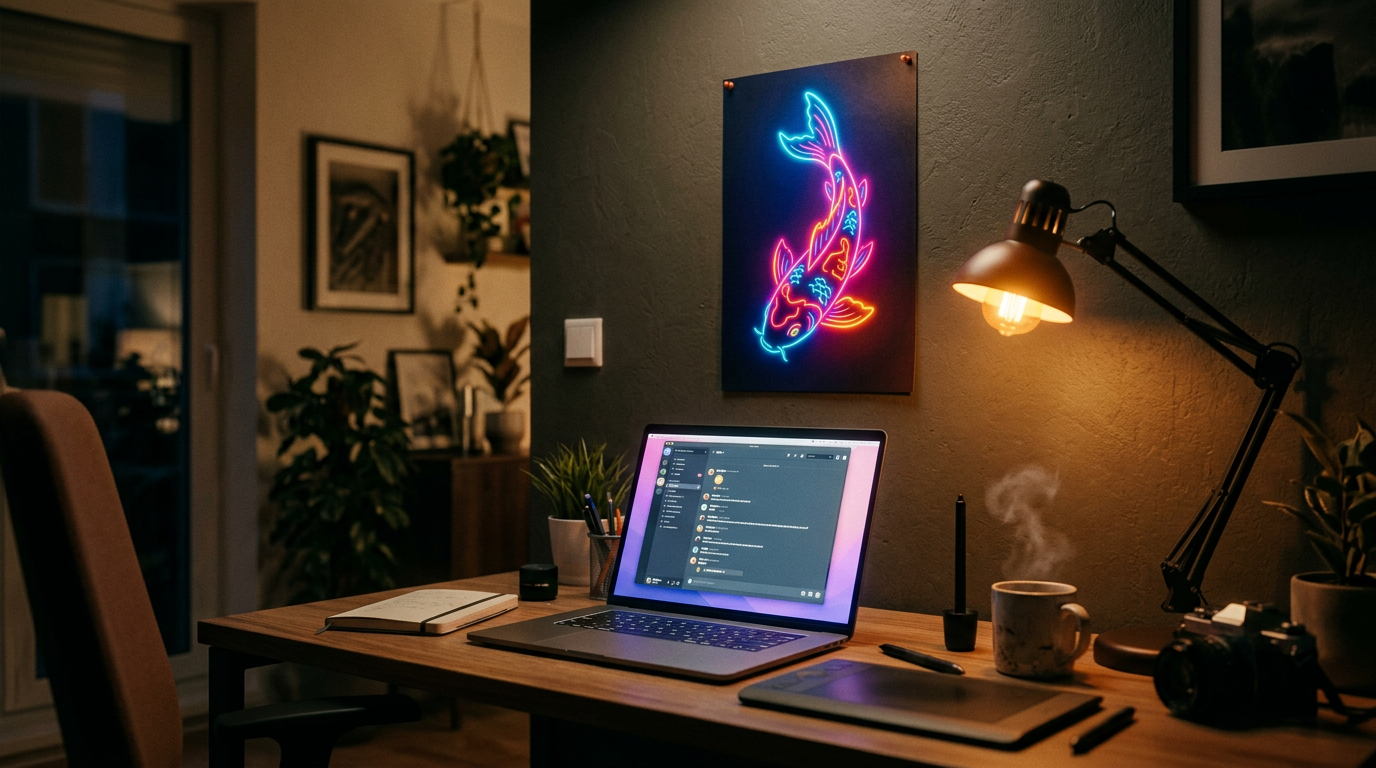
Generated on PixelDojo with nano-banana-2-1. Produced by PixelDojo's generation pipeline.
Yes. Add the Pixel Dojo MCP server at https://pixeldojo.ai/mcp and Claude, ChatGPT, Cursor and other MCP clients can make images, videos, films and ads for you, straight from the chat. Every image and video on this page was made that way: we asked Claude to generate them through the Pixel Dojo MCP server, and it picked the tools, ran the jobs and handed back the files.
Made from a Claude chat through the MCP server
Every example below was produced on PixelDojo. Hover to see the prompt.
A cozy home studio desk at night, a laptop open to a chat window, a freshly printed poster of a neon koi fish pinned to the wall above it, warm lamp light, cinematic product photography
Nano Banana 2.1
What your assistant can make once it is connected
Images and videos with any model
One tool reaches 80+ image models and 60+ video models, from Nano Banana 2.1 and Seedream 5 to Seedance 2.5, Kling 3.0, WAN 3.0 and Veo 3.1. Name a model or let the assistant pick.
Finished films and music videos
Ask for a short film, a micro-drama or a trailer and it comes back cut, with dialogue, sound and titles. Hand it a song and you get a music video cut to it.
Video ads from a product link
Paste a product page and the ad tool pulls the name, photos and description, then returns a finished video ad with voiceover in your brand kit.
Your characters, by name
Type @Name in any prompt and the character you saved in Character Studio shows up in the shot, with the same face every time.
Edits, effects and upscales
Change, extend or restyle a clip, run any of the one-photo video effects, add captions or upscale a finished file, all from the same chat.
Every asset in this batch of answer pages was made from Claude through the Pixel Dojo MCP server on October 22, 2026.
Why Choose Pixel Dojo for AI Video in Claude
Professional-quality results with cutting-edge AI technology
Every top model in one connection
One server, every model on Pixel Dojo. New models show up in your assistant the day they launch, with no new install.
Whole projects, not single files
The same tools that power our studios are in the server, so a chat can end in a cut film, a set of ads or a full character shoot.
You own what you create
Everything you make through the server is yours, on every plan, with commercial use included.
One plan covers it
The server uses your Pixel Dojo plan. Unlimited on every plan, credits roll over every month while you are subscribed, plans from $10/mo.
How It Works
Connecting takes about a minute. Here is the path, with what to watch at each step.
Add the server to your assistant
In Claude, ChatGPT, Cursor, Codex, Windsurf or Zed, add a custom connector or MCP server with the URL https://pixeldojo.ai/mcp. Prefer a local install? Run npx @pixeldojo/mcp init. Step-by-step setup for each client is on the Skills page.
Sign in once
The hosted server signs you in to your Pixel Dojo account, so every job runs on your own plan and lands in your own library. There is no key to paste.
Ask in plain words
Say what you want, the way you would brief a person: "make a 9:16 product video of this bottle with sound". The assistant picks the tool and the model, or uses the one you name.
Keep what you like
Result links stay up for one hour. Ask the assistant to save the ones you want and they go into My Media for good. Finished films go to your library on their own.
The Pixel Dojo Advantage
Connecting your assistant to Pixel Dojo instead of stitching separate tools together:
| Others | Pixel Dojo |
|---|---|
| A separate subscription and app for each image and video model | Every model in one MCP server, on one plan |
| Download from one tool, upload to the next | The assistant chains generate, edit, upscale and cut in one conversation |
| Credits that expire at the end of the month | Credits roll over every month while you are subscribed |
Loved by creators on PixelDojo
Real feedback from people using PixelDojo, pulled from our in-product surveys.
Prompt updates, strong features, and a community that is always willing to help and hear/act on professional feedback. I've never had a better experience.
user friendly all in one thing
I really like the schedule of AI work performed!
The best tools for IA on the web !
The guy that operates the website is constantly updating it
I’ve been using PixelDojo for around 8 months now and it’s always worked wonderfully while constantly adding features.
Explore more AI tools on PixelDojo
Popular AI Models
AI Tools
Compare & Switch
- All AI Tool Alternatives
- Pollo AI Alternative
- PixelDojo vs Pollo AI
- Pollo AI Review
- MotionMuse AI Alternative
- MioCreate Alternative
- Dessi AI Alternative
- Runway Alternatives
- CapCut Alternatives
- Leonardo Alternatives
- OpenArt Alternatives
- Midjourney Alternatives
- Canva AI Alternatives
- Pika Alternatives
- InVideo Alternatives
- Higgsfield Alternatives
- Krea Alternatives
- Luma Alternatives
- Magic Hour Alternatives
- HeyGen Alternatives
- PixAI Alternatives
- Vidu Alternatives
- Seedream Alternatives
- Tensor.Art Alternatives
Common Questions
Everything you need to know about AI Video in Claude
Can Claude make images and videos?
Yes, once you add the Pixel Dojo MCP server at https://pixeldojo.ai/mcp. Claude can then generate images and videos, make films and music videos, build video ads and edit clips with every model on Pixel Dojo.
Does it work in ChatGPT and Cursor too?
Yes. Any client that supports remote MCP servers can connect, including ChatGPT, Claude, Claude Code, Cursor, Codex, Windsurf and Zed. The Skills page has the setup for each one.
Which model will my assistant use?
The one you name, or a strong default for the job: Seedream 5 for images and Seedance 2.5 for video. You can name any of the 80+ image and 60+ video models in your prompt.
Is it free?
Yes, to start: a free account gets 3 free video effects every day, no card needed. Plans from $10/mo unlock every model through the server, with Unlimited on every plan.
Can I use what I make commercially?
Yes. You own what you create, on every plan, whether you made it on the site or through your assistant.
Can I automate it without a chat?
Yes. Every model is also in the REST API with the same account, so scripts and back ends can call the same tools directly.