FLUX Studio Prompting Guide

FLUX Studio.
Every FLUX variant in one workspace.

FLUX Studio brings every FLUX 1 variant under a single workspace — Schnell, Dev, Krea Dev, FLUX Pro, FLUX 1.1 Pro, FLUX 1.1 Pro Ultra, Kontext Pro, Kontext Max. Switch variants per prompt to balance speed, fidelity, and feature surface.

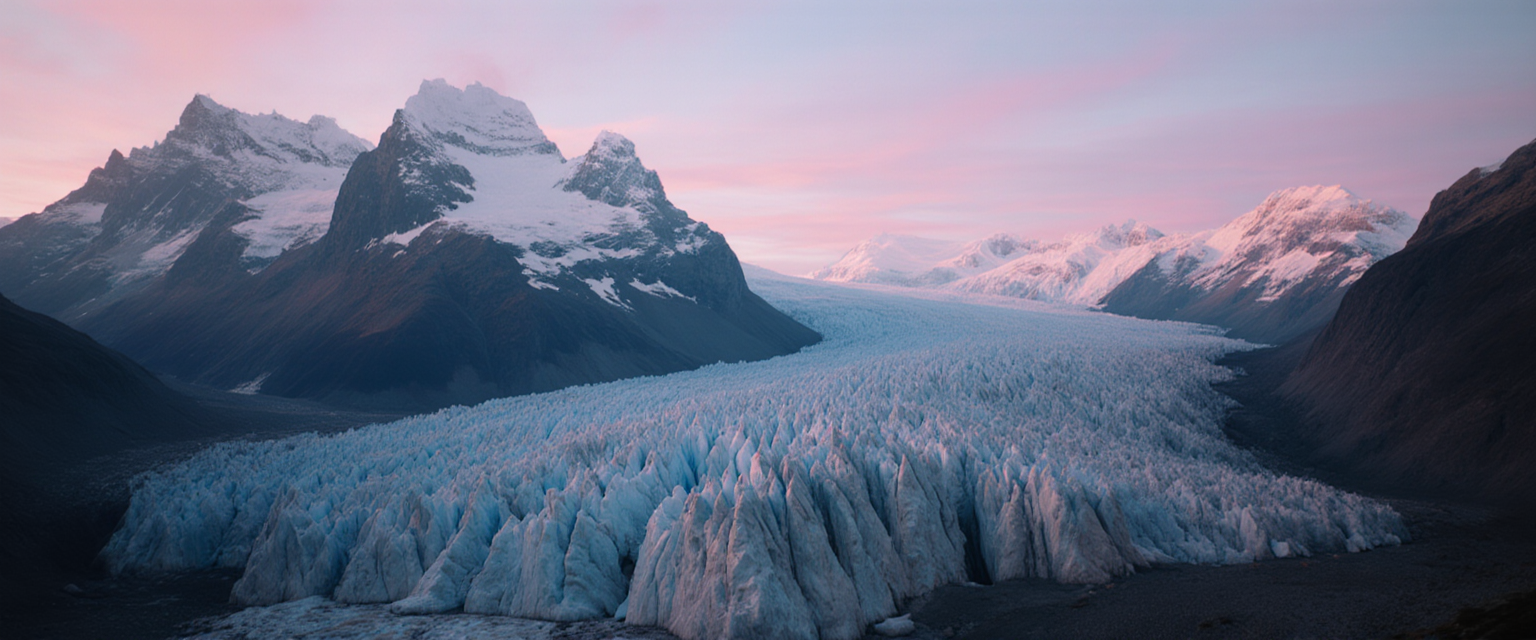
FLUX Studio hero — Patagonian glacier at sunrise

Overview

FLUX Studio is a workspace that exposes every FLUX 1 variant in a single tool — flip between Schnell, Dev, Krea Dev, FLUX Pro, FLUX 1.1 Pro, FLUX 1.1 Pro Ultra, Kontext Pro, Kontext Max — all from one prompt. Same prompt language carries; you pick the variant by use case.

Krea Dev is the default for everyday work — strong aesthetic, reasonable cost. Schnell for fast iteration. Pro Ultra for hero shots with maximum fidelity. Kontext Pro / Max for in-image text fidelity and image-to-image edits. Nine aspect ratios including 21:9 cinematic, 4:5 social-spec, 9:21 ultra-tall.

8+

FLUX variants in one workspace

9

Aspect ratios incl. 21:9 + 4:5

Pick

Variant per use case

Key Features

Variant Switching
Per-prompt model choice

Variant Switching

Switch between FLUX variants without leaving the workspace. Schnell for speed (1-credit iteration). Dev / Krea Dev for everyday work (cheap, strong aesthetic). FLUX Pro / 1.1 Pro / 1.1 Pro Ultra for hero shots (higher fidelity tiers). Kontext Pro / Max for text-heavy or image-edit work.

Cinematic 21:9
Wider than most flagships

Cinematic 21:9

FLUX Studio supports 21:9 (cinematic ultra-wide) — wider than most image flagships cap at. Useful for cinematic landscapes, hero shots destined for widescreen edits, and any pictorial composition with strong horizon and atmospheric depth.

Social-Spec Aspects
4:5 Instagram · 5:4 horizontal

Social-Spec Aspects

4:5 (1080×1350) is Instagram portrait spec — the social-native ratio. 5:4 is the horizontal counterpart for Facebook / LinkedIn posts. Generate at the right aspect — no crop loss for the social channel.

Stylized + Photoreal Range
Commits to either cleanly

Stylized + Photoreal Range

Same workspace handles photoreal landscapes, product macros, fashion editorial, AND stylized illustration / painterly atmospheric. FLUX is strong across the genre range when you commit to the medium explicitly in prompt.

Example Images

Each example shows the exact prompt that produced the result. Copy any prompt with one click.

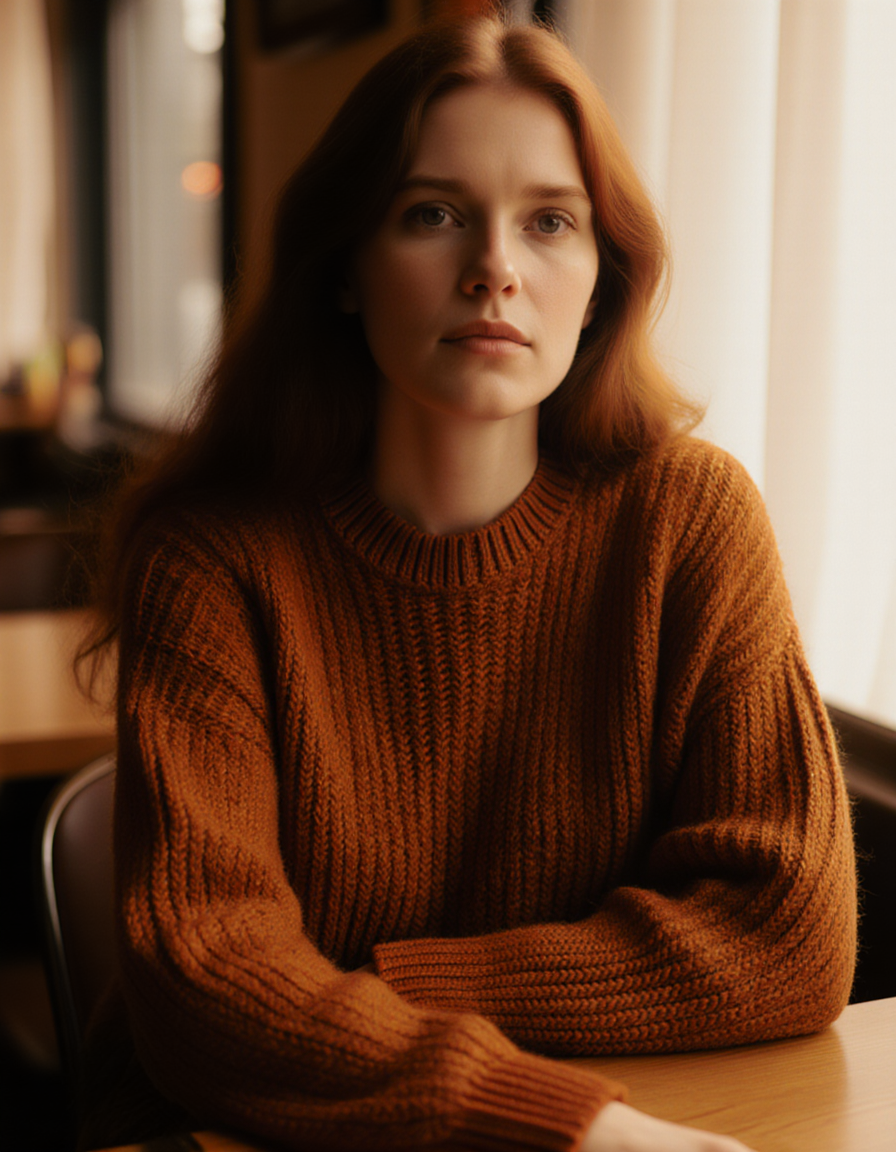
Vintage Portrait

Vintage Portrait

Krea Dev · 3:4 · low credit

Editorial portrait of a 35-year-old woman with long auburn hair in a vintage 1970s burnt-orange knit sweater, sitting in a warm-lit cafe, soft window light, hyper-detailed skin texture and yarn weave, photoreal

"Vintage 1970s burnt-orange knit sweater" gives Krea Dev a specific wardrobe + era anchor. Yarn weave + skin texture targets show off the model's material rendering. Krea Dev is the production sweet spot for portrait work in the FLUX 1 family.

Patagonian Glacier Hero

Patagonian Glacier Hero

Krea Dev · 21:9 · low credit

Cinematic wide shot of a remote Patagonian glacier at sunrise, jagged peaks rising above the ice, soft pink and blue alpenglow, painterly atmospheric, hyper-detailed 8k

21:9 cinematic ultra-wide rewards atmospheric landscape language. "Soft pink and blue alpenglow" gives a specific color palette + lighting moment. Pair "painterly atmospheric" with "hyper-detailed" — FLUX commits to both atmosphere AND fidelity.

Amber Glass Product

Amber Glass Product

Krea Dev · 4:5 · low credit

Studio macro of a hand-blown amber glass bottle on a polished obsidian surface, soft directional rim light catching the curves and amber color, premium spirits commercial mood

4:5 social-spec at Krea Dev. Material specifics ("hand-blown amber glass", "polished obsidian") give FLUX clean surface targets. "Premium spirits commercial mood" anchors aesthetic without over-specifying camera details.

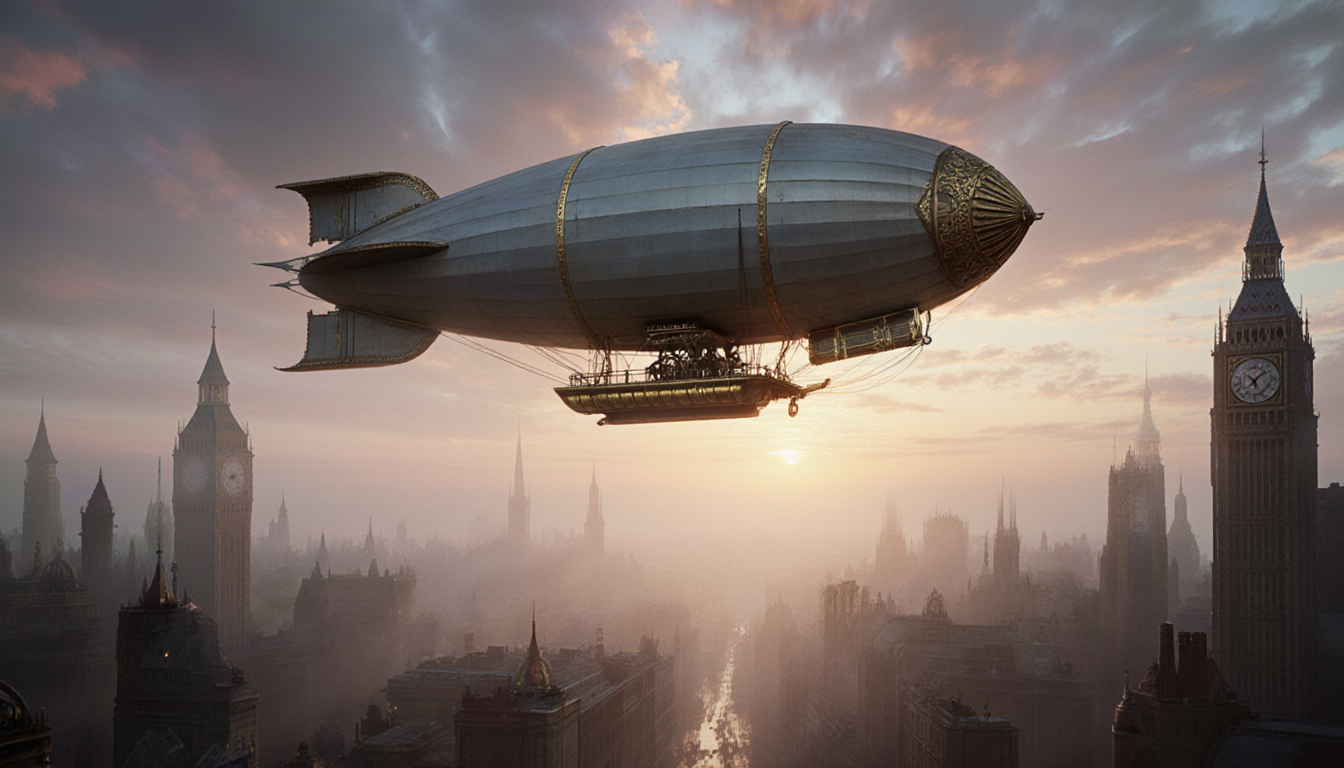
Steampunk Airship Illustration

Steampunk Airship Illustration

Krea Dev · 16:9 · low credit

Stylized digital illustration of a Victorian airship floating above a misty steampunk city at dusk, brass details glinting in the warm light, painterly atmospheric, dreamy palette

"Stylized digital illustration" + "painterly atmospheric" + "dreamy palette" — three style anchors commit FLUX cleanly out of photoreal default. Steampunk + brass + dusk lighting is a strong genre/atmosphere pairing.

Prompting Tips

Default to Krea Dev

Krea Dev is the production sweet spot in the FLUX 1 family — strong aesthetic from sparse prompts, reasonable credit cost, broad genre range. Use it for everyday work. Move to Pro / Pro Ultra for hero shots only.

Schnell for ultra-fast iteration

Schnell is FLUX's speed-optimized variant — 1 credit, very fast turnaround, lower fidelity ceiling. Use it for rapid prompt iteration (30-50 attempts at low cost), then re-render the keeper in Krea Dev or Pro Ultra.

Pro Ultra for hero fidelity

FLUX 1.1 Pro Ultra is the maximum-fidelity tier in the FLUX 1 family — sharper detail, better material rendering, cleaner composition. Higher credit cost. Reserve for hero shots and final renders where every marginal detail matters.

Kontext for text + edits

Kontext Pro / Max have strong text rendering (multi-line, varied weights, exact typography) AND image-to-image editing support. Use these variants when in-image text fidelity matters or when you need to edit an existing image with a prompt.

Match aspect to channel

21:9 cinematic, 16:9 standard horizontal, 9:16 vertical reels, 1:1 square social, 4:5 Instagram portrait, 5:4 Facebook horizontal, 9:21 ultra-tall. FLUX Studio covers them all — generate at the right aspect.

FLUX 2 is the newer family

FLUX Studio is the FLUX 1 family workspace. For the newest aesthetic and strongest prompt adherence, use FLUX 2 (separate tool) or FLUX 2 Flex (resolution-flexible). Same prompt language carries; FLUX 2 is generally stronger.

Settings Reference

SettingValuesNotes
Model variantSchnell · Dev · Krea Dev · FLUX Pro · 1.1 Pro · 1.1 Pro Ultra · Kontext Pro · Kontext MaxSwitch per prompt. Krea Dev is the production default.
Aspect ratio1:1 · 16:9 · 9:16 · 21:9 · 9:21 · 3:2 · 2:3 · 4:5 · 5:4Nine presets including cinematic and social-spec ratios.
Outputs1–4 per callEach output counts as its own credit charge.
SeedInteger (optional)Pin for reproducibility across re-runs.
CapabilitiesText-to-image · Image-to-image · InpaintingImage-to-image and inpainting via Kontext variants.
PricingVariant-scaledSchnell cheapest, Pro Ultra and Kontext Max most expensive.

FAQ

Krea Dev is the everyday default — strong aesthetic, low cost. Schnell for rapid iteration. FLUX 1.1 Pro Ultra for hero shots and final renders (max fidelity). Kontext Pro / Max for text-heavy work or image-to-image edits. Dev for legacy compatibility with established workflows.