Hunyuan Image 3 Prompting Guide

Hunyuan Image 3.
Tencent 80B-parameter generation.

Hunyuan Image 3 is Tencent's flagship image model — an 80 billion parameter text-to-image generator with high fidelity output, fast and quality modes, and seven aspect ratios. Safety checker disabled at the provider for unrestricted creative work. 2 credits per image.

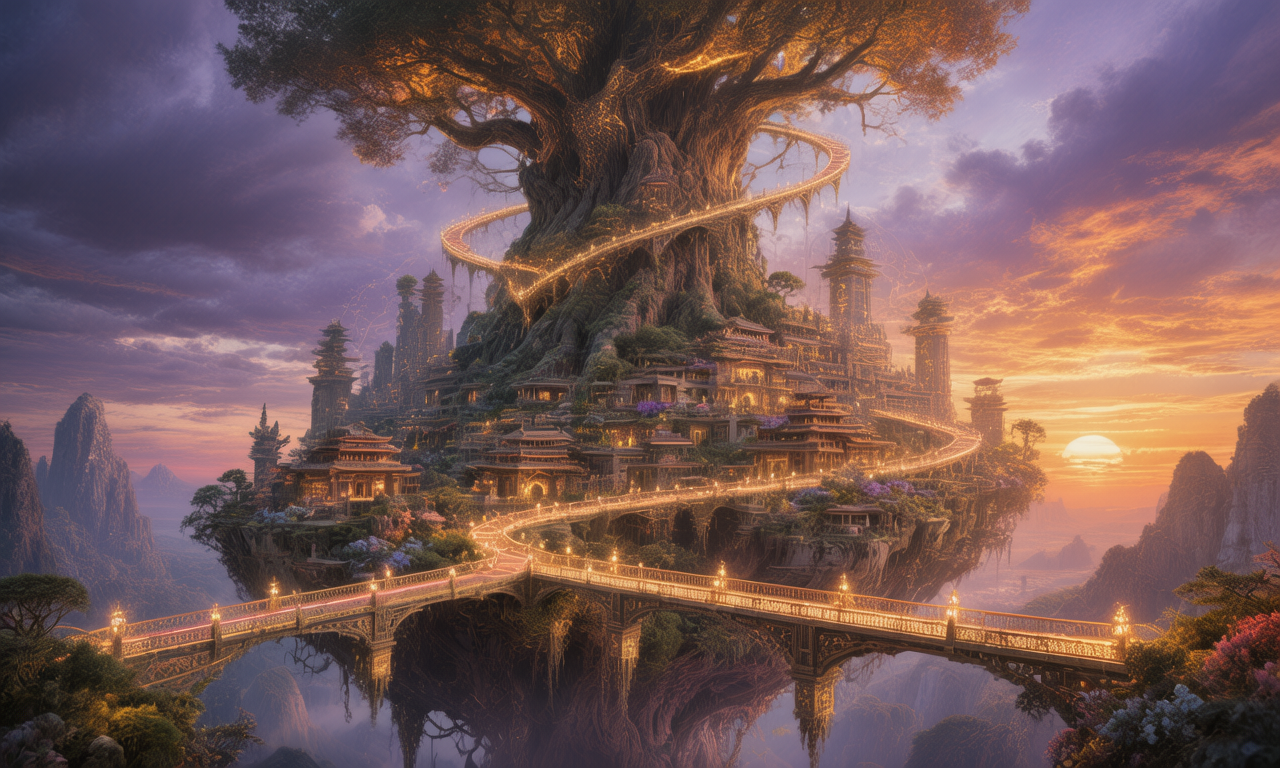
Hunyuan Image 3 hero — painterly fantasy floating city

Overview

Hunyuan Image 3 is Tencent's 80-billion-parameter image generation model — one of the largest open-spec image models available. It produces high-fidelity output across photoreal and stylized domains with strong understanding of complex compositions, atmospheric scenes, and material rendering.

Two modes via go_fast toggle: Fast (default, faster turnaround) and Quality (more denoising iterations, sharper detail). Seven aspect ratios covering everything from 1:1 square to 21:9 cinematic ultra-wide. Optional negative prompt. Safety checker disabled at the provider — generates without artificial content limits. 2 credits per image.

80B

Parameters

7

Aspect ratios

2 cr

Per image

Key Features

High-Fidelity Output
Painterly + photoreal

High-Fidelity Output

Hunyuan Image 3's 80B parameter capacity shows in fine detail — atmospheric lighting, material textures, complex compositions all read clean. Particularly strong on painterly cinematic scenes and densely layered environments where smaller models tend to mush.
Fast / Quality Toggle
go_fast on or off

Fast / Quality Toggle

Fast mode (go_fast=true, default) trades a marginal fidelity loss for faster turnaround — perfect for iteration. Quality mode (go_fast=false) runs more denoising iterations for sharper edges, finer texture, and cleaner gradients. Same 2 credits either way.

Strong on Architecture
Concrete, glass, complex geometry

Strong on Architecture

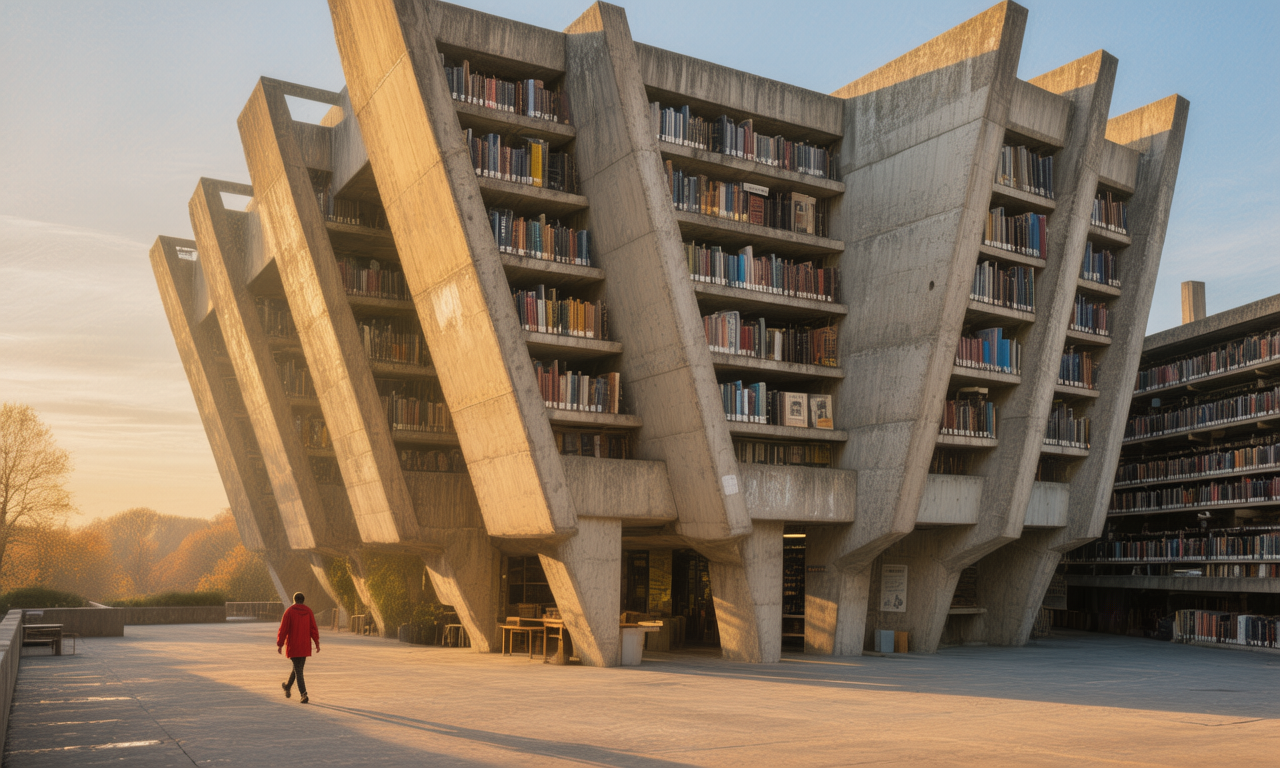
Architectural subjects render particularly cleanly — angular geometry, deep cast shadows, material surface (concrete, glass, steel). Wide establishing shots with figures-for-scale hit a strong cinematic register without needing photo-stack technical anchors.

Material-Driven Subjects
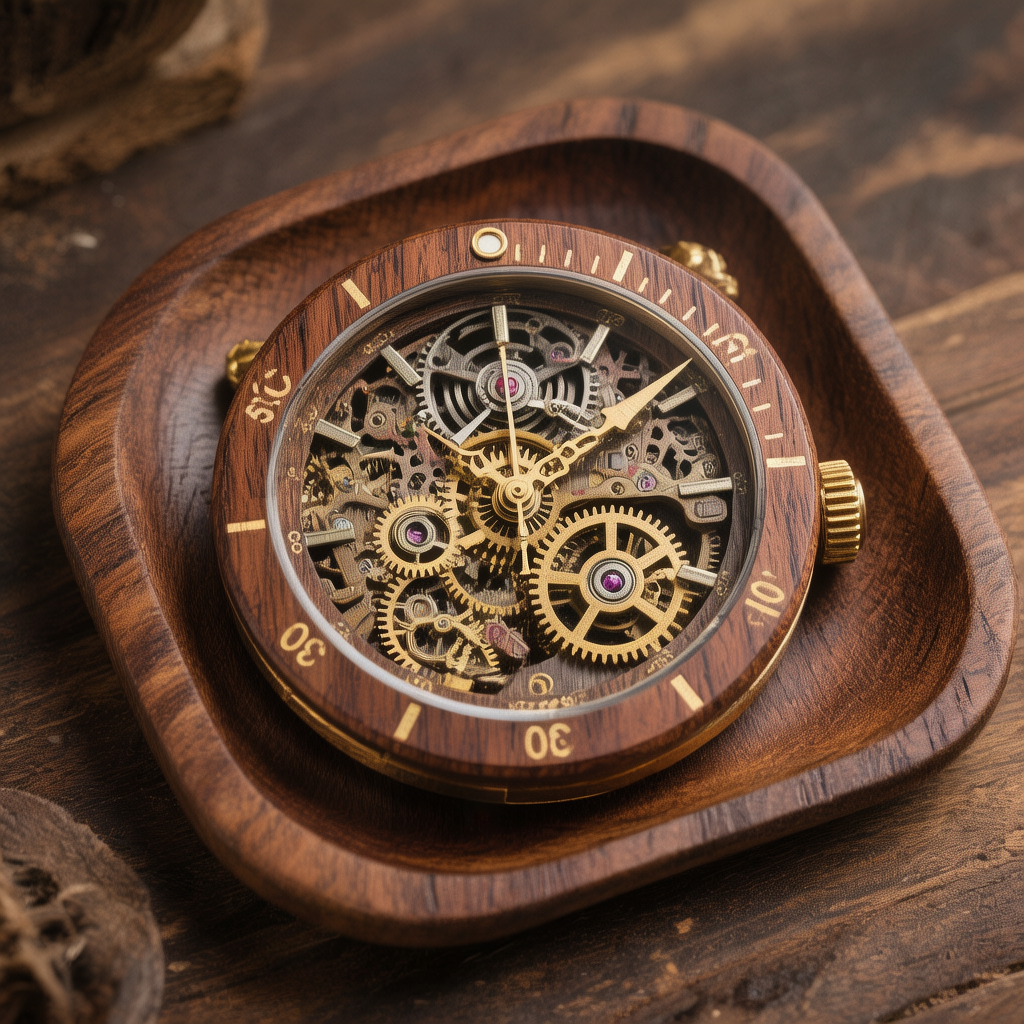
Wood, metal, mechanical detail

Material-Driven Subjects

Strong on product and material-driven subjects — exposed mechanical detail, wood grain, brass, leather. Useful for handcrafted product shots, watch and instrument photography, and any composition where surface texture is the headline.

Example Images

Each example shows the exact prompt that produced the result. Copy any prompt with one click.

Painterly Fantasy Landscape

Painterly Fantasy Landscape

16:9 · go_fast on · 2 credits

Painterly fantasy landscape of an ancient floating city carved into a giant tree at sunset, glowing bridges connecting tiered platforms, warm orange and deep purple sky, hyper-detailed 8k, cinematic

Hunyuan handles painterly cinematic compositions with strong atmosphere. Pair the structural element (floating city, tiered platforms) with color palette (warm orange + deep purple) and the scene reads coherent — not a jumble of disconnected fantasy details.

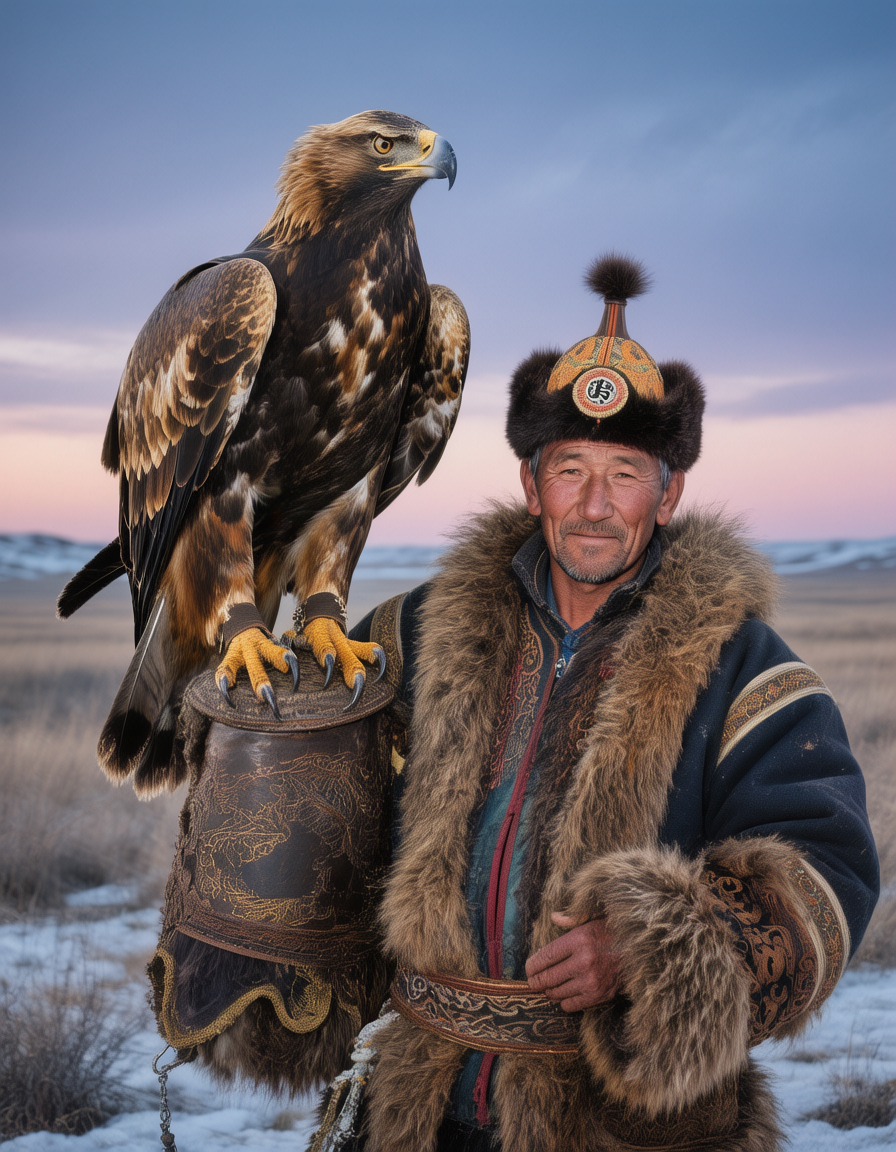
Photoreal Cultural Portrait

Photoreal Cultural Portrait

3:4 · go_fast on · 2 credits

Photoreal portrait of a Mongolian eagle hunter in traditional fur-trimmed coat, his trained golden eagle perched on his arm, snowy steppe backdrop at twilight, soft directional light, hyper-detailed

3:4 portrait + cultural specificity ("Mongolian eagle hunter", "fur-trimmed coat", "trained golden eagle") gives Hunyuan a clear subject. Lighting direction + time of day anchor the mood. Quality mode adds marginal detail on fur and feather texture if it matters.

Brutalist Architecture

Brutalist Architecture

16:9 · go_fast on · 2 credits

Wide shot of a Brutalist concrete library at golden hour, deep shadows defining the angular geometry, a lone figure in red walks across the plaza for scale, painterly cinematic photography

"A figure in red for scale" is a classic architecture composition trick — Hunyuan places the figure thoughtfully rather than dominating the frame. Pair with golden-hour raking-light language and the angular geometry reads clean and intentional.

Product Macro — Mechanical Watch

Product Macro — Mechanical Watch

1:1 · go_fast on · 2 credits

Studio product photograph of a handcrafted wooden mechanical watch face-up on a dark walnut tray, exposed gear movement visible, warm directional lighting catching brass details, advertising quality

1:1 square + product social. Hunyuan handles mechanical detail (exposed gear movement, brass catches, walnut grain) cleanly without compositional clutter. "Advertising quality" anchors the framing toward clean negative space and studio lighting.

Prompting Tips

Default to Fast for iteration

Fast mode (go_fast=true) is the default — same 2 credit cost, faster turnaround. Use Quality (go_fast=false) only for the final render where fine texture or sharp edges really matter. Most production work lives in Fast.

Pair geometry with palette

For atmospheric scenes, name a structural element AND a color palette ("Brutalist concrete + golden hour", "Gothic cathedral + cool blue twilight"). The combination gives Hunyuan a coherent target rather than a list of disconnected modifiers.

Use figures for scale

"A lone figure in red", "two hikers in the distance", "a single human for scale" — Hunyuan places figures thoughtfully in architectural and landscape shots rather than letting them dominate. Useful for selling the scale of the scene.

Negative prompts focus the output

Short focused negative prompts ("blurry, distorted hands, low quality, oversaturated") help. Keep negatives under a dozen items — over-stuffed negative prompts can strip detail you'd want.

Aspect by subject

16:9 for cinematic landscapes and architecture. 3:4 for portraits. 1:1 for product social and isolated subjects. 21:9 for ultra-wide hero shots. 3:1 / 1:3 for tall/wide mural-style compositions. Generate at the right aspect — composition shifts per ratio.

Cinematic anchors over technical

"Painterly cinematic photography", "atmospheric", "hyper-detailed 8k" work better here than camera-stack technical anchors ("shot on Hasselblad", "85mm lens"). Hunyuan responds to aesthetic vocabulary more reliably than equipment vocabulary.

Settings Reference

SettingValuesNotes
Aspect ratio1:1 · 16:9 · 9:16 · 4:3 · 3:4 · 3:2 · 2:3Seven presets covering square through portrait/landscape extremes.
Go fastBoolean (default true)Fast mode for iteration. Quality mode for finals. Same 2 credit cost.
Negative promptString (optional)Keep short and focused. Comma-separated terms work best.
Outputs1–4 per callEach output counts as its own credit charge.
Safety checkerDisabled at providerNo artificial content limits — generates without provider-side filtering.
Pricing2 credits per imageFlat across all aspects, resolutions, and modes.

FAQ

At 80B parameters, Hunyuan is one of the largest open-spec image models available — larger than FLUX (~12B), Stable Diffusion XL (~3.5B), and Seedream (undisclosed). The parameter capacity shows in dense compositions, atmospheric scenes, and material texture detail. FLUX still leads on hand rendering and prompt adherence; Hunyuan leads on painterly cinematic and material-driven subjects.