Unlucid AI alternative
Unlucid AI alternative: one photo, three engines, every price shown
Pixel Dojo turns a photo into a short clip on Seedance 2.5 Flash, Kling 4.0 or WAN 3.0, edits images from one sentence, and prints the credit price on every model page before you press generate.
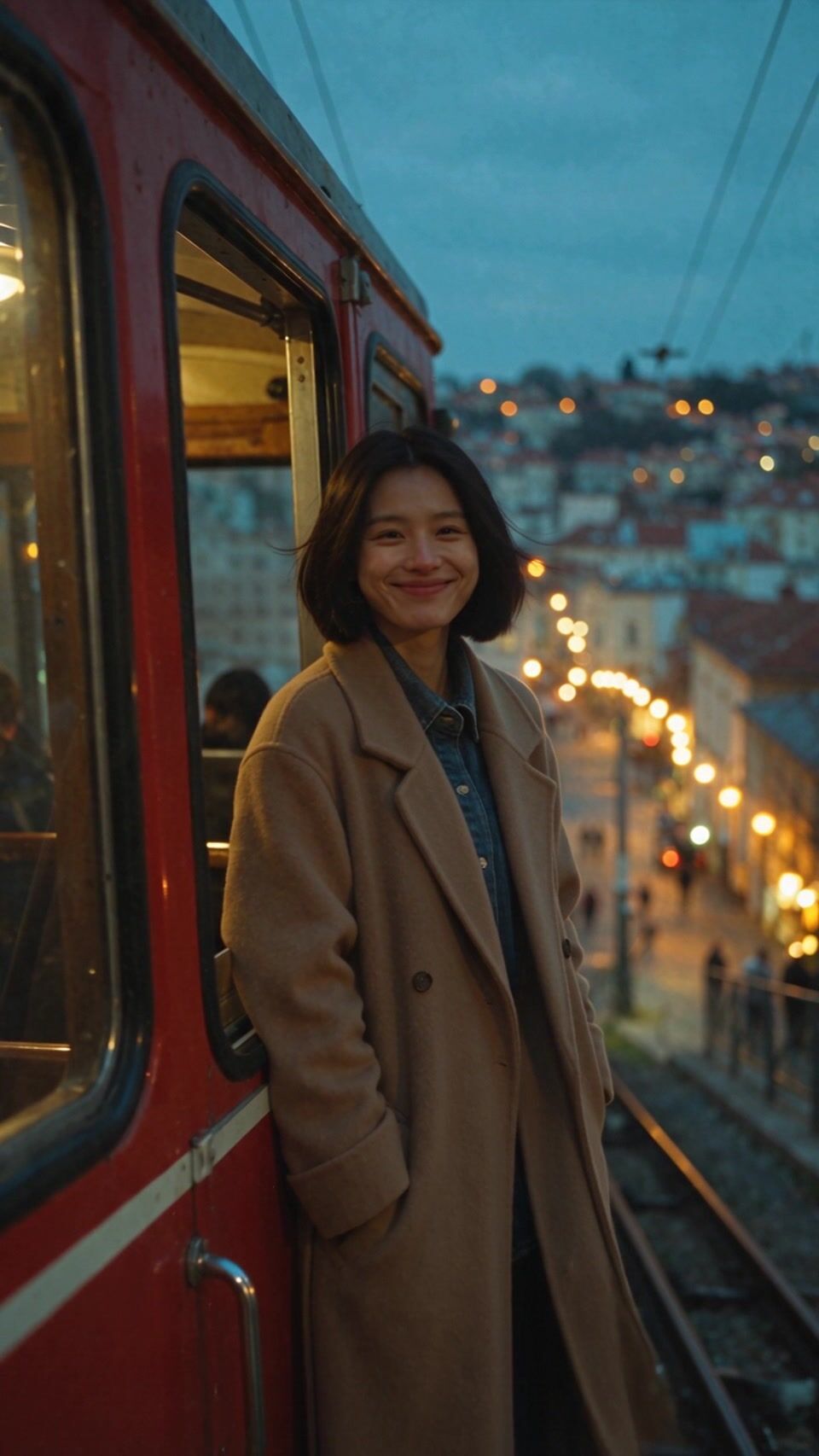
Unlucid AI asks you to upload an image, describe the motion and get a short video, paid for in gems. We ran that exact job here: one evening photo of a woman on a hillside funicular, the same motion prompt on three video engines, and a one sentence edit on top.
20 credits ($1.25) per 5 s clip at 720p with audio. Included in every plan, from $10/month.
Already a member? Sign in
By Brian Lovett · Updated
More image and video jobs we ran for this page
Every image and clip below was made on Pixel Dojo with the prompt shown. Tap one to start from the same prompt.

Kling Image 4 at 2K. The light beams through the fogged glass came out exactly as written.
Editorial photo of a florist in his thirties with a trimmed beard and rolled linen shirt sleeves arranging pale pink peonies in a zinc bucket inside a Victorian glasshouse, morning sun through fogged panes, dust in the light beams, medium format look.
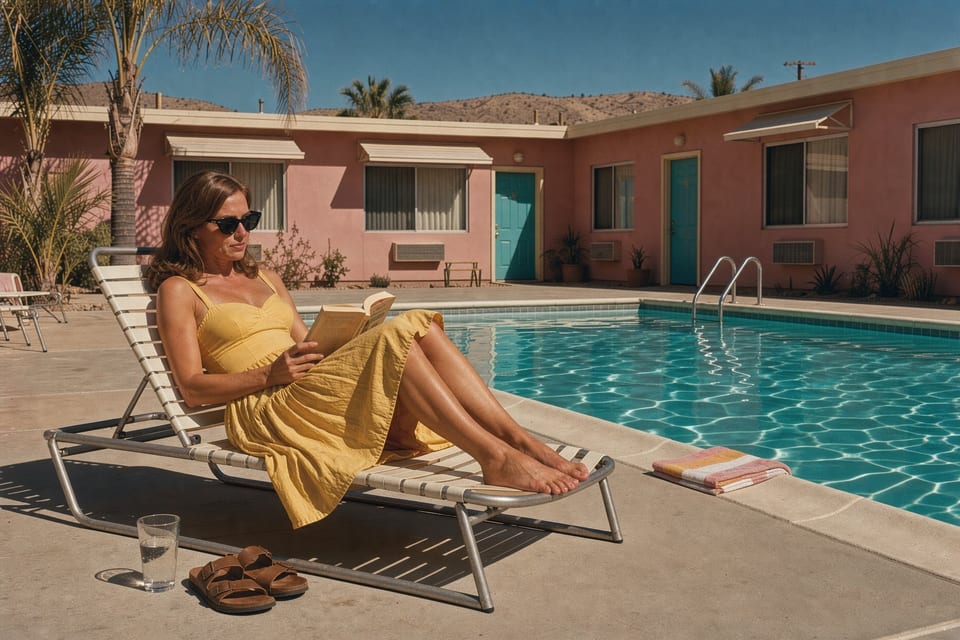
FLUX 3 Image for 1 credit, with the warm Kodachrome color we asked for.
Film still: a woman in her forties in a yellow cotton sundress and cat eye sunglasses reads a paperback on a lounge chair beside a turquoise motel pool in the desert, pink stucco walls, palm shadows at noon, Kodachrome color.
Text to video on MiniMax H3 Turbo, unlimited on every paid plan.
Wide low angle shot of a cellist in her forties with a long grey braid and a navy wool coat playing a slow piece at the end of a weathered wooden pier at dusk, sea spray rising behind her, gulls overhead, orange and violet sky, slow orbit around her.
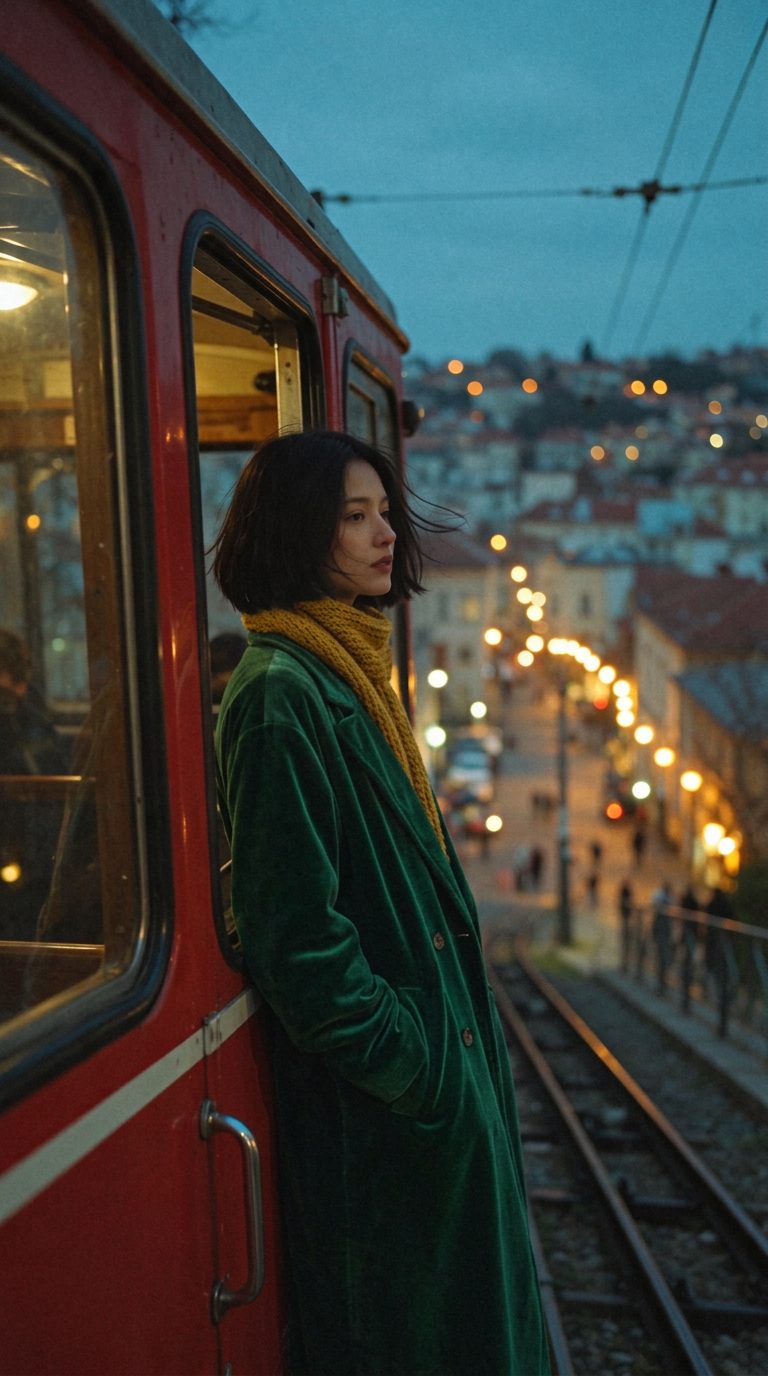
A one sentence edit on Nano Banana 2.1. The coat and scarf changed and her face stayed put.
Same woman, same funicular, same framing and light. Change her camel coat to a deep emerald green velvet coat and add a mustard knit scarf. Keep her face, hair, pose and everything else exactly the same.
Unlucid AI gems vs Pixel Dojo credits, row by row
Everything in the Unlucid AI column comes from its home page and gems page, read on November 20, 2026.
| Question | Unlucid AI | Pixel Dojo |
|---|---|---|
| What does one generation cost? | Not listed: the gems page says each generation costs a number of gems depending on the tool | Shown on every model page before you generate; our clips here cost 10 to 23 credits |
| How is it sold? | One time gem bundles: 120 gems for $8.99, 450 for $29.99, 1,250 for $59.99 | Monthly plans: Lite $10 a month for 160 credits, Pro $25 for 500 credits, Pro Max $50 for 1,100 credits |
| Which video models run it? | The home page names no video or image model | You pick the engine by name: Seedance 2.5 Flash, Kling 4.0, WAN 3.0 and more |
| Is anything unlimited? | Daily free gems, with the amount not stated on the page | MiniMax H3 Turbo video and 1K images on Qwen Image 2.1 Turbo and FLUX 3 Image Klein are unlimited on every paid plan |
| Do credits run out? | Unlucid AI says gems do not expire | Credits roll over while you are subscribed |
| Can I use the results in paid work? | Not stated on the home or gems page | Commercial use on every plan |
The funicular test: one photo, one motion prompt, three engines
We made the still on Seedream 5.5, then gave it to three video models with the same sentence about her turning to the camera. Each tile shows its settings and credits.
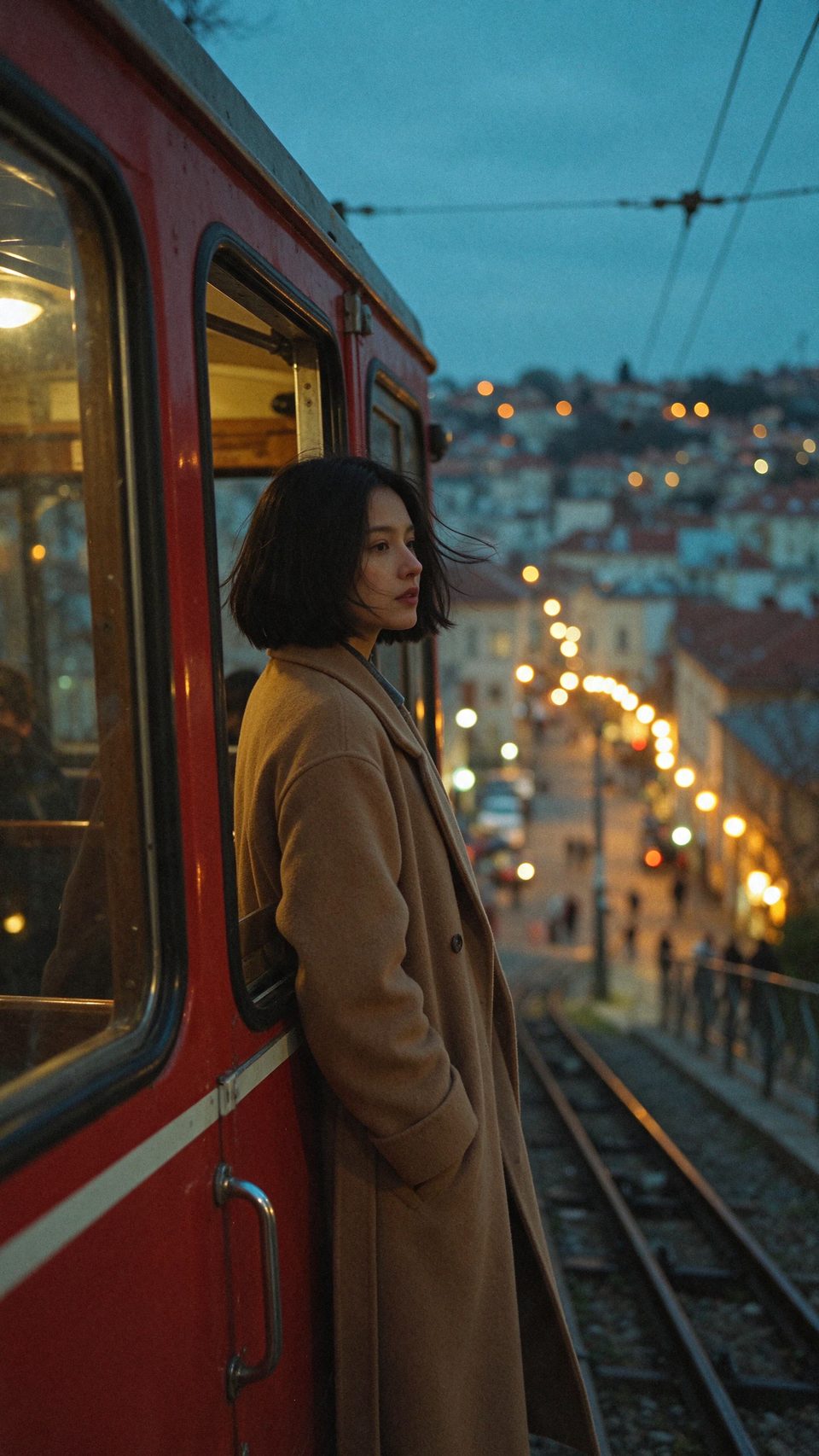
Vertical cinematic photo: a woman in her late twenties with a sleek black chin length bob and a long camel wool coat stands at the open window of a vintage red funicular car climbing a hillside at blue hour, warm string lights of the old town glowing below, wind in her hair, 35mm film grain, shallow depth of field, rich teal and amber color.
She turns from the funicular door toward the camera and smiles as the wind lifts her hair and the coat, the car rolls slowly up the track and the town lights drift past below, gentle push in. Sound: wheels clicking on the rails, a soft bell, evening wind.
She turns from the funicular door toward the camera and smiles as the wind lifts her hair and the coat, the car rolls slowly up the track and the town lights drift past below, gentle push in. Sound: wheels clicking on the rails, a soft bell, evening wind.
She turns from the funicular door toward the camera and smiles as the wind lifts her hair and the coat, the car rolls slowly up the track and the town lights drift past below, gentle push in. Sound: wheels clicking on the rails, a soft bell, evening wind.
- Seedance 2.5 Flash kept her face, bob and camel coat and ended on a warm smile at the camera, for 20 credits.
- Kling 4.0 brought her closer to the lens and let the wind lift her hair as the lights blurred below, a strong vertical shot for social.
- WAN 3.0 turned the vertical photo into a wide landscape frame and moved past the car to an open view of the town at night, for 10 credits.
- All three clips came back with sound, and each matched the blue hour light of the source photo.
Describe the motion, then pick who renders it
Unlucid AI's Video AI works the way most photo to video tools do: you upload an image, describe the motion and get a short video. Its home page does not say which model makes the clip.
On Pixel Dojo the engine is your choice and its price is on the page. The same funicular prompt ran on three models above, so you can see what each one does with an identical brief before you spend anything.
Image edits work the same way. Unlucid AI's Smart Edit asks you to describe a change. We did that on Nano Banana 2.1: one sentence turned the camel coat emerald and added a scarf for 1 credit.
Why Unlucid AI users switch to Pixel Dojo
Unlimited on every plan
On every paid plan, Relax runs Qwen Image 2.1, FLUX 3 Image Klein and MiniMax H3 Turbo, plus every video and photo effect, unlimited with no credits spent.
Sensei, the AI director
Describe a project and Sensei plans it, prices it, waits for your approval and reviews every take.
Video Studio
Generate, edit and extend a clip in one place, on whichever top video engine suits the shot.
One click video effects
300+ one-click video effects turn a photo into a trend clip, from AI Hug to AI Inflate, with no prompt to write, and 3 are free every day.
One job AI tools
35 single purpose tools each do one edit from an upload: remove a watermark, an object or text, restore and colorize an old photo, swap a background, retouch a portrait or make a thumbnail.
Credits that roll over
Your credits roll over while you stay subscribed, so nothing you pay for disappears at the end of the month.
Every top model, plus an API
More than 80 image and 60 video models in one account, with a public API and a hosted MCP server for your own apps and AI assistants.
What each step of the funicular test cost
The still was 1 credit on Seedream 5.5. The clip was 20 credits on Seedance 2.5 Flash, 23 on Kling 4.0 and 10 on WAN 3.0. The coat edit was 1 credit. Each tile lists its own price.
Plans are Lite $10 a month for 160 credits, Pro $25 for 500 credits, Pro Max $50 for 1,100 credits, with commercial use on every plan. Credits roll over while you stay subscribed.
Under our refund policy, a first purchase can be refunded within 7 days, in full if under 20% of the credits are used and pro-rated after that.
Unlucid AI questions
What is a good Unlucid AI alternative?
Pixel Dojo does the same photo to video, image edit and text to image jobs, lets you pick the engine by name, and shows the credit price on every model page before you generate.
How much do Unlucid AI gems cost?
Unlucid AI's gems page lists one time bundles of 120 gems for $8.99, 450 gems for $29.99 and 1,250 gems for $59.99. It says gems do not expire and there is no subscription.
How many gems does an Unlucid AI video cost?
Unlucid AI does not list it. Its gems page says each generation costs a number of gems depending on the tool.
Can I turn a photo into a video on Pixel Dojo?
Yes. Upload the photo to an image to video model such as Seedance 2.5 Flash, Kling 4.0 or WAN 3.0 and describe the motion. Our funicular clips above were made that way.
Is anything unlimited on Pixel Dojo?
Yes. Every paid plan includes unlimited MiniMax H3 Turbo video and unlimited 1K images on Qwen Image 2.1 Turbo and FLUX 3 Image Klein. Every other model is paid in credits.
Video Effects New
Your first video is free. One photo, one click.
310 ready-made effects, from AI Hug and Earth Zoom In to product spins and listing walkthroughs. Upload a photo and press Generate. No prompt to write, and a free account gets 3 a day.


Switch from Unlucid AI to Pixel Dojo today
Write a prompt above or start from any example on this page. One plan covers every top model, six studios and Sensei, and your credits roll over.
Start with Seedance 2.5 FlashSources
Facts about Unlucid AI come from these public pages, checked on Nov 20, 2026. Prices and plans change; check the source before you buy.