Face, pose and framing stay
Keeps your subject
Your photo stays recognizable. Only the way it is drawn changes.
Style Transfer Guide
Add a photo and a picture whose style you like. Your photo is redrawn in that style and keeps its subject, face and framing. You do not need to write a prompt. Every run is 1 credit. This guide shows five real results and how to choose a style picture that works.
Style Transfer takes two pictures. The Source slot holds your photo. The Style slot holds a picture whose look you want, like an oil painting, a woodblock print or a frame from an old anime.
Your photo keeps its subject, face, pose and layout. It only takes the style from the second picture. That means the medium, the brush work, the colors and the texture. The subject of the style picture is not copied.
Use it when you have a look in mind and a picture that shows it. Use a prompt edit on Seedream 5.5 when you would rather describe the style in words. Use Change Camera Angle when you want a new view, not a new look.
2 pictures
Your photo and a style picture
1 credit
Every run
No prompt
A short note is optional
Your photo stays recognizable. Only the way it is drawn changes.
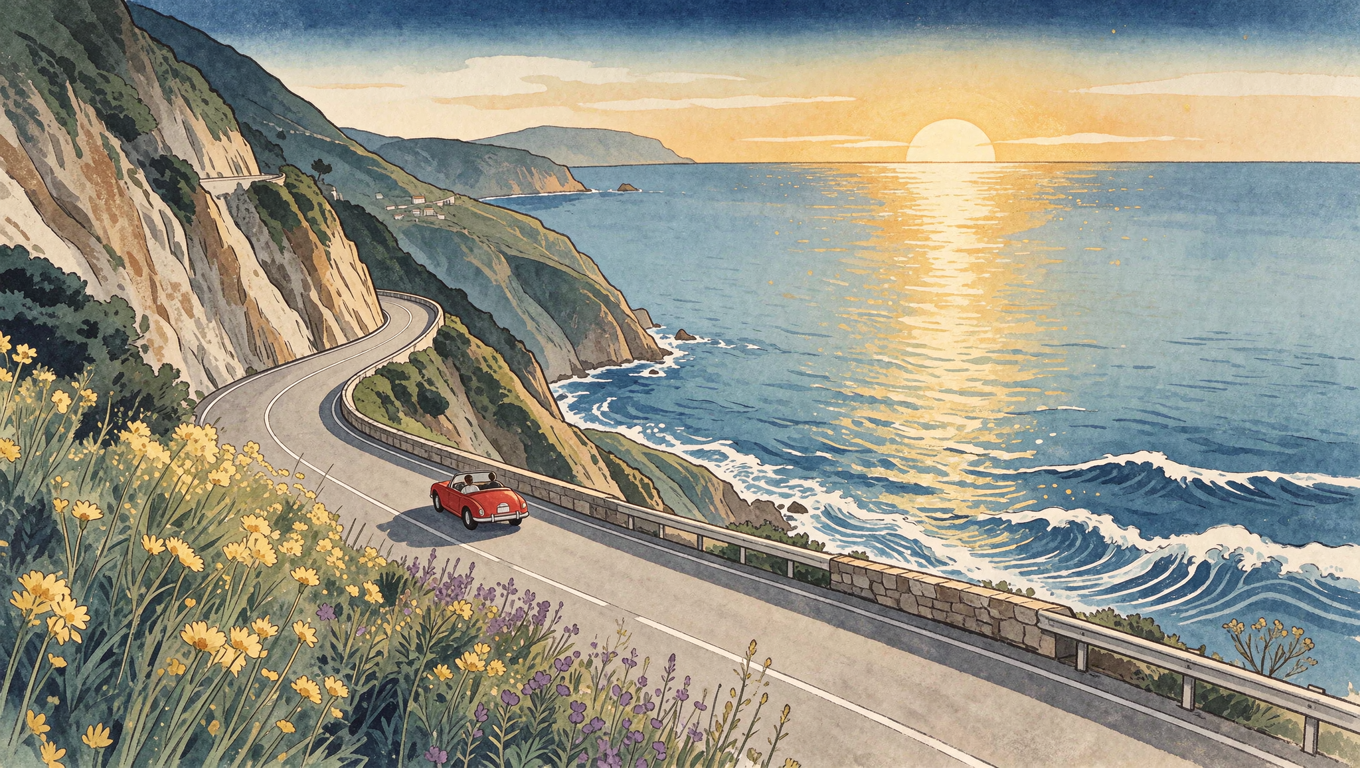
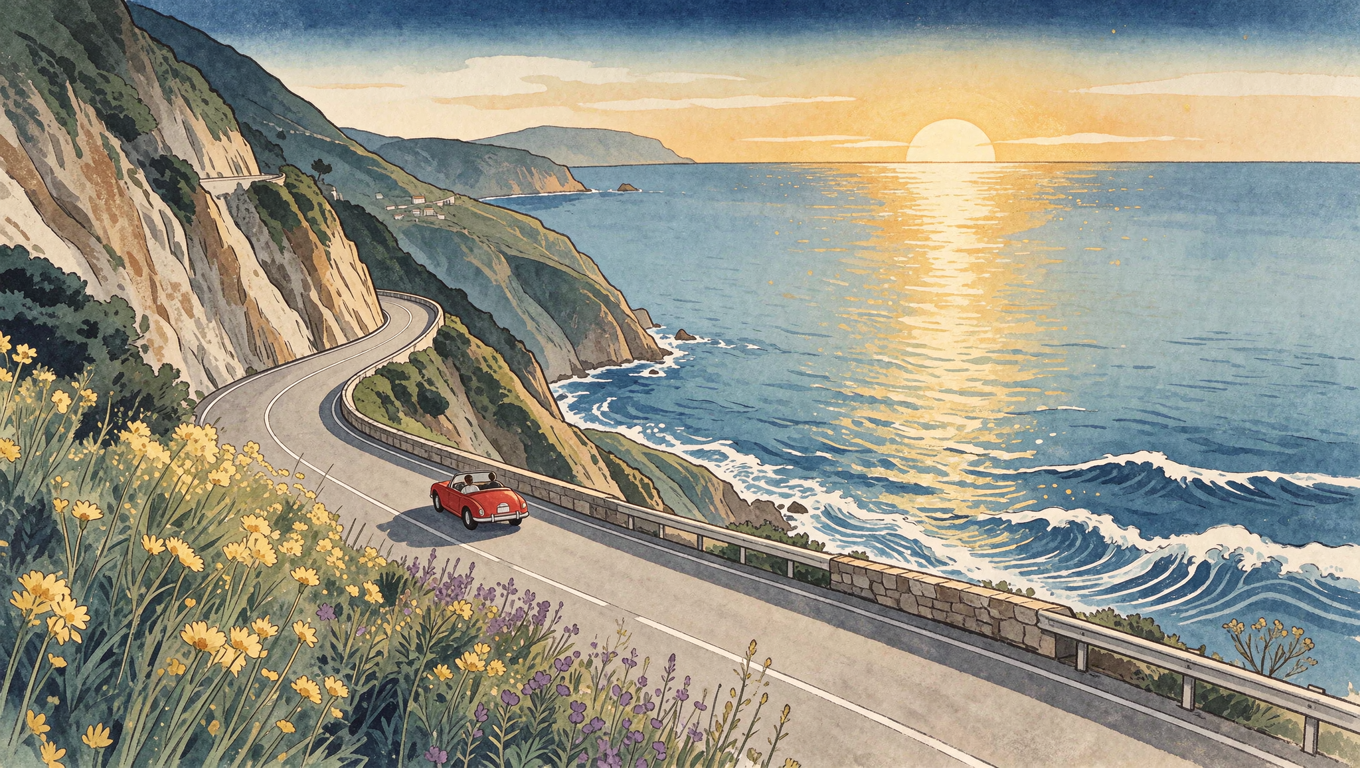
If you can show the style in one picture, you can use it. A woodblock print turns a coastal road into a classic print.
The note box is optional. Add a few words like softer colors or keep the background plain when you want to nudge the result.
Each example shows the exact prompt that produced the result. Copy any prompt with one click.
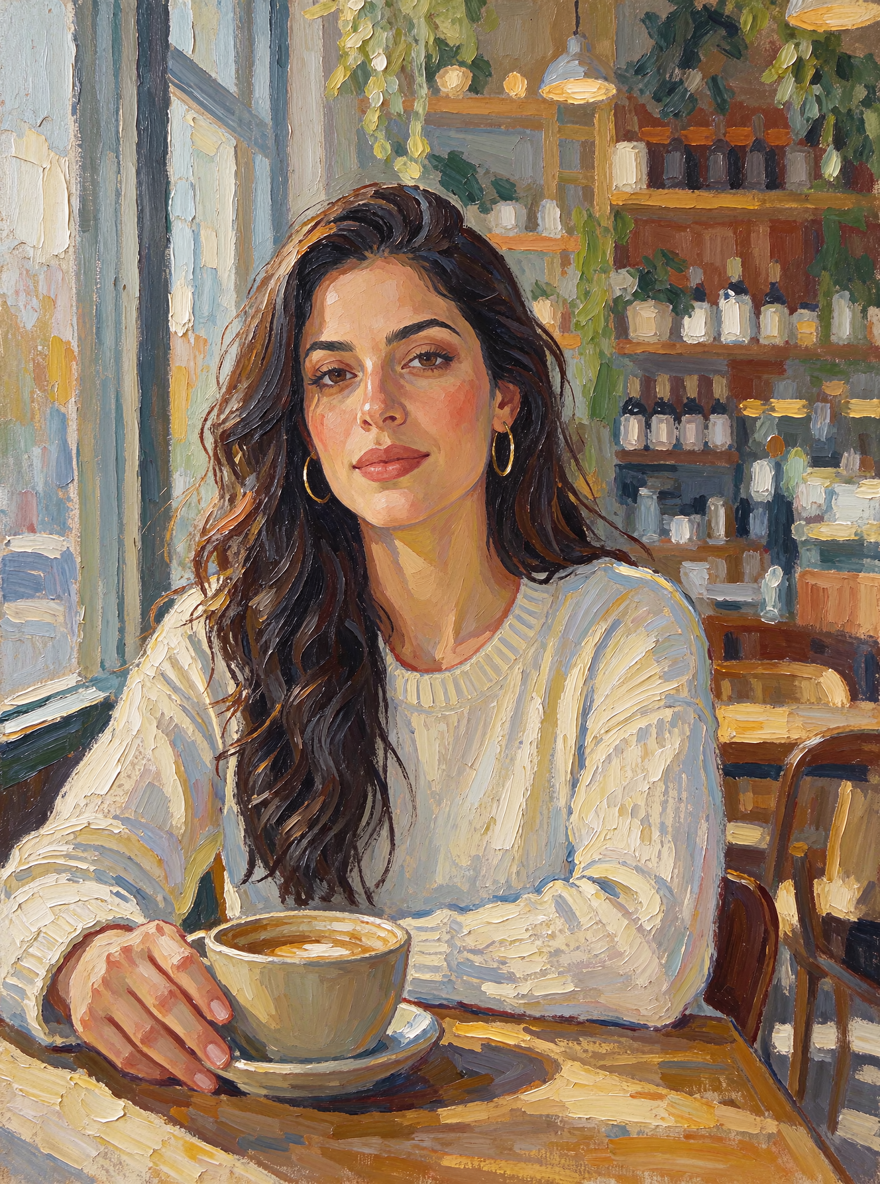
Source: cafe portrait · Style: thick oil painting of sunflowers · no note · 1 credit
No note typed. Source photo: a woman at a cafe table. Style picture: an oil painting of sunflowers with thick brush strokes.
Thick paint in the style picture gives visible brush strokes and rich color. Her face, pose and the cafe stay in place.
Source: coastal road photo · Style: a woodblock print of a great wave · no note · 1 credit
No note typed. Source photo: a winding coastal road with a red convertible. Style picture: a Japanese woodblock print of a great wave.
Flat color, strong outlines and a limited palette come across. Wide landscapes suit this style well.
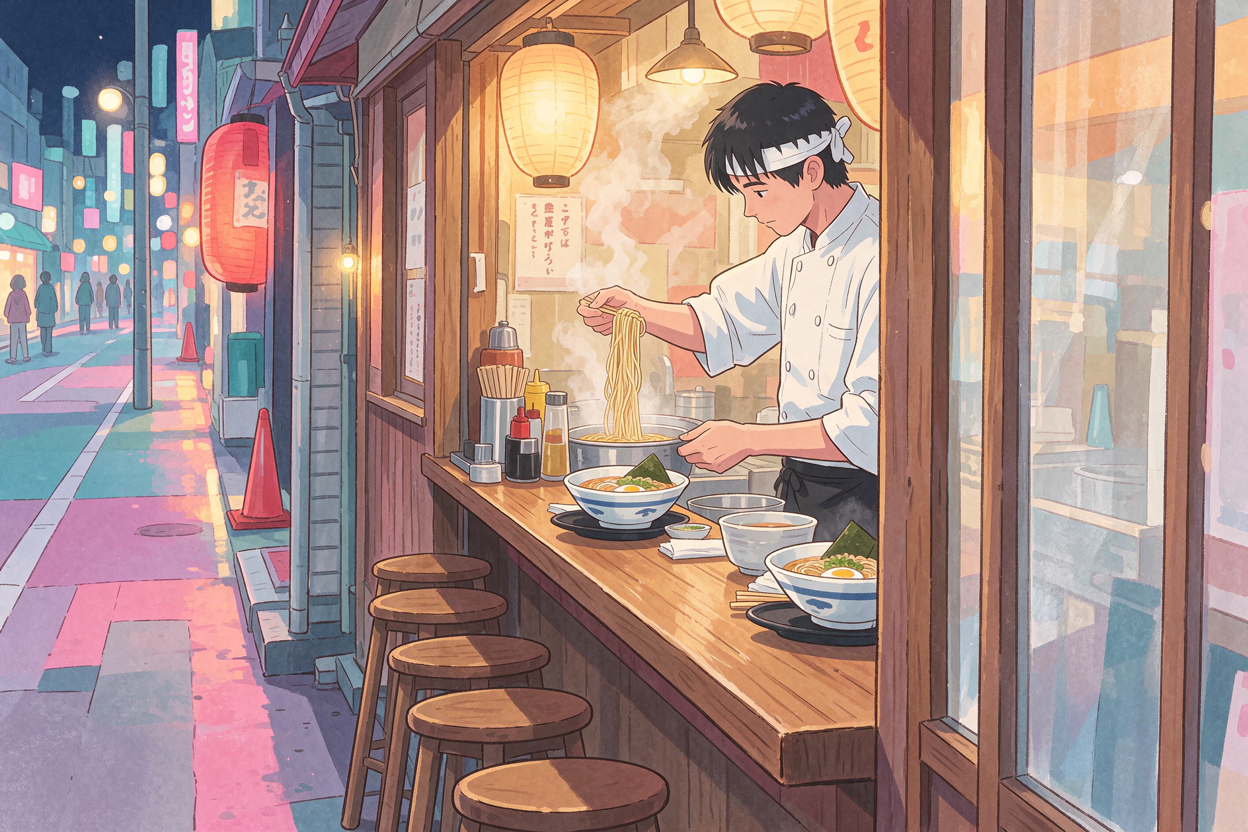
Source: ramen shop photo · Style: a retro 80s anime city street · no note · 1 credit
No note typed. Source photo: a chef in a night ramen shop. Style picture: a retro 1980s anime city street in pink and teal.
The pink and teal palette and the soft line work carry over. The shop, the chef and the bowls stay where they were.
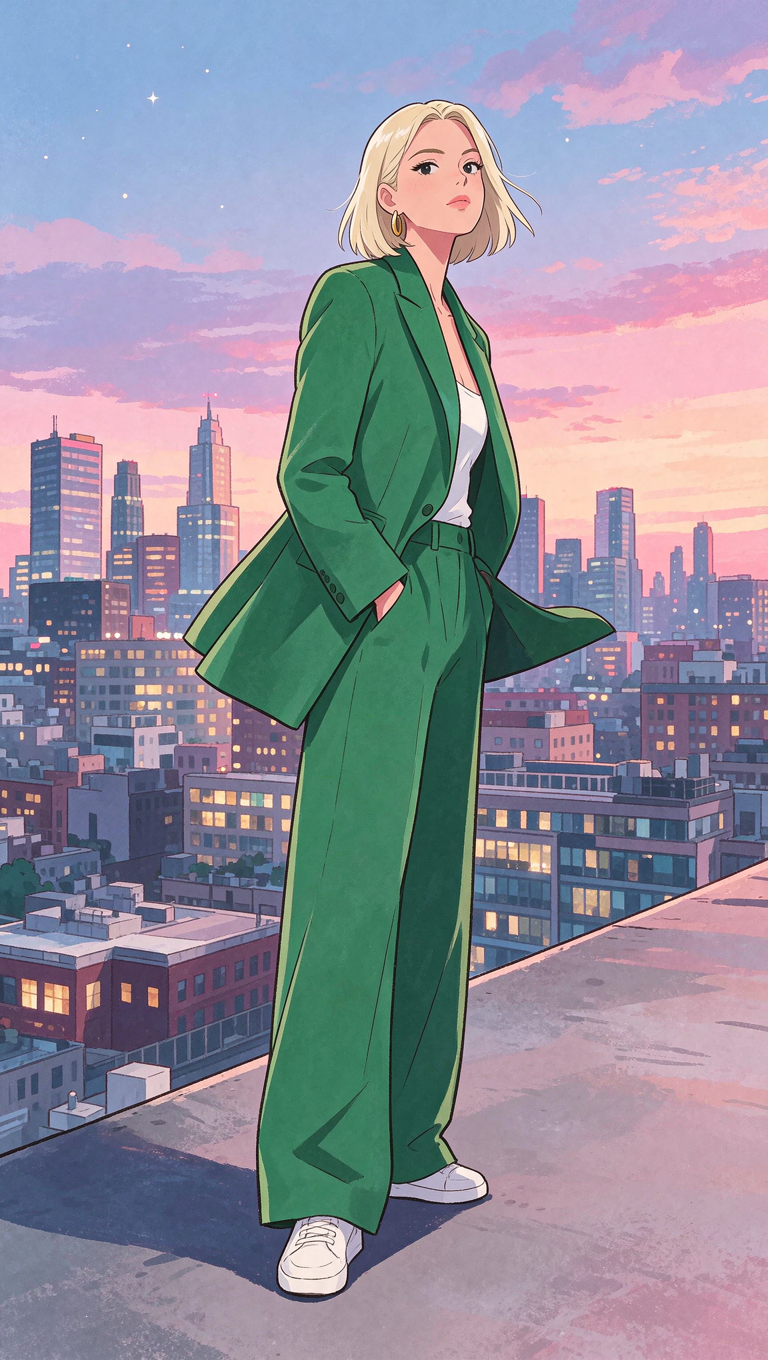
Source: woman in a green suit on a rooftop · Style: the same retro anime street · no note · 1 credit
No note typed. Source photo: a woman in an emerald suit on a rooftop. Style picture: a retro 1980s anime city street.
One style picture works on many photos. Reuse it to give a whole set of photos the same look.
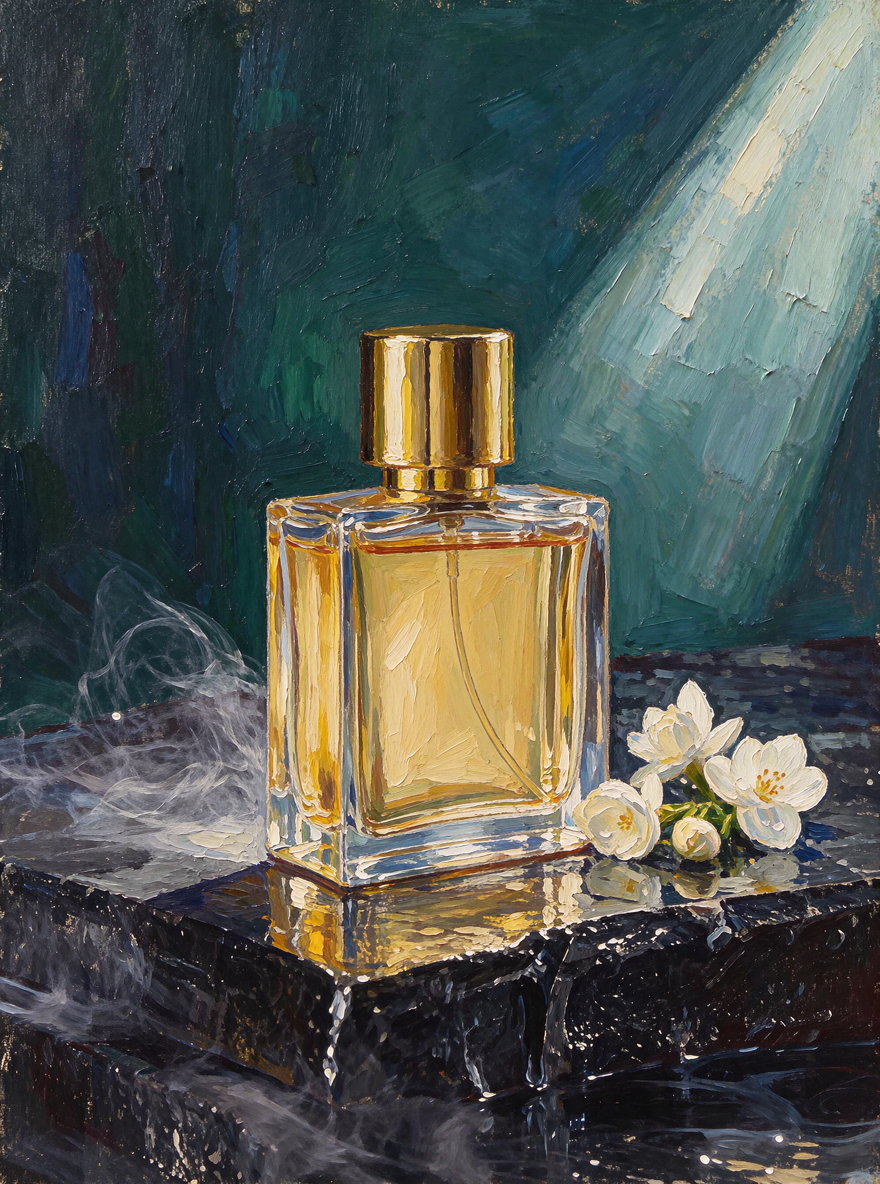
Source: perfume bottle photo · Style: thick oil painting of sunflowers · no note · 1 credit
No note typed. Source photo: a glass perfume bottle on wet stone. Style picture: an oil painting of sunflowers.
Products work too. The bottle keeps its shape and the paint look gives it a gallery feel.
Visible brush strokes, bold outlines or a clear color palette give the clearest result. A flat, plain picture gives little to copy.
Only the medium, brush work, colors and texture are taken. The subject of the style picture is not copied, so pick it for its look.
The Source slot is the picture you want redrawn. The Style slot is the picture to copy the look from. If the result looks backwards, check the two slots.
A sharp photo with one clear subject keeps its details after the change.
Try it with no note first. Then add a few words like softer colors or keep the background plain.
Run several photos through the same style picture to make a matching set.
| Setting | Values | Notes |
|---|---|---|
| Source | Your photo | The picture to redraw. Required. |
| Style | A picture whose style you like | Required. Only its look is used. |
| Note | Optional text | For example softer colors or keep the background plain. |
| Credits | 1 per run | One image comes back. |
It redraws your photo in the style of a second picture. Your subject, face and framing stay. The look of the style picture is applied.
Every run is 1 credit.
No. Add your photo and a style picture and press Generate. The note box is optional.
A picture with a strong, clear look. Paintings, prints, illustrations and anime frames all work. Visible brush strokes, bold outlines and a clear color palette give the best result.
No. Only the style is taken: the medium, the brush work, the colors and the texture. Your photo keeps its own subject.
Use a prompt edit on Seedream 5.5 when you want to describe the style in words or change the picture as well. Use Style Transfer when a picture shows the look better than words can.