AI video prompt examples
Generated on PixelDojo. Produced by PixelDojo's generation pipeline.
Imagine turning your creative ideas into captivating videos effortlessly. With PixelDojo's advanced AI tools, you can transform simple prompts into stunning visual narratives, making professional-quality video creation accessible to everyone.
Real video examples generated on PixelDojo
Every example below was produced on PixelDojo. Hover to see the prompt.
A man talking
image-to-video
A friendly female podcaster in a cool modern studio announcing that Pixel Dojo now has sup…
image-to-video
* **Style:** 3D Animation / Pixar-style recommended for animal characters or Realistic CGI
image-to-video
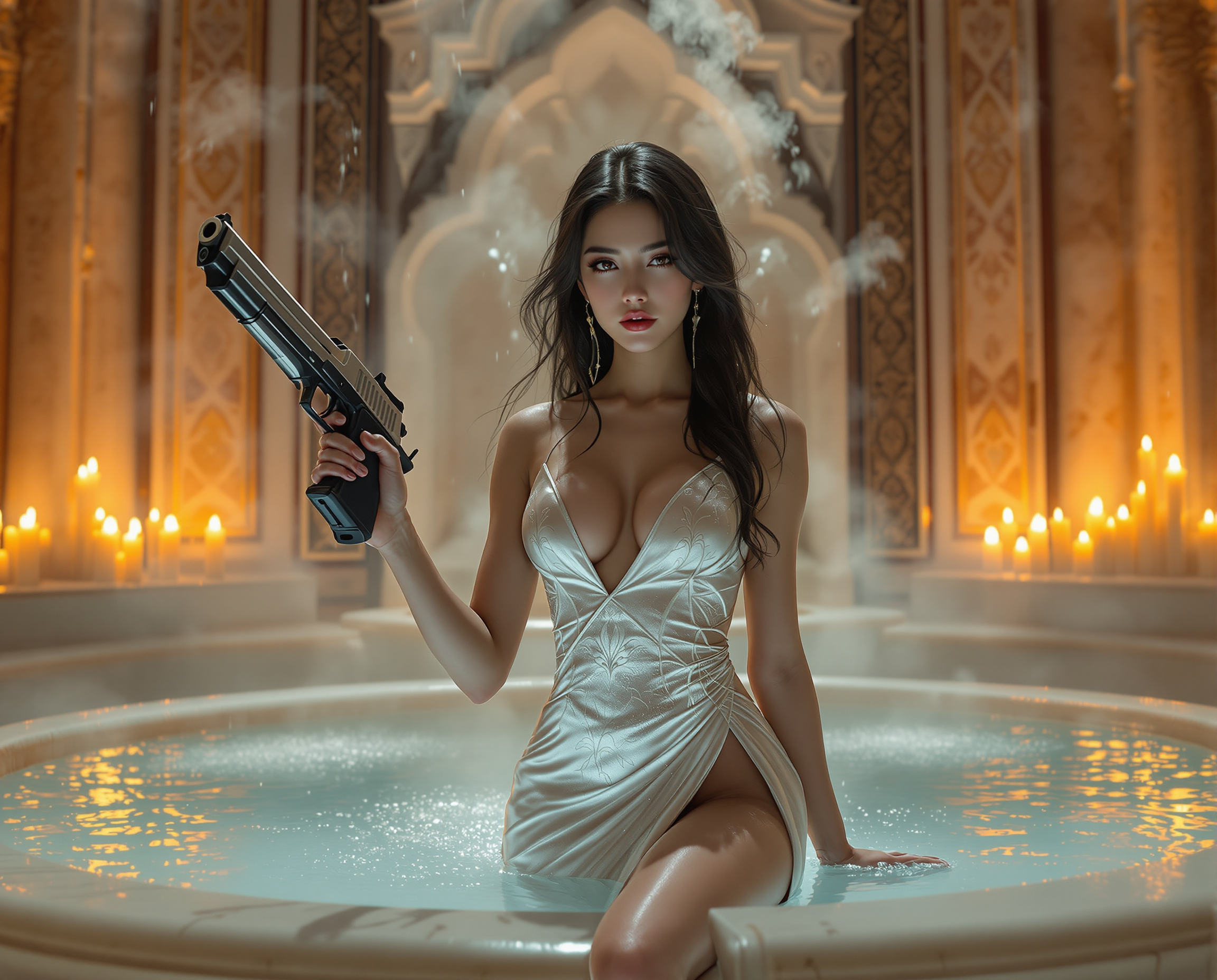
Here is a high-quality prompt for AI image generation: A cinematic masterpiece featuring a…
flux
OmniHuman video with 14
image-to-video
Merged video from "Kitchen Nightmare" - 3 clips
image-to-video
Models you can run on PixelDojo for AI video prompt examples
Switch models without switching tools. Each one runs in the same PixelDojo studio.
What you can do with AI video prompt examples on PixelDojo
Browse Prompt Example Library
Creators review our library of video prompts. We include examples for various motion and scene types.
Apply Example Prompts Directly
Users copy and paste prompts into the generator. This starts the video creation process with proven inputs.
Modify Prompts for Custom Results
We demonstrate how to tweak example prompts. Creators adjust parameters like lighting and camera movement.
Learn Effective Prompt Patterns
Our examples highlight key phrasing techniques. This improves the quality of generated videos.
Join over 10,000 creators who have generated more than 50,000 videos using PixelDojo's AI technology. Rated 4.8/5 by our satisfied users.
Why Choose Pixel Dojo for AI video prompt examples
Professional-quality results with cutting-edge AI technology
Effortless Video Creation
Generate high-quality videos from simple text prompts without any prior experience.
Time and Cost Efficiency
Save hours of production time and reduce costs associated with traditional video creation methods.
Unlimited Creative Possibilities
Explore a vast array of styles and concepts, bringing your unique visions to life.
How It Works
Creating stunning videos with PixelDojo is a straightforward process. Follow these steps to bring your ideas to life:
Step 1: Choose Your Tool
Select the appropriate AI tool for your project. For text-to-video generation, use the 'Text to Video' feature. If you have an existing image you'd like to animate, opt for 'Image to Video.'
Step 2: Enter Your Prompt
Input a detailed description of the scene you envision. For example, 'A serene beach at sunset with gentle waves and a distant lighthouse.' The more specific your prompt, the better the AI can generate your desired video.
Step 3: Customize & Download
Review the generated video and make any necessary adjustments using PixelDojo's customization options. Once satisfied, download your video in your preferred format.
The Pixel Dojo Advantage
Why PixelDojo outperforms other options for AI video generation:
| Others | Pixel Dojo |
|---|---|
| Traditional Video Production | Eliminates the need for expensive equipment and extensive editing, making video creation accessible to all. |
| Generic AI Tools | Offers a comprehensive suite of specialized tools tailored for various creative needs, ensuring higher quality outputs. |
| Manual Animation | Automates the animation process, significantly reducing the time and effort required to produce engaging videos. |
Loved by creators on PixelDojo
Real feedback from people using PixelDojo, pulled from our in-product surveys.
exceptional quality and great overall design of platform and interface. very intuative. love the creative freedom.
Qwen image 2 is amazing!!
Creative freedom, range of tools and options.
I love the training feature
the quality is the best
All the tools needed in one dashboard
Explore more AI tools on PixelDojo
Popular AI Models
AI Tools
Compare & Switch
- Best AI Image Generators
- Best AI Video Generators
- Midjourney Alternatives
- Civitai Alternatives
- Runway Alternatives
- Leonardo Alternatives
- Pika Alternatives
- Luma Alternatives
- Magnific Alternatives
- Veo Alternatives
- Flux Alternatives
- Freepik Alternatives
- Seedance Alternatives
- Seedream Alternatives
- Pixverse Alternatives
- GPT Image Alternatives
- Synthesia Alternatives
- Playground Alternatives
- NightCafe Alternatives
- Canva AI Alternatives
- ElevenLabs Alternatives
- ComfyUI Alternatives
- Fal Alternatives
- Replicate Alternatives
Common Questions
Everything you need to know about AI video prompt examples
How can I create AI-generated videos using PixelDojo?
Simply select the 'Text to Video' or 'Image to Video' tool, input your prompt or upload an image, and let PixelDojo generate your video. You can then customize and download the final product.
Do I need any prior experience to use PixelDojo's AI video tools?
No prior experience is necessary. PixelDojo's user-friendly interface guides you through the process, making video creation accessible to everyone.
Can I customize the videos generated by PixelDojo?
Yes, after the initial generation, you can use PixelDojo's customization options to adjust various aspects of your video to better fit your vision.
What types of videos can I create with PixelDojo?
You can create a wide range of videos, including promotional content, educational materials, social media posts, and more, all tailored to your specific needs.
Is there a limit to the number of videos I can generate?
PixelDojo offers credit-based plans starting at $10 a month, with no daily caps on video generation. Choose the plan that best fits your requirements.
How does PixelDojo ensure the quality of AI-generated videos?
PixelDojo utilizes advanced AI algorithms and continuously updates its tools to ensure high-quality, realistic video outputs that meet professional standards.