A face on a photo, 0.25 credits
Face Swap
Add the photo you want to change and the face you want in it. Pick Face only to keep the hair, or Full head to bring the hair and ears too.
Face and Character Swap Guide
Pixel Dojo has four swap tools, and each one does a different job. Face Swap puts a face on a photo for 0.25 credits. Character Swap puts a new star into a clip. Kling and WAN Video Character Swap make a still character move like a driving video. This guide shows which to pick, what to feed it and what it costs.
Start with what you have and what you want. If you have two photos and want one photo back, use Face Swap. If you have a clip and want a different person in it, use Character Swap. If you have a picture of a character and a clip of someone moving, and you want the character to do that move, use Kling or WAN Video Character Swap.
Face Swap is the cheapest at 0.25 credits a photo. Character Swap keeps the whole scene, the camera and the sound and changes only the lead. Kling and WAN do the opposite. They keep the motion and take the look from your picture.
The results on this page are real runs. The settings used are under each one.
0.25 credits
A face swap on a photo
1.5 or 3
Credits a second for Character Swap
4 tools
Photo, clip and motion swaps
Add the photo you want to change and the face you want in it. Pick Face only to keep the hair, or Full head to bring the hair and ears too.
Add a clip and a photo of the new lead. The scene, camera, moves and sound stay. Only the person changes. Add a second photo to swap a second person.
Add a driving video and a picture of your character. The character moves the way the person in the video moves. Clips run up to 30 seconds.
Put the character from your picture into a clip. The scene, light and motion stay the same. Pick Standard to save credits or Professional for smoother motion.
Each example shows the exact prompt that produced the result. Copy any prompt with one click.
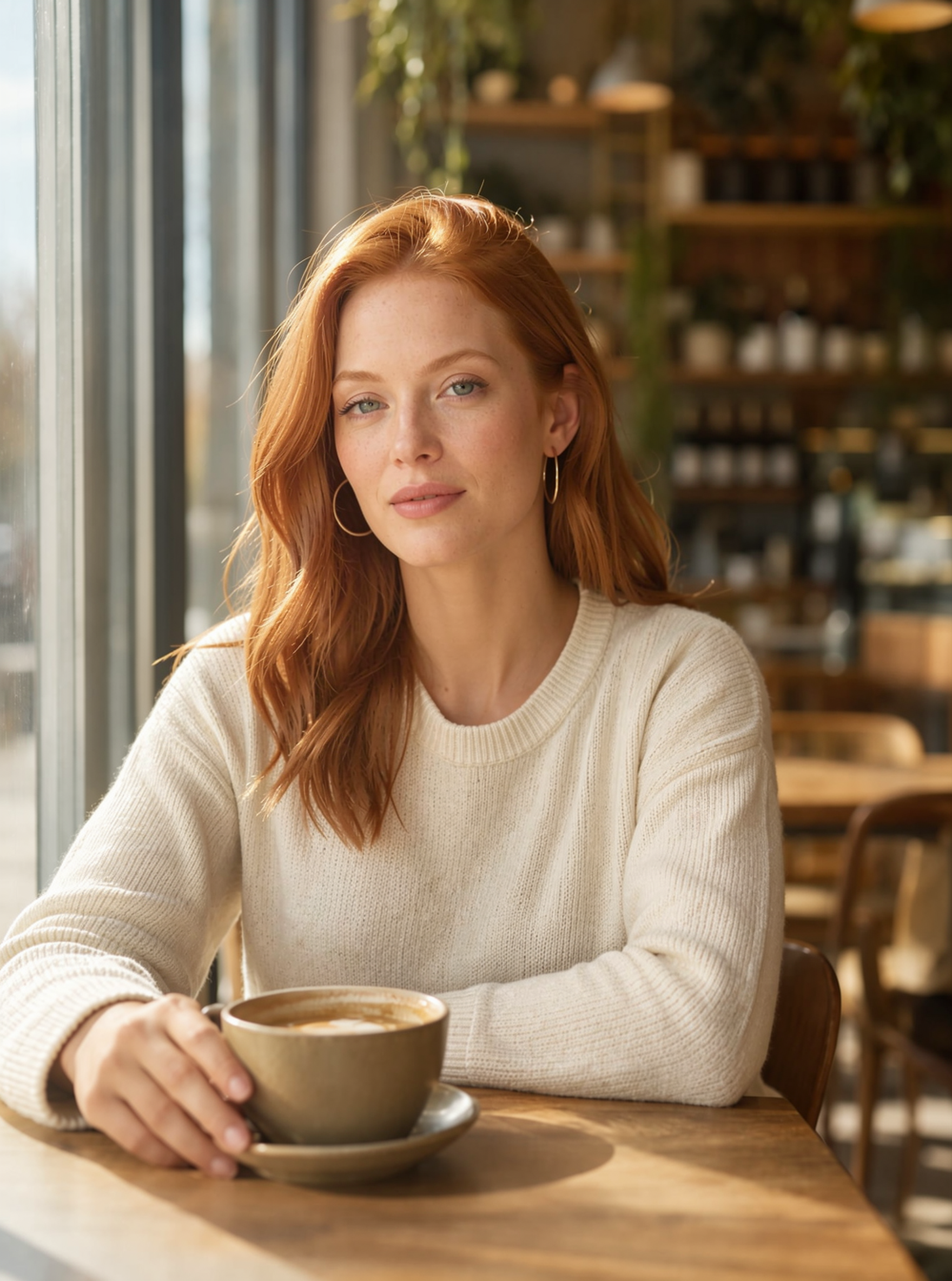
Face Swap · Full head · 0.25 credits
No prompt needed. Target photo: a woman at a sunlit cafe table with a cup of coffee. Face photo: a studio portrait of a woman with auburn hair. Swap mode: Full head.
Full head carried the new hair and face onto the cafe photo. The table, the light and the sweater stayed. The result is the photo shown here. Pick Full head when the two people have different hair.
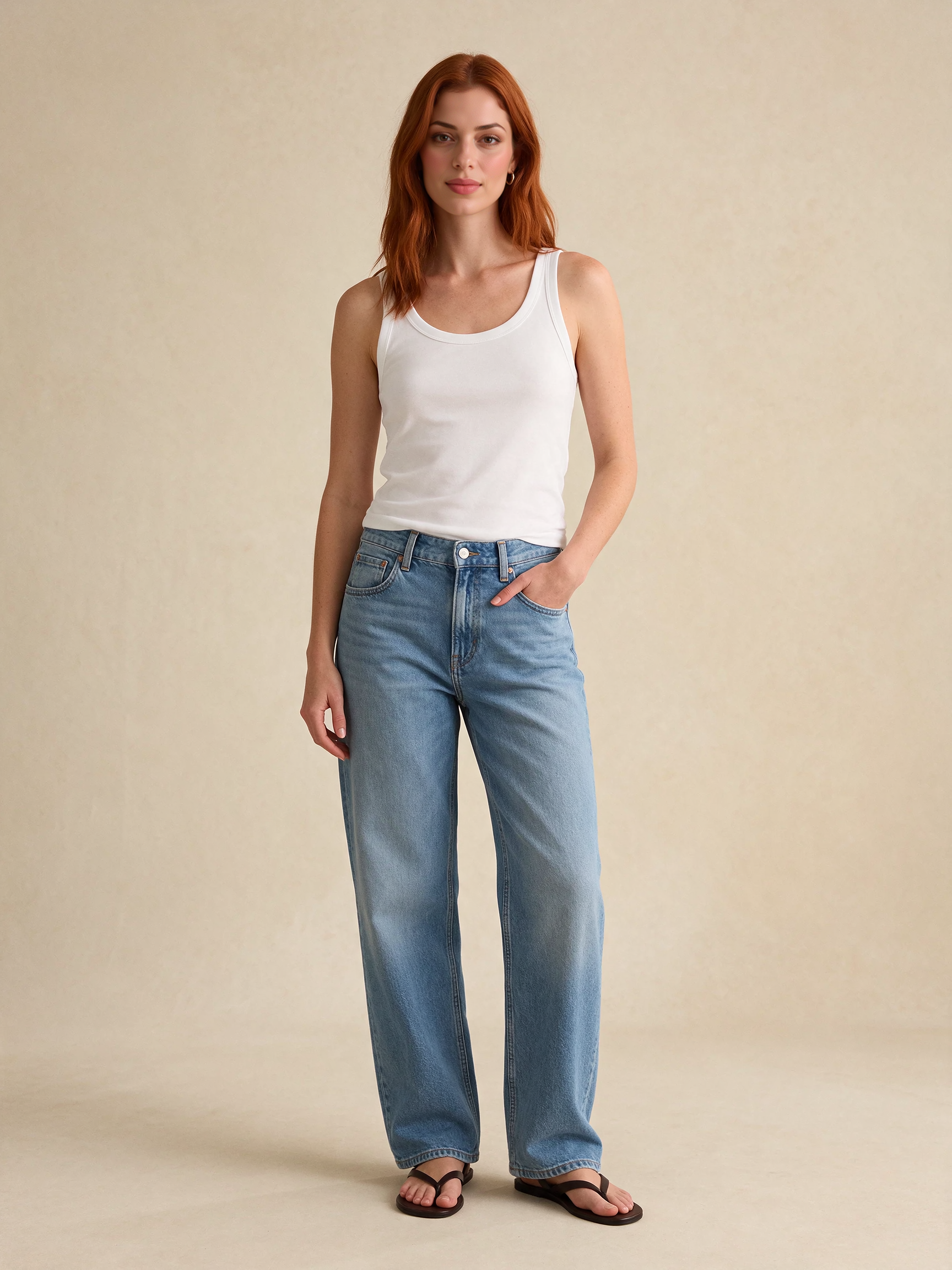
Face Swap · Face only · 0.25 credits
No prompt needed. Target photo: a full length studio photo of a woman in a white tank top and jeans. Face photo: the woman from the cafe. Swap mode: Face only.
Face only keeps the target hair, pose and outfit. Only the face is new. Use it when the hair already fits.
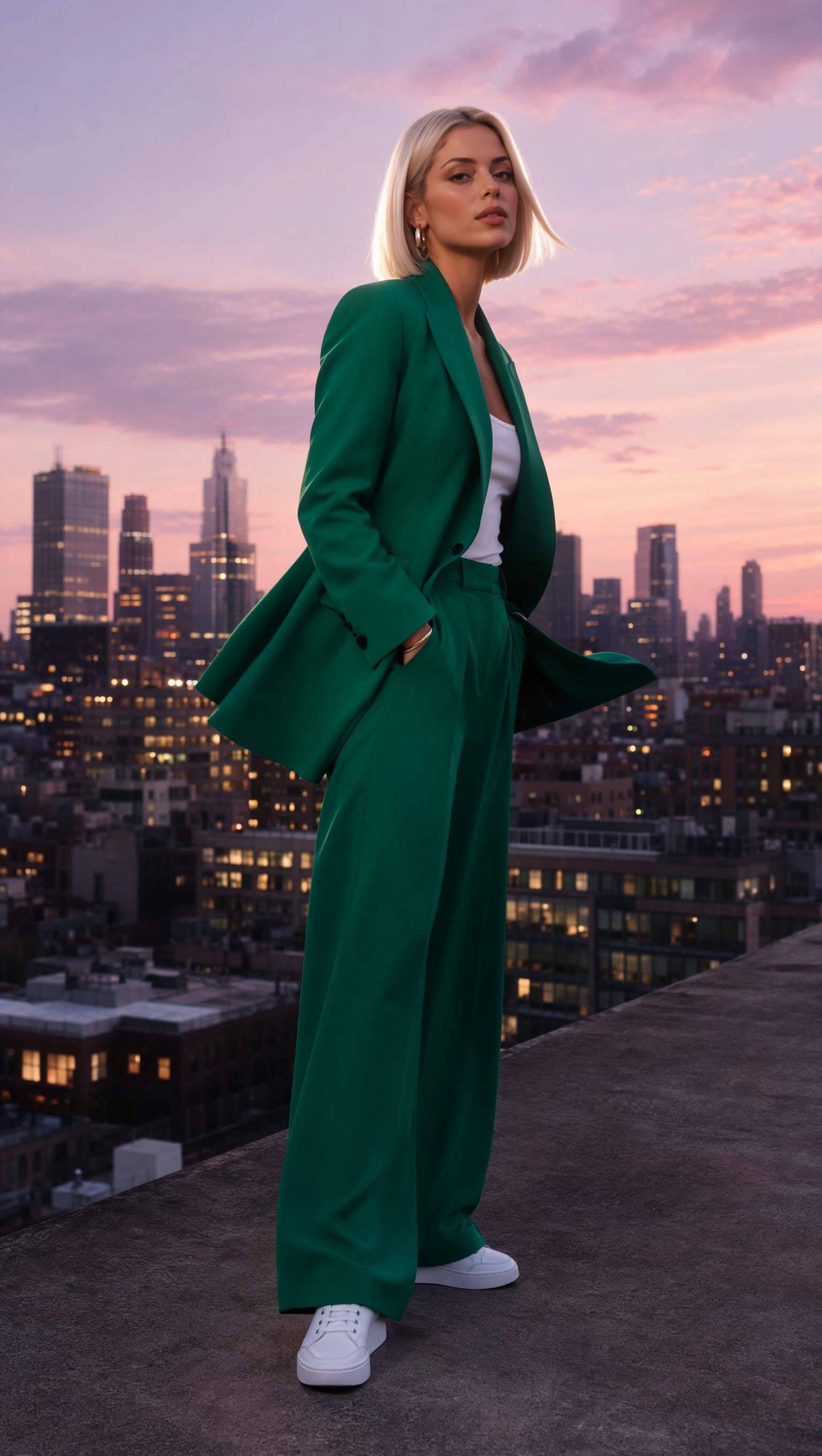
Face Swap · Face only · 0.25 credits
No prompt needed. Target photo: a woman in a green suit on a rooftop at dusk. Face photo: the woman from the cafe. Swap mode: Face only.
This one is a gentle change because the two faces are close. Pick two faces that look clearly different if you want the swap to be obvious.
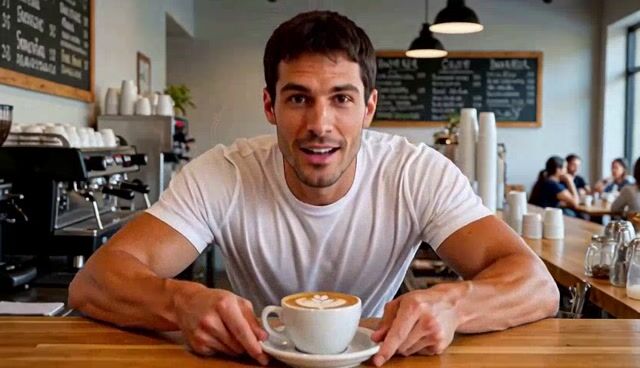
Character Swap · Quick · 5.2 second clip · 9 credits
No prompt needed. Video: a barista sliding a latte across a counter and speaking to the camera. Star: a studio photo of a man in a white t-shirt.
The barista became the man from the photo. The cafe, the camera, the coffee and the voice stayed. A 5.2 second clip is billed as 6 seconds, so Quick cost 9 credits.
Kling Video Character Swap · Match Video · sound kept · 5 s
The woman in the polka dot dress performs the same lively dance on her sunny garden terrace, full body in frame, joyful expression.
The input was a still of the woman and a short dance clip. The prompt names who she is and where she dances. Match Video follows the clip and works best for big moves.
Kling Video Character Swap · Match Video · Standard · sound kept · 5 s · 15 credits
A woman in her fifties with short silver curls walks toward the camera down a bright corridor in a terracotta wool coat, turns a half circle so the coat swings wide, and glances back over her shoulder with a small smile.
The input was a full length photo of the woman in the coat and a clip of a walk and turn. Describe the outfit and the move in plain words so the model keeps both.
WAN Video Character Swap · Standard · 5 s · 17 credits
No prompt needed. Character image: a portrait of the new person. Video: a five second clip of a person choosing apples at a market stall.
The market, the light and the reach for the apple all stayed. Only the person is new. Use a clear front facing portrait for the character.
Pick a sharp, front facing photo with the whole face in the light. Sunglasses, a hand over the mouth or a tiny face in a crowd all lower the match.
A face looking straight at the camera swaps best onto a target that also looks at the camera. A face turned away from the camera will not carry over well.
Face only keeps the target hair. Full head brings the hair and ears. If the two people have very different hair, Full head looks more natural.
Want the same scene with a new person? Use Character Swap. Want a still character to perform someone else's move? Use Kling or WAN. Using the wrong one is the most common mistake.
One clear lead who stays in frame works best. For Character Swap, a second person is optional and replaces the second person from left to right.
If the driving video shows a whole dance, your character picture should show a whole body. A close face picture leaves the model guessing what the rest looks like.
In Face Swap the first photo is the one that changes and the second is the face you want. Swapping them gives you the wrong person.
Character Swap takes 1 to 120 second clips. WAN takes 2 to 30 seconds. Kling takes up to 30 seconds with Match Video and up to 10 seconds with Match Image. Trim first so you pay only for what you need.
| Setting | Values | Notes |
|---|---|---|
| Face Swap inputs | Target photo + face photo | Both are required. The first photo is changed. |
| Face Swap mode | Face only · Full head | Face only keeps the target hair. Full head carries the face, hair and ears. |
| Face Swap price | 0.25 credits | Per swap, for both modes. |
| Character Swap clip | 1 to 120 seconds · up to 200 MB | MP4, MOV or WebM. Length, motion, camera and sound stay. |
| Character Swap quality | Standard · Quick | Standard is 3 credits a second. Quick is 1.5 credits a second. |
| Character Swap stars | 1 or 2 people | The second star is optional and replaces the second person, left to right. |
| Kling tier | Standard · Pro | Standard is 3 credits a second. Pro is 4 credits a second for complex motion. |
| Kling orientation | Match Video · Match Image | Match Video follows complex motion, up to 30 seconds. Match Image follows camera motion, up to 10 seconds. |
| Kling inputs | Driving video up to 100 MB + character image | Keep original sound is on by default. A prompt is optional. |
| WAN mode | Standard · Professional | Standard is 3.4 credits a second. Professional is 4.9 credits a second. |
| WAN inputs | Clip 2 to 30 seconds up to 200 MB + character image up to 5 MB | The picture can be up to 4000 pixels on a side. |
Use Face Swap for a face on a photo. Use Character Swap to put a new star into a clip and keep everything else. Use Kling or WAN Video Character Swap when you have a still character and a clip of someone moving, and you want the character to copy the move.
Face Swap is 0.25 credits. Character Swap is 3 credits a second at Standard and 1.5 at Quick. Kling is 3 credits a second at Standard and 4 at Pro. WAN is 3.4 credits a second at Standard and 4.9 at Professional. Seconds are rounded up.
Yes. The scene, camera, moves and sound stay the same. Only the lead changes.
Yes, in Character Swap. Add a second star and they replace the second person in the video, counting left to right.
Both put your character picture into a driving video. Kling has a Pro tier and a Match Video or Match Image choice. WAN takes clips from 2 to 30 seconds and has Standard and Professional modes. Try the same pair on both if the look matters.
Use your own face, or the face of someone who agreed to be in it, and a video you have the rights to. Character Swap asks you to confirm this before you start.
Start with Character Swap. It is the quickest way to put a new person into a clip and it keeps everything else.
The exact prompts and settings behind each one.