minimax hailuo AI Generator
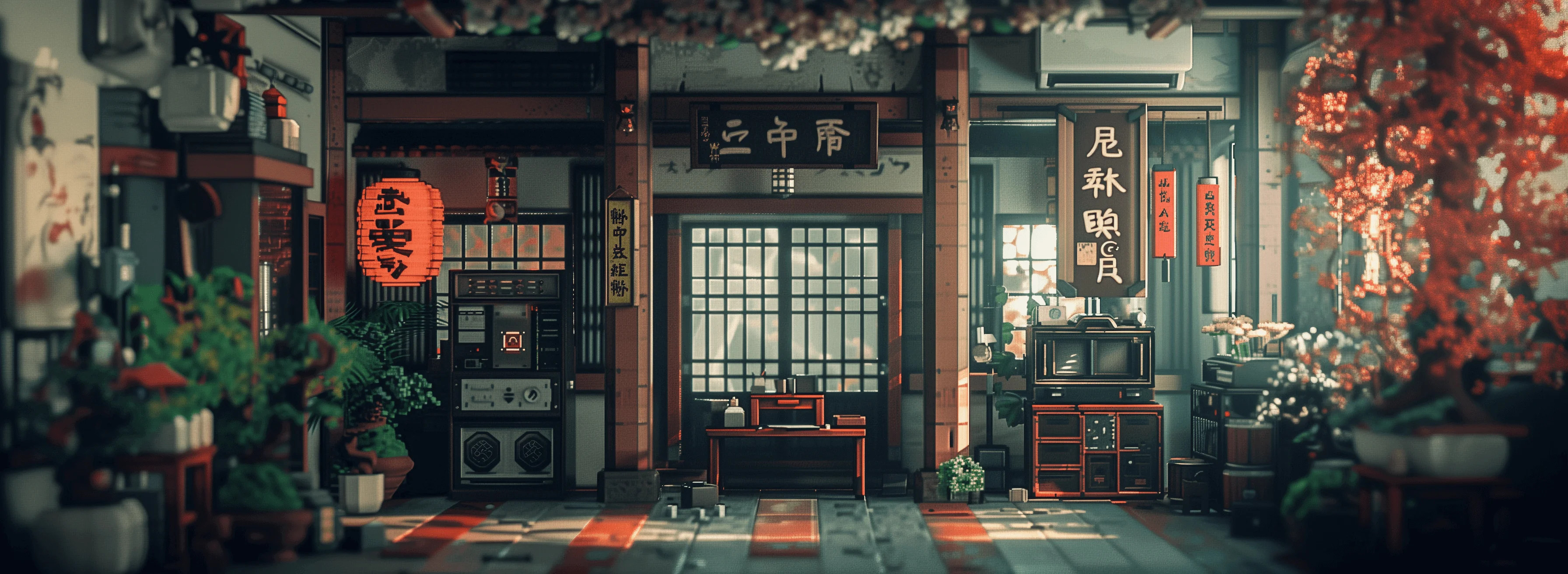
Generated on PixelDojo. Produced by PixelDojo's generation pipeline.
You can now produce breathtaking cinematic MiniMax Hailuo images and videos that look like they came straight from a professional film set. PixelDojo puts MiniMax H3, Hailuo 2.3, and MiniMax H3 Turbo at your fingertips so you generate photorealistic stills packed with natural lighting, authentic textures, and then animate them into fluid motion with native audio. Whether you need scroll-stopping social ads, product showcases, or short films, you achieve Hollywood-level results in minutes instead of weeks. Start with a simple description or your own photo, add references for perfect character consistency, and watch PixelDojo deliver 2K quality output ready for any campaign. 1M+ creators already rely on these tools to skip expensive production crews and still deliver visuals that convert. Your next high-impact project is just a prompt away.
Real video examples generated on PixelDojo
Every example below was produced on PixelDojo. Hover to see the prompt.
Masterpiece
creative-upscaler
**8-Second Cinematic Commercial – PIXEL DOJO Pizza** **Style:** Ultra-realistic live-actio…
seedance-2-reference
A woman takes her hands out her pockets and gestures to the words with both hands
image-to-video
Give it a dreamy soft-focus film look
wan-video-edit
Snow falling softly over a quiet pine forest
ltx-2
minimax hailuo on PixelDojo
image-to-video
Models you can run on PixelDojo for minimax hailuo
Switch models without switching tools. Each one runs in the same PixelDojo studio.
What you can do with minimax hailuo on PixelDojo
Text to video clips
We turn written prompts into short Hailuo videos you can generate on PixelDojo. You describe the scene, motion, and look, then we return a clip you can download and iterate on.
Image guided generation
We start from a still you upload so Hailuo can extend it into motion. Keep character, product, or frame composition while we generate the following seconds of video.
Prompt and camera control
We let you specify subject, lighting, and camera moves in the prompt. Adjust wording and regenerate until the Hailuo output matches the shot you need.
Iterate inside PixelDojo
We keep Hailuo runs in one workspace with your other generators. Compare takes, refine prompts, and export clips without leaving the PixelDojo flow.
Loved by 1M+ creators worldwide who generate professional MiniMax Hailuo content daily. PixelDojo's 100+ cutting-edge AI tools deliver consistent, high-converting results. Cancel anytime with zero risk.
Why Choose Pixel Dojo for minimax hailuo
Professional-quality results with cutting-edge AI technology
Deliver Photorealistic Cinematic Visuals Instantly
You produce MiniMax Hailuo images and videos featuring authentic physics, fabric flow, hair movement, and lighting that rivals real camera footage, making your ads, posts, and stories impossible to ignore.
Keep Characters Perfectly Consistent Across Every Shot
You lock in exact faces, outfits, and styles using MiniMax H3 references plus PixelDojo's Consistent Characters and Character Sheets, so every scene matches without extra editing time.
Go From Idea to Download-Ready Content in Minutes
You generate high-resolution MiniMax Hailuo stills with tools like Flux.2 Studio or Seedream 5, then bring them to life with Hailuo 2.3 or MiniMax H3 Turbo, enhance via P-Image Upscale, and export polished files immediately.
How It Works
Creating professional MiniMax Hailuo images and videos on PixelDojo takes just three straightforward steps. You combine powerful generation tools with easy editing so anyone can produce studio-quality results.
Step 1: Choose Your Tool
Open PixelDojo and pick MiniMax H3 or Hailuo 2.3 under Generate Videos for motion, or start with Flux.2 Studio, Seedream 5, or QWEN Image 2 to craft your base cinematic still. Upload a photo if you want image-to-video animation that preserves every detail of lighting and composition.
Step 2: Enter Your Prompt
Describe your scene using cinematic language: subject action, camera movement like slow dolly-in, lighting such as golden hour, and materials that should react naturally. Attach up to nine reference images for MiniMax H3 so characters stay identical. PixelDojo's prompt optimizer helps you get even better MiniMax Hailuo results on the first try.
Step 3: Customize & Download
Set duration up to 15 seconds, 2K resolution, and your preferred aspect ratio. Generate, then refine with Image to Image, Inpainting, or WAN 2.7 Video Edit. Finish with P-Image Upscale or Magnific Upscaler and download your MiniMax Hailuo masterpiece ready for social, ads, or client delivery.
The Pixel Dojo Advantage
Why PixelDojo outperforms other options for MiniMax Hailuo image and video generation
| Others | Pixel Dojo |
|---|---|
| Traditional MiniMax Hailuo creation | You eliminate costly cameras, lighting crews, and weeks of post-production. PixelDojo's MiniMax H3 and Hailuo 2.3 deliver the same cinematic physics and quality in minutes from a single prompt or photo. |
| Generic AI tools | You get dedicated access to Hailuo 2.3, MiniMax H3, MiniMax H3 Turbo plus 40+ specialized image, video, character, and upscale tools in one dashboard, giving you far more control and consistency than basic generators. |
| Manual photo editing | You skip hours of layer work and timeline scrubbing. Generate your MiniMax Hailuo still, enhance with Style Transfer or Reality Polisher, then animate instantly with Hailuo tools for professional output without the learning curve. |
Loved by creators on PixelDojo
Real feedback from people using PixelDojo, pulled from our in-product surveys.
very useful set of tools for image creation, upscaling and enhancement
ease of use, variety of tools, high quality trainings, and a well-maintained discord channel
Ease of use, friendliness and support of the owner, continued innovation.
it is an amazing site to create a pics and vids for those who don't have the hardware themselves
good tools in one place
Prompt updates, strong features, and a community that is always willing to help and hear/act on professional feedback. I've never had a better experience.
Explore more AI tools on PixelDojo
Popular AI Models
AI Tools
Compare & Switch
- All AI Tool Alternatives
- Pollo AI Alternative
- PixelDojo vs Pollo AI
- Pollo AI Review
- MotionMuse AI Alternative
- MioCreate Alternative
- Dessi AI Alternative
- Runway Alternatives
- CapCut Alternatives
- Leonardo Alternatives
- OpenArt Alternatives
- Midjourney Alternatives
- Canva AI Alternatives
- Pika Alternatives
- InVideo Alternatives
- Higgsfield Alternatives
- Krea Alternatives
- Luma Alternatives
- Magic Hour Alternatives
- HeyGen Alternatives
- PixAI Alternatives
- Vidu Alternatives
- Seedream Alternatives
- Tensor.Art Alternatives
Common Questions
Everything you need to know about minimax hailuo
What is MiniMax Hailuo and how can I generate images with it on PixelDojo?
MiniMax Hailuo is MiniMax's flagship AI known for photorealistic images and videos with outstanding physics, lighting, and character consistency. On PixelDojo you start with image tools like Flux.2 Studio or Seedream 5 to create cinematic stills, then animate them using Hailuo 2.3 or MiniMax H3. You get professional MiniMax Hailuo results without needing any technical setup.
How do I keep characters consistent when making MiniMax Hailuo videos on PixelDojo?
You upload reference photos into MiniMax H3 which accepts up to nine images, then combine with PixelDojo's Consistent Characters and Character Sheets tools. This locks faces, clothing, and style across every generation so your MiniMax Hailuo videos look like they were shot with the same talent every time.
What are the best prompts for MiniMax Hailuo style images and videos?
Use cinematic language such as 'medium shot of a woman in flowing red coat walking toward camera through rain-soaked streets, slow dolly-in, golden hour lighting, fabric reacting naturally to wind.' PixelDojo's Hailuo 2.3 and MiniMax H3 respond extremely well to camera moves, lighting, and material descriptions, giving you authentic MiniMax Hailuo physics in both stills and motion.
Can I turn my own photos into MiniMax Hailuo videos on PixelDojo?
Yes. Upload any photo as the starting frame for Hailuo 2.3 or MiniMax H3 image-to-video. The model preserves your original lighting, composition, and details while adding natural motion, camera movement, and even native stereo audio, turning stills into cinematic MiniMax Hailuo clips in minutes.
What resolution and extra features does MiniMax H3 give me on PixelDojo?
You generate up to 2K resolution clips lasting 5 to 15 seconds with native stereo audio, multiple aspect ratios, and instruction-based editing. Combine this with PixelDojo's P-Image Upscale, Video Autocaption, and Merge Videos so your MiniMax Hailuo content is ready for any platform without extra software.
Why should I choose PixelDojo for MiniMax Hailuo AI generation instead of other platforms?
PixelDojo gives you Hailuo 2.3, MiniMax H3, MiniMax H3 Turbo plus 100+ complementary tools for images, characters, editing, and upscaling all in one place. 1M+ creators love the speed, quality, and flexibility. You can cancel anytime, so there is zero risk to start producing professional MiniMax Hailuo images and videos today.