Raphael AI alternative
Raphael AI alternative: from one product photo to a moving listing
Pixel Dojo runs Seedream 5, Nano Banana 2.1, FLUX 3 Image and GPT Image 2.5 side by side, with commercial use on every plan, then turns the photo you pick into video on the same credits.
Raphael AI is a quick, free way to make an image. We wanted to follow a real job further, so we played a small mochi shop that needs listing photos and one short clip, and made all of it here.
7.5 credits ($0.47) per 5 s clip at 720p. Included in every plan, from $10/month.
Already a member? Sign in
By Brian Lovett · Updated
The case: a mochi shop that needs a listing by Friday
Our pretend client sells boxed mochi online. She needs one clean product photo for the shop page and a short clip for social, with the rights to use both in ads.
On Raphael AI, the pricing page says free users are limited to personal and non commercial use and free images carry a watermark. So a shop like hers would pay either way. We wanted to see what one brief gets her here.
Three more jobs a shop or an artist would bring
Every image and clip below was made on Pixel Dojo with the prompt shown.
The FLUX 3 Image listing photo as a start frame on MiniMax H3 Turbo, 7.5 credits.
Slow push in on the box of mochi as a hand reaches in and lifts one pink mochi out, a little rice flour dust falls from it, a thin curl of steam rises from the tea cup, soft daylight, calm and clean product video.

A wall art print on Recraft V4.1 for 1 credit.
Flat illustration of a koi pond seen from above, three orange and white koi circling among round lily pads and pink lotus flowers, gentle ripples drawn as thin rings, soft teal water, limited palette, clean shapes, wall art print.
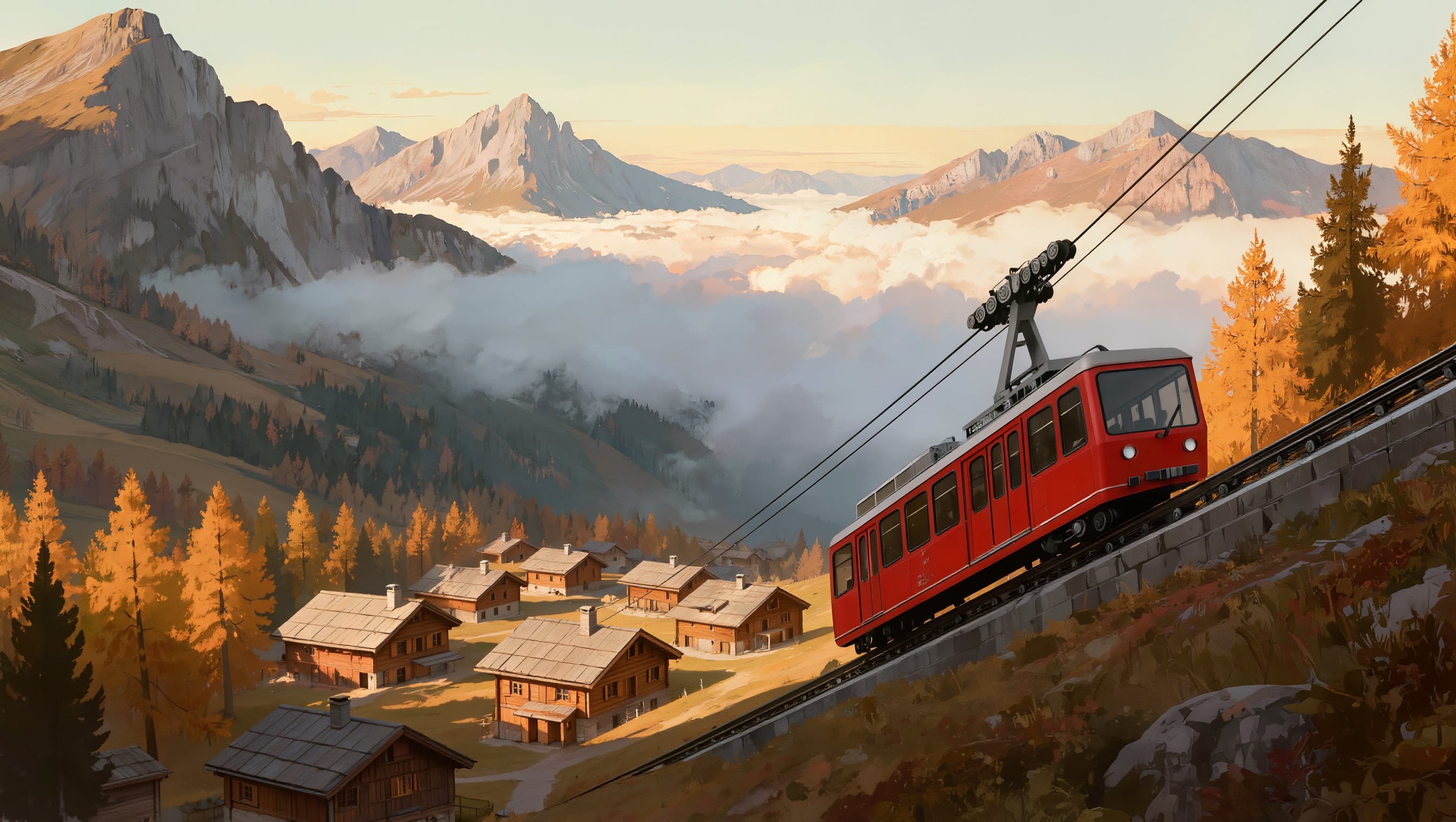
Concept art on Kling Image for 1 credit.
Concept art of a red cable tram climbing a steep alpine valley above a village of wooden chalets, autumn larches glowing gold, low clouds drifting through the peaks, painterly matte painting style, late afternoon light.
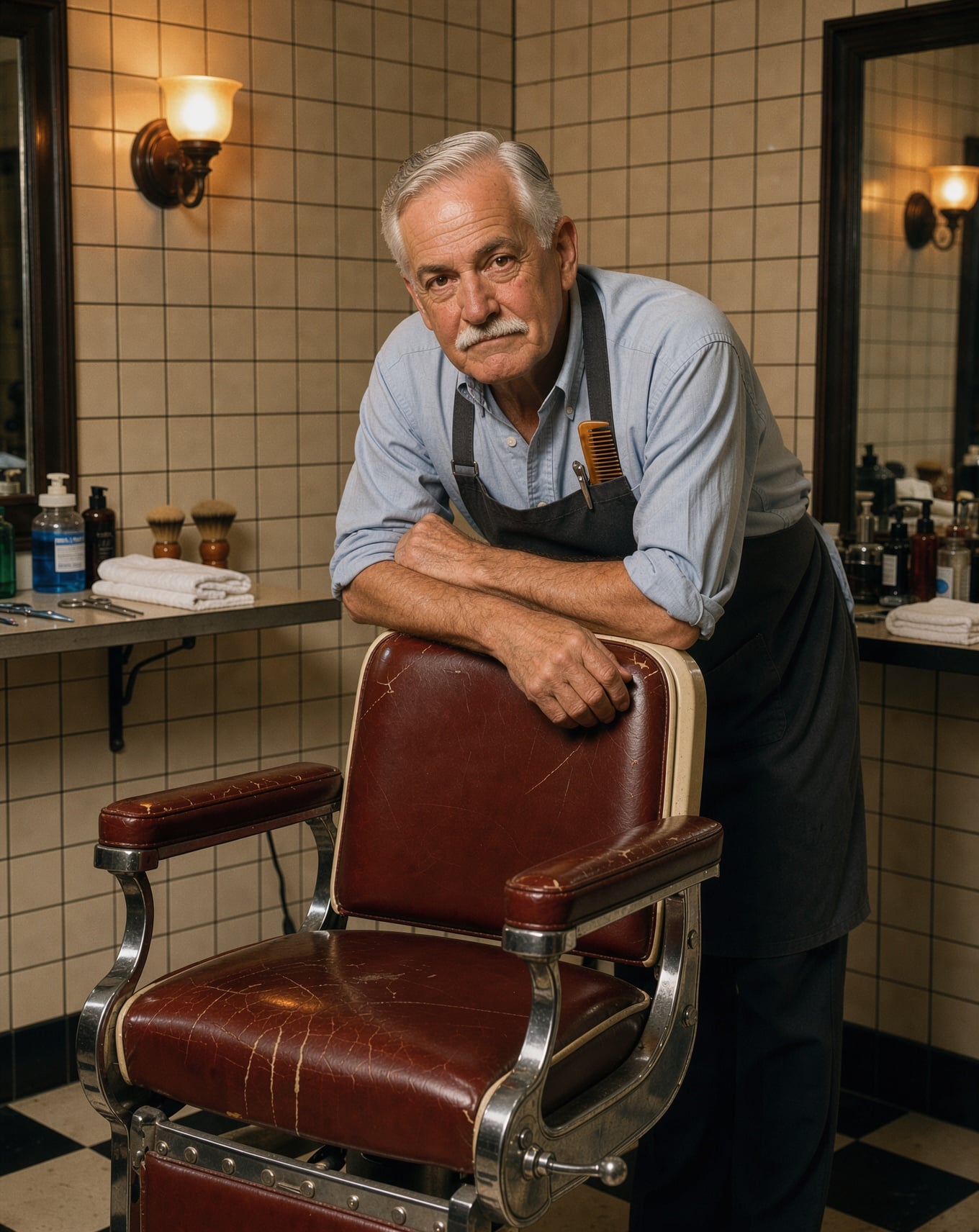
An editorial portrait on FLUX 3 Image for 1 credit.
Editorial portrait of a barber in his sixties with a neat white mustache and rolled shirt sleeves leaning on a vintage barber chair in his tiled shop, a tortoiseshell comb in his breast pocket, warm tungsten light, 85mm lens, film grain.
The listing photo on four image models
Same prompt on four engines: pastel mochi in a washi lined wooden box with a cup of tea, soft daylight. Each tile shows its settings and credits.

Product photograph for a small mochi shop: six pastel mochi in matcha green, cherry blossom pink, black sesame grey and yuzu yellow sit in a plain wooden box lined with patterned washi paper, a ceramic cup of roasted tea beside it, soft daylight on a pale linen tablecloth, shallow depth of field, clean commercial look.
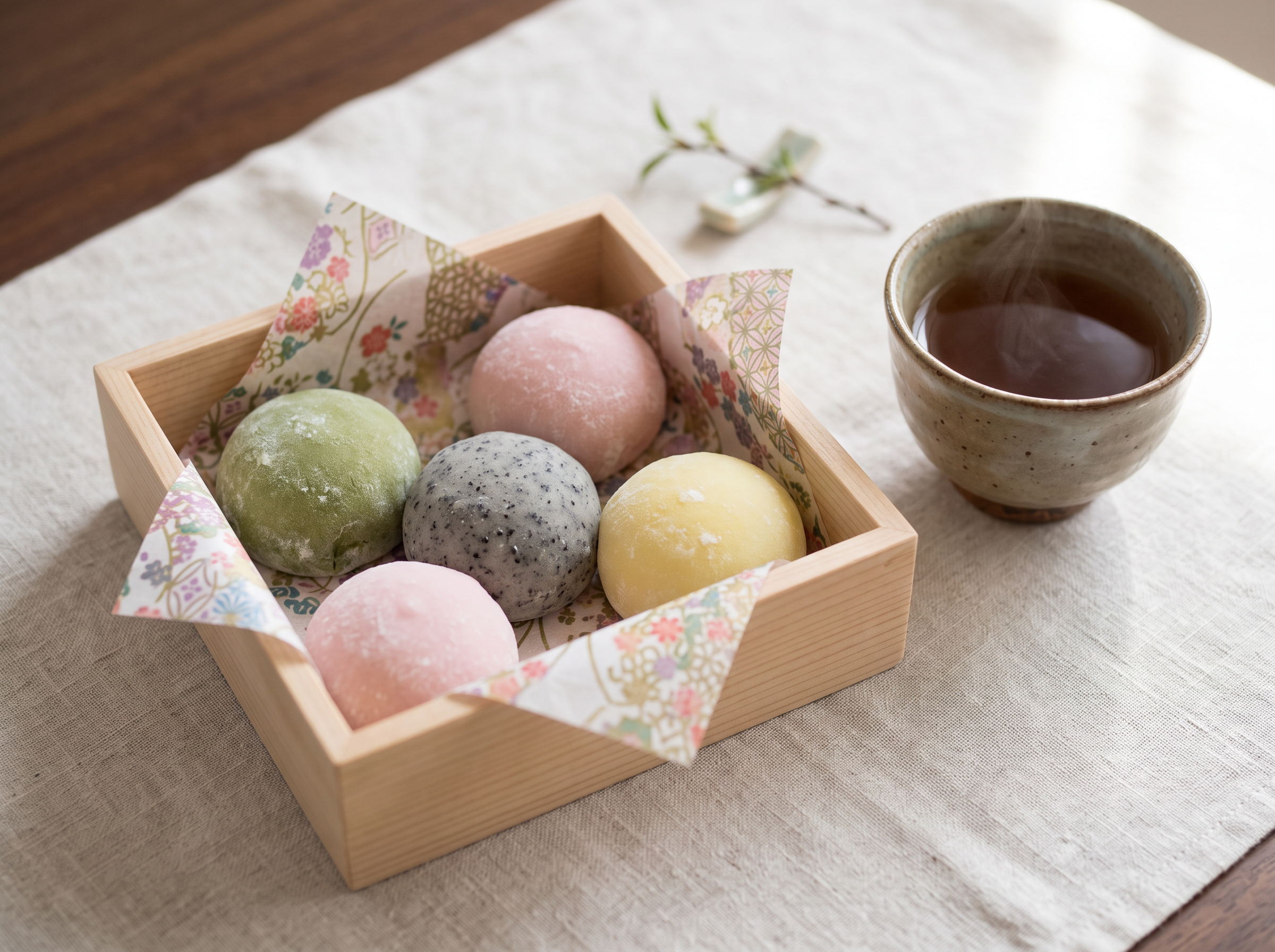
Product photograph for a small mochi shop: six pastel mochi in matcha green, cherry blossom pink, black sesame grey and yuzu yellow sit in a plain wooden box lined with patterned washi paper, a ceramic cup of roasted tea beside it, soft daylight on a pale linen tablecloth, shallow depth of field, clean commercial look.
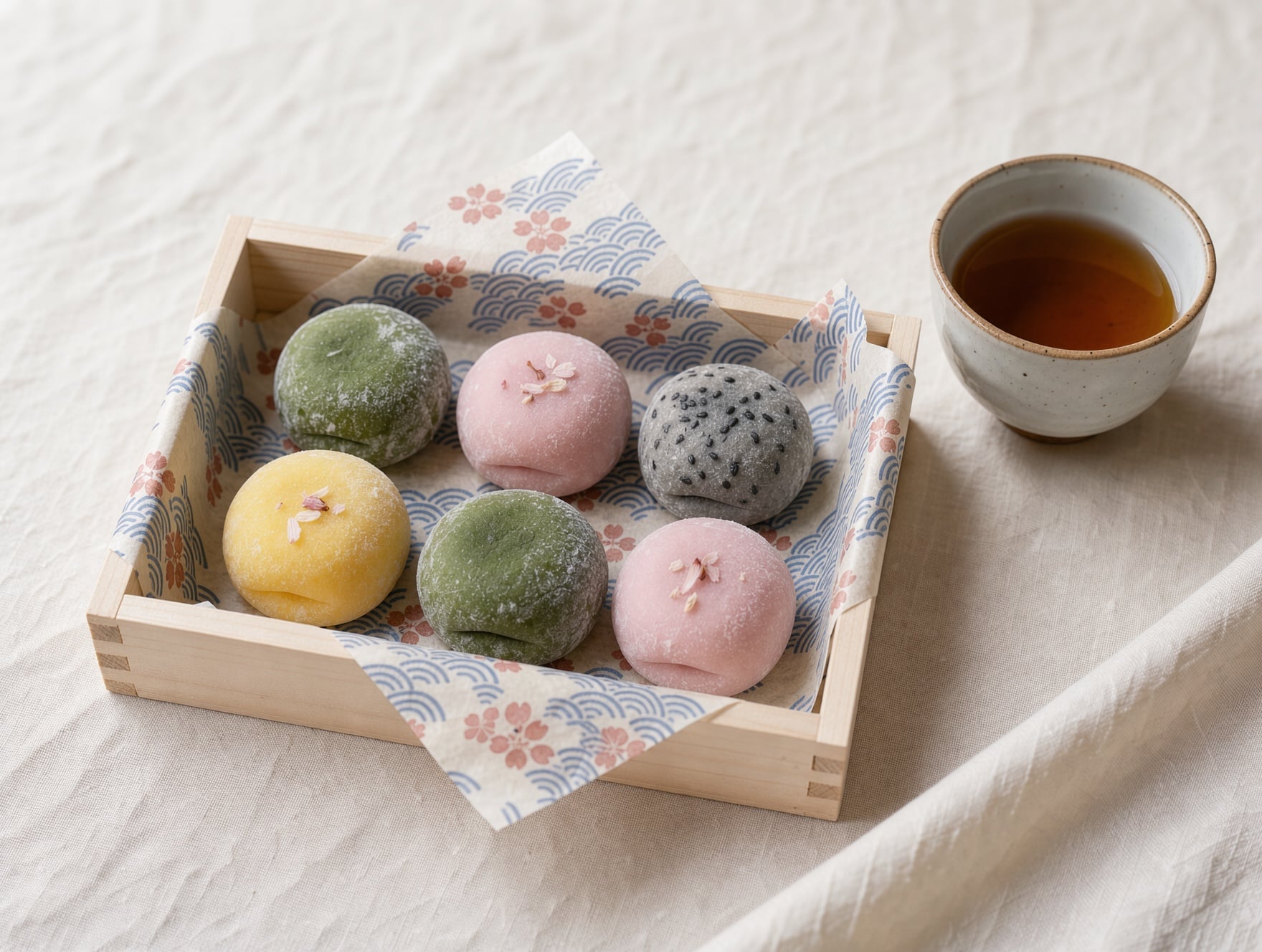
Product photograph for a small mochi shop: six pastel mochi in matcha green, cherry blossom pink, black sesame grey and yuzu yellow sit in a plain wooden box lined with patterned washi paper, a ceramic cup of roasted tea beside it, soft daylight on a pale linen tablecloth, shallow depth of field, clean commercial look.

Product photograph for a small mochi shop: six pastel mochi in matcha green, cherry blossom pink, black sesame grey and yuzu yellow sit in a plain wooden box lined with patterned washi paper, a ceramic cup of roasted tea beside it, soft daylight on a pale linen tablecloth, shallow depth of field, clean commercial look.
- All four returned a clean, usable listing photo with the box, the tea and soft daylight.
- GPT Image 2.5 added the most styling, blossom petals on the mochi and a branch of cherry blossom in frame.
- Nano Banana 2.1 lined the box with flowered washi paper and set the tea cup to the side.
- FLUX 3 Image cost 1 credit and gave the cleanest, simplest shot, so we used it as the start frame for the clip.
Raphael AI plans vs Pixel Dojo
Everything in the Raphael AI column comes from its home and pricing pages, read on October 15, 2026. Raphael AI shows its prices as discounts from higher list prices.
| Plan detail | Raphael AI | Pixel Dojo |
|---|---|---|
| Monthly price | Pro $10, Ultimate $20, Max $40 (list $20, $40, $80) | Lite $10 a month for 160 credits, Pro $25 for 500 credits, Pro Max $50 for 1,100 credits |
| Monthly credits | Pro 2,000, Ultimate 5,000, Max 10,000 | 160, 500 or 1,100 credits, shared by every model |
| Commercial use | Paid plans only; free use is personal and non commercial | Commercial use on every plan |
| Video | MiniMax H3 unlimited only on Max | MiniMax H3, Seedance 2.5, Kling 3.0, Veo 3.1 and WAN 3.0 on every plan |
| Refunds | Digital purchases generally non refundable | a first purchase can be refunded within 7 days, in full if under 20% of the credits are used and pro-rated after that |
| API | No public API currently available | Public API with docs generated from each model's spec, API credit packs from $5 |
Why Raphael AI users switch to Pixel Dojo
Unlimited on every plan
On every paid plan, Relax runs Qwen Image 2.1, FLUX 3 Image Klein and MiniMax H3 Turbo, plus every video and photo effect, unlimited with no credits spent.
Sensei, the AI director
Describe a project and Sensei plans it, prices it, waits for your approval and reviews every take.
Photo effects
45+ photo effects restyle a picture in one click, from a hand painted anime still to a boxed action figure or a magazine cover, and every one starts from your own upload.
One job AI tools
35 single purpose tools each do one edit from an upload: remove a watermark, an object or text, restore and colorize an old photo, swap a background, retouch a portrait or make a thumbnail.
Character Studio
Save a face once and call it by @name in any prompt, so the same person shows up in every image and clip.
Start from a genre
Pick a format such as a UGC ad, a micro drama, a movie trailer or an explainer, and the matching studio opens with the settings and a sample idea filled in.
Credits that roll over
Your credits roll over while you stay subscribed, so nothing you pay for disappears at the end of the month.
Every top model, plus an API
More than 80 image and 60 video models in one account, with a public API and a hosted MCP server for your own apps and AI assistants.
What the mochi listing cost us
Plans are Lite $10 a month for 160 credits, Pro $25 for 500 credits, Pro Max $50 for 1,100 credits. Every plan includes every model and commercial use. Credits roll over while you stay subscribed.
The four listing photos cost 2.5 credits on Seedream 5, 1.5 on Nano Banana 2.1, 1 on FLUX 3 Image and 2 on GPT Image 2.5. The clip cost 7.5 credits on MiniMax H3 Turbo.
Under our refund policy, a first purchase can be refunded within 7 days, in full if under 20% of the credits are used and pro-rated after that.
Raphael AI questions
What is a good alternative to Raphael AI?
Pixel Dojo runs Seedream 5, Nano Banana 2.1, FLUX 3 Image and GPT Image 2.5 with commercial use on every plan, and turns any image into video on the same credits.
Is Raphael AI free?
Raphael AI says you can start without a login, and signed in users get unlimited basic generations in a queue. Free images carry a watermark and are for personal, non commercial use.
How much does Raphael AI cost?
Raphael AI's pricing page lists Pro at $10 a month for 2,000 credits, Ultimate at $20 for 5,000 and Max at $40 for 10,000, shown as discounts from list prices twice as high.
Can I use Raphael AI images commercially?
Raphael AI's pricing page says paid subscribers may use images commercially, while free users are limited to personal and non commercial use.
Does Raphael AI have an API?
Raphael AI's pricing page says no public API is currently available. Pixel Dojo has a public API for every model, with API credit packs from $5.
Video Effects New
Your first video is free. One photo, one click.
310 ready-made effects, from AI Hug and Earth Zoom In to product spins and listing walkthroughs. Upload a photo and press Generate. No prompt to write, and a free account gets 3 a day.






Switch from Raphael AI to Pixel Dojo today
Write a prompt above or start from any example on this page. One plan covers every top model, six studios and Sensei, and your credits roll over.
Start with MiniMax H3 TurboSources
Facts about Raphael AI come from these public pages, checked on Oct 15, 2026. Prices and plans change; check the source before you buy.