Vmaker AI alternative
Vmaker AI alternative: a shop how-to with no camera and no shoot
Pixel Dojo builds the whole how-to from text: a presenter who speaks your script, burned in captions, close up cutaways and a title card, each priced before you click and all yours to use commercially.
Vmaker AI starts from footage or a screen recording. We wanted to see how far a small business gets with none, so we made a 3 step chair seat how-to for an upholstery shop from scratch.
27.5 credits ($1.72) per 5 s clip with audio. Included in every plan, from $10/month.
Already a member? Sign in
By Brian Lovett · Updated
The case: a 3 step how-to for a one person shop
An upholsterer wants a short video for his website: a friendly intro from him, the key tip in his words, a close up of the work and a clean title card. He has no camera crew and no time to film.
Vmaker AI would start from footage, a screen recording or a document. We started from four prompts and one script, and ran every step on Pixel Dojo in order.
Other business videos we made the same way
Each clip below was made on Pixel Dojo from the prompt shown. Tap one to start from it.
A one line security tip on Veo 3.1 Fast with her voice, 4 seconds for 18 credits.
Medium shot of an IT trainer in her forties with short black hair and a grey blazer standing beside an office desk with a laptop, she taps the laptop lid and says to camera, "Step away from your desk? Lock your screen first." Bright modern office, plants and glass walls behind her. Sound: her voice and a quiet office hum.
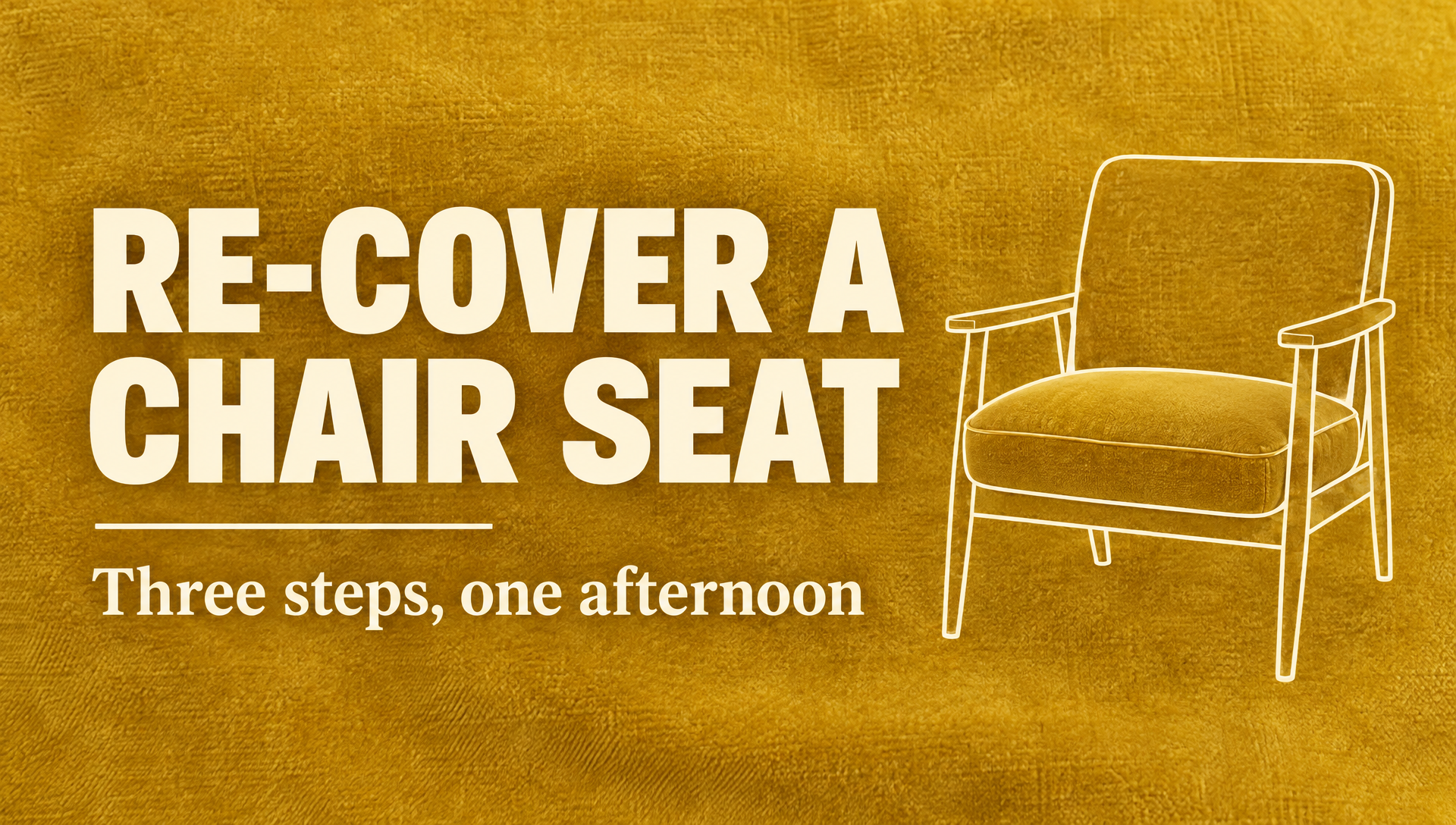
Title cards and thumbnails on GPT Image 2.5 for 2 credits, with clean, correctly spelled text.
A clean title card for a short how-to video: the headline "RE-COVER A CHAIR SEAT" in bold cream letters, a smaller line "Three steps, one afternoon" beneath it, on a mustard yellow velvet texture background with a simple line drawing of an armchair on the right.
An internal policy reminder on WAN 3.0 with her voice, for 10 credits.
Medium shot of an office manager in her forties with red framed glasses and a cream cardigan at a tidy desk, she holds up a paper receipt and says to camera, "Snap a photo of every receipt the day you get it." Bright office, a monitor and a plant behind her. Sound: her voice and a soft office hum.
A product turntable on WAN 3.0 for 10 credits. Good for a shop page or a listing.
Slow product turntable shot of a walnut and brushed steel hand coffee grinder on a pale stone plinth, a few coffee beans scattered around the base, soft studio light with a gentle reflection, plain warm grey backdrop. Sound: a soft ambient tone.
The upholstery how-to, step by step
Step one made his portrait. Step two turned it into a talking presenter reading our script. Step three burned in captions. Step four made the close up cutaway, and the title card sits in the gallery below.

Medium shot photo of an upholsterer in his fifties with a salt and pepper beard and a navy canvas apron, standing beside a wingback armchair stripped down to webbing in his workshop, a staple gun on the bench, bolts of fabric on shelves behind, facing the camera with a calm smile, soft daylight, natural skin texture.
Close up of hands stretching a mustard yellow velvet fabric over the padded seat of an armchair and firing a staple gun along the underside, wooden workbench, warm workshop light. Sound: fabric creasing and the sharp clack of the staple gun.
- P-Video Avatar turned one still into a talking take for 8 credits, keeping his face, apron and workshop from the photo.
- Autocaption heard every word of the script and set it in three clean lines, ending on "folded like a parcel."
- Kling 3.0 gave the cutaway real tension in the fabric.
- The portrait cost 1.5 credits and set the face, apron and workshop that every later step kept.
Vmaker AI plans vs Pixel Dojo
Vmaker AI figures come from its pricing page and home page, read on October 15, 2026.
| Feature | Vmaker AI | Pixel Dojo |
|---|---|---|
| Paid plans | Starter $216 billed yearly, Teams $300 billed yearly, Enterprise custom | Lite $10 a month for 160 credits, Pro $25 for 500 credits, Pro Max $50 for 1,100 credits |
| Generative video | None on Free, 3 minutes a month on Starter, 12 on Teams | Kling 3.0, Veo 3.1, Seedance 2.5 and WAN 3.0 on every plan, priced per clip |
| AI avatars | 4 on Free, 80 on Starter, 99 on Teams | Turn any portrait you make or upload into a talking presenter with P-Video Avatar or Kling Avatar |
| Subtitles | 20 minutes a month on Free, 60 on Starter, 120 on Teams | Video Autocaption, priced per clip on every plan |
Why Pixel Dojo is faster with nothing filmed
If you have nothing filmed and need the presenter, the cutaways and the title card made for you, Pixel Dojo gets you there faster.
Why Vmaker AI users switch to Pixel Dojo
Unlimited on every plan
On every paid plan, Relax runs Qwen Image 2.1, FLUX 3 Image Klein and MiniMax H3 Turbo, plus every video and photo effect, unlimited with no credits spent.
Sensei, the AI director
Describe a project and Sensei plans it, prices it, waits for your approval and reviews every take.
Marketing Studio
Paste a product link and get a video ad with a voiceover, in UGC, unboxing, try on or commercial styles, with every take priced first.
One click video effects
300+ one-click video effects turn a photo into a trend clip, from AI Hug to AI Inflate, with no prompt to write, and 3 are free every day.
Character Studio
Save a face once and call it by @name in any prompt, so the same person shows up in every image and clip.
Start from a genre
Pick a format such as a UGC ad, a micro drama, a movie trailer or an explainer, and the matching studio opens with the settings and a sample idea filled in.
Star in any video
Upload a short clip, pick a saved character or a photo, and Character Swap puts your star in the lead while the scene, camera moves and sound stay the same.
Credits that roll over
Your credits roll over while you stay subscribed, so nothing you pay for disappears at the end of the month.
Every top model, plus an API
More than 80 image and 60 video models in one account, with a public API and a hosted MCP server for your own apps and AI assistants.
What the how-to cost on Pixel Dojo
Plans are Lite $10 a month for 160 credits, Pro $25 for 500 credits, Pro Max $50 for 1,100 credits. Every plan includes every model and commercial use. Credits roll over while you stay subscribed.
The portrait cost 1.5 credits, the talking presenter 8, the captions 5, the cutaway 27.5 and the title card 2.
Under our refund policy, a first purchase can be refunded within 7 days, in full if under 20% of the credits are used and pro-rated after that.
Vmaker AI questions
What is a good Vmaker AI alternative?
If you have no footage to edit, Pixel Dojo makes it: a talking presenter from one portrait, burned in captions, cutaways on Kling 3.0, Veo 3.1 or Seedance 2.5 and title cards, all priced before you click.
How much does Vmaker AI cost?
Vmaker AI's pricing page lists a Free plan, Starter at $216 billed yearly, Teams at $300 billed yearly and custom Enterprise pricing.
Does Vmaker AI add a watermark on the free plan?
Yes. Vmaker AI's pricing page lists watermark free videos only on Starter and above.
Can I make a talking presenter from a photo?
Yes. Give P-Video Avatar a portrait and a script. Our upholstery tip cost 8 credits.
Can I add captions to a clip on Pixel Dojo?
Yes. Video Autocaption transcribes the speech and burns in captions in a pop, highlighter or clean style for 5 credits a clip.
Video Effects New
Your first video is free. One photo, one click.
310 ready-made effects, from AI Hug and Earth Zoom In to product spins and listing walkthroughs. Upload a photo and press Generate. No prompt to write, and a free account gets 3 a day.






Switch from Vmaker AI to Pixel Dojo today
Write a prompt above or start from any example on this page. One plan covers every top model, six studios and Sensei, and your credits roll over.
Start with Kling 3.0Sources
Facts about Vmaker AI come from these public pages, checked on Oct 15, 2026. Prices and plans change; check the source before you buy.