Colossyan alternative
Colossyan alternative: put your trainer inside the scene
Pixel Dojo can animate a presenter photo the classic way, but it can also film the trainer in the real setting, speaking the line with room sound, on Kling 3.0, Seedance 2.5 or Veo 3.1.
Colossyan is built for learning teams: stock and custom AI presenters, quizzes, branching and SCORM exports. We took one hotel onboarding line and made it two ways, as a talking photo and as a filmed scene.
27.5 credits ($1.72) per 5 s clip with audio. Included in every plan, from $10/month.
Already a member? Sign in
By Brian Lovett · Updated
The rest of a training module, made here
We made every asset below on Pixel Dojo with the prompt shown.
The same kind of welcome in French on Veo 3.1 Fast, spoken in the clip.
Medium shot of a hotel front desk supervisor, a woman in her fifties with short black hair streaked with grey and a charcoal blazer, behind a marble desk in a warm modern lobby. She smiles at the camera and says in French, "Bienvenue. Votre chambre est prete." Soft lobby chatter.
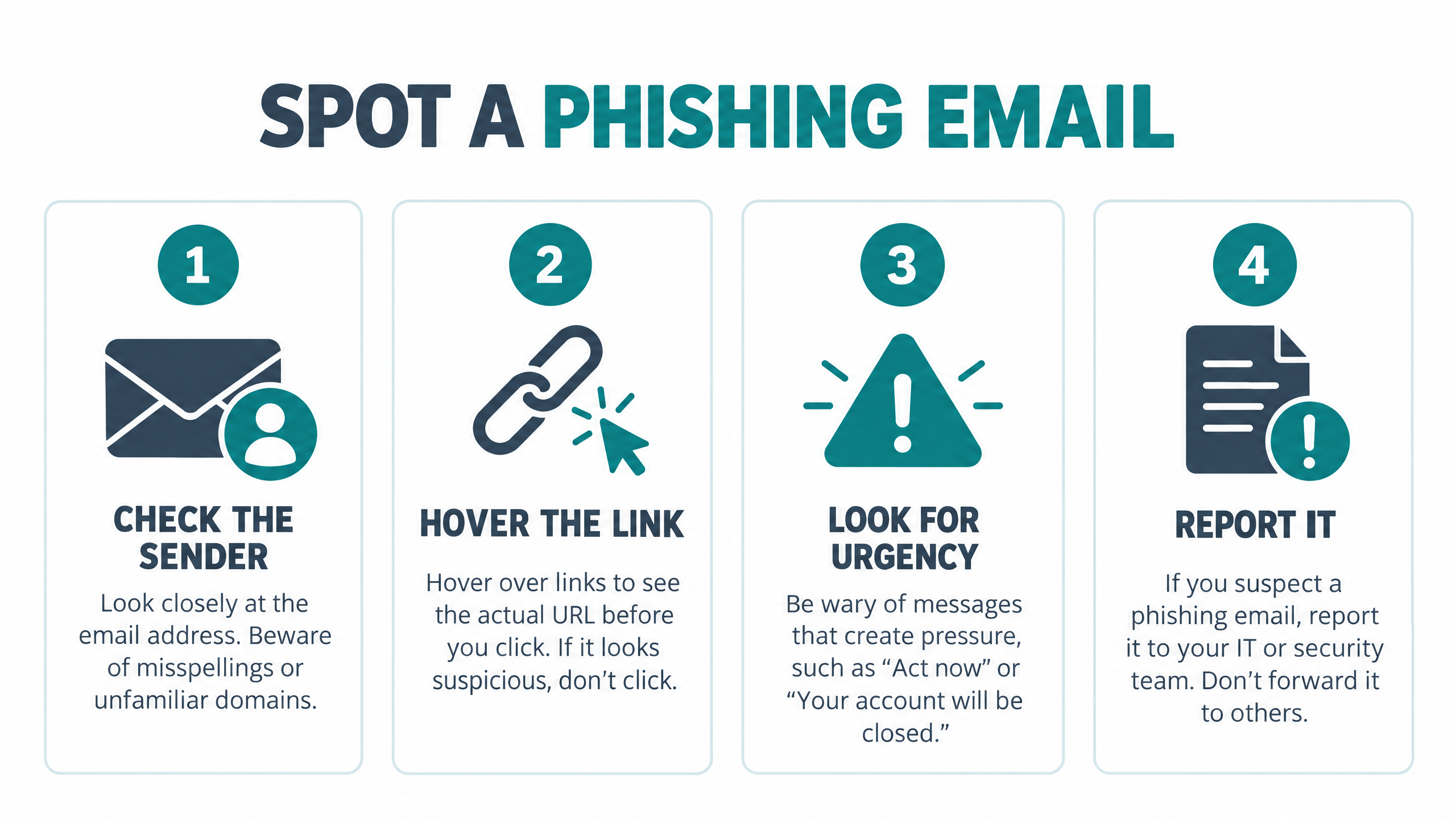
A course slide on GPT Image 2.5 with all four steps spelled right.
Clean training slide titled "SPOT A PHISHING EMAIL" with four numbered cards: CHECK THE SENDER, HOVER THE LINK, LOOK FOR URGENCY, REPORT IT, each with a simple flat icon, teal and slate palette, white background, generous spacing.
Procedure b-roll on WAN 3.0 with the rustle of the sheet.
Training b-roll: a hotel housekeeper smooths a crisp white sheet and folds a neat hospital corner on a bed in a sunlit guest room, close tracking shot on the hands, fabric rustle and soft room tone.

A safety course illustration on FLUX 3 Image for 1 credit.
Flat isometric illustration for a workplace safety course: a worker on a stepladder changing a ceiling light while a coworker holds the ladder steady, simple shapes, safety yellow and navy palette, clean white background.
The counter take: your trainer does not have to stand in front of a backdrop
Most AI training video tools start with a presenter avatar talking at the camera, then lay slides and text around them. Colossyan does it with 300+ stock avatars and 700+ stock voices on its compare table.
Hospitality, retail and safety training usually teach a place, not a slide. We think the stronger video shows the person in that place, with the desk, the lobby and the sound of the room. Video models can now film that from a prompt, line included.
One service rule, filmed two ways
Route one: a portrait on Nano Banana 2.1 turned into a talking presenter. Route two: the whole scene, line and room sound included, from one prompt on Seedance 2.5 and on Kling 3.0. Each tile shows its settings and credits.
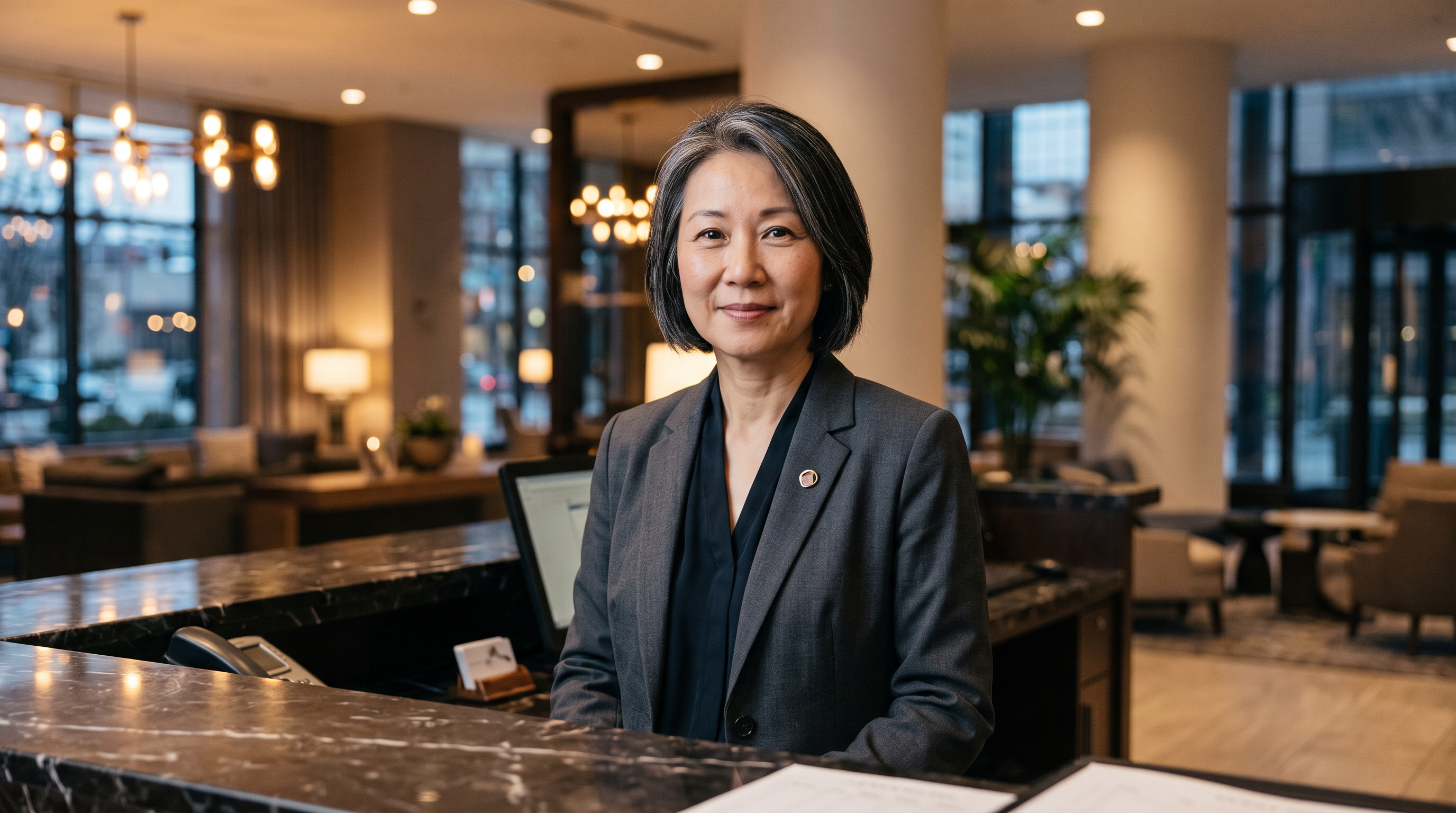
Chest up portrait of an original hotel front desk supervisor facing the camera: a woman in her fifties with short black hair streaked with grey and a charcoal blazer, standing behind a marble front desk in a warm modern lobby, soft key light, sharp detail, no text.
Medium shot of a hotel front desk supervisor, a woman in her fifties with short black hair streaked with grey and a charcoal blazer, standing behind a marble desk in a warm modern lobby. She looks at the camera and says, "Greet every guest within ten seconds. Eye contact, smile, then their name." Soft lobby chatter and a quiet desk bell.
Medium shot of a hotel front desk supervisor, a woman in her fifties with short black hair streaked with grey and a charcoal blazer, standing behind a marble desk in a warm modern lobby. She looks at the camera and says, "Greet every guest within ten seconds. Eye contact, smile, then their name." Soft lobby chatter and a quiet desk bell.
- The talking photo kept our exact presenter from the portrait and spoke the line for 5 credits. Use it when the same face must appear in every module.
- Both filmed scenes put the speaker behind a real looking desk with lobby depth and room sound, which reads more like on site footage.
- Kling 3.0 framed the shot most like a classic training video, square on with the desk bell in view, for 27.5 credits.
- The filmed routes cast a new person from the description, and for a recurring host we save her in Character Studio and call her by name.
Colossyan plans vs Pixel Dojo
Everything in the Colossyan column comes from its pricing page and home page, read on October 15, 2026.
| At a glance | Colossyan | Pixel Dojo |
|---|---|---|
| Plans | Starter free; Professional $59 a month billed yearly, plus $30 a month per extra editor; Enterprise by quote | Lite $10 a month for 160 credits, Pro $25 for 500 credits, Pro Max $50 for 1,100 credits |
| Video allowance | Starter 20 minutes a month; Professional 30 minutes on NEO and 10 on NEO2; Enterprise unlimited | Credits per generation, with each model's price shown before you run it |
| Presenters | 300+ stock avatars; 15 custom avatars on Starter, 20 on Professional | Any presenter you describe or upload; save one in Character Studio and call it by @name |
| Watermark | Watermark removal starts on Professional | Commercial use on every plan |
| Learning features | Quizzes, branching, interactive video and SCORM exports (5 a month on Professional) | MP4 clips drop into any course tool |
| API | Custom API access listed on Enterprise | Public API on every plan, API credit packs from $5, and a hosted MCP server |
Why Pixel Dojo makes the clips a course needs
If you want the clips that make a course feel real, scenes on site, procedure b-roll, slides and voiceover, generating them here is the faster route.
Why Colossyan users switch to Pixel Dojo
Unlimited on every plan
On every paid plan, Relax runs Qwen Image 2.1, FLUX 3 Image Klein and MiniMax H3 Turbo, plus every video and photo effect, unlimited with no credits spent.
Sensei, the AI director
Describe a project and Sensei plans it, prices it, waits for your approval and reviews every take.
Marketing Studio
Paste a product link and get a video ad with a voiceover, in UGC, unboxing, try on or commercial styles, with every take priced first.
One click video effects
300+ one-click video effects turn a photo into a trend clip, from AI Hug to AI Inflate, with no prompt to write, and 3 are free every day.
Character Studio
Save a face once and call it by @name in any prompt, so the same person shows up in every image and clip.
Start from a genre
Pick a format such as a UGC ad, a micro drama, a movie trailer or an explainer, and the matching studio opens with the settings and a sample idea filled in.
Star in any video
Upload a short clip, pick a saved character or a photo, and Character Swap puts your star in the lead while the scene, camera moves and sound stay the same.
Credits that roll over
Your credits roll over while you stay subscribed, so nothing you pay for disappears at the end of the month.
Every top model, plus an API
More than 80 image and 60 video models in one account, with a public API and a hosted MCP server for your own apps and AI assistants.
What training clips cost on Pixel Dojo
Plans are Lite $10 a month for 160 credits, Pro $25 for 500 credits, Pro Max $50 for 1,100 credits. Every plan includes every model and commercial use. Credits roll over while you stay subscribed.
In our test the talking photo cost 5 credits, the Kling 3.0 scene 27.5 credits and the Seedance 2.5 scene 30 credits. Each model page shows its price first.
Under our refund policy, a first purchase can be refunded within 7 days, in full if under 20% of the credits are used and pro-rated after that.
Colossyan questions
What is a good alternative to Colossyan?
Pixel Dojo makes presenter clips two ways: a talking photo from a portrait, or a full scene where the trainer speaks the line on location, on Kling 3.0, Seedance 2.5 or Veo 3.1.
How much does Colossyan cost?
Colossyan lists a free Starter plan, Professional at $59 a month billed yearly with $30 a month per extra editor, and Enterprise by quote.
Does Colossyan have a free plan?
Yes. Colossyan's Starter plan is free with 20 video minutes a month, and watermark removal starts on Professional.
Can Pixel Dojo make training videos in other languages?
Yes. Video models can speak a line in another language, like the French welcome above, and text to speech covers voiceover.
Can I keep the same presenter across videos?
Yes. Animate one portrait for every module, or save the presenter in Character Studio and call them by @name in any prompt.
Video Effects New
Your first video is free. One photo, one click.
310 ready-made effects, from AI Hug and Earth Zoom In to product spins and listing walkthroughs. Upload a photo and press Generate. No prompt to write, and a free account gets 3 a day.






Switch from Colossyan to Pixel Dojo today
Write a prompt above or start from any example on this page. One plan covers every top model, six studios and Sensei, and your credits roll over.
Start with Kling 3.0Sources
Facts about Colossyan come from these public pages, checked on Oct 15, 2026. Prices and plans change; check the source before you buy.