Pyksel alternative
Pyksel alternative: build your AI UGC creator in five steps
Pyksel's app closed on 30 September 2026. On Pixel Dojo you can make an original creator, have her talk, read a script, add captions and appear in new scenes, with each step priced before you click.
Pyksel sold AI UGC actors and a way to train your own AI influencer. Its app now says it is closed. We rebuilt that workflow here with one original creator and a plain sunscreen tube, step by step.
30 credits ($1.88) per 5 s clip at 720p with audio. Included in every plan, from $10/month.
Already a member? Sign in
By Brian Lovett · Updated
More UGC formats from the same studio
Every clip and image below was made on Pixel Dojo with the prompt shown.
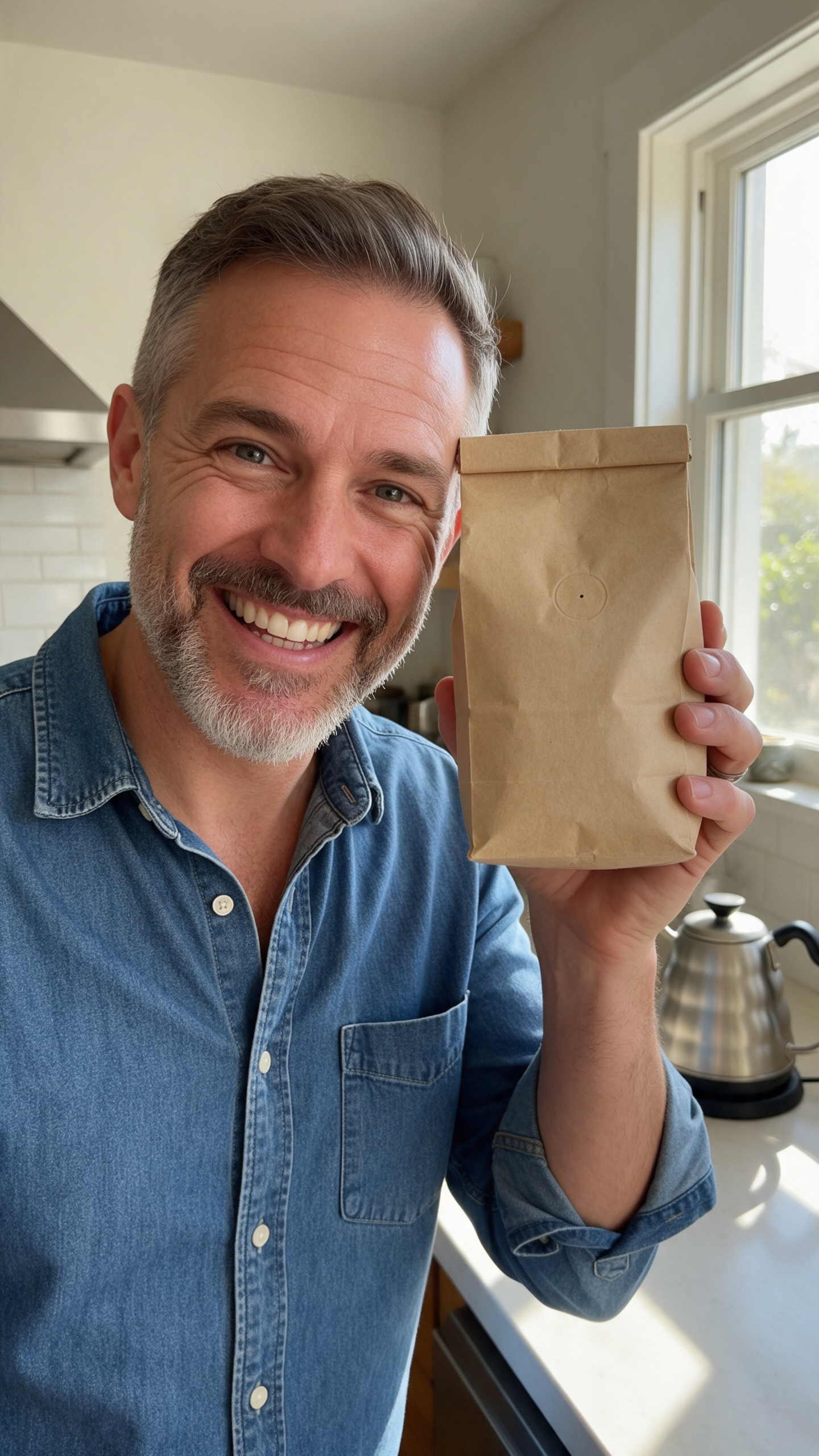
A second creator for a coffee brand on Seedream 5 for 2.5 credits, ready to animate the same way.
Vertical phone photo in UGC style: a man in his forties with a trimmed grey beard and a denim shirt holds a plain kraft paper bag of whole bean coffee beside his face in a sunny home kitchen, grinning at the camera, a pour over kettle on the counter behind him, natural window light.
An unboxing POV on Kling 3.0, with paper rustle built in.
Vertical POV shot on a sunny bedroom floor: hands tear open a padded paper mailer and pull out a folded natural linen tote bag, shake it open and hold it up to the window light, phone camera look, paper rustle and a pleased hum.
A fitness check in on WAN 3.0 for 10 credits, with sound built in.
Vertical handheld selfie shot of a man in his thirties in a grey running jacket on a misty seaside path at sunrise, he jogs in place, catches his breath, turns to the phone and says, "Day thirty. Still showing up." Waves, wind and his breathing.
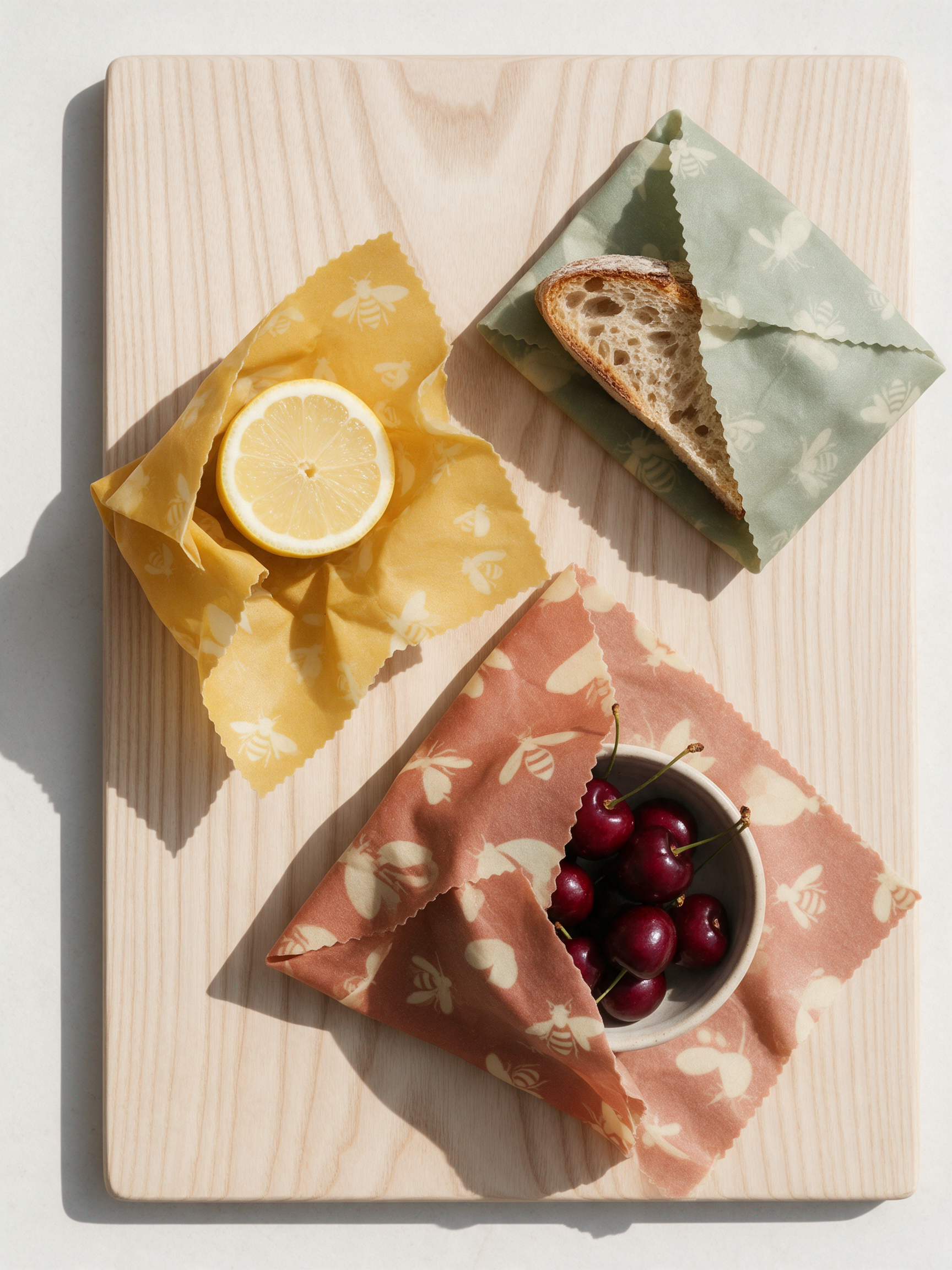
A product flat lay on Seedream 5 for 2.5 credits.
Top down flat lay photograph of beeswax food wraps in mustard, sage and terracotta prints folded around half a lemon, a sourdough heel and a small bowl of cherries on a pale ash wood board, soft daylight, crisp clean shadows, social media product shot.
From one portrait to a week of UGC, step by step
- 1
Cast the creator
Nano Banana 2.1 made an original creator in her late twenties holding a plain cream tube, phone camera style, for 1.5 credits.
- 2
Make her talk
Seedance 2.5 used that portrait as its first frame. She dots sunscreen on her fingertip and says her line, with sound built in.
- 3
Read a script
P-Video Avatar took the same portrait and a typed script and returned the full read in a named voice for 7 credits.
- 4
Add captions
Video Autocaption burned word by word captions into the talking clip for 5 credits, ready for sound off feeds.
- 5
Put her somewhere new
Seedance 2.5 took the portrait as a reference image and placed the same face on a paddleboard at sunrise, with a new line.
Every step of the walkthrough, as it came back
These are the outputs exactly as the models returned them. Each tile shows its prompt, settings and credits.
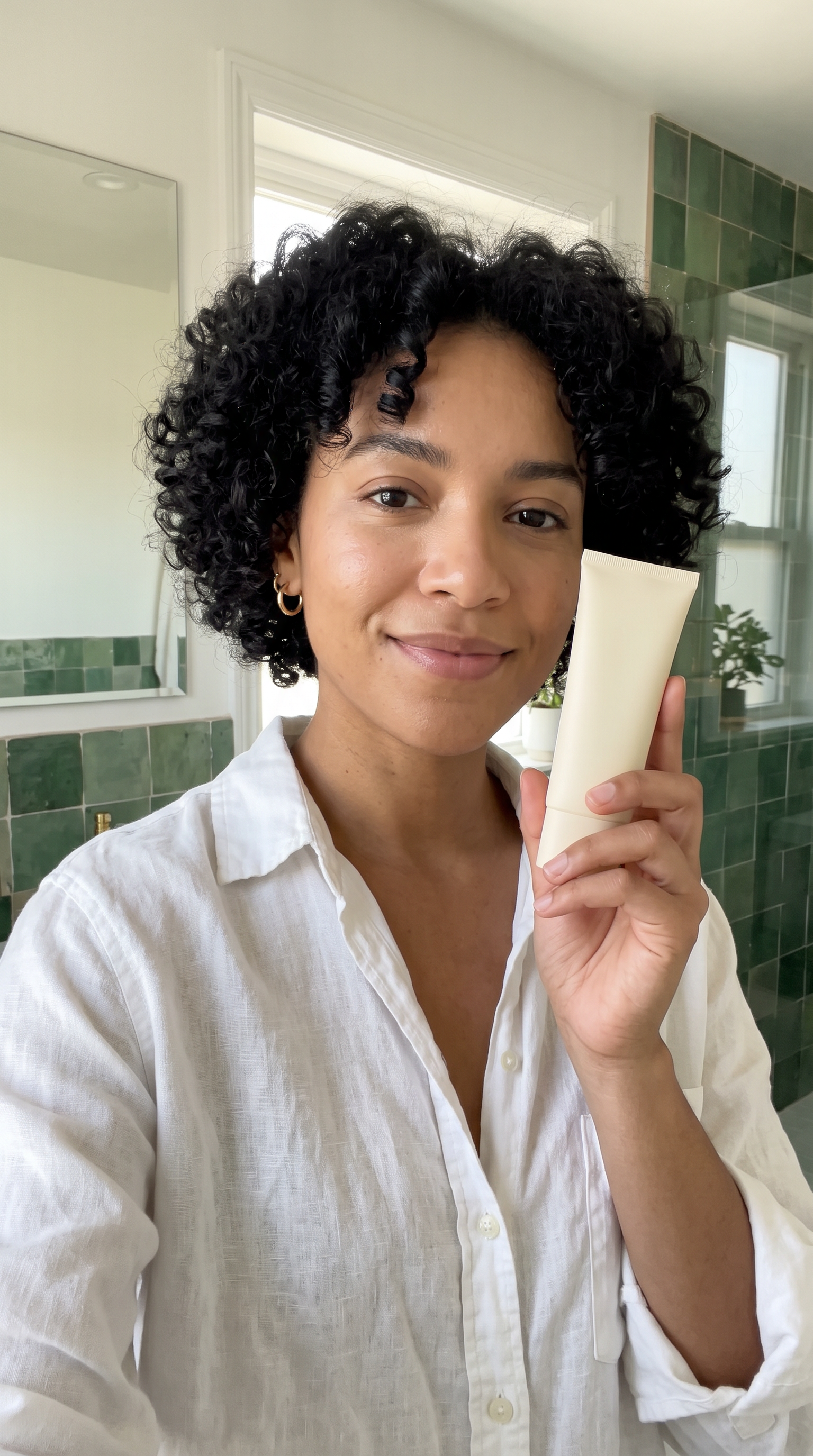
Vertical phone camera photo of an original UGC creator: a woman in her late twenties with short black curls, small gold hoop earrings and a white linen shirt, holding a plain unlabeled cream tube of mineral sunscreen beside her cheek, a bright bathroom with green zellige tiles behind her, natural window light, looking at the camera with a relaxed smile.
She lifts the cream tube toward the camera, squeezes a little sunscreen onto her fingertips, smiles and says, "No white cast. Finally." Bright bathroom, soft room tone and her voice.
@Image1 is the woman: keep her exact face, short black curls and gold hoop earrings. Vertical handheld selfie shot of her kneeling on a paddleboard on a calm lake at sunrise in a white linen shirt, she waves to the camera and says, "Reapply, then paddle." Water lapping, birds and her voice.
- The face, curls, hoop earrings and white shirt held from the still to the talking clip and the script read.
- The plain tube stayed the same shape and color through every clip, which is what a product ad needs.
- Used as a reference image, the portrait put the same face, curls and earrings on a paddleboard, a whole new scene with no reshoot.
- The script read on P-Video Avatar was the cheapest talking step at 7 credits for the whole read.
Pyksel plans vs Pixel Dojo
The Pyksel column comes from its home page and its shutdown notice, read on October 15, 2026.
| Question | Pyksel | Pixel Dojo |
|---|---|---|
| Can I still sign up or generate? | No. The app says signing in, generating and downloading are no longer available | Yes. Lite $10 a month for 160 credits, Pro $25 for 500 credits, Pro Max $50 for 1,100 credits |
| Ready made UGC actors | A character library of named AI actors | Make an original creator from one prompt, as in step 1 |
| My own AI influencer | Train your own AI influencer | Character Studio saves a character to call by @name, and LoRA trainers for FLUX, Qwen, WAN and Z-Image |
| Talking clips | AI videos and AI UGC actors | Seedance 2.5, Veo 3.1 and Kling 3.0 speak a quoted line; P-Video Avatar and Kling Avatar make a portrait talk |
| Many jobs at once | Launch several generations at once | A public API and hosted MCP server for batch work |
What former Pyksel users should check first
Download what you can
Pyksel's notice says downloading is no longer available in the app. If you kept files elsewhere, gather them now; any portrait you saved can start a new creator here.
Rebuild your creator from one photo
Upload a portrait you own the rights to, or generate an original one, then use it as a first frame or a reference image.
Know each price first
Every model page on Pixel Dojo shows its credit price before you generate, so a UGC batch has no surprise cost.
Use it in ads
Commercial use is included on every Pixel Dojo plan.
Why Pyksel users switch to Pixel Dojo
Unlimited on every plan
On every paid plan, Relax runs Qwen Image 2.1, FLUX 3 Image Klein and MiniMax H3 Turbo, plus every video and photo effect, unlimited with no credits spent.
Sensei, the AI director
Describe a project and Sensei plans it, prices it, waits for your approval and reviews every take.
Marketing Studio
Paste a product link and get a video ad with a voiceover, in UGC, unboxing, try on or commercial styles, with every take priced first.
One click video effects
300+ one-click video effects turn a photo into a trend clip, from AI Hug to AI Inflate, with no prompt to write, and 3 are free every day.
Character Studio
Save a face once and call it by @name in any prompt, so the same person shows up in every image and clip.
Start from a genre
Pick a format such as a UGC ad, a micro drama, a movie trailer or an explainer, and the matching studio opens with the settings and a sample idea filled in.
Star in any video
Upload a short clip, pick a saved character or a photo, and Character Swap puts your star in the lead while the scene, camera moves and sound stay the same.
Credits that roll over
Your credits roll over while you stay subscribed, so nothing you pay for disappears at the end of the month.
Every top model, plus an API
More than 80 image and 60 video models in one account, with a public API and a hosted MCP server for your own apps and AI assistants.
What each step cost us
Plans are Lite $10 a month for 160 credits, Pro $25 for 500 credits, Pro Max $50 for 1,100 credits. Every plan includes every model and commercial use. Credits roll over while you stay subscribed.
The portrait cost 1.5 credits, the talking clip 30, the script read 7, the captions 5 and the paddleboard scene 30, each priced on its model page before we clicked.
Under our refund policy, a first purchase can be refunded within 7 days, in full if under 20% of the credits are used and pro-rated after that.
Pyksel questions
Did Pyksel shut down?
Yes. Pyksel's app shows a notice dated 30 September 2026 saying the app is closed and that signing in, generating and downloading are no longer available.
What is a good Pyksel alternative?
Pixel Dojo covers the same jobs: make an original creator, have her talk on Seedance 2.5, read a script on P-Video Avatar, add captions and place her in new scenes, with commercial use on every plan.
What did Pyksel do?
Pyksel's home page described realistic AI tools for AI UGC and AI ads, with a library of AI actors, training your own AI influencer and character consistency across content.
How do I keep the same AI creator across videos?
Pass her portrait as a reference image on Seedance 2.5, or save her in Character Studio and call her by @name in any prompt. For a custom look, train a LoRA.
Video Effects New
Your first video is free. One photo, one click.
310 ready-made effects, from AI Hug and Earth Zoom In to product spins and listing walkthroughs. Upload a photo and press Generate. No prompt to write, and a free account gets 3 a day.






Switch from Pyksel to Pixel Dojo today
Write a prompt above or start from any example on this page. One plan covers every top model, six studios and Sensei, and your credits roll over.
Start with Seedance 2.5Sources
Facts about Pyksel come from these public pages, checked on Oct 15, 2026. Prices and plans change; check the source before you buy.