CapCut alternative
CapCut alternative for making the AI clips, not just editing them
CapCut is a great editor; Pixel Dojo is where you generate the vertical clips that go into it, on Seedance 2.5 plus Kling 3.0, Veo 3.1 and WAN 3.0, with auto captions when you need them.
Most people searching for a CapCut alternative want more and better AI generation, not a new timeline. We built a short vertical product ad step by step on Pixel Dojo to show the whole path.
30 credits ($1.88) per 5 s clip at 720p with audio. Included in every plan, from $10/month.
Already a member? Sign in
By Brian Lovett · Updated
Vertical clips made for the feed
A top down recipe hook on Seedance 2.5 with a loud sizzle.
Top down vertical shot: hands crack an egg into a sizzling cast iron pan, the white sets at the edges, a pinch of flaky salt falls in slow motion, warm kitchen light, loud sizzle and a wooden spoon tap.
A quick unboxing on Kling 3.0 Standard for product pages.
Vertical close up of hands opening a kraft paper box and lifting out a speckled blue ceramic mug, tissue paper rustling, soft window light, clean minimal desk.
A travel POV on WAN 3.0 with gulls and footsteps.
Vertical first person walk through a narrow lantern lit alley in an old harbor town at blue hour, wet cobblestones, cats on a doorstep, a glimpse of boats at the end, footsteps, gulls and distant chatter.
A talking coach clip on Veo 3.1 Fast, line and room sound included.
Vertical medium shot of a fitness coach in a bright garage gym swinging a kettlebell, then looking at the camera to say, "Twenty swings. Every morning. That is it." Chalk dust in the air, upbeat room sound.
How we made a vertical product ad in three steps
- 1
Shoot the product still
Nano Banana 2.1 made a clean vertical product photo of a sage green bottle on a mossy rock.
- 2
Animate the still
Seedance 2.5 used that photo as the first frame and added a hand, a splash and stream sounds.
- 3
Add the talking clip and captions
A second Seedance 2.5 clip has a runner deliver the line; auto captions turned her line into burned in subtitles.
Each step, exactly as we ran it
These are the actual outputs of the three steps above. Drop them into CapCut or any editor to finish the cut.
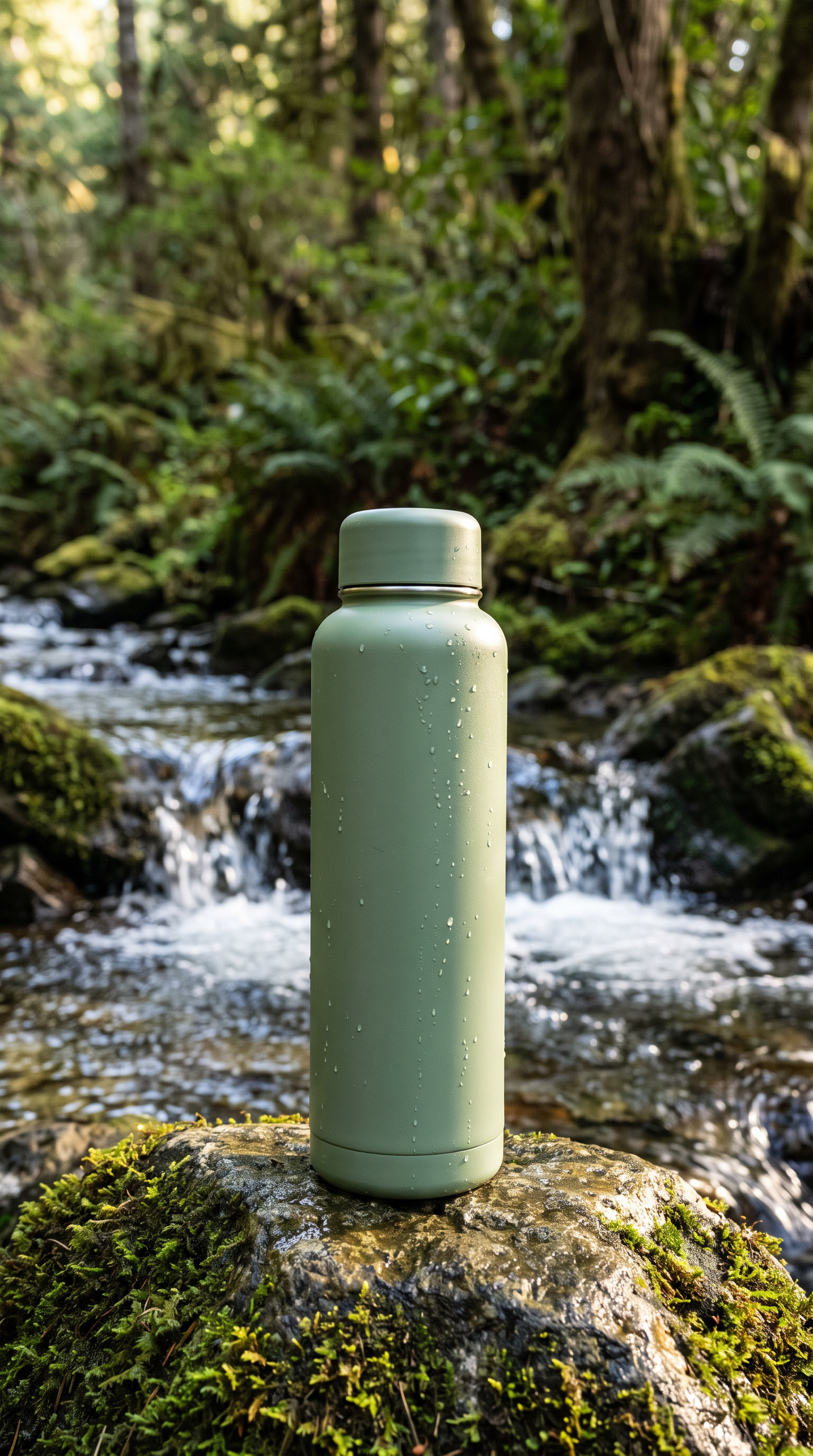
Vertical product photo of a matte sage green insulated water bottle standing on a mossy rock beside a clear mountain stream, morning light, beads of water on the bottle, shallow depth of field, no logos.
The camera slowly pushes in as a hand reaches in and lifts the bottle off the rock, stream water splashing over the stones, sun flaring through the trees. Sound: rushing stream and birdsong.
- Nano Banana 2.1 gave us a clean, logo free product still with water beads on the bottle.
- Seedance 2.5 kept the bottle's exact shape and color when a hand lifted it out of that photo.
- Auto captions picked up the runner's spoken line and burned it in as bold subtitles, ready for a muted feed.
CapCut AI plans vs Pixel Dojo
CapCut figures from its pricing page on October 15, 2026. CapCut says displayed prices are for reference and the final price shows after sign in.
| At a glance | CapCut | Pixel Dojo |
|---|---|---|
| Paid plans | Pro $19.99 a month, Ultra $79 a month | Lite $10, Pro $25, Pro Max $50 a month |
| AI credits | 1,200 a month on Pro, 8,645 on Ultra | 160, 500 or 1,100 a month |
| Video models | Seedance 2.5 and Seedance 2.0 Mini | Seedance 2.5, Seedance 2.0, Kling 3.0, Veo 3.1, WAN 3.0, MiniMax H3 and more |
| Timeline editor and templates | Yes, a full editor | No; export clips to your editor |
| Storage | 1 TB | Your library of saved work |
| Custom training | Not listed | LoRA trainers |
Mistakes that waste credits on social video
Starting with motion
Lock the product look as a still first. Animating a photo you already like is cheaper than rerolling a whole clip.
Slow openings
The first second is the thumbnail. Ask for the action in the first beat, not a fade in.
One model for everything
Talking heads, food and travel POV each have a model that does them best. Switching costs nothing here.
Why CapCut users switch to Pixel Dojo
Unlimited on every plan
On every paid plan, Relax runs Qwen Image 2.1, FLUX 3 Image Klein and MiniMax H3 Turbo, plus every video and photo effect, unlimited with no credits spent.
Sensei, the AI director
Describe a project and Sensei plans it, prices it, waits for your approval and reviews every take.
Video Studio
Generate, edit and extend a clip in one place, on whichever top video engine suits the shot.
One click video effects
300+ one-click video effects turn a photo into a trend clip, from AI Hug to AI Inflate, with no prompt to write, and 3 are free every day.
One job AI tools
35 single purpose tools each do one edit from an upload: remove a watermark, an object or text, restore and colorize an old photo, swap a background, retouch a portrait or make a thumbnail.
Credits that roll over
Your credits roll over while you stay subscribed, so nothing you pay for disappears at the end of the month.
Every top model, plus an API
More than 80 image and 60 video models in one account, with a public API and a hosted MCP server for your own apps and AI assistants.
Pricing for social video makers
Plans are Lite $10 a month for 160 credits, Pro $25 for 500 credits, Pro Max $50 for 1,100 credits. The tiles above show what each clip cost, and every model page shows the live price before you generate. Credits roll over while you stay subscribed.
CapCut questions
Is Pixel Dojo a CapCut replacement?
Not for timeline editing. Pixel Dojo is where you generate AI clips, images, voice and captions; CapCut or any editor is where you cut them together.
Does Pixel Dojo have Seedance like CapCut?
Yes. Pixel Dojo runs Seedance 2.5 and the Seedance 2.0 family, plus Kling 3.0, Veo 3.1, WAN 3.0 and other video models under one plan.
What does CapCut Pro cost?
CapCut's pricing page listed Pro at $19.99 a month with 1,200 monthly AI credits and Ultra at $79 a month with 8,645, noting that final prices show after sign in.
Can Pixel Dojo add captions to a video?
Yes. The auto caption tool transcribes speech in a clip and burns subtitles in, as in the step by step example above.
Video Effects New
Your first video is free. One photo, one click.
310 ready-made effects, from AI Hug and Earth Zoom In to product spins and listing walkthroughs. Upload a photo and press Generate. No prompt to write, and a free account gets 3 a day.






Switch from CapCut to Pixel Dojo today
Write a prompt above or start from any example on this page. One plan covers every top model, six studios and Sensei, and your credits roll over.
Start with Seedance 2.5Sources
Facts about CapCut come from these public pages, checked on Oct 15, 2026. Prices and plans change; check the source before you buy.