VideoGen alternative
VideoGen alternative: quick answers, then a real explainer build
VideoGen turns scripts and articles into finished videos on a yearly plan. Pixel Dojo hands you the engines underneath, a speaking host on Veo 3.1, b-roll on WAN 3.0, auto captions, priced per clip before you generate.
We read VideoGen's pricing page, its home page and its Trustpilot reviews on October 15, 2026. Then we built the parts of a short climbing gym explainer here to show what the hands on route looks like.
36 credits ($2.25) per 8 s clip at 1080p with audio. Included in every plan, from $10/month.
Already a member? Sign in
By Brian Lovett · Updated
VideoGen: quick answers
What does VideoGen do?
VideoGen turns text, blogs and articles into videos with AI voiceovers in 40+ languages, auto subtitles, AI b-roll, music and translation, and says it is trusted by over 5 million creators and teams.
What does VideoGen cost?
Billed yearly, VideoGen lists Pro at $19 per user a month for 6,000 credits, Advanced at $39 for 18,000 and Ultra at $99 for 60,000. Max quality models start on Advanced.
How far do VideoGen credits go?
VideoGen estimates Pro covers about 4 minutes of generative video a month and Ultra about 41 minutes. Plan credits reset monthly; extra credits cost $1 per 100 and roll over.
What do VideoGen reviews say?
On October 15, 2026 VideoGen showed 2.7 on Trustpilot from 108 reviews, with 55% five star and 35% one star. One star reviews mostly cite charges after cancelling and refused refunds.
More explainer and social pieces we made here
Every clip and image below was made on Pixel Dojo with the prompt shown on its tile.
A vertical recipe short on Seedance 2.5 with the sound of the dough on the board.
Vertical overhead shot in a bakery at dawn: floured hands of a baker in his sixties roll a long rope of dough, cross the ends twice and press them down into a pretzel shape on a wooden board, coarse salt sprinkled on top. Sound: dough slapping the board, a quiet bakery hum.
A street scene on Kling 3.0 for a city or culture explainer.
Wide shot of a mural artist in her forties in paint splattered overalls on a scissor lift, rolling bright orange and teal waves onto a tall brick wall in a sunny city alley, people walking past below, the camera slowly cranes up. Sound: roller on brick, distant traffic, birds.
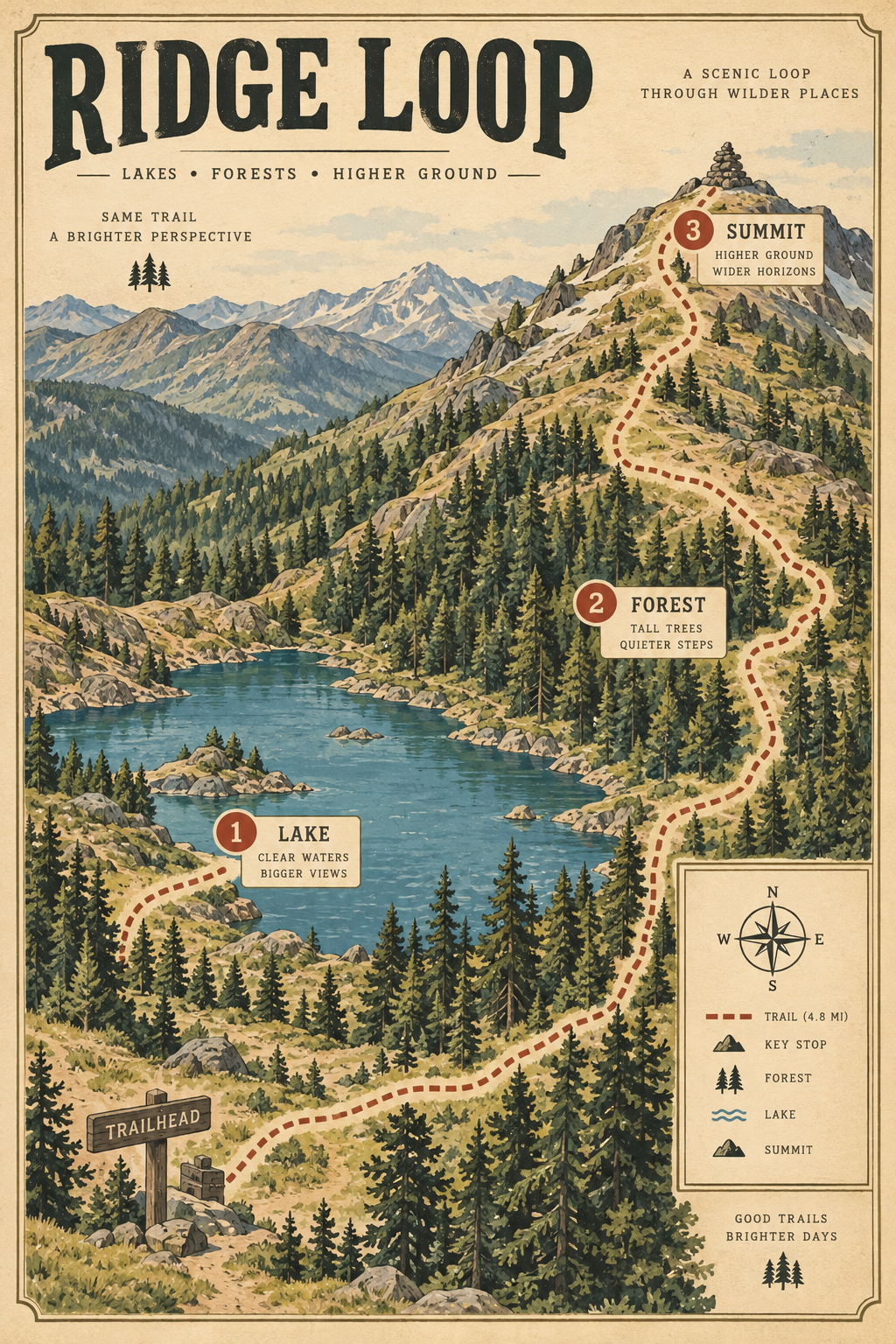
A titled explainer graphic on GPT Image 2.5 with every label spelled right, for 2 credits.
Illustrated hiking trail map poster in a warm vintage style titled "RIDGE LOOP", a dotted trail winding past a lake, a pine forest and a summit, with three numbered stops labeled "1 LAKE", "2 FOREST", "3 SUMMIT", clean legible lettering, cream paper texture.
Moody history b-roll on P-Video for 3.75 credits.
Slow push in on an antique brass sextant resting on a folded paper sea chart on a ship's wooden chart table, warm lamp light, dust drifting in the air, shallow depth of field.
The explainer parts we built, step by step
A 6 second host line on Veo 3.1 Fast, captions burned onto that same clip, then two b-roll shots. Each tile shows the settings and credits it used.
Medium shot of a friendly climbing coach in her thirties with a short blonde ponytail and a teal tank top, standing in front of a colorful bouldering wall in a bright gym. She looks at camera and says, "Your forearms burn first because they do most of the gripping. Rest them between climbs." Natural gym light, quiet room tone.
Wide shot of a climber in his thirties in a grey hoodie working up an overhanging bouldering problem in an indoor gym, reaching for a yellow hold and swinging his feet back onto the wall, crash pads below, bright even light. Sound: grunts, shoes scraping, soft music.
Slow motion close up of two hands dipping into a canvas chalk bag and clapping, a cloud of white chalk dust drifting through a beam of light in a climbing gym, shallow depth of field.
- Veo 3.1 Fast gave us a natural host with her voice and room tone built in, the piece a script to video tool normally fakes with stock and a voiceover.
- The captions came back word for word: YOUR FOREARMS BURN FIRST BECAUSE THEY DO MOST OF THE GRIPPING. REST THEM BETWEEN CLIMBS.
- WAN 3.0 matched the bright gym look for the b-roll at 10 credits, so the cutaway sits next to the host without a jump in style.
- P-Video made the slow motion chalk shot for 3.75 credits, cheap enough to try a few cutaways.
Deep dive: one finished video vs every part in your hands
VideoGen's pricing page says each video comes as one generated version, and its estimates assume one minute videos at Standard quality.
We wanted control over every shot instead. On Pixel Dojo the host, the b-roll and the captions are separate steps, so a weak b-roll shot gets redone without touching the host clip, and each step shows its price before it runs.
For longer pieces, Film Studio takes you from script to cast, storyboard, clips and a whole film editor pass, and Sensei can plan and price the full explainer, then wait for your approval.
VideoGen plans vs Pixel Dojo
The VideoGen column comes from its pricing page, read on October 15, 2026.
| Question | VideoGen | Pixel Dojo |
|---|---|---|
| What does the entry plan cost? | Pro $19 per user a month, billed yearly, for 6,000 credits | Lite $10 a month for 160 credits |
| What do the bigger plans cost? | Advanced $39 and Ultra $99 per user a month, billed yearly | Pro $25 for 500 credits, Pro Max $50 for 1,100 credits |
| Which models do I get? | Max quality models such as Seedance 2.5 from Advanced up | Every model on every plan, including Seedance 2.5, Veo 3.1, Kling 3.0 and WAN 3.0 |
| Is there an API or MCP? | API and MCP access on all plans | Public API with docs generated from each model's spec, a hosted MCP server and API credit packs from $5 |
| Can I use the videos commercially? | Full commercial use rights on all plans | Commercial use on every plan |
Why Pixel Dojo fits hands on explainers
Pixel Dojo fits better when you want to pick the engine for every shot, see each price before you generate and pay monthly.
Why VideoGen users switch to Pixel Dojo
Unlimited on every plan
On every paid plan, Relax runs Qwen Image 2.1, FLUX 3 Image Klein and MiniMax H3 Turbo, plus every video and photo effect, unlimited with no credits spent.
Sensei, the AI director
Describe a project and Sensei plans it, prices it, waits for your approval and reviews every take.
Faceless Studio
Type a topic and get a narrated episode: script, AI voiceover, a picture for every scene, captions and music, in 16:9 or 9:16.
Film Studio
An idea becomes a finished film: script, cast, storyboard, clips and an editor pass that trims every shot, with each step priced before it runs.
One click video effects
300+ one-click video effects turn a photo into a trend clip, from AI Hug to AI Inflate, with no prompt to write, and 3 are free every day.
Start from a genre
Pick a format such as a UGC ad, a micro drama, a movie trailer or an explainer, and the matching studio opens with the settings and a sample idea filled in.
Credits that roll over
Your credits roll over while you stay subscribed, so nothing you pay for disappears at the end of the month.
Every top model, plus an API
More than 80 image and 60 video models in one account, with a public API and a hosted MCP server for your own apps and AI assistants.
What our explainer parts cost
Plans are Lite $10 a month for 160 credits, Pro $25 for 500 credits, Pro Max $50 for 1,100 credits. Every plan includes every model and commercial use. Credits roll over while you stay subscribed.
The host clip cost 27 credits for 6 seconds on Veo 3.1 Fast, the captions 5, the climbing b-roll 10 on WAN 3.0 and the chalk shot 3.75 on P-Video. Each tile lists its own price.
Under our refund policy, a first purchase can be refunded within 7 days, in full if under 20% of the credits are used and pro-rated after that.
VideoGen questions
Is VideoGen worth it?
Read its Trustpilot reviews on cancelling and refunds first, and compare its yearly billing with Pixel Dojo's monthly plans.
Does VideoGen have monthly billing?
VideoGen's pricing page shows yearly prices and says yearly billing saves 33%. It does not list the monthly prices on that page.
Do VideoGen credits roll over?
VideoGen says plan credits reset monthly, while extra credits bought at $1 per 100 roll over.
What is a good alternative to VideoGen?
Pixel Dojo gives you Veo 3.1 for speaking hosts, WAN 3.0 and Seedance 2.5 for b-roll, auto captions and text to speech on monthly plans from $10, with every price shown first.
Can I add captions to an AI video?
Yes. Video Autocaption on Pixel Dojo transcribes the speech and burns styled captions onto the clip, as on the host clip above.
Video Effects New
Your first video is free. One photo, one click.
310 ready-made effects, from AI Hug and Earth Zoom In to product spins and listing walkthroughs. Upload a photo and press Generate. No prompt to write, and a free account gets 3 a day.






Switch from VideoGen to Pixel Dojo today
Write a prompt above or start from any example on this page. One plan covers every top model, six studios and Sensei, and your credits roll over.
Start with Veo 3.1Sources
Facts about VideoGen come from these public pages, checked on Oct 15, 2026. Prices and plans change; check the source before you buy.