Flova alternative
Flova alternatives for animators who want to pick the engine
Flova bundles chat, storyboards and Seedance video into one creative app. Pixel Dojo gives you Seedance 2.5, Kling 3.0 and WAN 3.0 side by side, priced per shot, plus Film Studio when you want the whole film.
Flova calls itself an AI animation and video generator for filmmakers. We wanted to understand what that job really asks of a model, so we wrote one hand painted 2D scene and animated it on three engines, then built a storyboard frame into a moving shot.
10 credits ($0.63) per 5 s clip at 720p with audio. Included in every plan, from $10/month.
Already a member? Sign in
By Brian Lovett · Updated
What Flova is, and the job it does
Flova is a credit based creative app for chat, storyboards, image, video, music, narration and editing. Its pricing page highlights high concurrency on Seedance 2.5 and 2.0, and says credits are deducted by model, duration and resolution.
Under the bundle, the job is the same for every animation tool: get a look, hold it across shots, and move it without the style melting. That depends mostly on which video model draws each shot.
More animation styles we made for this page
Every frame and clip below was made on Pixel Dojo with the prompt shown.
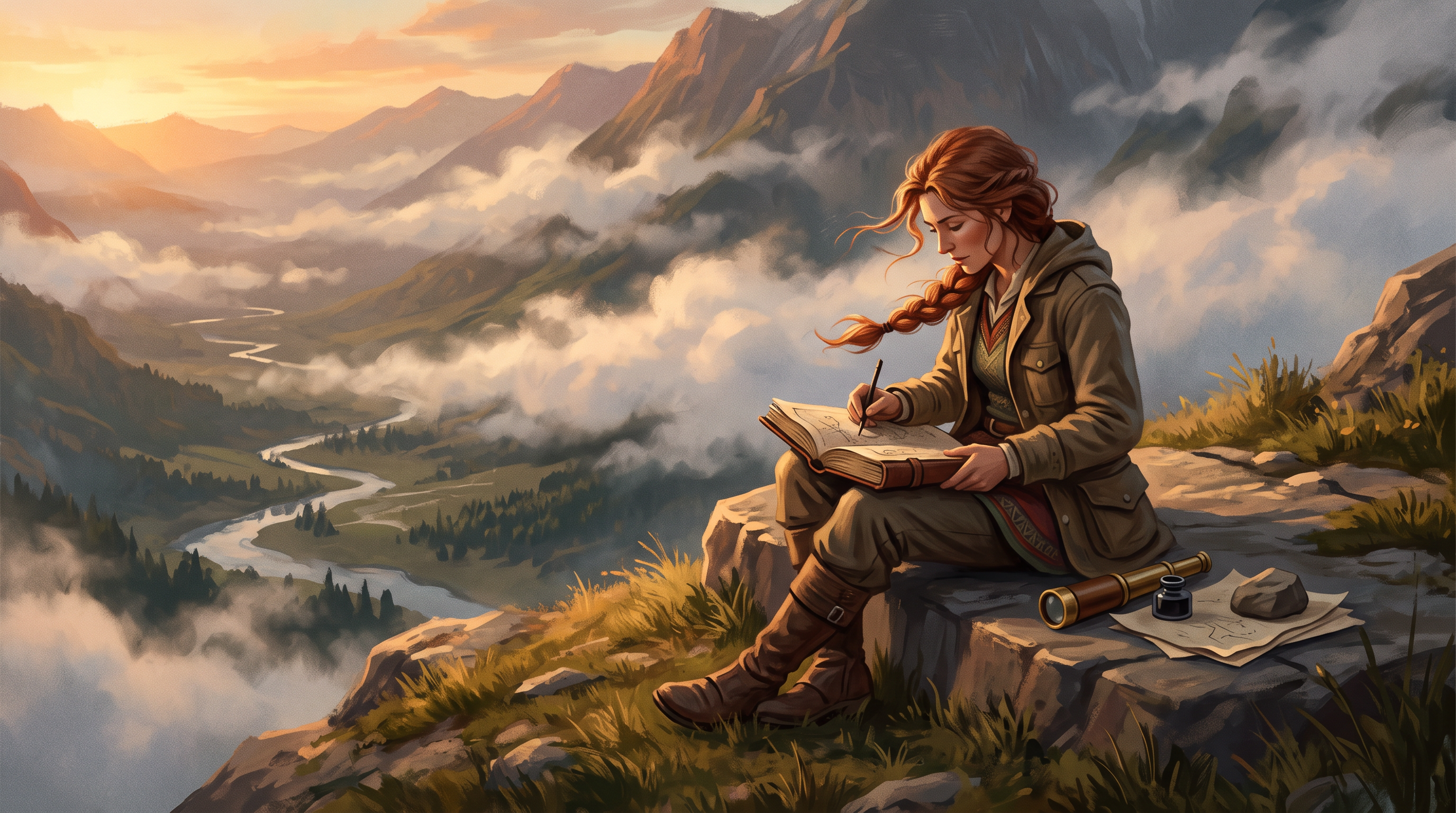
A storyboard keyframe on Nano Banana 2.1 for 1.5 credits.
Storyboard keyframe in the style of a painterly animated feature film: a cartographer in her forties with a windswept auburn braid sits on a cliffside lookout sketching the valley below into a leather map book, a brass spyglass beside her, morning clouds rolling through the pass, warm sunrise light, wide 16:9 composition.
The same keyframe animated on Seedance 2.5 as a start frame, with wind and pen sounds.
She lifts her pen, looks up from the map book and gazes across the valley as clouds drift through the pass below, wind lifting her braid, the camera slowly pushes in past her shoulder. Sound: mountain wind, a pen scratching paper, a distant hawk call.
Stylized 3D animation on Kling 3.0, with a light pizzicato tune.
Stylized 3D animated short: a snail mail carrier with a tiny satchel and a red cap glides along a mossy garden wall at sunrise, dropping a folded leaf letter into a flower pot mailbox, dew sparkling, soft rounded shapes and warm subsurface light. Sound: a gentle squelch, birds and a light pizzicato tune.

An anime background plate on Seedream 5 for 2.5 credits.
Anime film background painting of an empty countryside train platform at golden hour, a wooden bench, a vending machine glowing, tall summer clouds over rice fields, power lines crossing the sky, rich painted color, no people.
How a storyboard becomes an animated shot
There are two routes. Text to video writes the whole shot from the prompt, so the model picks the composition. Image to video starts from a frame you already approved, so the composition is locked and only the motion is new.
Filmmakers use both. Text to video is fast for exploring a look. Image to video is how you keep a character and a layout across a sequence, which is why our cartographer shot started as a still keyframe before Seedance 2.5 moved it.
Style words matter more in animation than in live action. Naming the medium, like watercolor, cel shading or stop motion, and the texture, like visible brush strokes, keeps a model from drifting back to photoreal.
One hand painted scene on three video engines
Our prompt asks for a 2D watercolor scene: a lamplighter in his sixties climbs a ladder and lights a lamp in a snowy village at dusk, with boots, a match strike and an accordion. Same prompt, 5 seconds, 16:9. Each tile shows its settings and credits.
Hand painted 2D animation style, wide shot of a lamplighter in his sixties climbing a wooden ladder to light an iron street lamp in a snowy hillside village at dusk, the flame catches and warms the snow around it, chimney smoke drifting, soft watercolor textures and visible brush strokes. Sound: boots creaking on the ladder, a match strike and a gentle accordion tune.
Hand painted 2D animation style, wide shot of a lamplighter in his sixties climbing a wooden ladder to light an iron street lamp in a snowy hillside village at dusk, the flame catches and warms the snow around it, chimney smoke drifting, soft watercolor textures and visible brush strokes. Sound: boots creaking on the ladder, a match strike and a gentle accordion tune.
Hand painted 2D animation style, wide shot of a lamplighter in his sixties climbing a wooden ladder to light an iron street lamp in a snowy hillside village at dusk, the flame catches and warms the snow around it, chimney smoke drifting, soft watercolor textures and visible brush strokes. Sound: boots creaking on the ladder, a match strike and a gentle accordion tune.
- WAN 3.0 matched the watercolor brief best, with soft painted texture, warm windows and visible brush work, for 10 credits.
- Seedance 2.5 directed the scene, cutting from a wide shot to a close up of the match at the lamp, the most cinematic of the three.
- Kling 3.0 drew a clean flat 2D look closer to a picture book, and showed the whole climb in one take.
- All three clips came back with sound built in, and all three kept the style from the first frame to the last.
Flova plans vs Pixel Dojo
Flova facts come from its pricing page and home page, read October 15, 2026. Monthly prices are the ones Flova publishes in its page data.
| Question | Flova | Pixel Dojo |
|---|---|---|
| Monthly price | Starter $19, Basic $49, Pro $199, with a Plus tier between; quarterly saves 5%, yearly 16% | Lite $10 a month for 160 credits, Pro $25 for 500 credits, Pro Max $50 for 1,100 credits |
| Price per generation | Credits deducted by model, duration and resolution; monthly subscription credits valid for 30 days | Every model page shows its credit price before you generate |
| Refunds | Full refund within 7 days if no generation features were used after the latest payment | A first purchase can be refunded within 7 days, in full if under 20% of the credits are used and pro-rated after that |
| Commercial use | Commercial use and watermark free export on paid plans | Commercial use on every plan |
| Video engines | Seedance 2.5 and 2.0 high concurrency on every paid tier | Seedance 2.5, Kling 3.0, WAN 3.0, Veo 3.1 and more, side by side |
| Whole films | Storyboards, video, music, narration and editing in one app | Film Studio: script, cast, storyboard, clips and a whole film editor pass |
Why Pixel Dojo for animation
Pixel Dojo lets you pick a different engine for each shot, see the price of every shot first, and still have a full film workflow. Pixel Dojo is the better fit.
Why Flova users switch to Pixel Dojo
Unlimited on every plan
On every paid plan, Relax runs Qwen Image 2.1, FLUX 3 Image Klein and MiniMax H3 Turbo, plus every video and photo effect, unlimited with no credits spent.
Sensei, the AI director
Describe a project and Sensei plans it, prices it, waits for your approval and reviews every take.
Film Studio
An idea becomes a finished film: script, cast, storyboard, clips and an editor pass that trims every shot, with each step priced before it runs.
Character Studio
Save a face once and call it by @name in any prompt, so the same person shows up in every image and clip.
One click video effects
300+ one-click video effects turn a photo into a trend clip, from AI Hug to AI Inflate, with no prompt to write, and 3 are free every day.
Start from a genre
Pick a format such as a UGC ad, a micro drama, a movie trailer or an explainer, and the matching studio opens with the settings and a sample idea filled in.
Star in any video
Upload a short clip, pick a saved character or a photo, and Character Swap puts your star in the lead while the scene, camera moves and sound stay the same.
Credits that roll over
Your credits roll over while you stay subscribed, so nothing you pay for disappears at the end of the month.
Every top model, plus an API
More than 80 image and 60 video models in one account, with a public API and a hosted MCP server for your own apps and AI assistants.
What our animation test cost
Plans are Lite $10 a month for 160 credits, Pro $25 for 500 credits, Pro Max $50 for 1,100 credits. Every plan includes every model and commercial use. Credits roll over while you stay subscribed.
The three lamplighter clips cost 10, 30 and 27.5 credits. The keyframe cost 1.5 credits and animating it on Seedance 2.5 cost 30 credits.
Under our refund policy, a first purchase can be refunded within 7 days, in full if under 20% of the credits are used and pro-rated after that.
Flova questions
What is a good Flova alternative?
Pixel Dojo runs Seedance 2.5, Kling 3.0 and WAN 3.0 side by side for animation, prices each shot first, and adds Film Studio for whole films.
How much does Flova cost?
Flova's pricing page data lists Starter at $19 a month, Basic at $49 and Pro at $199, with a Plus tier and discounts for quarterly and yearly billing.
Does Flova offer refunds?
Flova's FAQ says you can request a full refund within 7 days of purchase if no generation features were used after the latest payment, and failed generations are refunded automatically.
Which video model is best for 2D animation?
In our watercolor test WAN 3.0 matched the painted look best, Seedance 2.5 was the most cinematic, and Kling 3.0 gave a clean picture book style.
Can I animate my own storyboard frame?
Yes. Generate or upload the frame, then use it as the start frame on Seedance 2.5, Kling 3.0 or WAN. Our cartographer shot was made that way.
Video Effects New
Your first video is free. One photo, one click.
310 ready-made effects, from AI Hug and Earth Zoom In to product spins and listing walkthroughs. Upload a photo and press Generate. No prompt to write, and a free account gets 3 a day.






Switch from Flova to Pixel Dojo today
Write a prompt above or start from any example on this page. One plan covers every top model, six studios and Sensei, and your credits roll over.
Start with WAN 3.0Sources
Facts about Flova come from these public pages, checked on Oct 15, 2026. Prices and plans change; check the source before you buy.