InShot alternative
InShot alternative for the part InShot cannot do: the footage
Pixel Dojo makes what goes into your phone editor: talking clips, b roll and covers from a prompt, plus auto captions and vertical reframes, each priced before you generate.
Most people searching for an InShot alternative do not need a new editor. They need something to edit. We made a vertical cooking tip with speech, captioned it, reframed a wide market shot to 9:16 and added b roll, all without a camera.
30 credits ($1.88) per 5 s clip at 720p with audio. Included in every plan, from $10/month.
Already a member? Sign in
By Brian Lovett · Updated
B roll and covers for your next reel
Every clip and image below was made on Pixel Dojo with the prompt shown.
A vertical shop opening shot on Veo 3.1 Lite for 6 credits.
Vertical slow pan along a bakery window at dawn as a baker in her fifties slides a tray of cinnamon buns onto the display shelf, a little steam on the glass, warm light spilling onto the empty street, the soft clatter of the tray.
Slow, satisfying b roll on Kling 3.0 Standard with sound built in.
Vertical overhead shot of hands folding a paper boat from a page of sheet music and setting it on a rain puddle on a cobbled street, ripples spreading as it drifts, soft overcast light, paper crinkle and gentle rain drips.
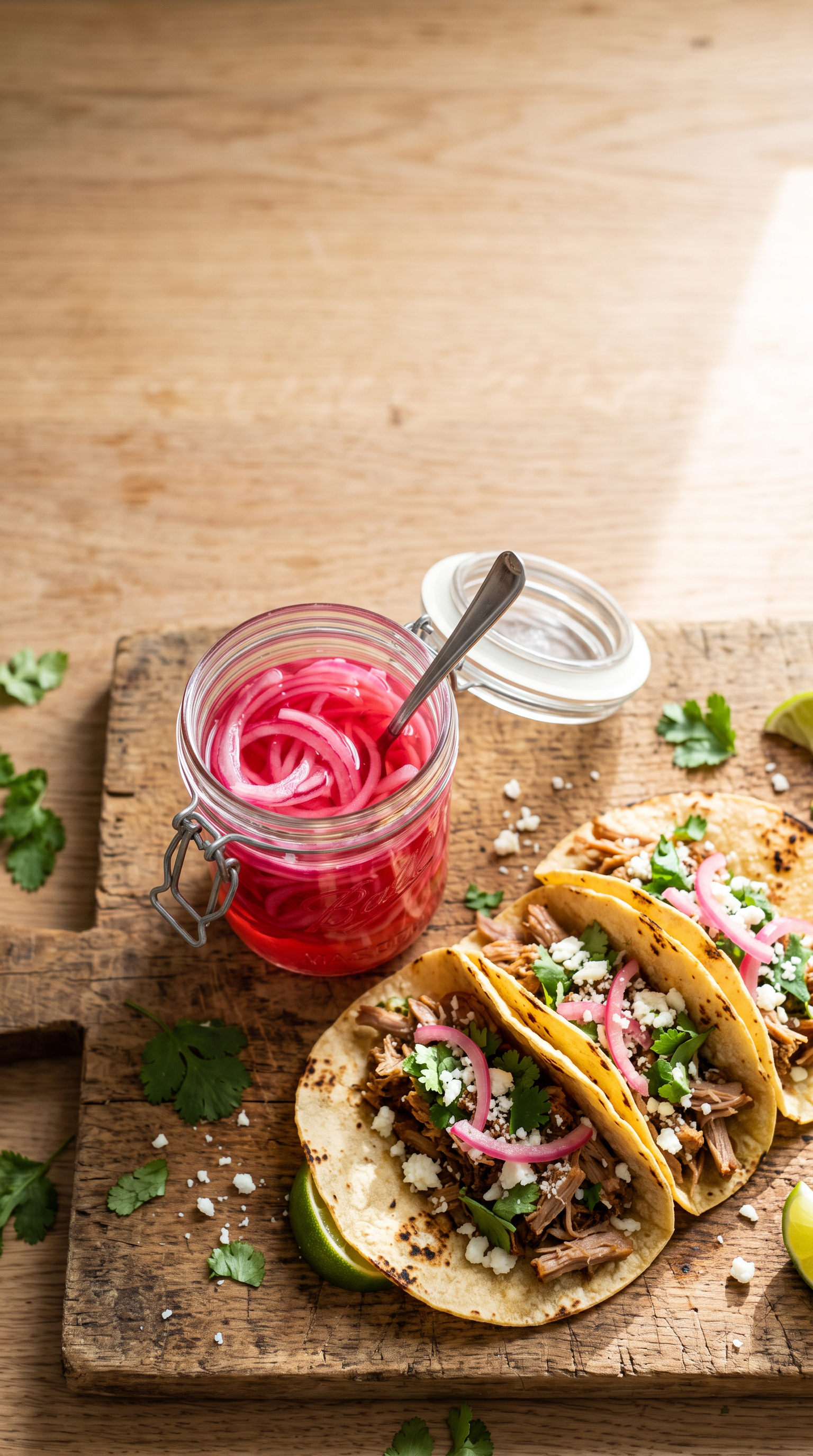
The cover image for the onion tip, on Nano Banana 2.1 for 1.5 credits.
Vertical cover photo for a cooking video: an open glass jar of bright pink pickled red onions on a wooden board beside three soft tacos, overhead view, bright natural light, empty space at the top of the frame.
A vertical kitchen moment on WAN 3.0 with sound built in, for 10 credits.
Vertical close up of a cook in his forties flipping a golden pancake high out of a cast iron skillet in a sunny kitchen, the pancake turning in slow motion and landing back in the pan, a sizzle and a soft thump.
The shots you never filmed
InShot is a mobile editor and video maker for iOS and Android with a 4.8 rating from about 2.5 million ratings on the App Store. Its own listing names auto captions, AI text to speech, AI effects and AI Cut, which removes silences and filler words.
We make what goes into an editor: the talking clip, the b roll and the cover, all from a prompt. Then you drop them into InShot or any editor you like.
Describe the shot you never filmed and we generate it, so there is always something to cut.
A reel kit made without a camera
Every clip is vertical or reframed to vertical. Each tile shows its model, settings and credits.
Vertical selfie style medium shot in a small apartment kitchen: a man in his thirties with a shaved head and a mustard t shirt holds up a jar of quick pickled red onions and says, "Ten minutes, one jar, every taco night sorted." Warm window light, fridge hum and a jar lid pop.
Wide shot of a flower stall in a covered market in the morning, a florist in her sixties wraps sunflowers in brown paper while shoppers pass behind her, soft daylight through the glass roof, rustling paper and market chatter.
- Seedance 2.5 wrote the voice and the kitchen sound from one prompt, and he speaks the line as written, in a 5 second clip for 30 credits.
- Auto captions transcribed every word, highlighted key words in yellow and burned them in for 5 credits.
- Video Reframe turned the wide WAN 3.0 market shot into a vertical clip that keeps the florist and her sunflowers in frame, for 8 credits.
- The full kit drops straight into InShot or any other editor as normal video files.
InShot Pro vs Pixel Dojo
InShot prices come from its App Store listing, read on October 15, 2026.
| Compared on | InShot | Pixel Dojo |
|---|---|---|
| Price | InShot Pro $4.99 a month, $19.99 a year or $49.99 lifetime; remove ads $3.99 | Lite $10 a month for 160 credits, Pro $25 for 500 credits, Pro Max $50 for 1,100 credits |
| Main job | Editing footage you shot on your phone | Generating footage, images, voices and music from a prompt or a photo |
| Captions | Auto captions from speech | Auto captions burned into any clip, 5 credits a clip in our test |
| Text to speech | AI Speech and AI voice generator | Text to speech, plus models that speak lines written in the prompt |
| Where it runs | iOS and Android apps | In the browser on any device, with a public API and hosted MCP server |
Why InShot users switch to Pixel Dojo
Unlimited on every plan
On every paid plan, Relax runs Qwen Image 2.1, FLUX 3 Image Klein and MiniMax H3 Turbo, plus every video and photo effect, unlimited with no credits spent.
Sensei, the AI director
Describe a project and Sensei plans it, prices it, waits for your approval and reviews every take.
Video Studio
Generate, edit and extend a clip in one place, on whichever top video engine suits the shot.
One click video effects
300+ one-click video effects turn a photo into a trend clip, from AI Hug to AI Inflate, with no prompt to write, and 3 are free every day.
One job AI tools
35 single purpose tools each do one edit from an upload: remove a watermark, an object or text, restore and colorize an old photo, swap a background, retouch a portrait or make a thumbnail.
Credits that roll over
Your credits roll over while you stay subscribed, so nothing you pay for disappears at the end of the month.
Every top model, plus an API
More than 80 image and 60 video models in one account, with a public API and a hosted MCP server for your own apps and AI assistants.
What the reel kit cost
Plans are Lite $10 a month for 160 credits, Pro $25 for 500 credits, Pro Max $50 for 1,100 credits. Every plan includes every model and commercial use. Credits roll over while you stay subscribed.
The talking clip cost 30 credits, the captions 5, the wide market shot 10, the reframe 8, the bakery shot 6 and the cover 1.5. Every tile shows its own price.
Under our refund policy, a first purchase can be refunded within 7 days, in full if under 20% of the credits are used and pro-rated after that.
InShot questions
Is there an AI alternative to InShot?
Pixel Dojo generates talking clips, b roll, covers, voices and captions from a prompt, with Seedance 2.5, Veo 3.1, Kling 3.0 and WAN 3.0.
How much is InShot Pro?
InShot's App Store listing shows InShot Pro at $4.99 a month, $19.99 a year or $49.99 for lifetime, and remove ads for $3.99.
Can Pixel Dojo add captions like InShot?
Yes. Auto captions transcribed and burned in our cooking tip clip word by word for 5 credits.
Can I turn a horizontal clip into a vertical one?
Yes. Video Reframe recut our wide market shot to 9:16 and kept the florist in frame, for 8 credits.
Can I use these clips in InShot?
Yes. Every clip downloads as a normal video file you can import into InShot or any editor, with commercial use on every plan.
Video Effects New
Your first video is free. One photo, one click.
310 ready-made effects, from AI Hug and Earth Zoom In to product spins and listing walkthroughs. Upload a photo and press Generate. No prompt to write, and a free account gets 3 a day.






Switch from InShot to Pixel Dojo today
Write a prompt above or start from any example on this page. One plan covers every top model, six studios and Sensei, and your credits roll over.
Start with Seedance 2.5Sources
Facts about InShot come from these public pages, checked on Oct 15, 2026. Prices and plans change; check the source before you buy.