Venice AI alternative
Venice AI alternative for people who make images and video for work
Venice is a private AI assistant first. Pixel Dojo is a creative studio first: the same leading image and video models, plus the tools that turn one generation into a finished project.
Venice AI puts chat, code, images and video behind one privacy focused account. We respect that pitch. Our question was narrower: if your real job is pictures and clips, where do you get more done? We ran one brief on the four image models Venice names and built the rest of this page from what came back.
30 credits ($1.88) per 5 s clip at 720p with audio. Included in every plan, from $10/month.
Already a member? Sign in
By Brian Lovett · Updated
Video from the engines Venice also lists
Venice names Seedance 2.5, Wan 3.0 and Kling V3 for video. We made these on the same engines here, sound included.
Craft documentary on Seedance 2.5 with the ring of the mallet built in.
Close up of a stonemason in his sixties tapping a steel chisel into a block of pale limestone, chips and fine dust flying in a beam of workshop light, he pauses to blow the dust away, the ring of the mallet and a soft exhale.
A macro abstract on WAN 3.0 for 10 credits. Good for intros and loops.
Macro shot of drops of cobalt and copper ink falling into a clear glass of water and blooming into slow swirling clouds, backlit against a white wall, tiny bubbles rising, a soft plink with each drop and a low airy tone.
Cel shaded anime on Kling 3.0 with wind and engine sound.
Hand drawn anime style, a grown woman of about thirty with a teal undercut, aviator goggles and a long canvas flight coat, a professional seaplane courier, climbs onto the wing of her red seaplane moored at a floating dock above a sea of clouds, tosses a parcel into the cockpit and grins, warm sunset cel shading, wind, creaking ropes and a sputtering engine.

A quiet editorial still life on FLUX 3 Image for 1 credit.
Editorial still life of a stack of handmade paper notebooks tied with waxed twine beside a fountain pen and a pressed fern leaf on a slate desk, soft north window light, muted blue and cream palette, shallow depth of field.
Why a creative studio suits finished work
A chat app gives you a generation. A project needs more: a character that stays the same across shots, a clip cut together with sound, captions, an upscale for print, a price you can plan around. That is the part Pixel Dojo is built for.
Here you get Character Studio to save a character and call it by @name in any prompt, Film Studio for script, cast, storyboard and clips, Sensei to plan and price a whole project before it spends, LoRA trainers for your own style, upscalers, and every model page shows its credit price before you click.
One field portrait on four image models Venice names
Venice lists Nano Banana Pro, GPT Image 2.5, Grok Imagine and Flux 3 for images. We wrote one brief, a volcanologist reading a gas meter on a lava field at dusk, and ran it unchanged at 16:9 on the same four model families here.
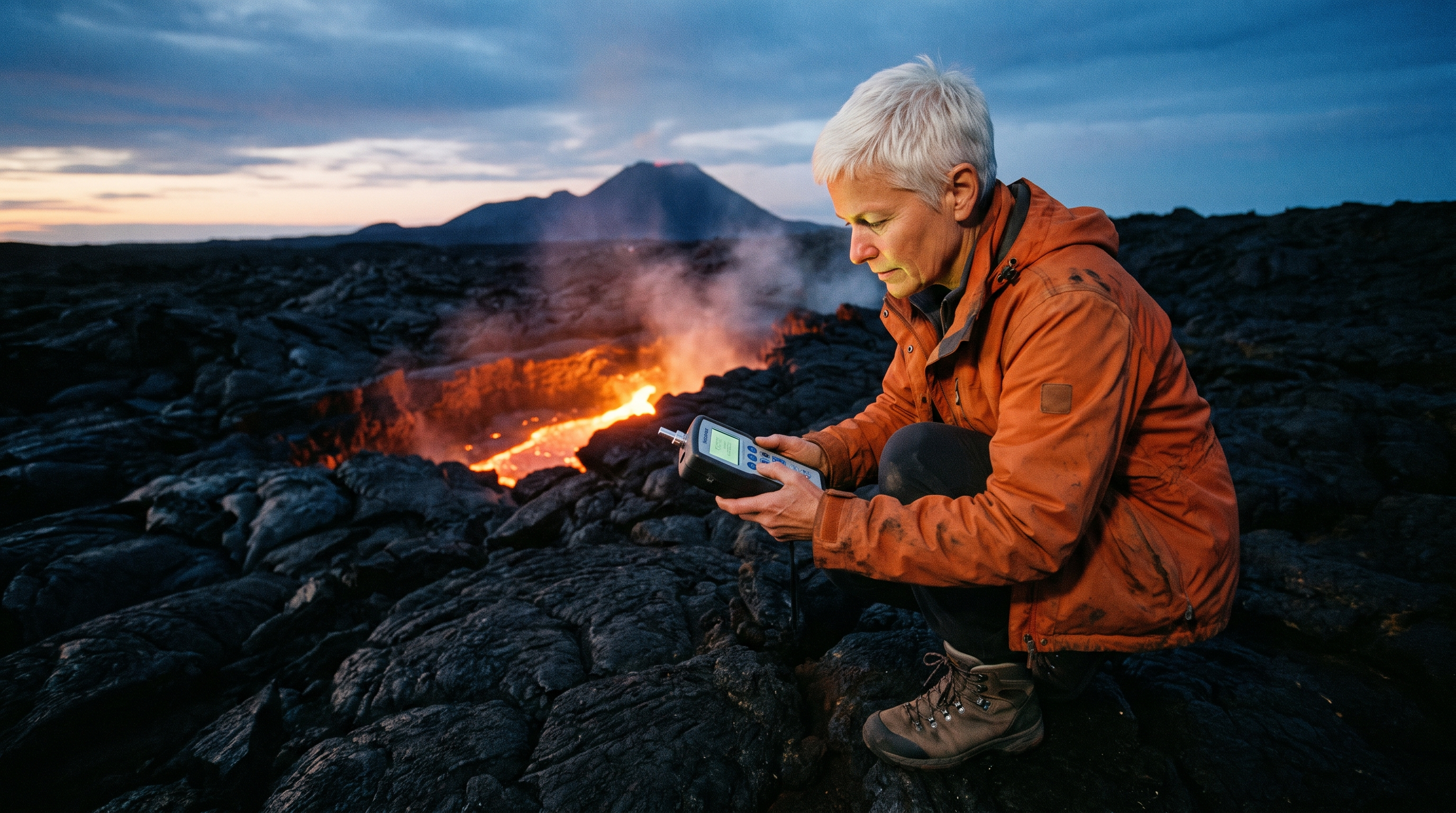
Photograph of a volcanologist, a woman of about fifty with cropped white hair and a scuffed orange field jacket, crouching on a black lava field at dusk to read a handheld gas meter, a glowing fissure of molten rock behind her, steam drifting, wide angle, fine film grain.
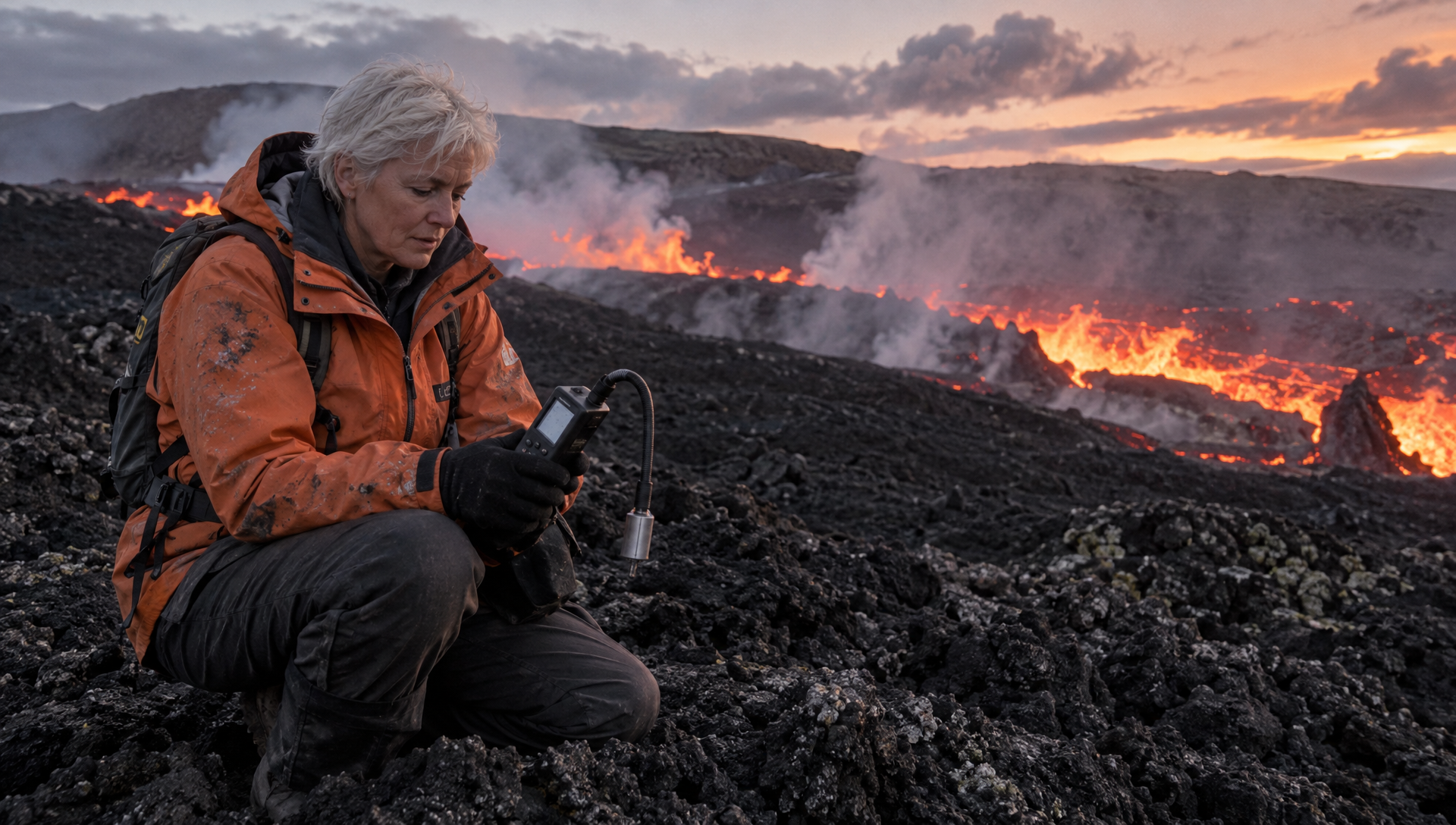
Photograph of a volcanologist, a woman of about fifty with cropped white hair and a scuffed orange field jacket, crouching on a black lava field at dusk to read a handheld gas meter, a glowing fissure of molten rock behind her, steam drifting, wide angle, fine film grain.
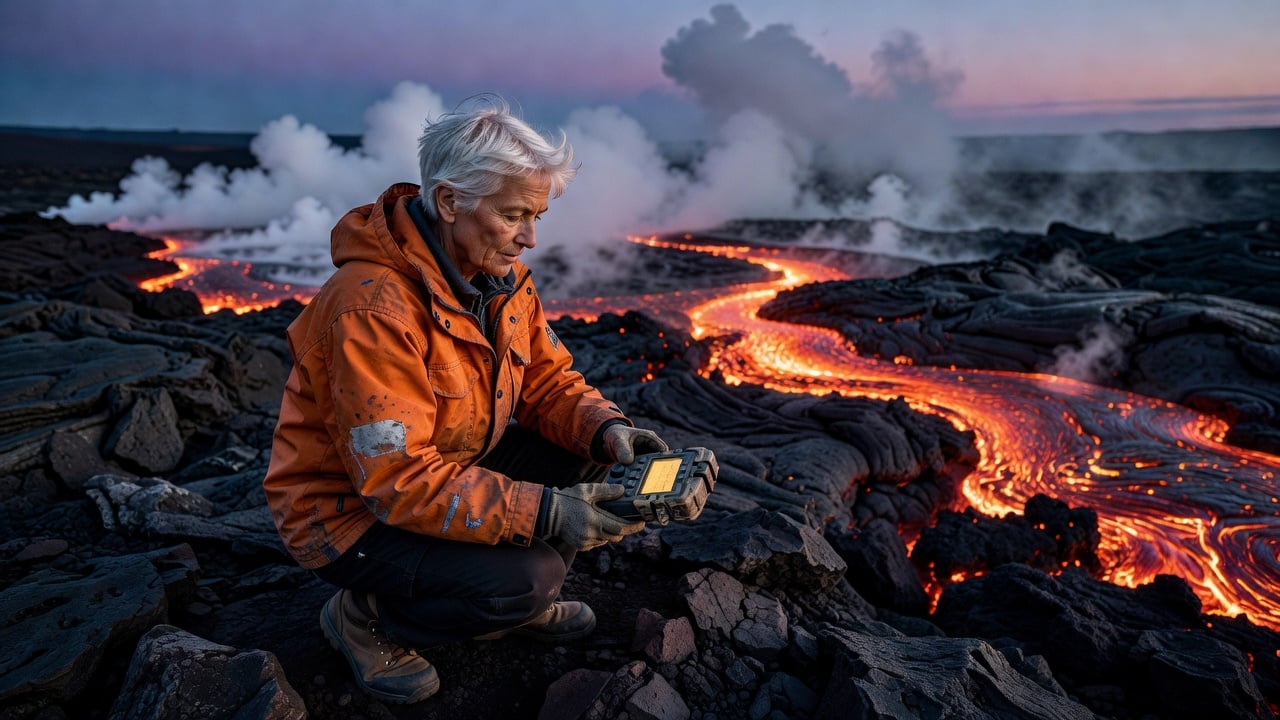
Photograph of a volcanologist, a woman of about fifty with cropped white hair and a scuffed orange field jacket, crouching on a black lava field at dusk to read a handheld gas meter, a glowing fissure of molten rock behind her, steam drifting, wide angle, fine film grain.
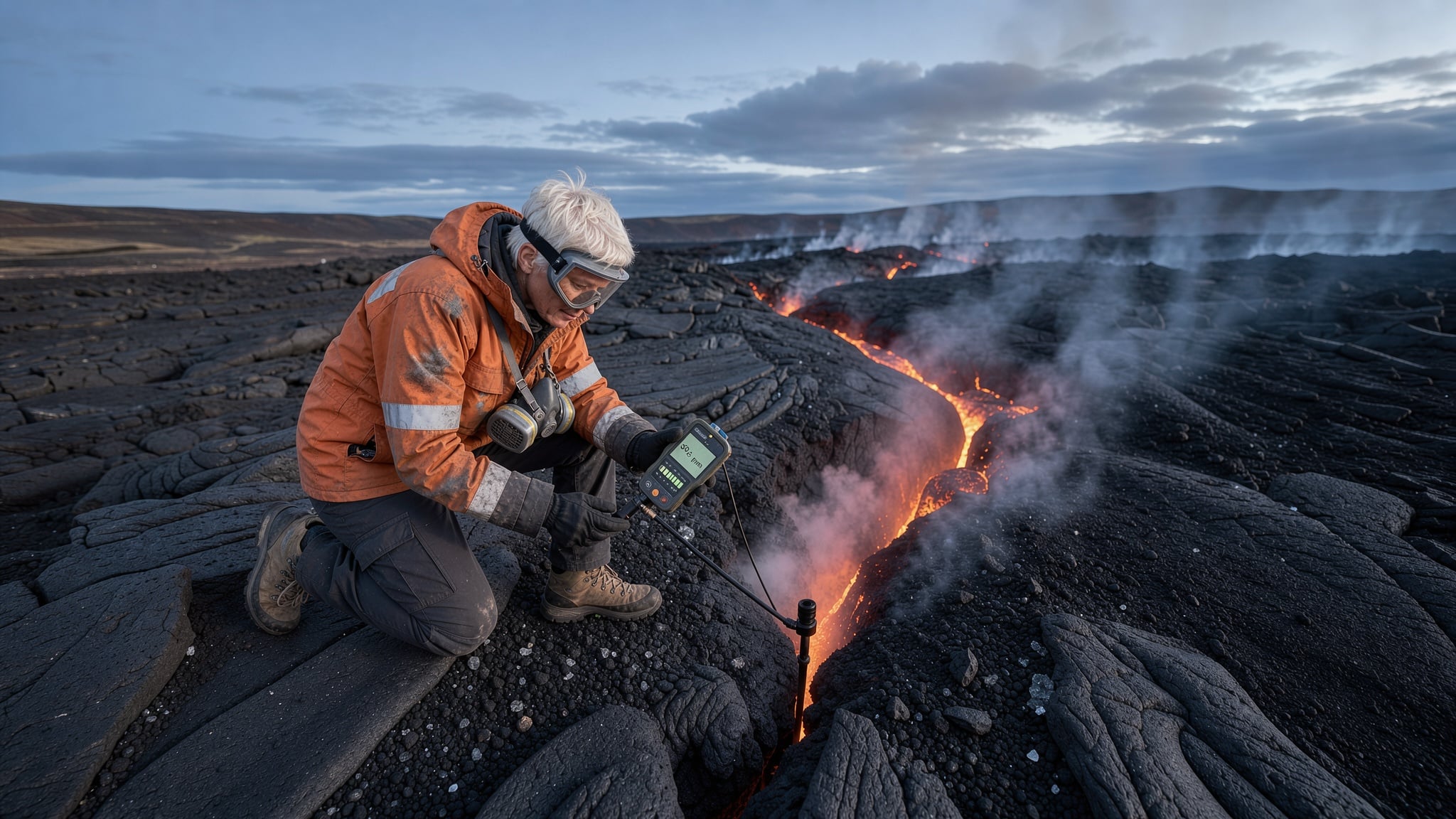
Photograph of a volcanologist, a woman of about fifty with cropped white hair and a scuffed orange field jacket, crouching on a black lava field at dusk to read a handheld gas meter, a glowing fissure of molten rock behind her, steam drifting, wide angle, fine film grain.
- All four kept the white haired scientist, the orange jacket, the meter and the glowing lava, the core of the brief.
- GPT Image 2.5 told the biggest story, with a winding river of lava leading the eye through the frame.
- Nano Banana Pro framed her closest to the fissure with a volcano on the horizon, the most documentary look.
- Grok Image and FLUX 3 Image cost 1 credit each, a quarter of Nano Banana Pro at 4.5.
Venice AI plans vs Pixel Dojo
Everything in the Venice AI column comes from its pricing and home pages, read on October 15, 2026.
| At a glance | Venice AI | Pixel Dojo |
|---|---|---|
| Paid plans | Pro $18 a month with 100 credits; Pro Plus $68 with 7,500; Max $200 with 22,500; 100 credits equal $1 | Lite $10 a month for 160 credits, Pro $25 for 500 credits, Pro Max $50 for 1,100 credits |
| Video cost | Under 80 credits for a clip of about 5 seconds | Each model shows its price first; our 5 second clips cost 10 to 30 credits |
| Image models named | Nano Banana Pro, GPT Image 2.5, Grok Imagine, Flux 3 | Nano Banana Pro, GPT Image 2.5, Grok Image, FLUX 3 Image, Seedream 5 and more |
| Video models named | Seedance 2.5, Wan 3.0, Kling V3, Grok Imagine 2.0 | Seedance 2.5, WAN 3.0, Kling 3.0, Grok Video, Veo 3.1 and more |
| API | On every tier, with $75 a month of API spend in Pro Plus and $225 in Max | Public API with docs generated from each model's spec, API credit packs from $5, and a hosted MCP server |
Why Pixel Dojo for client work
If your output is images, clips and films that go to clients or channels, Pixel Dojo gets you there faster, with project tools around the same models.
Why Venice AI users switch to Pixel Dojo
Unlimited on every plan
On every paid plan, Relax runs Qwen Image 2.1, FLUX 3 Image Klein and MiniMax H3 Turbo, plus every video and photo effect, unlimited with no credits spent.
Sensei, the AI director
Describe a project and Sensei plans it, prices it, waits for your approval and reviews every take.
Photo effects
45+ photo effects restyle a picture in one click, from a hand painted anime still to a boxed action figure or a magazine cover, and every one starts from your own upload.
One job AI tools
35 single purpose tools each do one edit from an upload: remove a watermark, an object or text, restore and colorize an old photo, swap a background, retouch a portrait or make a thumbnail.
Character Studio
Save a face once and call it by @name in any prompt, so the same person shows up in every image and clip.
Start from a genre
Pick a format such as a UGC ad, a micro drama, a movie trailer or an explainer, and the matching studio opens with the settings and a sample idea filled in.
Credits that roll over
Your credits roll over while you stay subscribed, so nothing you pay for disappears at the end of the month.
Every top model, plus an API
More than 80 image and 60 video models in one account, with a public API and a hosted MCP server for your own apps and AI assistants.
Pixel Dojo pricing for image and video work
Plans are Lite $10 a month for 160 credits, Pro $25 for 500 credits, Pro Max $50 for 1,100 credits. Every plan includes every model and commercial use. Credits roll over while you stay subscribed.
In our test the portraits cost 1 credit on Grok Image and FLUX 3 Image, 2 on GPT Image 2.5 and 4.5 on Nano Banana Pro. Each tile lists its own price.
Under our refund policy, a first purchase can be refunded within 7 days, in full if under 20% of the credits are used and pro-rated after that.
Venice AI questions
What is a good alternative to Venice AI for images and video?
Pixel Dojo runs the image and video models Venice names, such as Nano Banana Pro, GPT Image 2.5, Seedance 2.5 and Kling 3.0, and adds Character Studio, Film Studio, Sensei and LoRA training for finished projects.
How much does Venice AI cost?
Venice's pricing page lists Free, Pro at $18 a month, Pro Plus at $68 and Max at $200, with 100 credits equal to $1 and annual billing saving up to 16.7%.
What does a video cost on Venice AI?
Venice says a video costs under 80 credits for a clip of about 5 seconds, which is under $0.80 at its rate of 100 credits to $1.
Which image model did best in your test?
All four kept the brief. GPT Image 2.5 made the most dramatic composition, Nano Banana Pro the most documentary one, and Grok Image and FLUX 3 Image were the cheapest at 1 credit.
Video Effects New
Your first video is free. One photo, one click.
310 ready-made effects, from AI Hug and Earth Zoom In to product spins and listing walkthroughs. Upload a photo and press Generate. No prompt to write, and a free account gets 3 a day.






Switch from Venice AI to Pixel Dojo today
Write a prompt above or start from any example on this page. One plan covers every top model, six studios and Sensei, and your credits roll over.
Start with Seedance 2.5Sources
Facts about Venice AI come from these public pages, checked on Oct 15, 2026. Prices and plans change; check the source before you buy.