WearView alternative
WearView alternative: one flat lay to a model, a street shot and a video
Pixel Dojo takes a garment from flat lay to on model photo to a lifestyle shot to a walking clip, each step on the model best at it, with the credit price shown before you click.
WearView turns a clothing photo into on model shots, ghost mannequin images and short fashion videos. We ran the same job on Pixel Dojo with one lilac puffer jacket, and show every step below.
30 credits ($1.88) per 5 s clip at 720p with audio. Included in every plan, from $10/month.
Already a member? Sign in
By Brian Lovett · Updated
More looks for a fashion catalog
Every image and clip below was made on Pixel Dojo with the prompt shown.
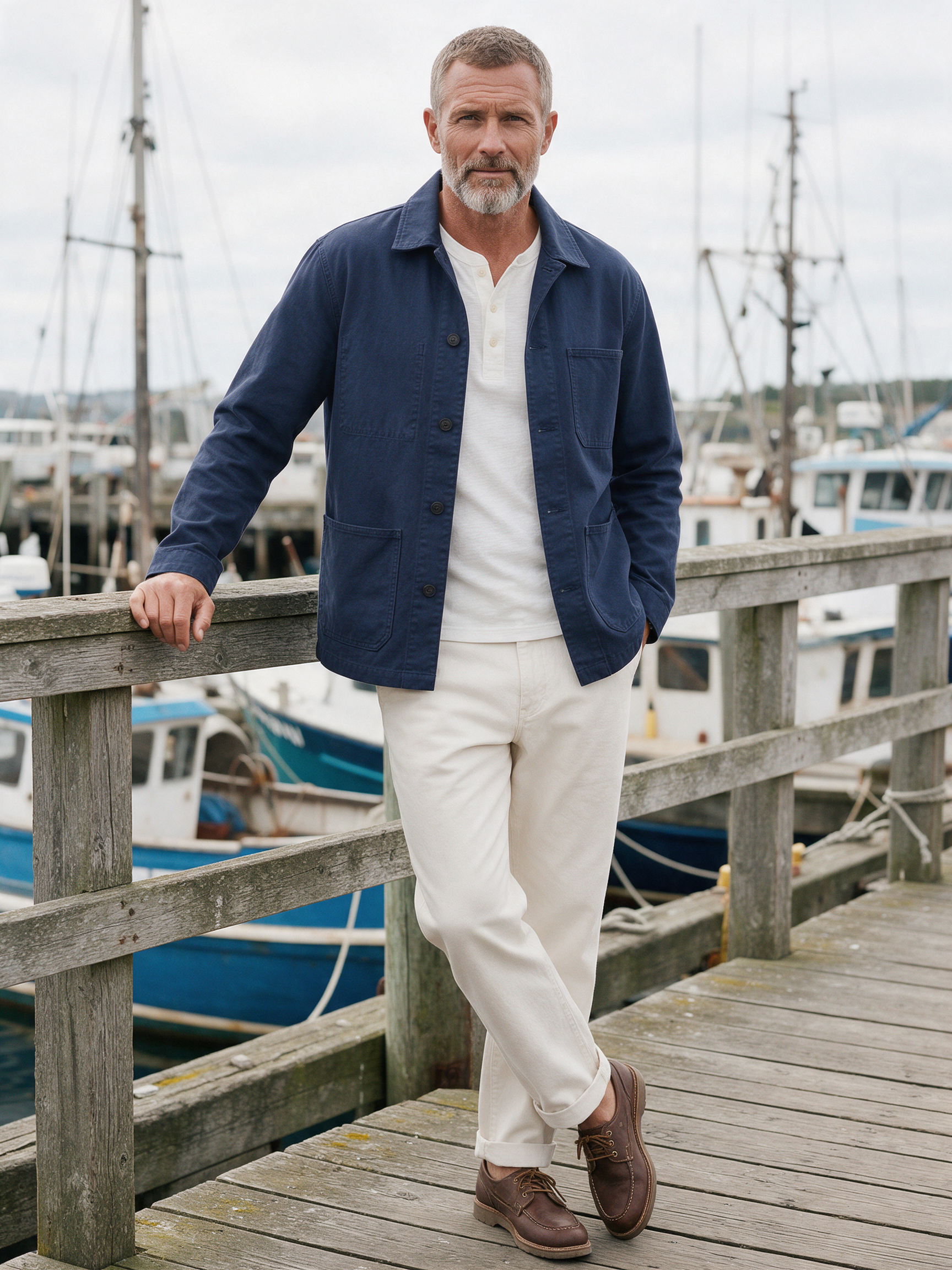
Menswear lookbook on Seedream 5.
Menswear lookbook photo of a man in his fifties with a cropped grey beard wearing a navy cotton chore coat over a white henley and off white trousers, leaning on the rail of a weathered wooden harbor pier, fishing boats behind him, soft overcast light, full body, 50mm lens.
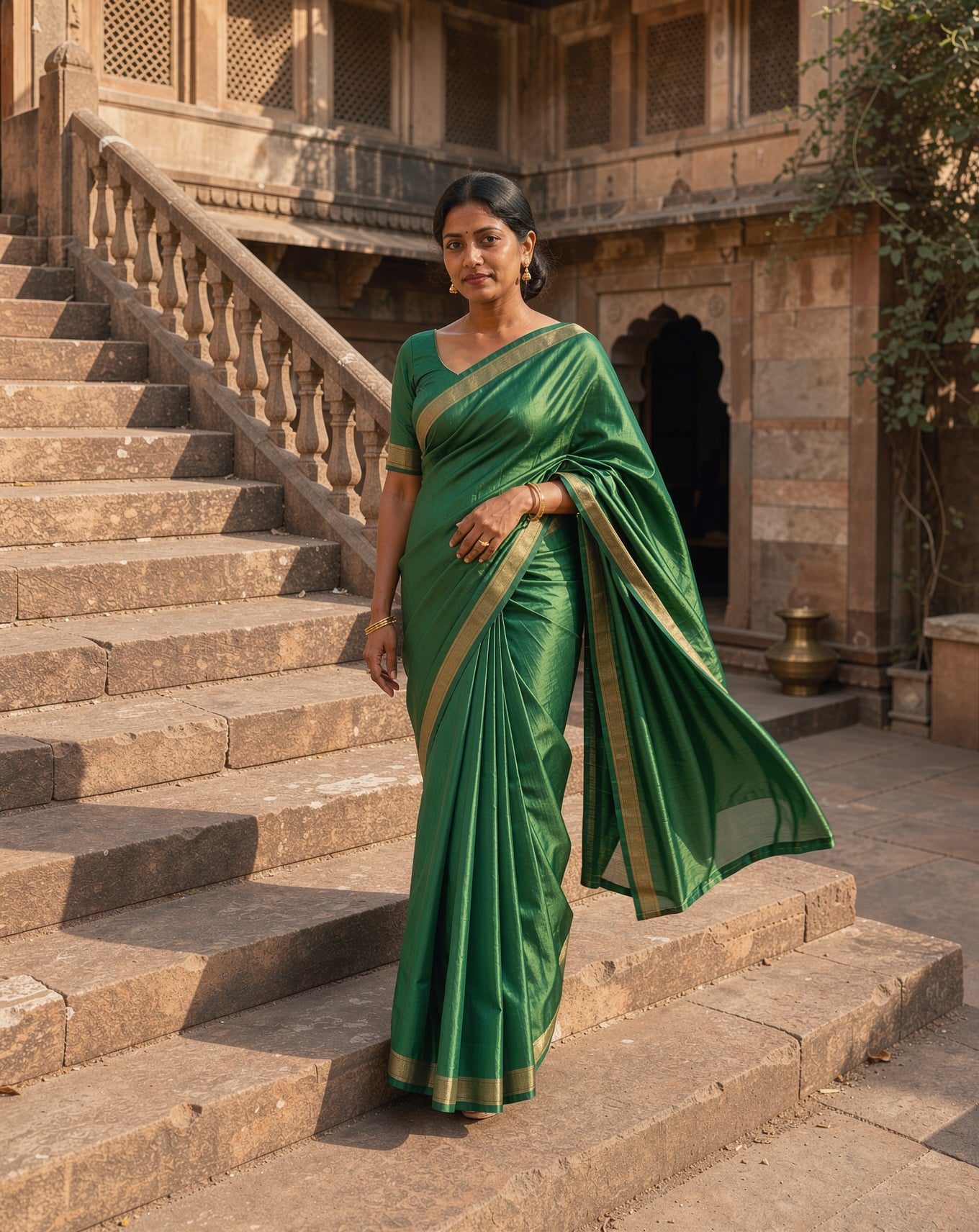
An editorial look on FLUX 3 Image with the pallu catching the breeze.
Fashion editorial photograph of a woman in her thirties wearing an emerald green silk saree with a thin gold border, standing on a sunlit sandstone staircase in an old courtyard, the pallu catching a light breeze, warm afternoon light, medium format look.
A vertical fashion clip on Kling 3.0 with wind and city sound.
Vertical fashion clip: a man in his thirties with a shaved head wearing a cream knit polo and pleated tan trousers turns slowly toward the low sun on a city rooftop at golden hour, adjusts his cuff and looks into the lens, the camera drifts in. Sound: soft wind and a distant city hum.
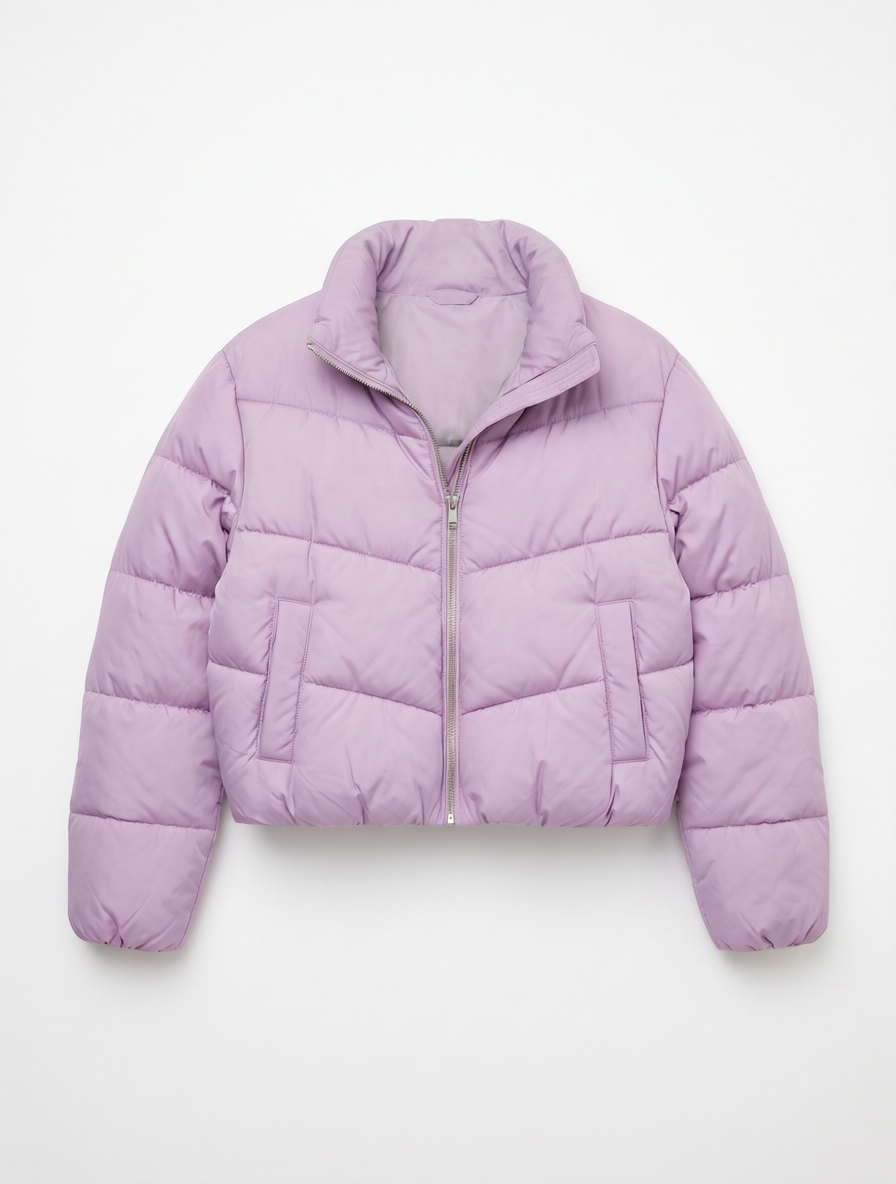
A ghost mannequin style shot from the same flat lay on Qwen Image 2 Edit.
Turn this flat lay into a ghost mannequin product photo: show the exact same lilac cropped quilted puffer jacket as if worn by an invisible mannequin, three dimensional and filled out, zipped up, with the inside of the stand collar visible at the back of the neck, centered on a pure white background with a soft shadow. Keep the color, quilting and silver zip unchanged.
Step by step: from flat lay to a walking clip
Each step used the previous output. We started from a flat lay, asked for a model built from a text description, moved her outside, then animated the result. Each tile shows its settings and credits.
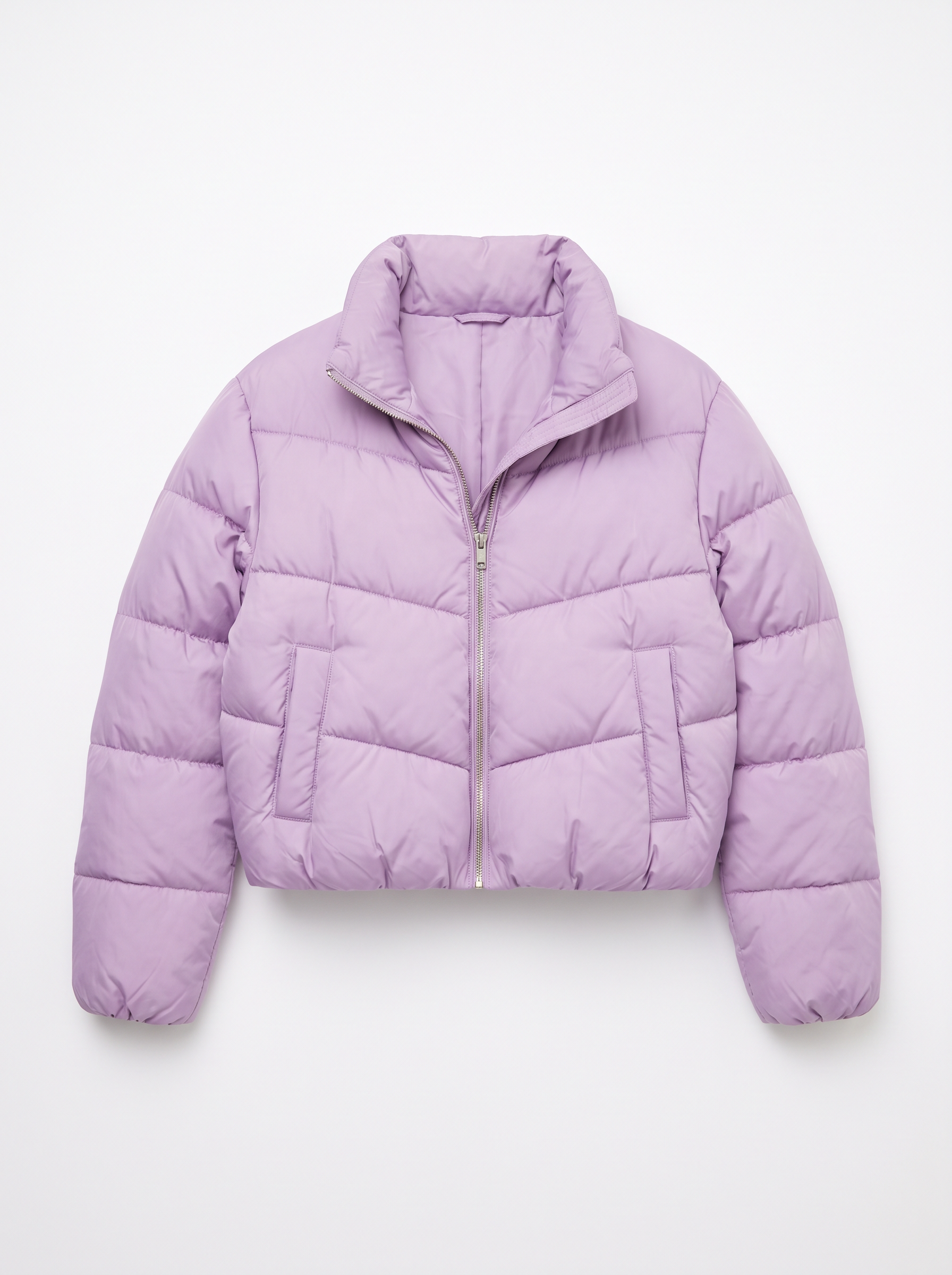
E-commerce flat lay product photo of a cropped lilac quilted puffer jacket with a stand collar and a silver zip, laid neatly on a pure white background, shot from directly above, soft even light, the stitched quilting and matte nylon sheen clearly visible, no hanger, no person, no logos.
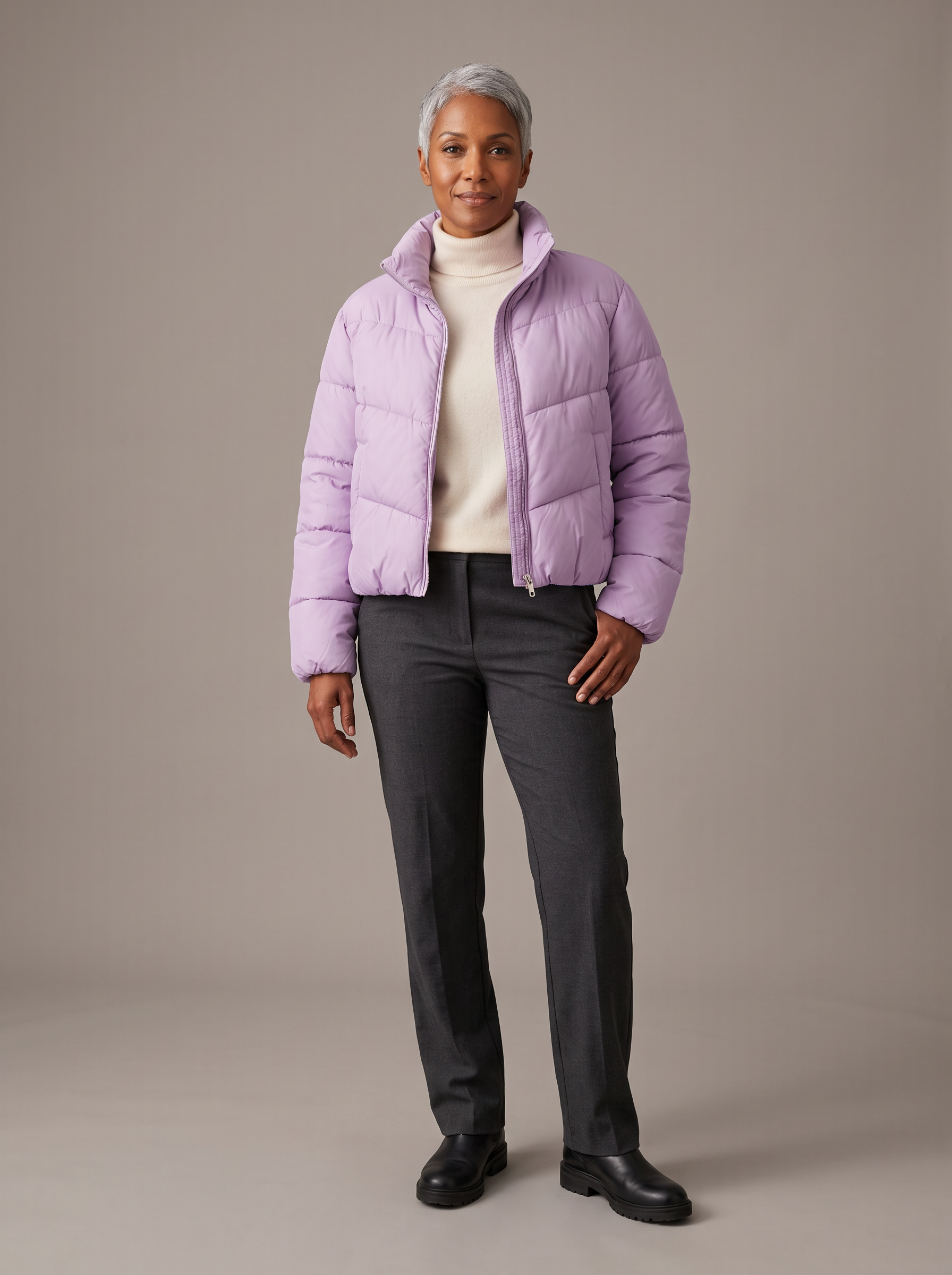
Product to model photo: a woman in her forties with a silver pixie cut and warm brown skin wears the exact cropped lilac quilted puffer jacket from the reference image, zipped halfway over a cream turtleneck, with straight leg charcoal trousers and black leather boots. Full body, standing relaxed on a seamless warm grey studio backdrop, soft even e-commerce light. Keep the jacket color, cropped length, quilting and silver zip exactly as in the reference.
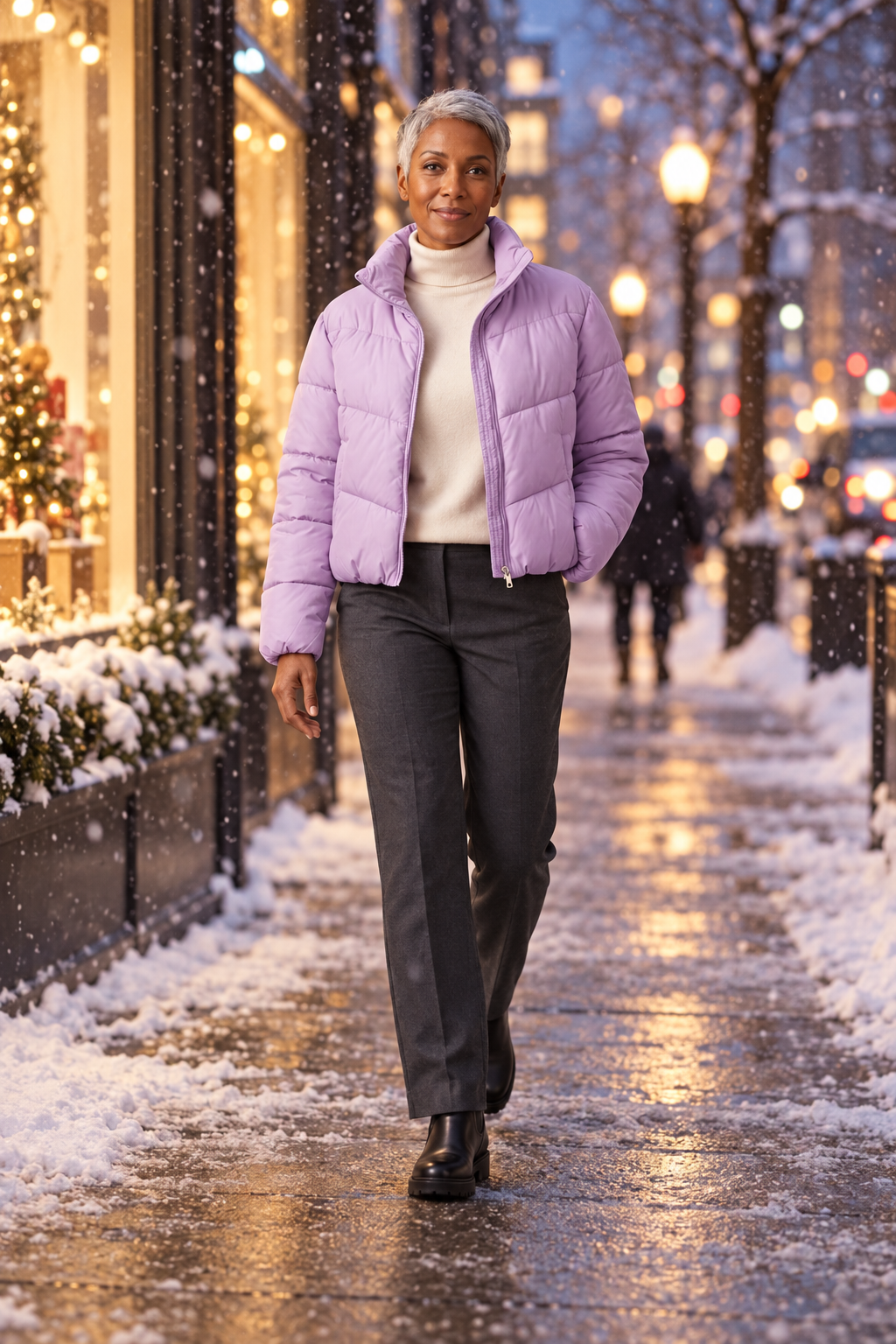
Lifestyle campaign photo of this exact woman in this exact outfit: the lilac cropped puffer jacket, cream turtleneck, charcoal trousers and black boots. She now walks along a snowy city sidewalk at dusk, shop windows glowing warm behind her, light snow falling, candid moment, full body, 50mm lens. Keep her face, silver pixie cut and the jacket unchanged.
She walks toward the camera along the snowy sidewalk, slips one hand into the jacket pocket and smiles, the lilac puffer jacket moving naturally with each step, snow falling through the warm glow of the shop windows, the camera slowly tracks back. Sound: boots on wet snow, soft city traffic and distant bells.
- The jacket stayed the same lilac, the same cropped length and the same chevron quilting from the flat lay to the video.
- Nano Banana 2.1 built the model from a text description alone, no base photo of a person needed.
- GPT Image 2.5 moved her outdoors without changing her face, hair or outfit.
- Seedance 2.5 picked up from the street photo with boots on snow and city sound built in.
How to run this walkthrough on your own product
1. Start from a clean flat lay
Shoot or generate the garment on plain white with even light. Every later step copies what it sees here, so seams and color have to be right.
2. Describe the model in words
Give an age, hair, skin tone, the rest of the outfit and the backdrop, and tell the model to keep the garment exactly as in the reference.
3. Move the look on location
Hand the on model photo to GPT Image 2.5 with a new setting and the words "keep her face and outfit unchanged".
4. Animate it
Use the location photo as the first frame on Seedance 2.5 or Kling 3.0 and describe one simple movement, like a walk toward camera.
5. Save the model for next season
Save her in Character Studio and call her by @name in any later prompt, so the whole catalog shares one face.
WearView plans vs Pixel Dojo
Everything in the WearView column comes from its home and pricing pages, read on October 15, 2026.
| At a glance | WearView | Pixel Dojo |
|---|---|---|
| Monthly plans | Lite $29 for 50 credits, Pro $49 for 200, Advanced $99 for 500; two months free when paid yearly | Lite $10 a month for 160 credits, Pro $25 for 500 credits, Pro Max $50 for 1,100 credits |
| Video | Not on Lite; on Pro and Advanced a 1080p video costs 20 credits and 4K costs 40 | Seedance 2.5, Kling 3.0, Veo 3.1 and WAN 3.0 on every plan |
| Price per result | Lite works out to $0.48 a credit, Advanced to $0.17 | Each model page shows its credit price before you generate |
| Refunds | Within 14 days on a first plan: full if no credits are used, the unused part otherwise | A first purchase can be refunded within 7 days, in full if under 20% of the credits are used and pro-rated after that |
| Ghost mannequin | An editing service from $0.19 an image, plus an AI ghost mannequin tool | Image edit models like Qwen Image 2 Edit, as in the puffer jacket shot on this page |
Why WearView users switch to Pixel Dojo
Unlimited on every plan
On every paid plan, Relax runs Qwen Image 2.1, FLUX 3 Image Klein and MiniMax H3 Turbo, plus every video and photo effect, unlimited with no credits spent.
Sensei, the AI director
Describe a project and Sensei plans it, prices it, waits for your approval and reviews every take.
Photo effects
45+ photo effects restyle a picture in one click, from a hand painted anime still to a boxed action figure or a magazine cover, and every one starts from your own upload.
One job AI tools
35 single purpose tools each do one edit from an upload: remove a watermark, an object or text, restore and colorize an old photo, swap a background, retouch a portrait or make a thumbnail.
Character Studio
Save a face once and call it by @name in any prompt, so the same person shows up in every image and clip.
Start from a genre
Pick a format such as a UGC ad, a micro drama, a movie trailer or an explainer, and the matching studio opens with the settings and a sample idea filled in.
Credits that roll over
Your credits roll over while you stay subscribed, so nothing you pay for disappears at the end of the month.
Every top model, plus an API
More than 80 image and 60 video models in one account, with a public API and a hosted MCP server for your own apps and AI assistants.
What our puffer jacket walkthrough cost
Plans are Lite $10 a month for 160 credits, Pro $25 for 500 credits, Pro Max $50 for 1,100 credits. Every plan includes every model and commercial use. Credits roll over while you stay subscribed.
The flat lay and the on model shot cost 1.5 credits each on Nano Banana 2.1, the street photo 2.5 on GPT Image 2.5 and the walking clip 30 on Seedance 2.5.
Under our refund policy, a first purchase can be refunded within 7 days, in full if under 20% of the credits are used and pro-rated after that.
WearView questions
What is a good alternative to WearView?
Pixel Dojo turns a flat lay into on model photos, lifestyle shots and fashion video on models like Nano Banana 2.1, GPT Image 2.5 and Seedance 2.5, with every credit price shown first.
How much does WearView cost?
WearView lists Lite at $29 a month for 50 credits, Pro at $49 for 200 and Advanced at $99 for 500, with two months free on yearly billing. Video starts on Pro.
Can AI put a flat lay garment on a model?
Yes. Give an image model the flat lay as a reference, describe the model and the rest of the outfit, and ask it to keep the garment exactly as shown. Step 2 above was made that way.
Can I make a fashion video from a product photo?
Yes. Use an on model or lifestyle photo as the first frame on Seedance 2.5 or Kling 3.0 and describe one movement. Our walking clip came from the street photo in step 3.
Video Effects New
Your first video is free. One photo, one click.
310 ready-made effects, from AI Hug and Earth Zoom In to product spins and listing walkthroughs. Upload a photo and press Generate. No prompt to write, and a free account gets 3 a day.






Switch from WearView to Pixel Dojo today
Write a prompt above or start from any example on this page. One plan covers every top model, six studios and Sensei, and your credits roll over.
Start with Seedance 2.5Sources
Facts about WearView come from these public pages, checked on Oct 15, 2026. Prices and plans change; check the source before you buy.