Dzine alternative
Dzine alternative: one character, carried from still to motion
Pixel Dojo keeps a character consistent across Nano Banana 2.1, GPT Image 2.5 and Qwen Image 2 Edit, animates her on Kling 3.0, and shows the credit price of every step before you run it.
Dzine sells a creative canvas built around consistent characters. We ran that job as a small case study: one original tea shop owner, then a market scene, a winter scene, a sticker and a moving shot, each made from the first image.
27.5 credits ($1.72) per 5 s clip with audio. Included in every plan, from $10/month.
Already a member? Sign in
By Brian Lovett · Updated
The brief: a shop mascot that has to stay herself
A small tea shop wants one illustrated host for its menus, social posts, stickers and a short clip. The hard part is not making her once. It is making her look like the same person in every scene.
That is the job Dzine is known for: its home page promises reusable characters with several views, outfits and expressions from one reference image. We took the same approach here, starting from a single key image and handing it to a different model for each job.
The rest of the tea shop kit, made here
Every image below was made on Pixel Dojo from the prompt shown. Tap one to start from it.
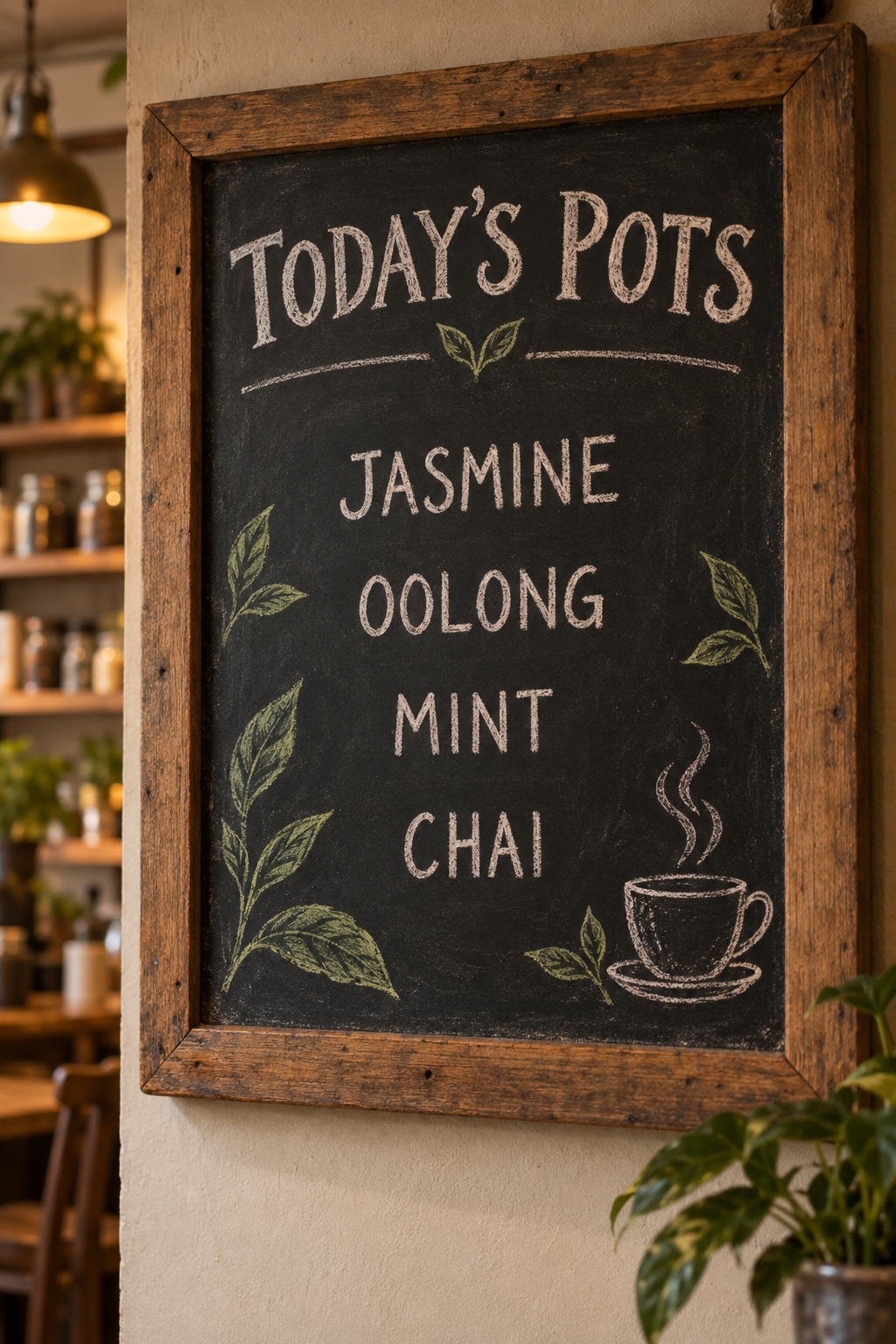
A hand lettered menu board on GPT Image 2.5, every word spelled right.
Hand lettered chalkboard sign for a small tea shop, set in a rustic wooden frame on a cafe wall. The heading reads "TODAY'S POTS" and below it exactly four lines: JASMINE, OOLONG, MINT, CHAI. Small chalk drawings of tea leaves and a steaming cup. No prices, no other words. Warm cafe light.
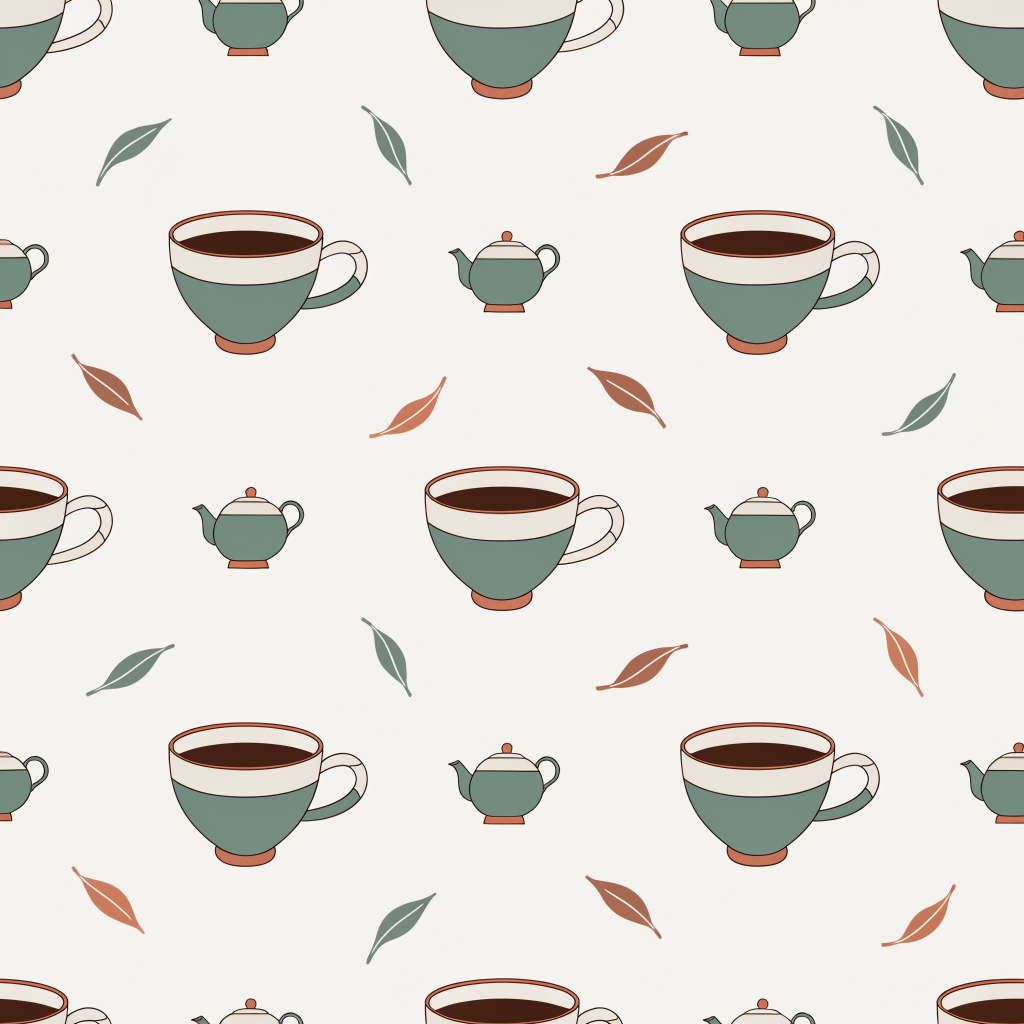
A vector wrapping paper pattern on Recraft V4.1 for 1 credit.
Seamless flat vector pattern of teacups, loose tea leaves and tiny round teapots in sage green, cream and terracotta, evenly spaced, for wrapping paper and packaging.
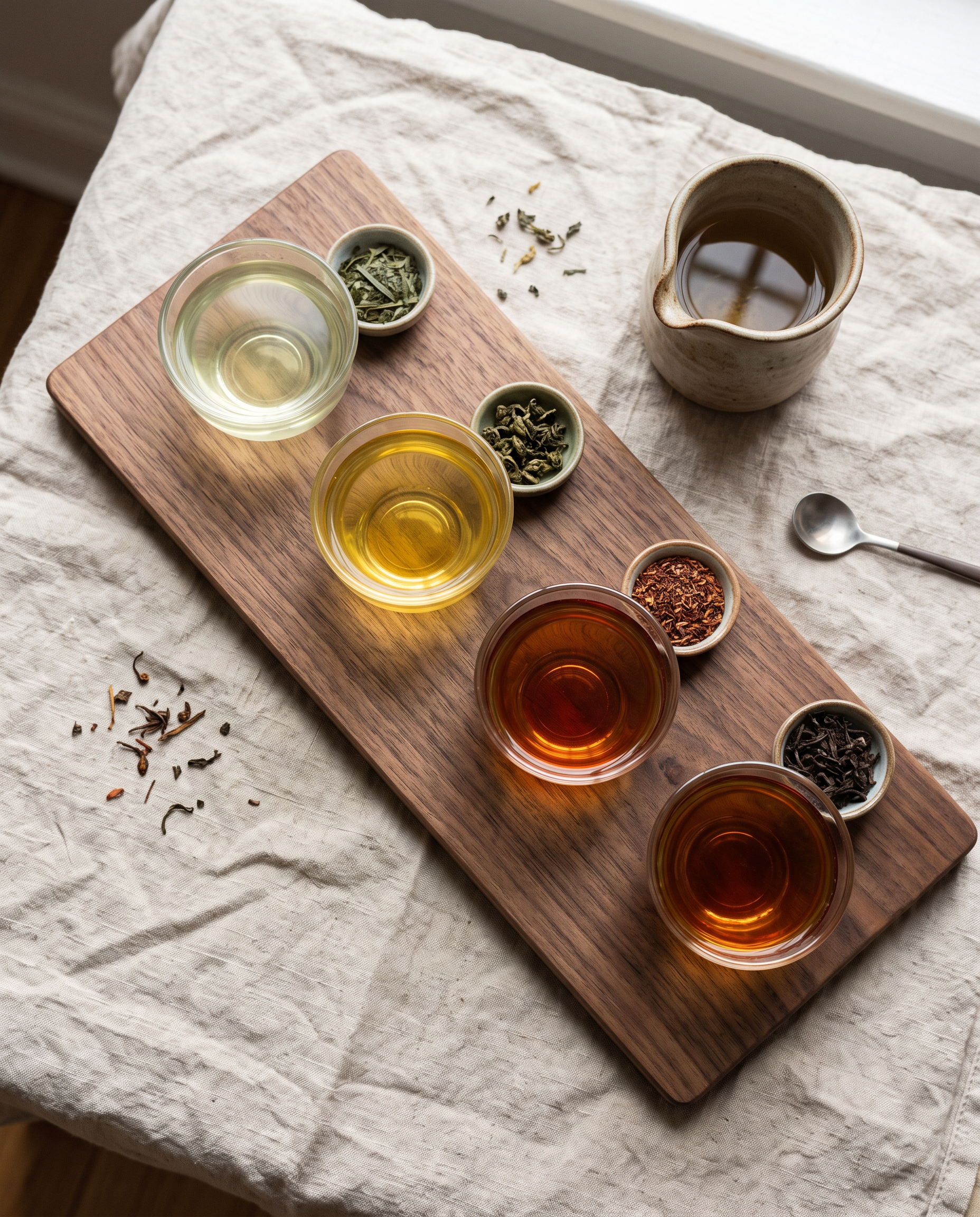
A social post flat lay on Nano Banana 2.1 for 1.5 credits.
Overhead photograph of a tea tasting flight for a social post: four small glass cups of tea ranging from pale green to deep amber on a long walnut board, a tiny dish of matching loose leaves beside each cup, soft daylight, clean linen tablecloth, no text.
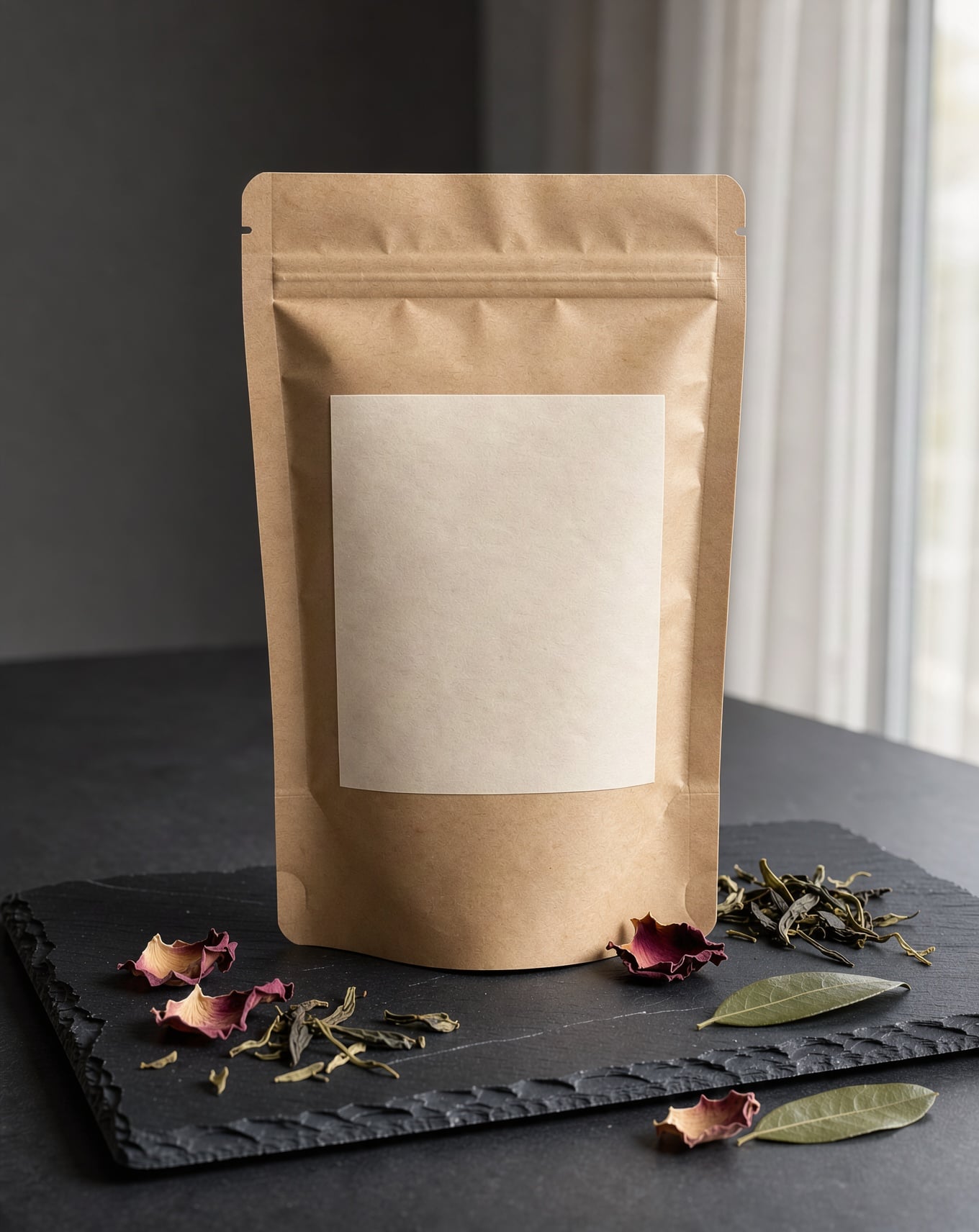
A packaging mockup on FLUX 3 Image, label left blank for your design.
Packshot of a kraft paper tea pouch with a blank cream label standing on a dark slate slab, dried rose petals and loose green tea leaves scattered around it, soft window light from the right, gentle shadows.
Case study: the tea shop owner in five frames
We made the key image on Seedream 5, then gave that one picture to each model as a reference or start frame. Each tile shows its settings and credits.

Character design portrait of an original tea shop owner: a woman in her forties with a silver streaked bun, round tortoiseshell glasses and a forest green apron, holding a small clay teapot, standing behind a wooden counter lined with tea tins, warm afternoon light, clean illustrative realism.
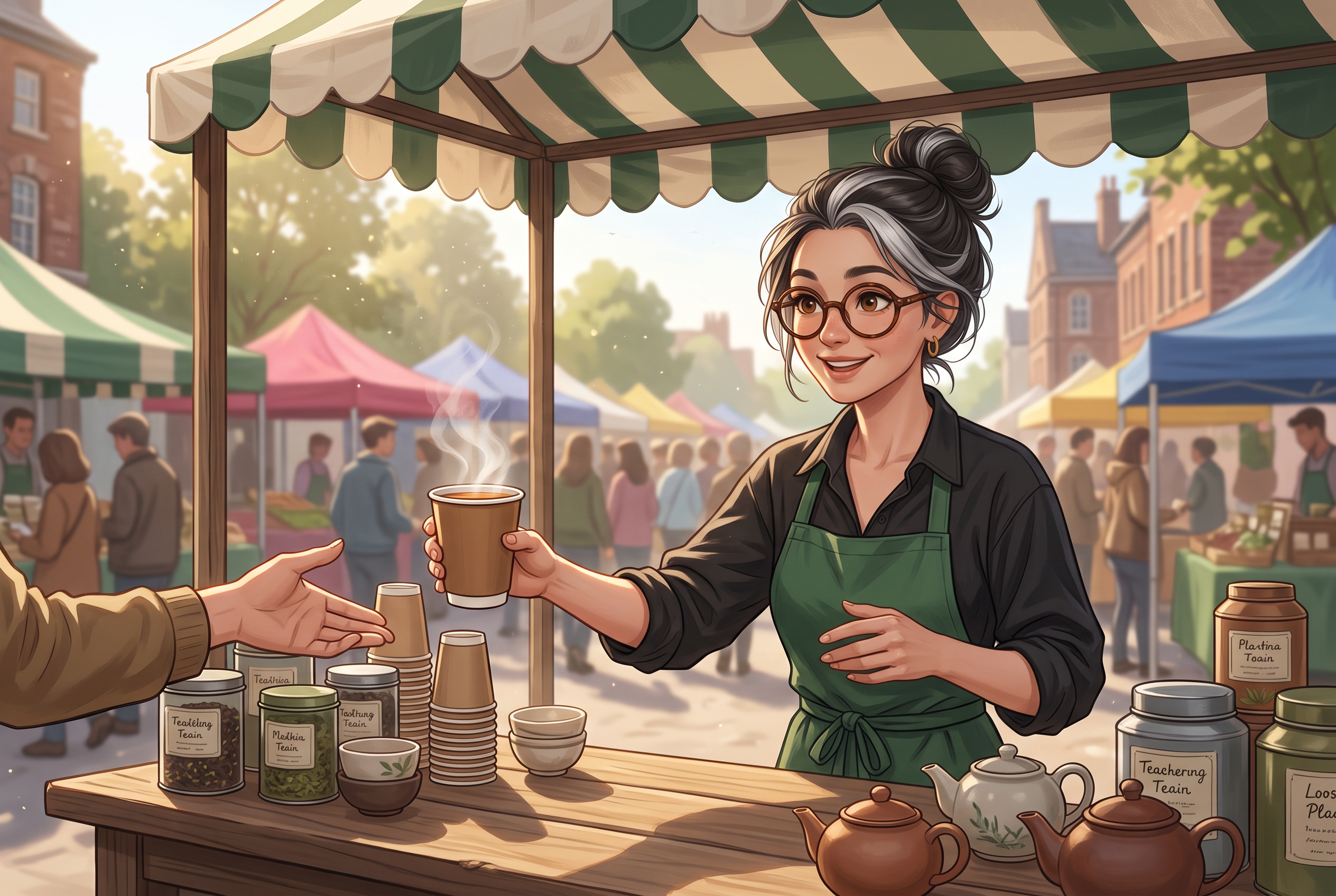
Use the reference image as the identity. The same woman, same face, round tortoiseshell glasses, silver streaked bun and forest green apron, now runs an outdoor weekend market stall under a striped canvas awning, handing a paper cup of tea across the table to a customer, morning sun, same illustrated style.

Keep this exact character: the same woman, same face, round tortoiseshell glasses and silver streaked bun. Show her outside her tea shop window in light falling snow, wearing a long red wool coat and a cream knit scarf over her green apron, holding a steaming cup in both hands, warm light glowing from the shop behind her, same illustrated style.

Turn this character into a flat die cut sticker illustration: bold clean outlines, simple cel shading, a thick white sticker border around her, plain pale background. Keep her glasses, silver streaked bun, green apron and the clay teapot.
She lifts the clay teapot and pours a thin stream of amber tea into a small cup on the counter, steam curling up, then she smiles at the camera as it slowly pushes in. Sound: pouring tea, a soft clink and quiet shop ambience.
- Nano Banana 2.1 kept her face, glasses, two tone bun and apron while moving her to a busy market, for 1.5 credits.
- GPT Image 2.5 changed her whole outfit and season and still kept her face and glasses, and it set the shop sign and the board beside her in clean, readable text.
- Qwen Image 2 Edit turned her into a print ready sticker for 0.5 credits, the cheapest step of the study.
- Kling 3.0 animated the key image without changing her: the pour lands in the cup, steam rises, and she ends on a smile.
Dzine plans vs Pixel Dojo
Everything in the Dzine column comes from its pricing and home pages, read on October 15, 2026.
| Plan detail | Dzine | Pixel Dojo |
|---|---|---|
| Monthly plans | Beginner $8.99 for 1,000 credits, Creator $24.99 for 6,000, Master $59.99 for 9,000, Master Pro $149.99 for 30,000 | Lite $10 a month for 160 credits, Pro $25 for 500 credits, Pro Max $50 for 1,100 credits |
| Free plan | 100 signup credits valid for 12 months, public generations, non commercial use only | Commercial use on every plan |
| Refunds | All subscription payments, monthly or annual, are non refundable | A first purchase can be refunded within 7 days, in full if under 20% of the credits are used and pro-rated after that |
| Extra credits | Top ups from $10 for 2,000 credits, Creator plan and up only | API credit packs from $5 |
| Consistent characters | Characters with several views, outfits and expressions from one reference image; 10 to 120 private characters by plan | Character Studio: save a character once and call it by @name in any prompt |
| Video | Video from text or images, video to video and multi character lip sync | Seedance 2.5, Kling 3.0, Veo 3.1 and WAN 3.0, plus Film Studio for whole films |
What a Dzine user gets here
A model for each step
Scene changes on Nano Banana 2.1, outfit and text on GPT Image 2.5, cheap edits on Qwen Image 2 Edit, motion on Kling 3.0. You pick per step instead of per subscription.
Your character by name
Save her in Character Studio and type @ and her name in any prompt on any tool, Sensei included.
A trained look
Train a FLUX, Qwen, WAN or Z-Image LoRA on your character or brand style for the tightest match across hundreds of images.
From mascot to film
Film Studio takes a script and a cast through storyboard, clips and a whole film editor pass, with your saved characters as the cast.
Why Dzine users switch to Pixel Dojo
Unlimited on every plan
On every paid plan, Relax runs Qwen Image 2.1, FLUX 3 Image Klein and MiniMax H3 Turbo, plus every video and photo effect, unlimited with no credits spent.
Sensei, the AI director
Describe a project and Sensei plans it, prices it, waits for your approval and reviews every take.
Character Studio
Save a face once and call it by @name in any prompt, so the same person shows up in every image and clip.
Photo effects
45+ photo effects restyle a picture in one click, from a hand painted anime still to a boxed action figure or a magazine cover, and every one starts from your own upload.
One job AI tools
35 single purpose tools each do one edit from an upload: remove a watermark, an object or text, restore and colorize an old photo, swap a background, retouch a portrait or make a thumbnail.
Star in any video
Upload a short clip, pick a saved character or a photo, and Character Swap puts your star in the lead while the scene, camera moves and sound stay the same.
Credits that roll over
Your credits roll over while you stay subscribed, so nothing you pay for disappears at the end of the month.
Every top model, plus an API
More than 80 image and 60 video models in one account, with a public API and a hosted MCP server for your own apps and AI assistants.
What the whole case study cost on Pixel Dojo
Plans are Lite $10 a month for 160 credits, Pro $25 for 500 credits, Pro Max $50 for 1,100 credits. Every plan includes every model and commercial use. Credits roll over while you stay subscribed.
The four still images cost between 0.5 and 2.5 credits each, and the moving shot on Kling 3.0 cost 27.5 credits. Every tile lists its own price.
Under our refund policy, a first purchase can be refunded within 7 days, in full if under 20% of the credits are used and pro-rated after that.
Dzine questions
What is a good alternative to Dzine AI?
Pixel Dojo keeps a character consistent across top image models, saves it in Character Studio for @name prompts, and animates it on Kling 3.0, Seedance 2.5 or Veo 3.1, with every price shown first.
How much does Dzine cost?
Dzine lists Beginner at $8.99 a month for 1,000 credits, Creator at $24.99 for 6,000, Master at $59.99 for 9,000 and Master Pro at $149.99 for 30,000, with lower annual prices.
Does Dzine give refunds?
Dzine's pricing page says all subscription payments, monthly or annual, are non refundable.
Which model kept the character most consistent?
In our case study Nano Banana 2.1 and GPT Image 2.5 both kept her face and glasses through big scene and outfit changes. Qwen Image 2 Edit was the cheapest for style changes like stickers.
Can I use my character commercially?
Yes. Commercial use is included on every Pixel Dojo plan.
Video Effects New
Your first video is free. One photo, one click.
310 ready-made effects, from AI Hug and Earth Zoom In to product spins and listing walkthroughs. Upload a photo and press Generate. No prompt to write, and a free account gets 3 a day.






Switch from Dzine to Pixel Dojo today
Write a prompt above or start from any example on this page. One plan covers every top model, six studios and Sensei, and your credits roll over.
Start with Kling 3.0Sources
Facts about Dzine come from these public pages, checked on Oct 15, 2026. Prices and plans change; check the source before you buy.