Imagiyo alternative
Imagiyo alternative: generate, edit and animate one picture
Imagiyo pitches image generation, editing and video in one place. Pixel Dojo does the same job with a wider bench: FLUX for the first image, Qwen to edit it, Seedance 2.5 to bring it to life, each priced before you click.
We followed one picture from prompt to clip. A rainy reading nook on FLUX became a snowy evening with a sleeping cat on Qwen Image 2 Edit, then a 5 second clip with sound on Seedance 2.5.
30 credits ($1.88) per 5 s clip at 720p with audio. Included in every plan, from $10/month.
Already a member? Sign in
By Brian Lovett · Updated
Four more styles from the same plan
Every image below was made on Pixel Dojo with the prompt shown.
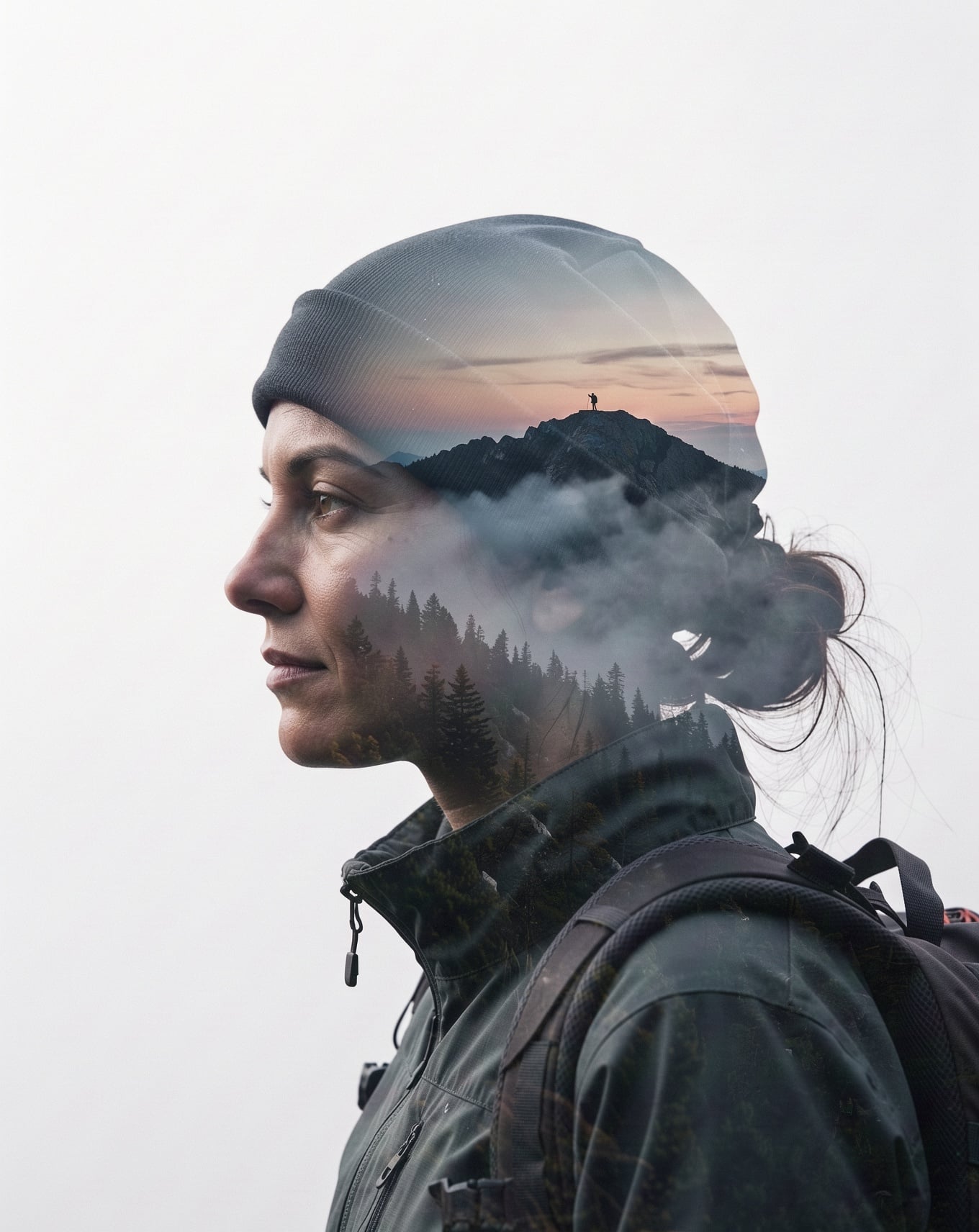
Fine art double exposure on FLUX 3 Image for 1 credit.
Double exposure portrait of a mountain climber in her thirties in profile, her silhouette filled with a misty pine forest and a ridge line at dawn, clean white background, soft gradients, fine art print look.

An isometric diorama on Nano Banana 2.1.
Isometric 3D render of a tiny bicycle repair shop at night, a mechanic in overalls truing a wheel under a hanging bulb, tools on a pegboard, a red bicycle on the stand, soft warm glow, clay like materials.

A sticker sheet on Seedream 5 Flash for half a credit.
Sticker sheet of six cheerful vegetables with tiny smiling faces: a carrot, a broccoli floret, a radish, a pea pod, a mushroom and a corn cob, thick white outlines, pastel colors, flat kawaii style on a light grey background.

Clean flat vector art on Recraft V4.1.
Flat vector illustration of a red cable car climbing over a green alpine valley at sunset, a tiny village far below, simple geometric shapes, warm coral, navy and mint palette, generous empty sky.
Walkthrough: one picture, three steps
Each step used the output of the one before it. Each tile shows the model, settings and credits it used.

Cozy interior photograph of a cushioned bay window reading nook in an old stone cottage, a chunky knitted throw and stacked hardback books, rain streaking the leaded glass, a steaming mug on the sill, warm lamp light.

Change the weather outside the window to a snowy winter evening: snow falling past the glass and resting on the outer sill, a little frost at the corners of the panes. Keep the room, the knitted throw, the books, the lamp and the mug exactly as they are, and add a sleeping tabby cat curled on the throw.
Snow keeps falling past the leaded window as the tabby cat stretches one paw, yawns and curls back up on the knitted throw, the lamp glowing, a slow gentle push in, soft purring and wind against the glass.
- FLUX 2 Dev nailed the cozy brief for 1 credit, down to the rain on the leaded glass and the steam from the mug.
- Qwen Image 2 Edit turned rain into snow and tucked a cat onto the throw while the stone walls, lamp and book stack stayed in place, for 1.5 credits.
- Seedance 2.5 woke the cat for a slow yawn and stretch, with the snow still falling, in a 5 second clip with sound for 30 credits.
How to do it yourself
Start with the image. Write the scene in one sentence with the light and the texture you want, and pick a fast engine. We used FLUX 2 Dev, the same family as the FLUX models Imagiyo lists.
Then edit in plain words. Open Qwen Image 2 Edit, upload the image and say what changes and what stays. Naming the things to keep, here the room, the throw, the books and the lamp, is what holds the picture together.
Last, animate. Use the edited image as the start frame on Seedance 2.5 and describe one small action. A cat stretching is easier for any video model than a crowd running, and it reads better on a loop.
Imagiyo plans vs Pixel Dojo
Everything in the Imagiyo column comes from its pricing and home pages, read on October 15, 2026.
| Compared on | Imagiyo | Pixel Dojo |
|---|---|---|
| Monthly plans | Basic $4.99 for 250 images, Standard $9.99 for 500, Professional $19 for 1,000, Enterprise $29 for 5,000 | Lite $10 a month for 160 credits, Pro $25 for 500 credits, Pro Max $50 for 1,100 credits |
| One time option | Basic Lifetime $39 for 250 images a month | Monthly plans; a first purchase can be refunded within 7 days |
| Image models | FLUX Schnell and Stable Diffusion on every plan, FLUX Dev from Professional, Nano Banana on Enterprise | FLUX 2 Dev, FLUX 3 Image, Nano Banana 2.1, Seedream 5, Qwen Image 2.1, GPT Image 2.5 and more on every plan |
| Video | Seedance Lite text to video on the Enterprise monthly plan | Seedance 2.5, Kling 3.0, Veo 3.1 and WAN 3.0 on every plan, from text or a start frame |
| Commercial use | Allowed, per the FAQ | Commercial use on every plan |
Why the walkthrough favors Pixel Dojo
If you want the newest image and video engines on every plan, editing in plain words, and a clip with sound from any still, the walkthrough above makes the case for Pixel Dojo.
Why Imagiyo users switch to Pixel Dojo
Unlimited on every plan
On every paid plan, Relax runs Qwen Image 2.1, FLUX 3 Image Klein and MiniMax H3 Turbo, plus every video and photo effect, unlimited with no credits spent.
Sensei, the AI director
Describe a project and Sensei plans it, prices it, waits for your approval and reviews every take.
One job AI tools
35 single purpose tools each do one edit from an upload: remove a watermark, an object or text, restore and colorize an old photo, swap a background, retouch a portrait or make a thumbnail.
Photo effects
45+ photo effects restyle a picture in one click, from a hand painted anime still to a boxed action figure or a magazine cover, and every one starts from your own upload.
Character Studio
Save a face once and call it by @name in any prompt, so the same person shows up in every image and clip.
Credits that roll over
Your credits roll over while you stay subscribed, so nothing you pay for disappears at the end of the month.
Every top model, plus an API
More than 80 image and 60 video models in one account, with a public API and a hosted MCP server for your own apps and AI assistants.
What the walkthrough cost
Plans are Lite $10 a month for 160 credits, Pro $25 for 500 credits, Pro Max $50 for 1,100 credits. Every plan includes every model and commercial use. Credits roll over while you stay subscribed.
Step one cost 1 credit, step two 1.5 credits and the Seedance 2.5 clip 30 credits. Every tile shows its own price.
Under our refund policy, a first purchase can be refunded within 7 days, in full if under 20% of the credits are used and pro-rated after that.
Imagiyo questions
What is a good alternative to Imagiyo?
Pixel Dojo covers the same generate, edit and animate job with FLUX, Nano Banana 2.1, Seedream 5, Qwen Image 2 Edit and video models like Seedance 2.5 and Kling 3.0, with the price of each shown before you generate.
How much does Imagiyo cost?
Imagiyo's pricing page lists Basic at $4.99 a month for 250 images, Standard at $9.99 for 500, Professional at $19 for 1,000, Enterprise at $29 for 5,000 and a Basic Lifetime plan at $39.
Which models does Imagiyo use?
Imagiyo's pricing page lists FLUX Schnell and Stable Diffusion on its plans, FLUX Dev from Professional, and Nano Banana plus Seedance Lite text to video on Enterprise.
Can I edit an AI image with words instead of a brush?
Yes. In our walkthrough Qwen Image 2 Edit turned a rainy window into a snowy one and added a sleeping cat from one sentence, for 1.5 credits.
Can I turn an image into a video with sound?
Yes. Use the image as the start frame on Seedance 2.5. Our snowy nook clip ran 5 seconds at 720p with sound for 30 credits.
Video Effects New
Your first video is free. One photo, one click.
310 ready-made effects, from AI Hug and Earth Zoom In to product spins and listing walkthroughs. Upload a photo and press Generate. No prompt to write, and a free account gets 3 a day.






Switch from Imagiyo to Pixel Dojo today
Write a prompt above or start from any example on this page. One plan covers every top model, six studios and Sensei, and your credits roll over.
Start with Seedance 2.5Sources
Facts about Imagiyo come from these public pages, checked on Oct 15, 2026. Prices and plans change; check the source before you buy.