Diffus alternative
Diffus alternative: open model results without running a WebUI
Pixel Dojo runs the open image families Stable Diffusion users moved to, Qwen, Z-Image, WAN and FLUX, as plain prompt boxes with the credit price shown, plus prompt based editing, LoRA trainers and video.
Diffus puts a huge community model library and WebUI style controls in the browser. We wanted to show the other route: pick a modern open model, write a prompt and edit the result with words instead of masks.
1.5 credits ($0.09) per image at 2K. Included in every plan, from $10/month.
Already a member? Sign in
By Brian Lovett · Updated
Diffus alternative: quick answers
What is Diffus?
Diffus is a browser based image platform with more than 70,000 user uploaded models, including checkpoints, LoRAs and embeddings, plus ADetailer, ControlNet, inpainting and your own model uploads.
What does Diffus cost?
Diffus lists Teaser at $1 a month with 30 credits a day and public images, Basic at $18 and $12 a month for 3,000 credits, Plus at $36 and $24 for 12,000 and Pro at $72 and $48 for 36,000, shown as two prices each.
What does Pixel Dojo do instead?
We run current open families as hosted models, Qwen Image 2.1, Z-Image Turbo, WAN 2.7 and FLUX 2 Dev, each priced per image before you click, with no checkpoint hunting or sampler settings.
Can I still use my own style or character?
Yes. Train a LoRA on FLUX, Qwen, WAN or Z-Image, or save a character in Character Studio and call it by @name in any prompt.
More from the open model families
Each of these was made on Pixel Dojo from the prompt shown. Tap one to start from it.
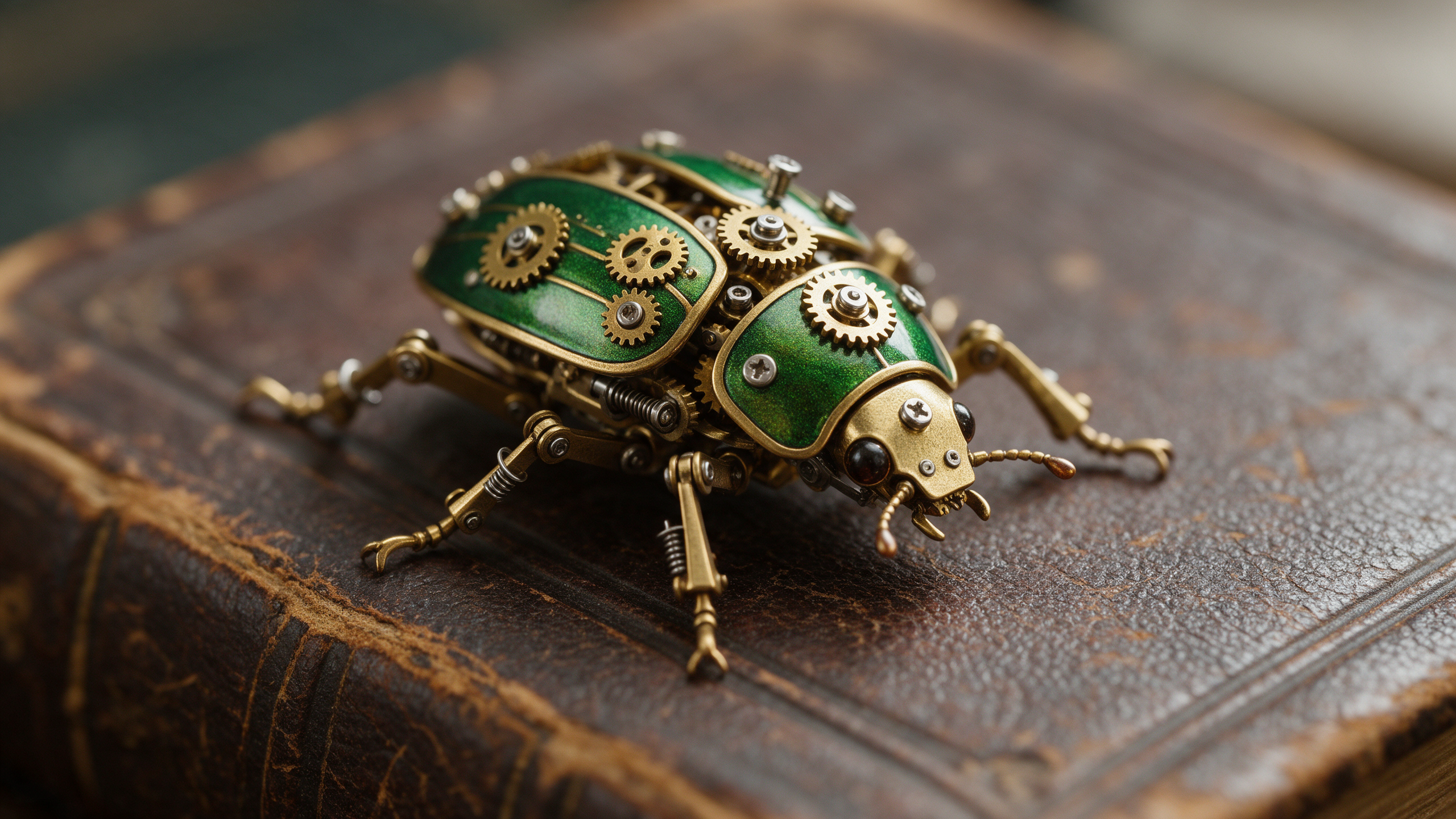
Macro detail on Seedream 5, down to the screws in each gear.
Macro photograph of a clockwork beetle made of brass gears and green enamel shell plates crawling across an old leather book cover, tiny screws and springs visible, soft side light, shallow depth of field.
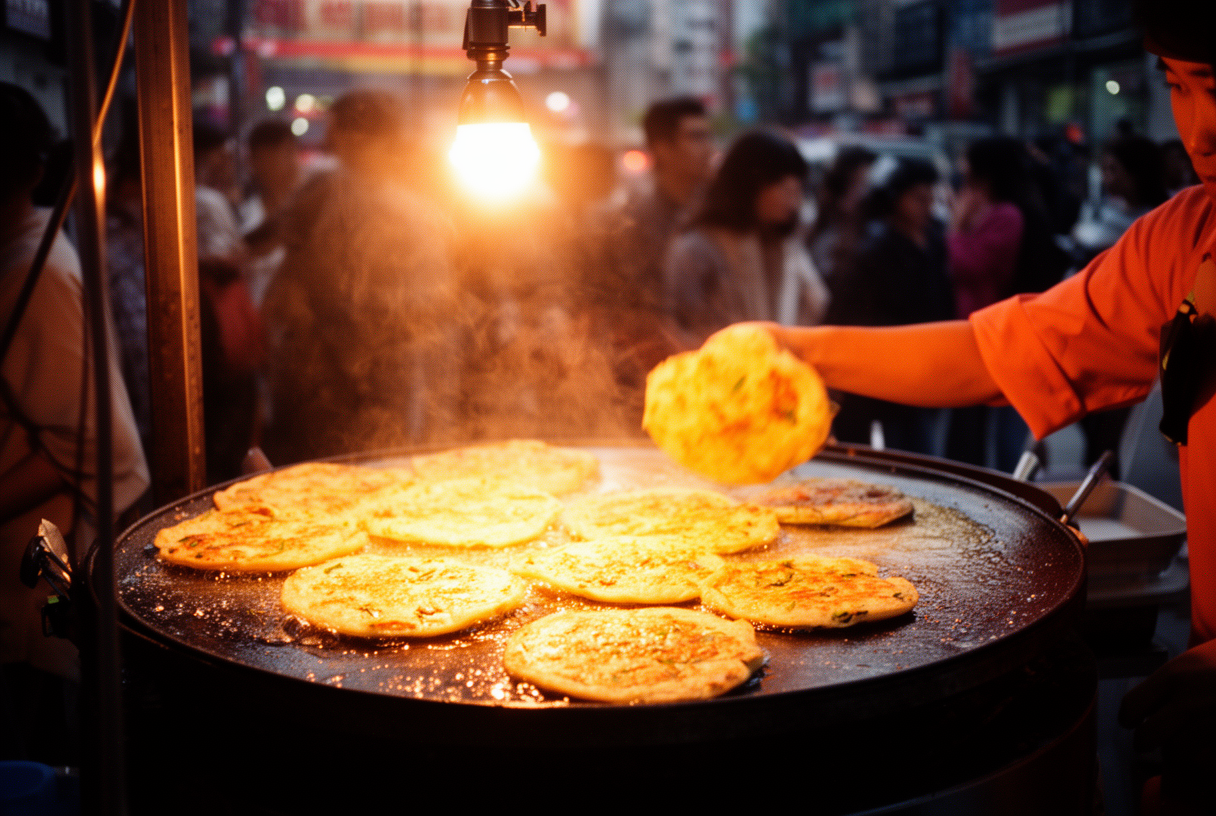
Street food photography on FLUX 2 Dev, the open FLUX model, for 1 credit.
Street food photograph of a vendor flipping golden scallion pancakes on a wide iron griddle under a bare bulb, oil sizzling and steam rising, blurred evening crowd behind, warm orange light, 35mm lens.
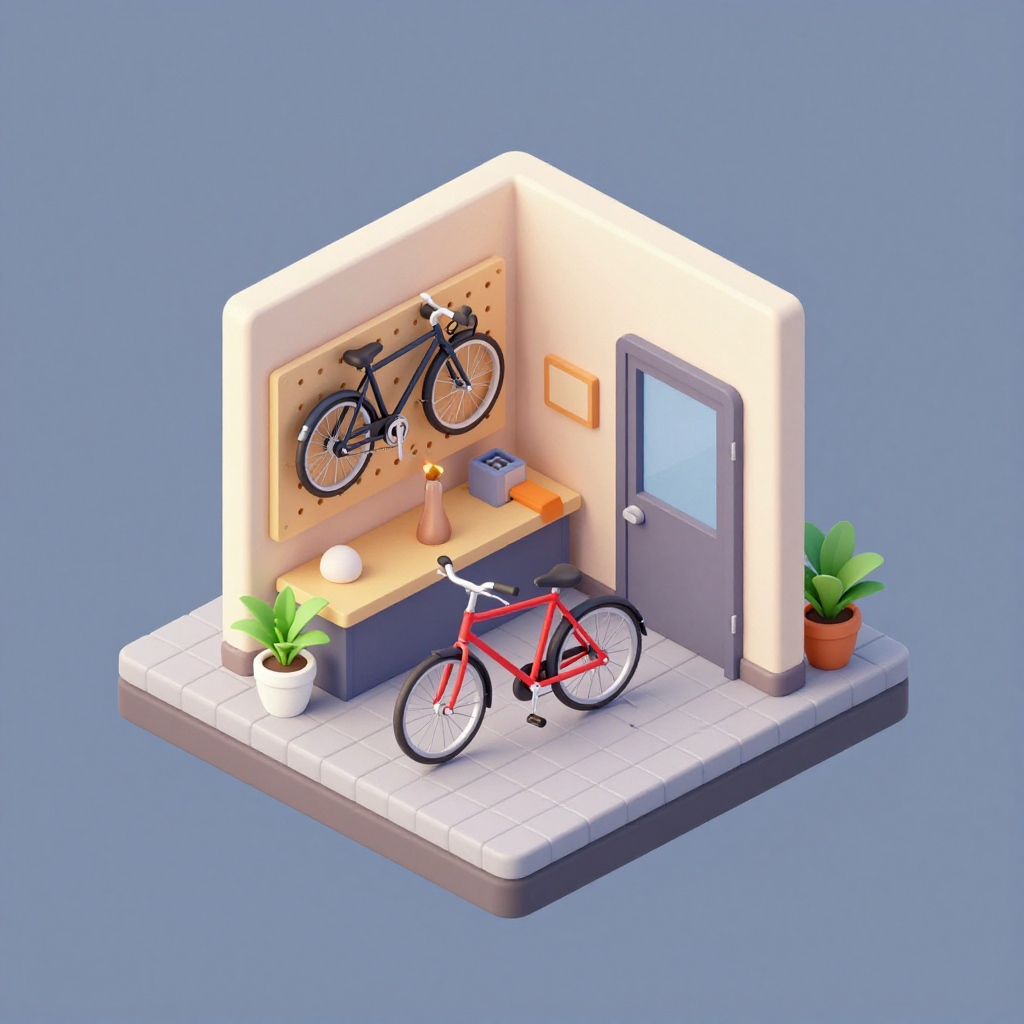
Isometric 3D on Z-Image Turbo for 0.25 credits.
Isometric 3D illustration of a tiny bicycle repair shop on a floating square of pavement, wheels hanging on a pegboard, a red bike on a stand, potted plants by the door, soft pastel colors, clean shading.
A 5 second clip on WAN 3.0 with lapping water and echoing drips.
Slow push into a sea cave lit by dozens of floating paper lanterns, turquoise water lapping against dark rock, reflections dancing on the cave ceiling, echoing drips and soft waves.
One diving bell on three open model families, then an edit
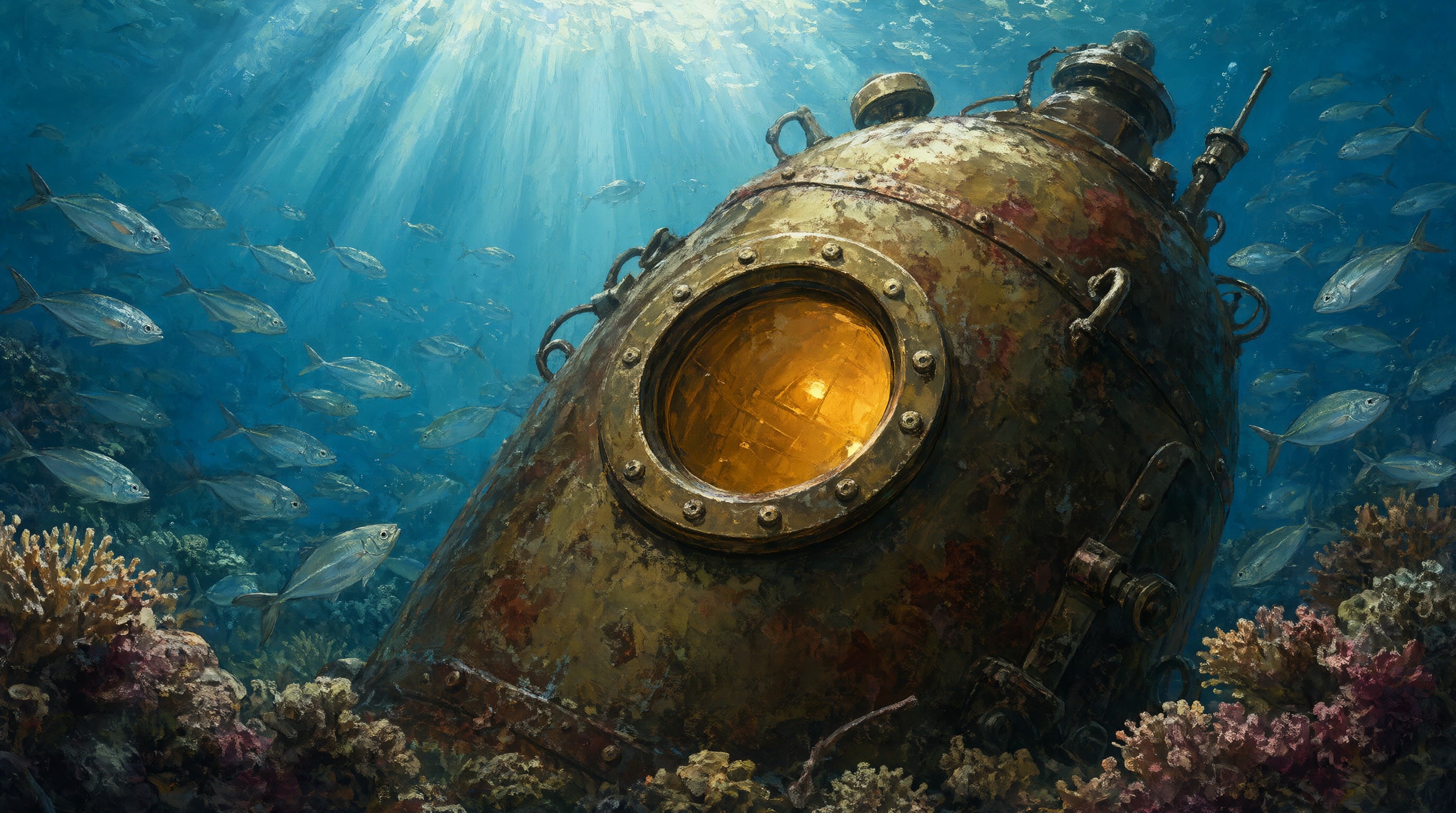
We ran one concept art prompt on Qwen Image 2.1, Z-Image Turbo and WAN 2.7 Pro at 16:9, then asked Qwen Image 2 Edit to add a sea turtle to the Qwen result with nothing but words. Each tile lists its credits.
Concept art of a rusted brass diving bell resting on a coral reef, shafts of sunlight cutting down through blue water, schools of silver fish circling it, a porthole glowing amber from inside, painterly detail.
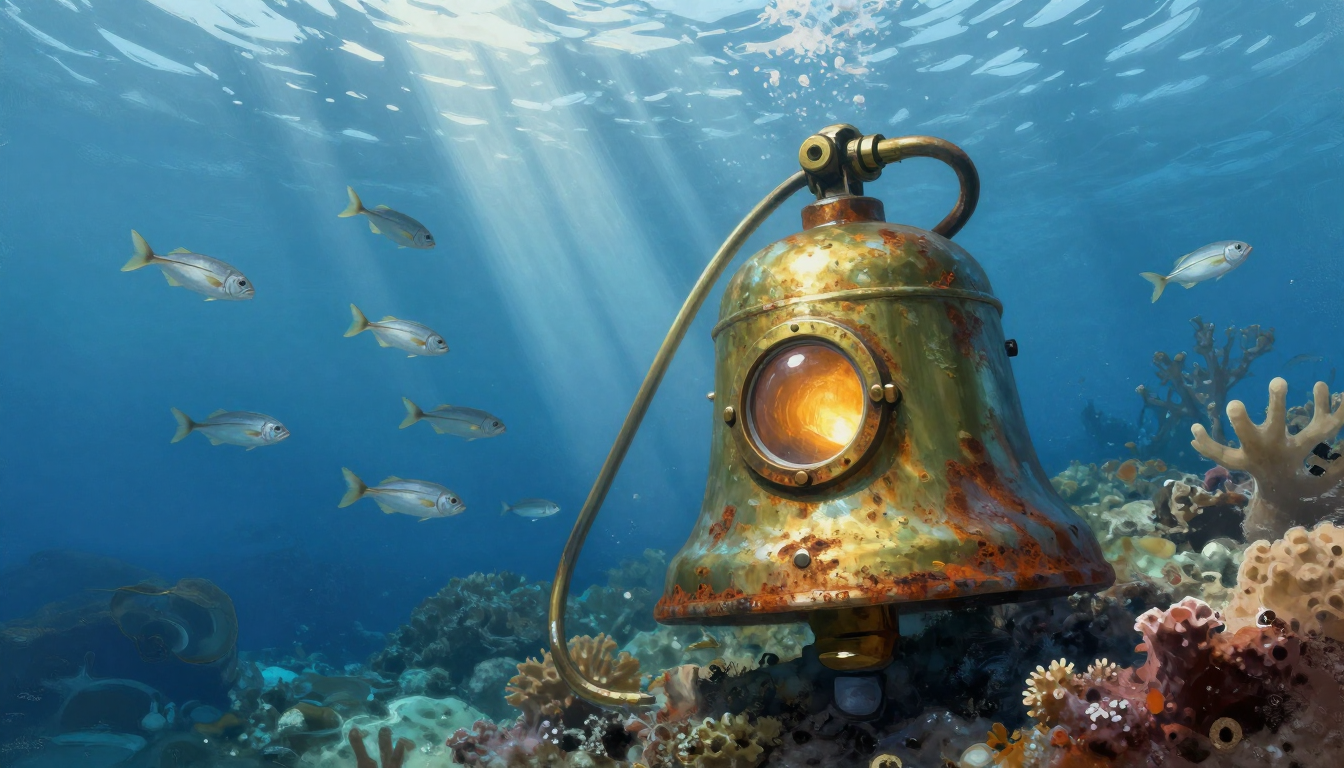
Concept art of a rusted brass diving bell resting on a coral reef, shafts of sunlight cutting down through blue water, schools of silver fish circling it, a porthole glowing amber from inside, painterly detail.

Concept art of a rusted brass diving bell resting on a coral reef, shafts of sunlight cutting down through blue water, schools of silver fish circling it, a porthole glowing amber from inside, painterly detail.
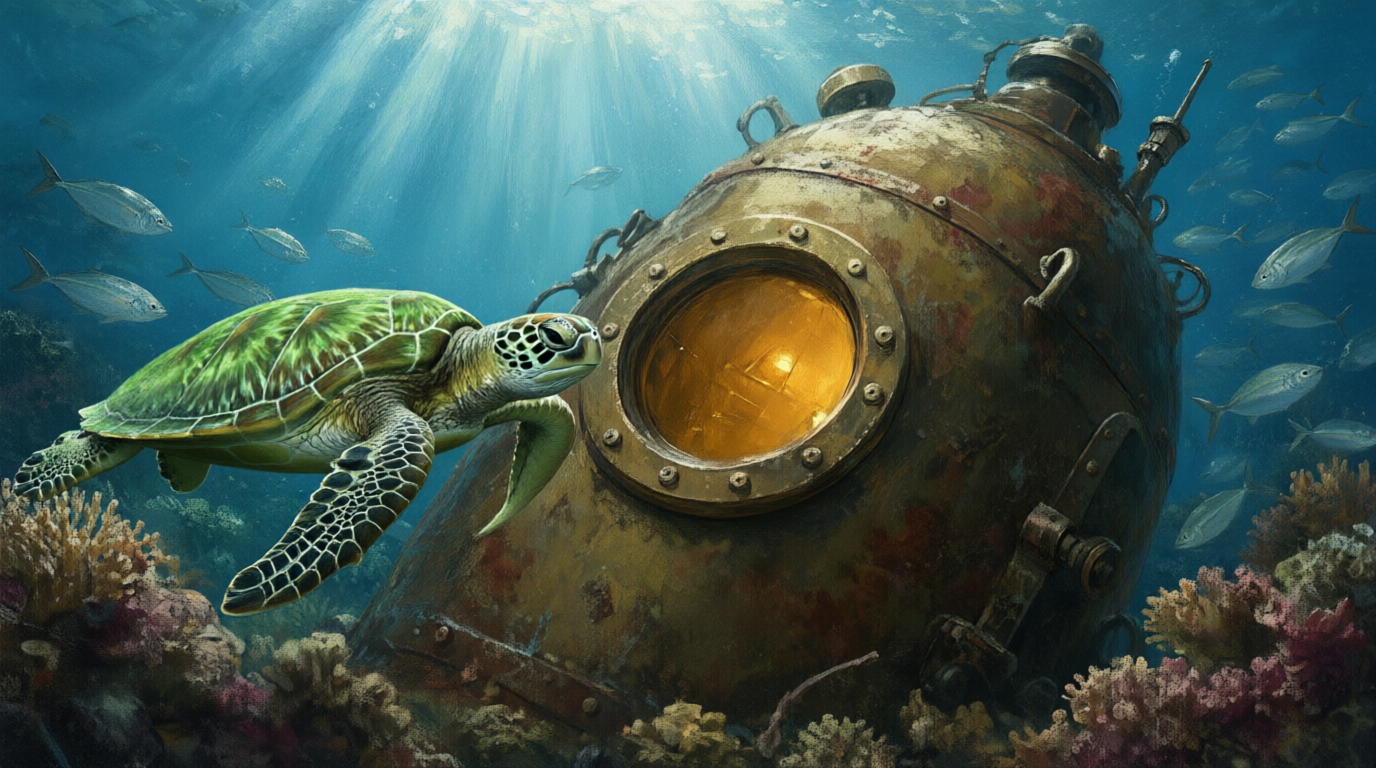
Add a green sea turtle swimming past the diving bell on the left side, in the same painterly style and light. Keep the diving bell, the coral, the fish and the colors exactly as they are.
- Each family read diving bell its own way: Qwen as a heavy capsule, Z-Image as a literal bell, WAN as a storybook sphere.
- WAN 2.7 Pro went furthest from realism, with a hand drawn look and a paper edge that suits book and card art.
- The edit added a turtle in the same painted style and left the bell, coral, fish and light where they were, with no mask drawn.
- Z-Image Turbo cost 0.25 credits and the edit 0.5, so testing ideas this way costs very little.
Diffus plans vs Pixel Dojo
Diffus figures come from its home and pricing pages, read on October 15, 2026, at monthly billing.
| At a glance | Diffus | Pixel Dojo |
|---|---|---|
| Plans | Teaser $1, Basic $18 and $12, Plus $36 and $24, Pro $72 and $48 a month (two prices shown per plan) | Lite $10 a month for 160 credits, Pro $25 for 500 credits, Pro Max $50 for 1,100 credits |
| Models | 70,000+ user uploaded checkpoints, LoRAs and embeddings; Flux from Plus up | Qwen Image 2.1, Z-Image Turbo, WAN 2.7, FLUX 2 Dev and FLUX 3 Image next to Seedream 5, Nano Banana 2.1 and GPT Image 2.5 |
| Editing | ControlNet, ADetailer and inpainting | Prompt based editing on Qwen Image 2 Edit, Nano Banana and FLUX Kontext, plus upscalers |
| Your own models | Private model upload from Plus up; finetuning on Pro | LoRA trainers for FLUX, Qwen, WAN and Z-Image |
| Video | Video generation from Plus up | WAN 3.0, Seedance 2.5, Veo 3.1 and Kling 3.0 with sound |
Deep dive: why prompt editing replaced masks for most jobs
Stable Diffusion WebUIs grew up around control: pick a checkpoint, set a sampler, draw an inpainting mask, add a ControlNet. That power is real, and so is the time it takes to learn.
Newer open models changed the trade. Qwen Image 2.1 and its edit model follow plain sentences closely, so "add a sea turtle on the left and keep everything else" does the work a mask used to do. Our turtle edit above came back on the first try.
When you need a fixed look, a LoRA is still the answer. We train them on FLUX, Qwen, WAN and Z-Image, and the same models also run in the public API with docs generated from each model's spec.
Why Diffus users switch to Pixel Dojo
Unlimited on every plan
On every paid plan, Relax runs Qwen Image 2.1, FLUX 3 Image Klein and MiniMax H3 Turbo, plus every video and photo effect, unlimited with no credits spent.
Sensei, the AI director
Describe a project and Sensei plans it, prices it, waits for your approval and reviews every take.
One job AI tools
35 single purpose tools each do one edit from an upload: remove a watermark, an object or text, restore and colorize an old photo, swap a background, retouch a portrait or make a thumbnail.
Photo effects
45+ photo effects restyle a picture in one click, from a hand painted anime still to a boxed action figure or a magazine cover, and every one starts from your own upload.
Character Studio
Save a face once and call it by @name in any prompt, so the same person shows up in every image and clip.
Credits that roll over
Your credits roll over while you stay subscribed, so nothing you pay for disappears at the end of the month.
Every top model, plus an API
More than 80 image and 60 video models in one account, with a public API and a hosted MCP server for your own apps and AI assistants.
Pixel Dojo pricing for open model work
Plans are Lite $10 a month for 160 credits, Pro $25 for 500 credits, Pro Max $50 for 1,100 credits. Every plan includes every model and commercial use. Credits roll over while you stay subscribed.
In our test Qwen Image 2.1 and WAN 2.7 Pro cost 1.5 credits an image, Z-Image Turbo 0.25 and the edit 0.5.
Under our refund policy, a first purchase can be refunded within 7 days, in full if under 20% of the credits are used and pro-rated after that.
Diffus questions
What is a good Diffus alternative?
Pixel Dojo runs open image families like Qwen Image 2.1, Z-Image Turbo, WAN 2.7 and FLUX 2 Dev as simple prompt boxes, with prompt based editing, LoRA trainers and video on the same plan.
How much does Diffus cost?
Diffus lists Teaser at $1 a month with 30 credits a day, and Basic, Plus and Pro with 3,000, 12,000 and 36,000 credits a month, each shown at two prices: $18 and $12, $36 and $24, $72 and $48.
Are images on the Diffus Teaser plan public?
Yes. Diffus's pricing page says Teaser images are public and private generation starts on Basic.
Can I inpaint without drawing a mask?
Yes. On Qwen Image 2 Edit you describe the change in words. In our test it added a sea turtle and kept the rest of the scene intact for 0.5 credits.
Can I train a LoRA on Pixel Dojo?
Yes. Pixel Dojo has LoRA trainers for FLUX, Qwen, WAN and Z-Image, so you can teach a model your style, product or character.
Switch from Diffus to Pixel Dojo today
Write a prompt above or start from any example on this page. One plan covers every top model, six studios and Sensei, and your credits roll over.
Start with Qwen Image 2.1Sources
Facts about Diffus come from these public pages, checked on Oct 15, 2026. Prices and plans change; check the source before you buy.