FitRoom alternative
FitRoom alternative: try the outfit on, then watch it move
Pixel Dojo dresses your model in your garment on four image editors side by side, then turns the best one into a short clip, with the credit price shown before every click.
FitRoom is a focused try-on app: upload a garment and a photo, get the outfit on the person. We ran that exact job here with one flat lay dress and one studio model photo, then took it one step further than a still.
30 credits ($1.88) per 5 s clip at 720p with audio. Included in every plan, from $10/month.
Already a member? Sign in
By Brian Lovett · Updated
FitRoom alternative: quick answers
What does FitRoom do?
FitRoom, from SilverAI JSC, puts a garment photo onto a model photo with AI. It offers ready made models or your own photo, runs on the web, iOS and Android, and sells a separate Try-On API.
What does FitRoom cost?
The FitRoom pricing page lists a Free plan with 10 credits a month and paid Standard and Pro plans billed yearly. Its iPhone app lists in-app purchases from $4.99 a week and $29.99 to $39.99 a year.
What does the free plan leave out?
FitRoom Free caps you at 10 wardrobe items and 10 custom models, uses standard photo quality and adds a FitRoom watermark. Standard removes the watermark and unlocks unlimited wardrobe items.
What does Pixel Dojo add?
Four try-on capable image editors on one plan, a virtual try-on tool, video models to make the outfit move, commercial use on every plan and a public API.
More catalog shots from the same plan
We made each of these on Pixel Dojo with the prompt shown.
The Nano Banana 2.1 try-on as a first frame on Seedance 2.5. The tie, sleeves and hem stay put as she turns.
She turns slowly on the spot to show the wrap dress from the side, then faces the camera again and smiles, the linen skirt swinging softly, plain grey studio, soft footsteps and quiet room tone.
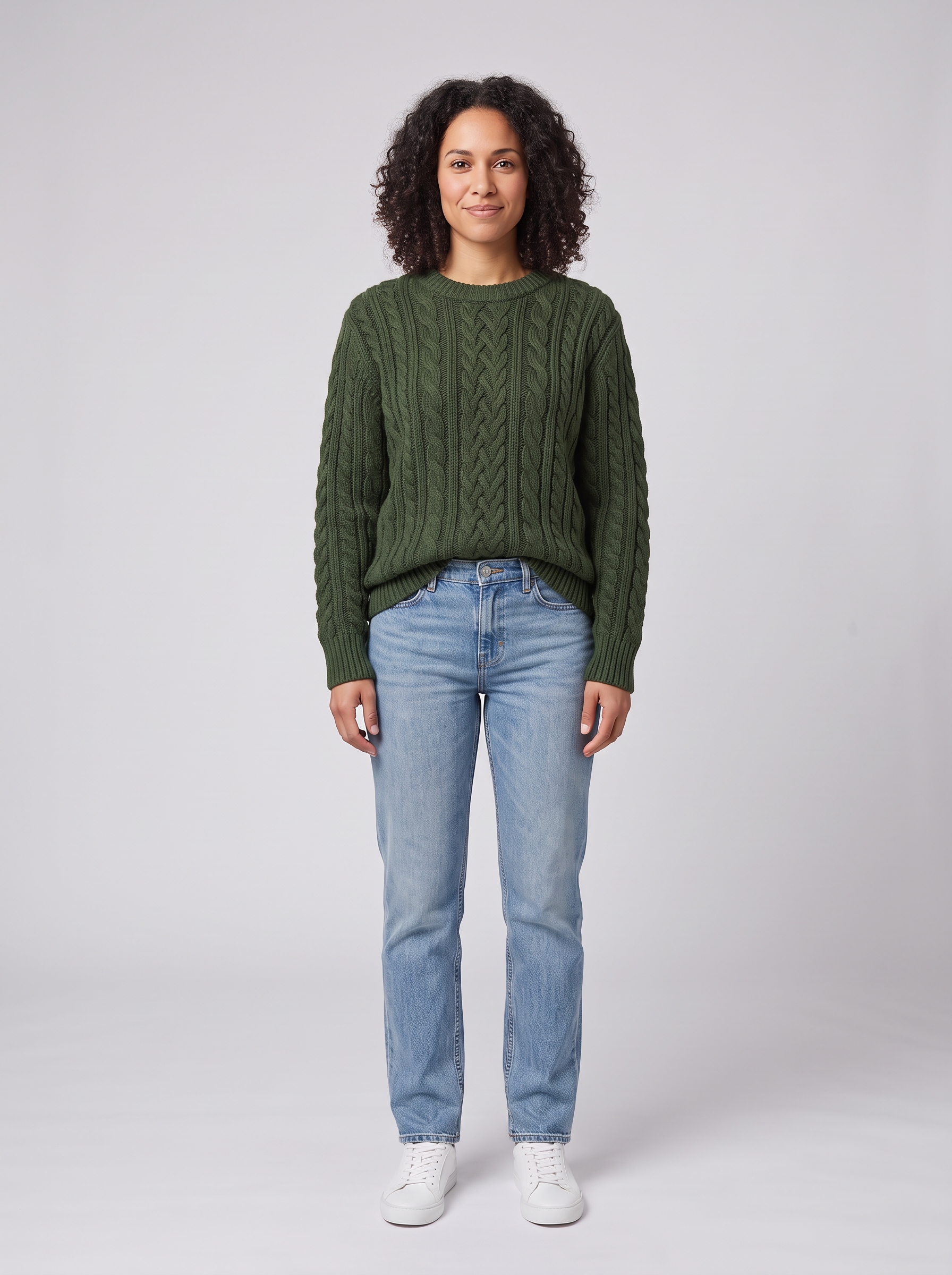
A second garment on the same model: the knit from the flat lay below, dressed on Nano Banana 2.1 for 1.5 credits.
Dress the woman from the first image in the exact forest green cable knit sweater from the second image, worn over her light blue jeans with the hem slightly tucked at the front. Keep her face, curly hair, pose, white sneakers and the light grey studio background unchanged. Realistic knit texture and soft shadows.
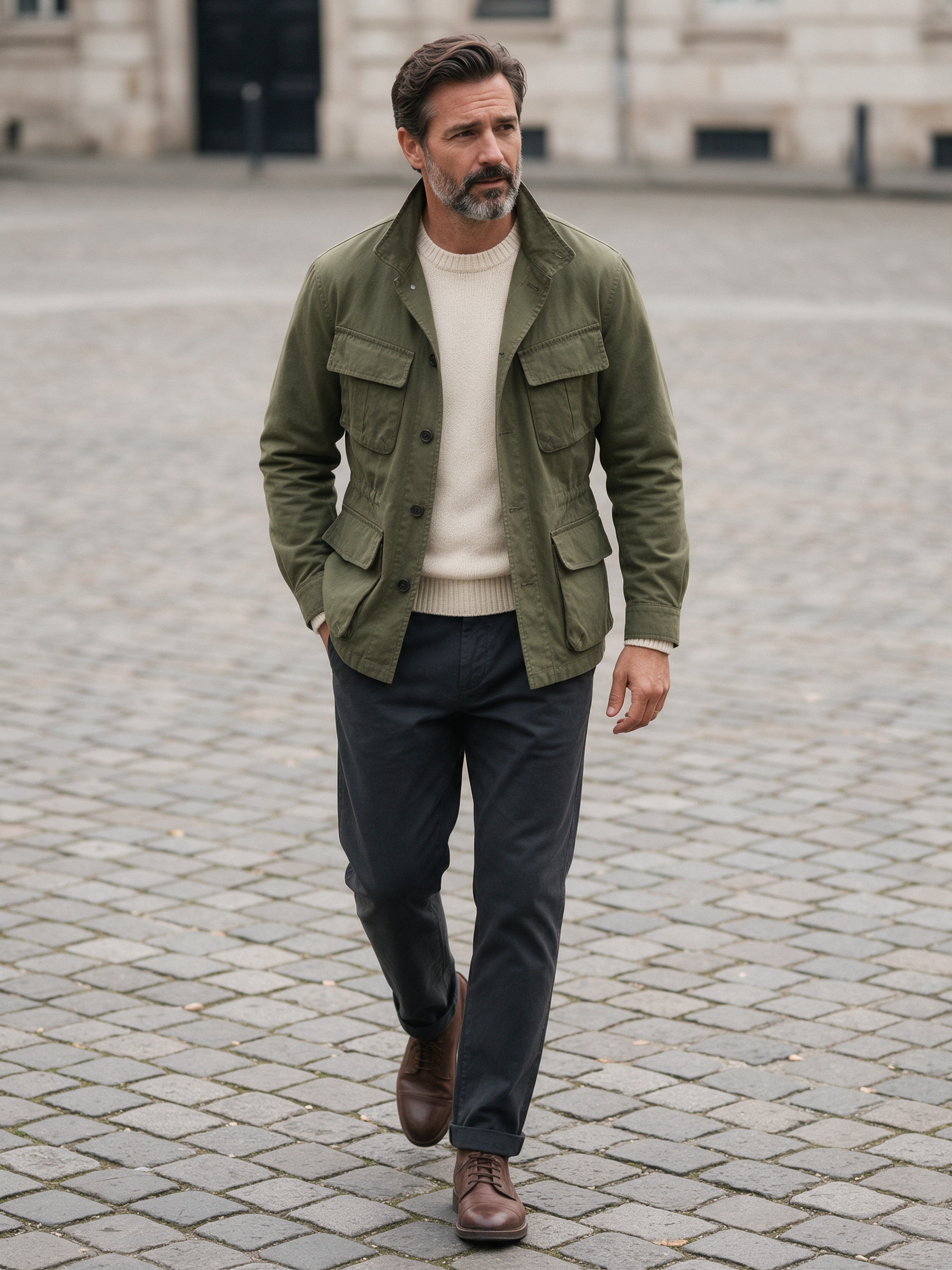
A menswear lookbook frame on Seedream 5 for 2.5 credits.
Menswear lookbook photo of a man in his forties with a salt and pepper beard wearing an olive cotton field jacket over a cream knit sweater and dark chinos, walking across a cobblestone square in soft overcast light, full body, 50mm lens.
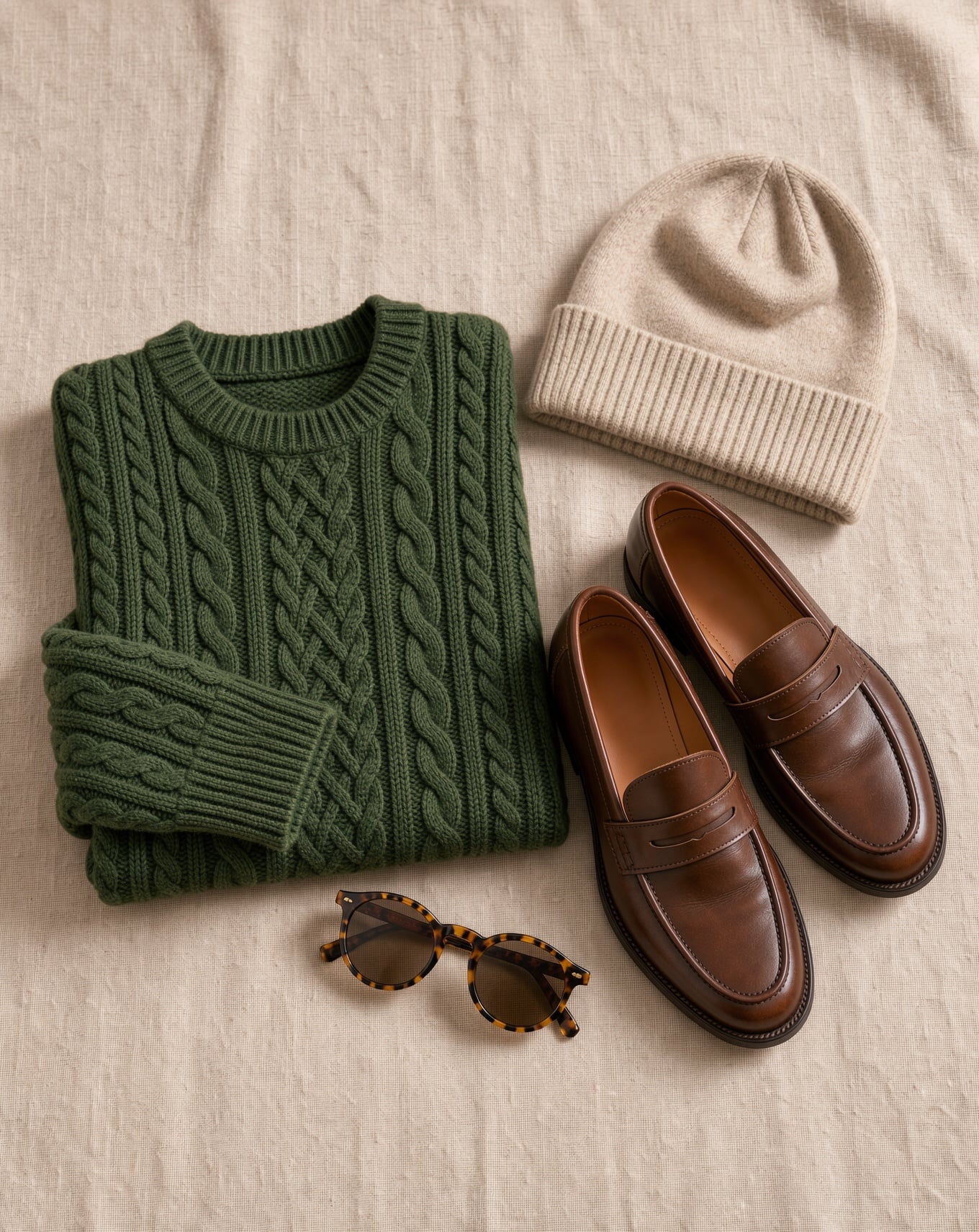
A flat lay on FLUX 3 Image for 1 credit, the kind of garment shot you would feed into a try-on.
Fashion catalog flat lay of a folded forest green cable knit sweater beside brown leather loafers, a wool beanie and round tortoiseshell sunglasses on warm beige linen, top down, soft daylight, crisp fiber detail.
One dress, one model, four AI editors
We made the flat lay and the model photo on Nano Banana 2.1, then gave both images and the same instruction to four editors: dress her in this exact dress and change nothing else. Each tile shows its settings and credits.
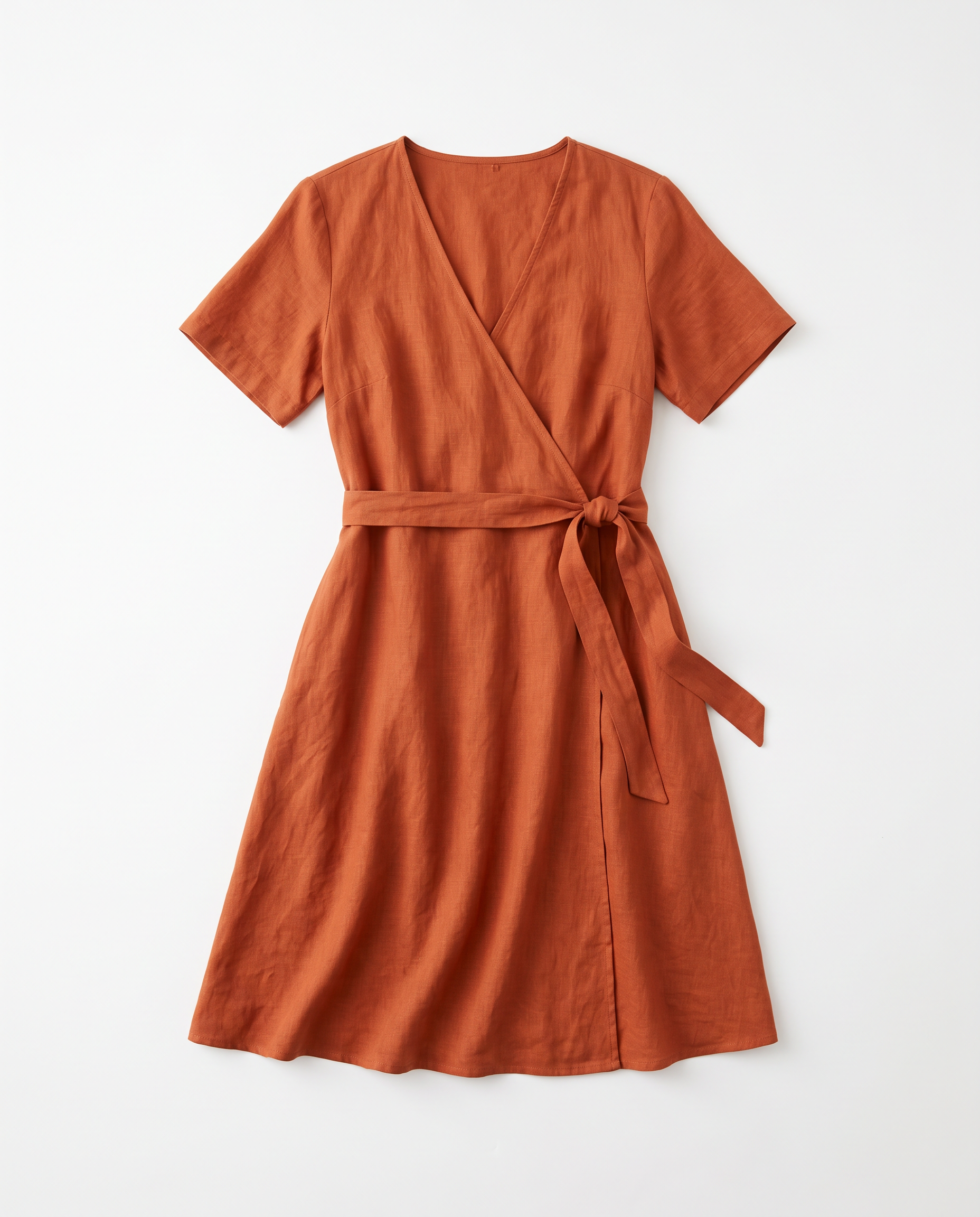
Ecommerce flat lay of a rust orange linen wrap dress with short sleeves and a tie waist, laid out neatly on a seamless white background, top down view, soft even light, linen texture visible, no hanger, no person.
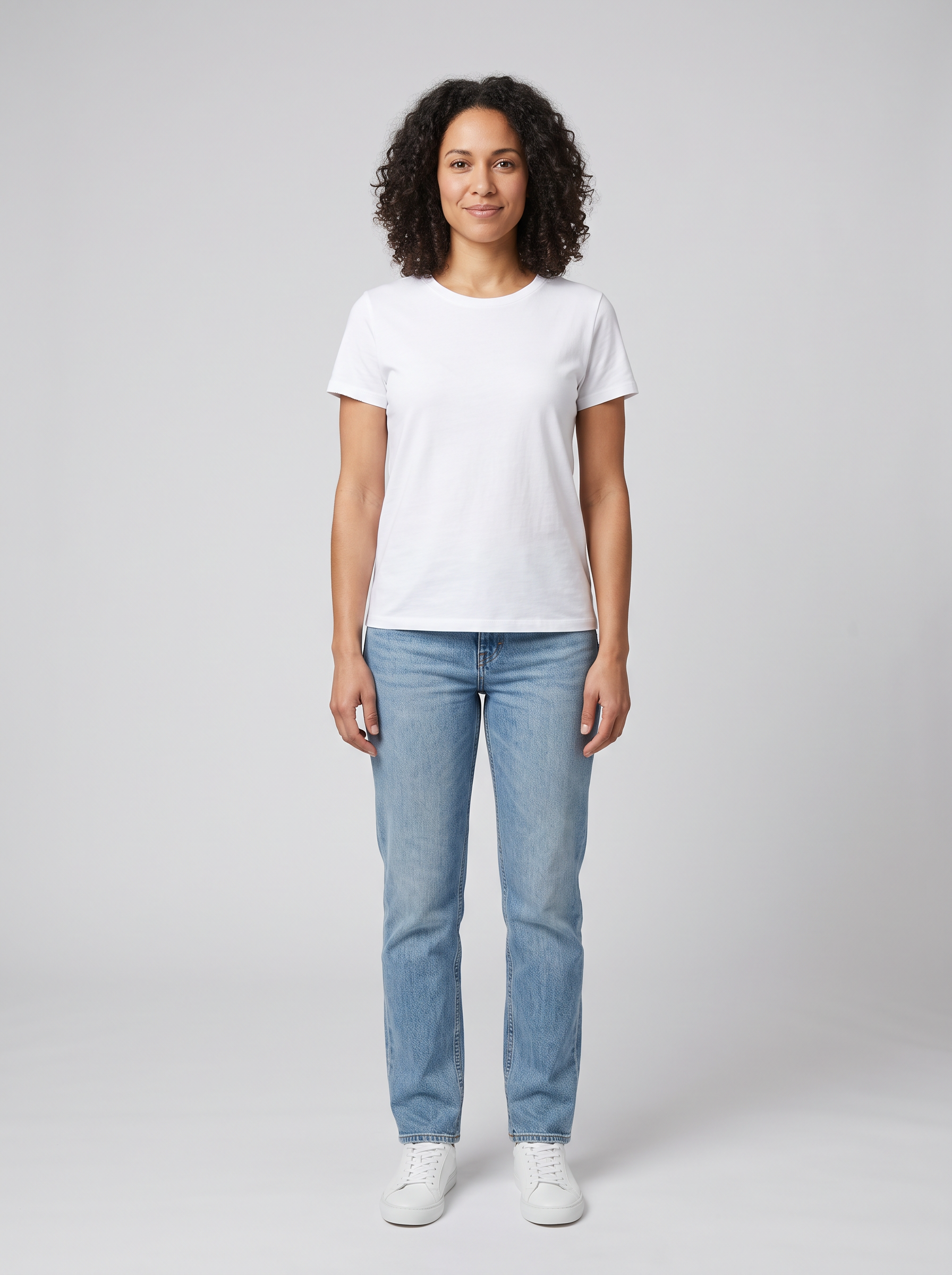
Full body studio photo of a woman in her thirties with shoulder length dark curly hair, wearing a plain white t-shirt, light blue jeans and white sneakers, standing straight and facing the camera with relaxed arms, seamless light grey background, soft even light, sharp focus.
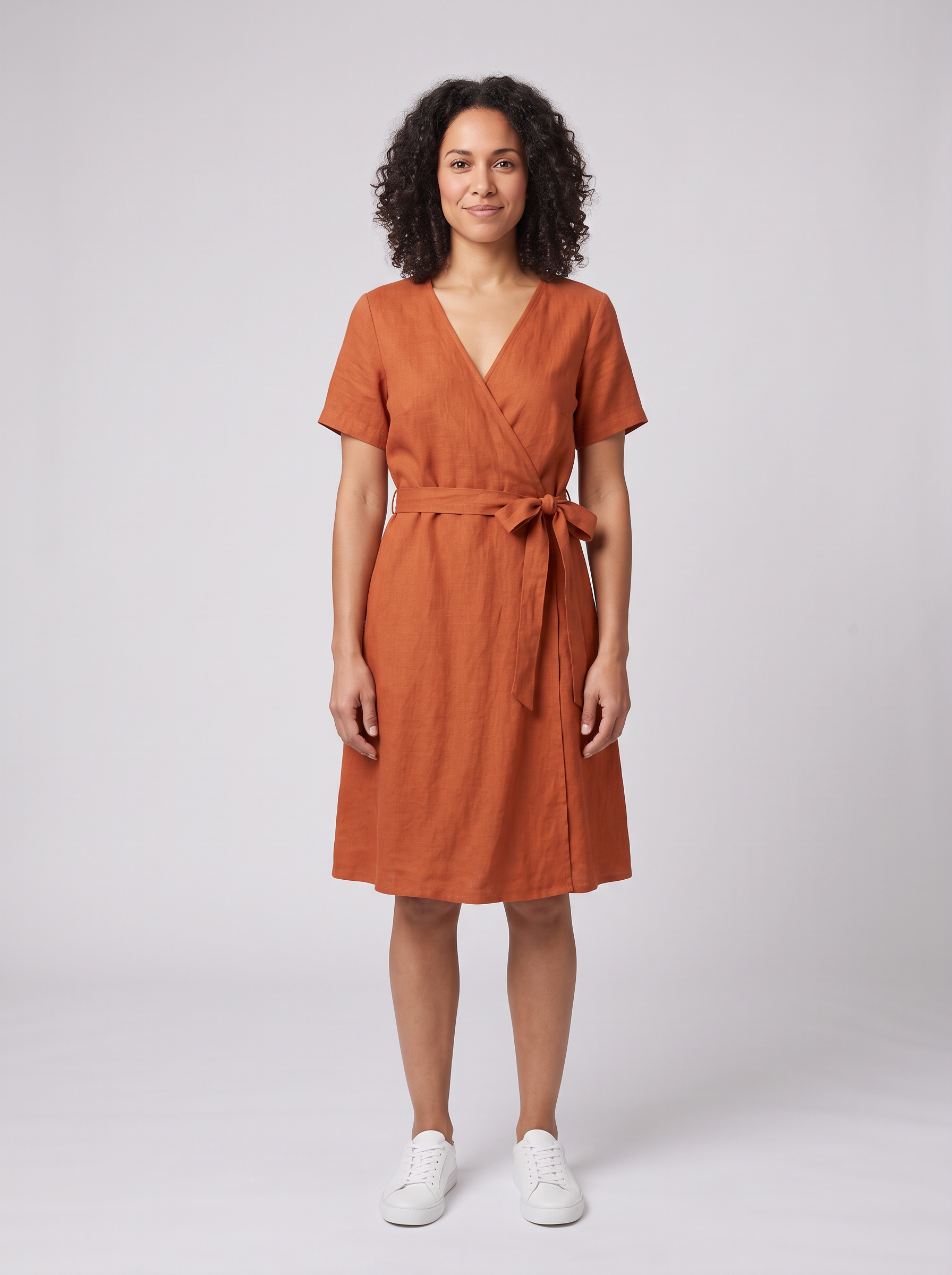
Dress the woman from the first image in the exact rust orange linen wrap dress from the second image. Keep her face, curly hair, pose, white sneakers and the light grey studio background unchanged. The dress should fit her naturally, tied at the waist, with soft linen creases and realistic shadows.
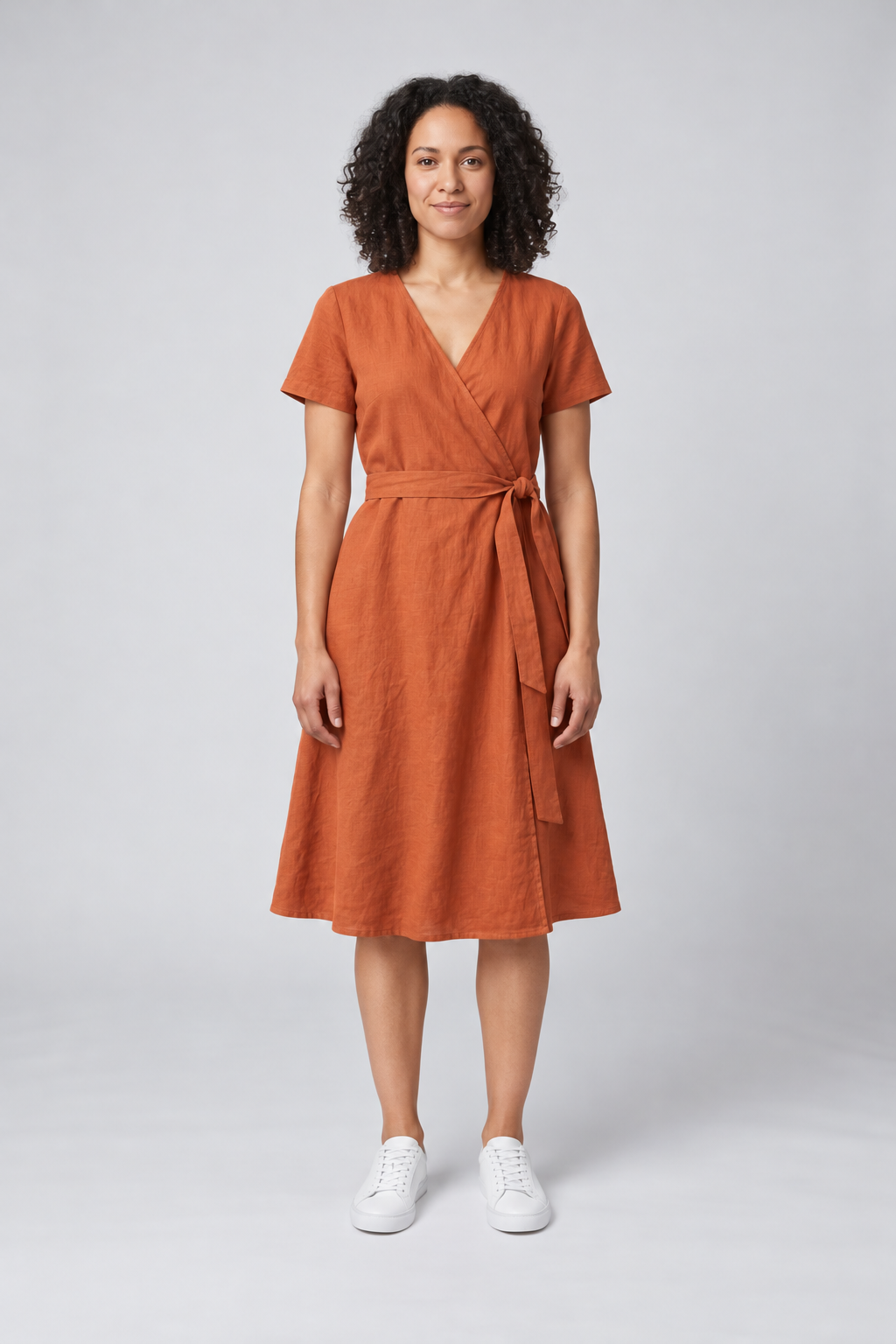
Dress the woman from the first image in the exact rust orange linen wrap dress from the second image. Keep her face, curly hair, pose, white sneakers and the light grey studio background unchanged. The dress should fit her naturally, tied at the waist, with soft linen creases and realistic shadows.
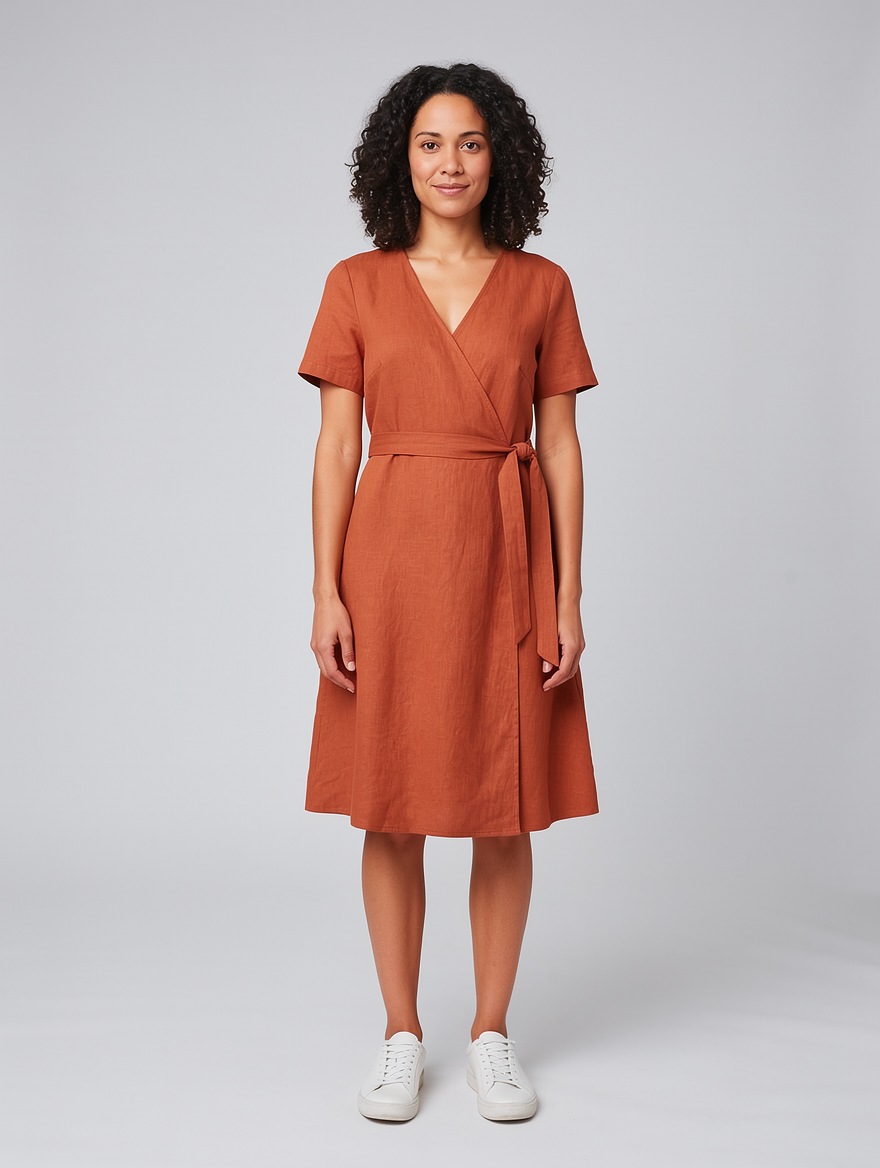
Dress the woman from the first image in the exact rust orange linen wrap dress from the second image. Keep her face, curly hair, pose, white sneakers and the light grey studio background unchanged. The dress should fit her naturally, tied at the waist, with soft linen creases and realistic shadows.
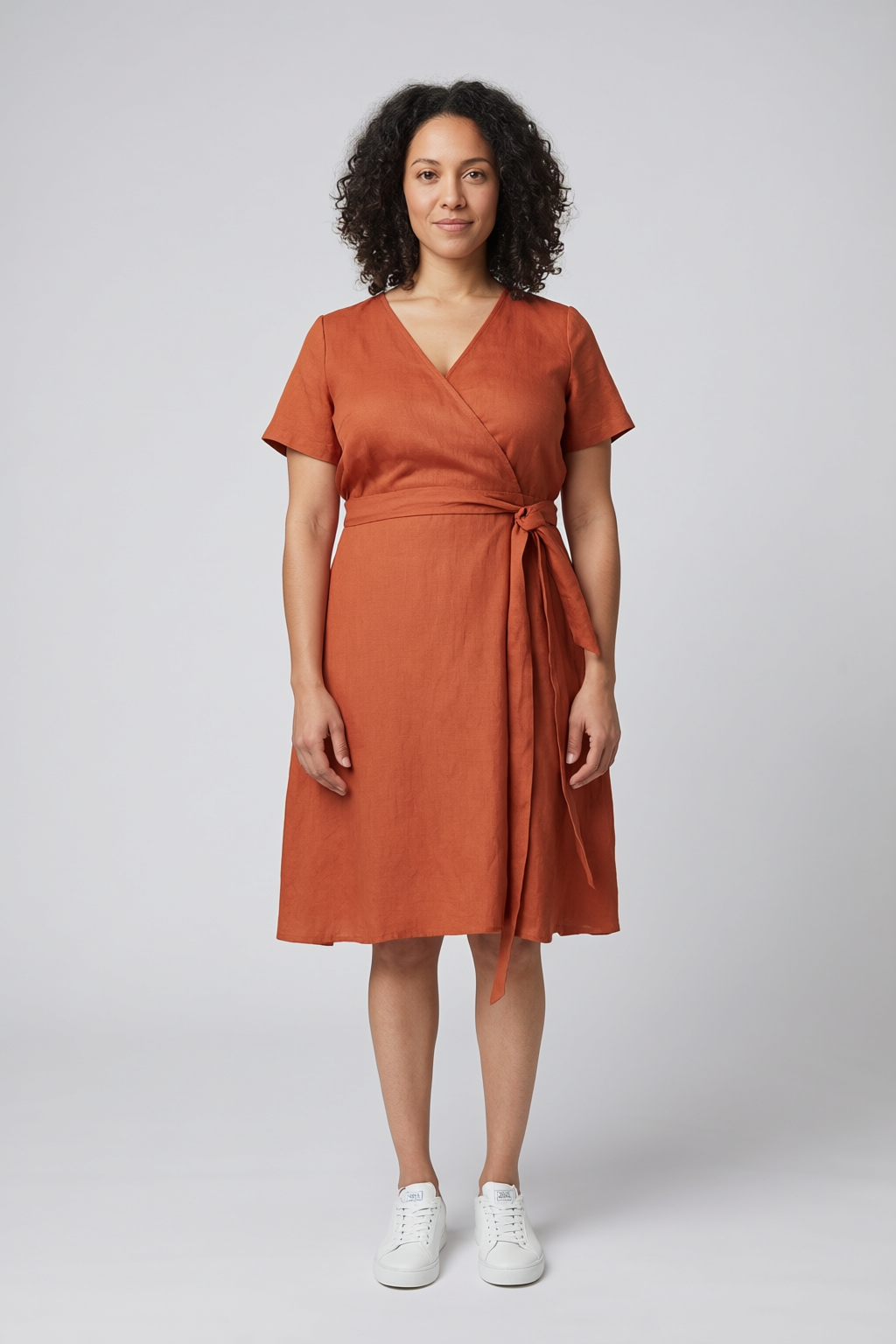
Dress the woman from the first image in the exact rust orange linen wrap dress from the second image. Keep her face, curly hair, pose, white sneakers and the light grey studio background unchanged. The dress should fit her naturally, tied at the waist, with soft linen creases and realistic shadows.
- All four kept her face, curls, white sneakers, pose and the grey studio, and swapped only the clothes, which is the whole job of a try-on.
- Nano Banana 2.1 tied the crispest bow and stayed closest to the flat lay, for 1.5 credits.
- GPT Image 2.5 gave the most natural linen drape and a slightly longer hem, for 2.5 credits.
- FLUX 2 Pro and Qwen Image 2 Edit each cost 1.5 credits.
FitRoom plans vs Pixel Dojo
Everything in the FitRoom column comes from its pricing page, home page and App Store listing, read on October 15, 2026.
| At a glance | FitRoom | Pixel Dojo |
|---|---|---|
| Plans | Free with 10 credits a month; Standard and Pro billed yearly; iPhone app from $4.99 a week or $29.99 a year | Lite $10 a month for 160 credits, Pro $25 for 500 credits, Pro Max $50 for 1,100 credits |
| Try-on engines | One FitRoom engine | Nano Banana 2.1, GPT Image 2.5, FLUX 2 Pro and Qwen Image 2 Edit side by side, plus a virtual try-on tool |
| Models to dress | Ready made Women, Men and Elderly models, or your own photo | Your own photo, or a model you generate and save in Character Studio to reuse by @name |
| Video | Not offered | Seedance 2.5, Kling 3.0, Veo 3.1 and WAN 3.0 turn a try-on into a clip |
| API | Separate Try-On API with its own pricing | One public API for every model, with API credit packs from $5 and a hosted MCP server |
Deep dive: a try-on that holds up
Start with two clean inputs. A flat lay on plain white gives the editor the full garment with nothing in the way, and a front facing, full body model photo on a plain background leaves room for the new clothes. FitRoom gives its users the same advice.
Name the garment and list what must not change. Our instruction named the face, hair, pose, sneakers and background, and every one of the four editors kept them.
Then move it. We gave the Nano Banana 2.1 result to Seedance 2.5 as a first frame and asked for a slow turn, which shows the side and back of the dress the way a product page video would.
Why FitRoom users switch to Pixel Dojo
Unlimited on every plan
On every paid plan, Relax runs Qwen Image 2.1, FLUX 3 Image Klein and MiniMax H3 Turbo, plus every video and photo effect, unlimited with no credits spent.
Sensei, the AI director
Describe a project and Sensei plans it, prices it, waits for your approval and reviews every take.
One job AI tools
35 single purpose tools each do one edit from an upload: remove a watermark, an object or text, restore and colorize an old photo, swap a background, retouch a portrait or make a thumbnail.
Photo effects
45+ photo effects restyle a picture in one click, from a hand painted anime still to a boxed action figure or a magazine cover, and every one starts from your own upload.
Character Studio
Save a face once and call it by @name in any prompt, so the same person shows up in every image and clip.
Credits that roll over
Your credits roll over while you stay subscribed, so nothing you pay for disappears at the end of the month.
Every top model, plus an API
More than 80 image and 60 video models in one account, with a public API and a hosted MCP server for your own apps and AI assistants.
What virtual try-on costs on Pixel Dojo
Plans are Lite $10 a month for 160 credits, Pro $25 for 500 credits, Pro Max $50 for 1,100 credits. Every plan includes every model and commercial use. Credits roll over while you stay subscribed.
Each try-on in our test cost between 1.5 and 2.5 credits, and the turning clip cost 30 credits.
Under our refund policy, a first purchase can be refunded within 7 days, in full if under 20% of the credits are used and pro-rated after that.
FitRoom questions
What is a good FitRoom alternative?
Pixel Dojo dresses a model in your garment on Nano Banana 2.1, GPT Image 2.5, FLUX 2 Pro or Qwen Image 2 Edit and animates the result on Seedance 2.5, with plans from $10 a month.
Is FitRoom free?
FitRoom has a Free plan with 10 credits a month, up to 10 wardrobe items and a FitRoom watermark. Paid Standard and Pro plans are billed yearly.
Which AI is best for virtual try-on?
In our test all four editors kept the person and swapped the dress. Nano Banana 2.1 matched the garment most closely and GPT Image 2.5 draped the fabric most naturally.
Can I make a video of the outfit?
Yes. Use the try-on image as the first frame on Seedance 2.5, Kling 3.0 or Veo 3.1. The turning clip above was made that way.
Can I use try-on images in my store?
Yes. Every Pixel Dojo plan includes commercial use.
Video Effects New
Your first video is free. One photo, one click.
310 ready-made effects, from AI Hug and Earth Zoom In to product spins and listing walkthroughs. Upload a photo and press Generate. No prompt to write, and a free account gets 3 a day.






Switch from FitRoom to Pixel Dojo today
Write a prompt above or start from any example on this page. One plan covers every top model, six studios and Sensei, and your credits roll over.
Start with Seedance 2.5Sources
Facts about FitRoom come from these public pages, checked on Oct 15, 2026. Prices and plans change; check the source before you buy.