AI Ease alternative
AI Ease alternative: one faded snapshot, restored and brought back to life
Pixel Dojo restores an old photo on Nano Banana 2.1, Qwen Image 2 Edit, FLUX 3 Image or GPT Image 2.5, then animates it on Seedance 2.5 or Kling 3.0, with the credit price of every step shown before you click.
AI Ease is a browser photo editor with dozens of one click tools, photo restoration among them. We wanted to follow one photo all the way through here, from a creased print to a moving clip.
30 credits ($1.88) per 5 s clip at 720p with audio. Included in every plan, from $10/month.
Already a member? Sign in
By Brian Lovett · Updated
The case: a creased print from a family album
Restoring a family photo is one of the most common reasons people open a tool like AI Ease. To test it without using anyone's real photo, we generated a stand in: a faded, creased sixties color snapshot of a couple outside a roadside diner, with scratches, dust and a worn white border.
Our goal had three parts. Remove the damage, bring back natural color, and keep the two people, their clothes, the diner sign and the cars exactly as they were.
More photo jobs from the same studio
Each of these was made on Pixel Dojo with the prompt shown on its tile.
The Nano Banana 2.1 restore animated on Seedance 2.5, with sound built in.
The couple outside the diner smile at the camera, the woman leans her head toward the man and laughs, he pats her hand on his arm, a breeze moves her skirt, a car passes slowly behind them, warm summer daylight. Sound: light wind, a distant car and soft laughter.

A pet portrait in oil paint style on Kling Image for 1 credit.
Classical oil painting portrait of a ginger tabby cat wearing a tiny velvet ruff collar, seated on a red cushion, dark museum background, visible brush strokes and craquelure, warm varnish glow.
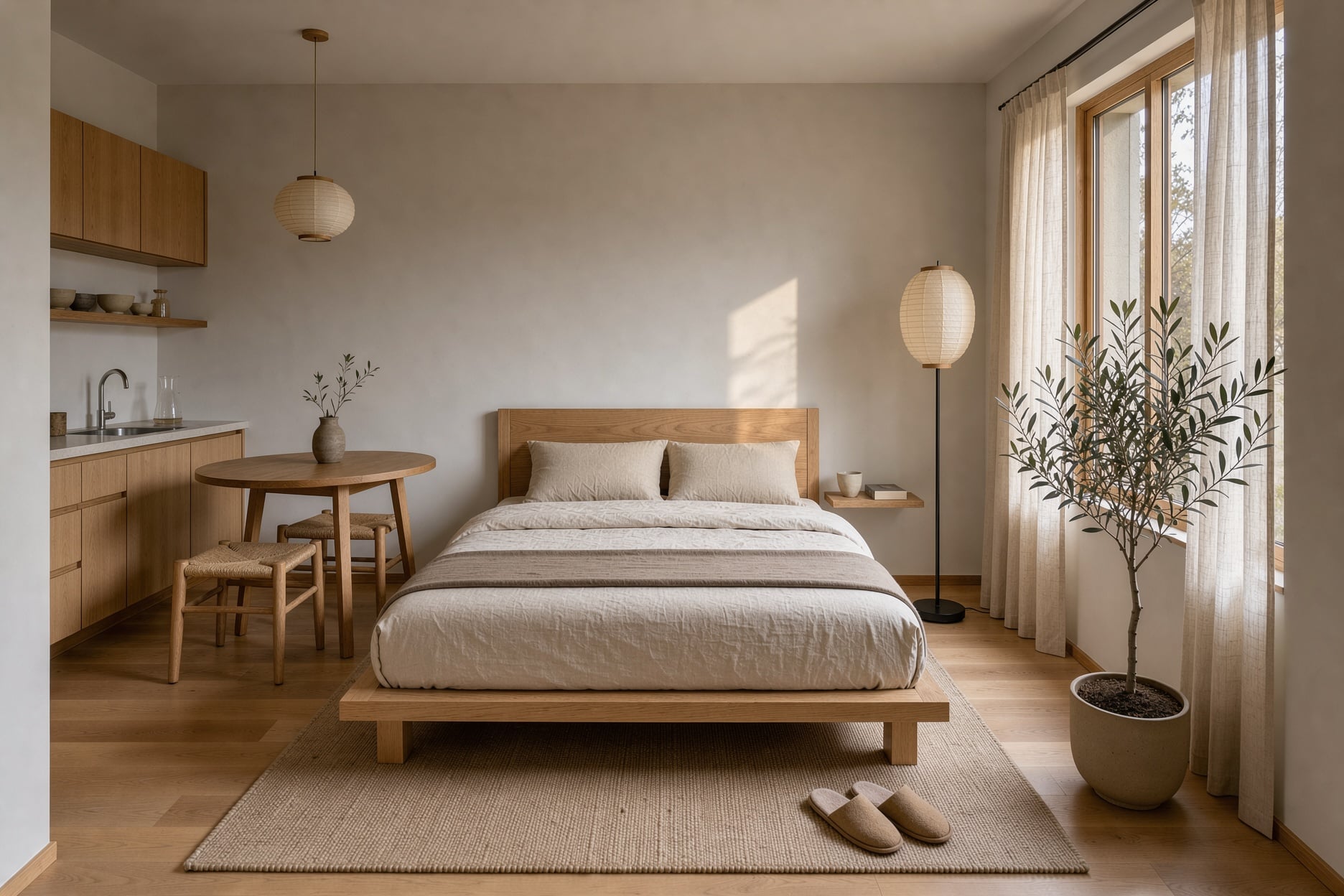
A room restyle on FLUX 3 Image.
Interior photograph of a small studio flat restyled in Japandi style: low oak bed, linen bedding, paper floor lamp, a single olive tree in a ceramic pot, pale plaster walls, soft afternoon light.
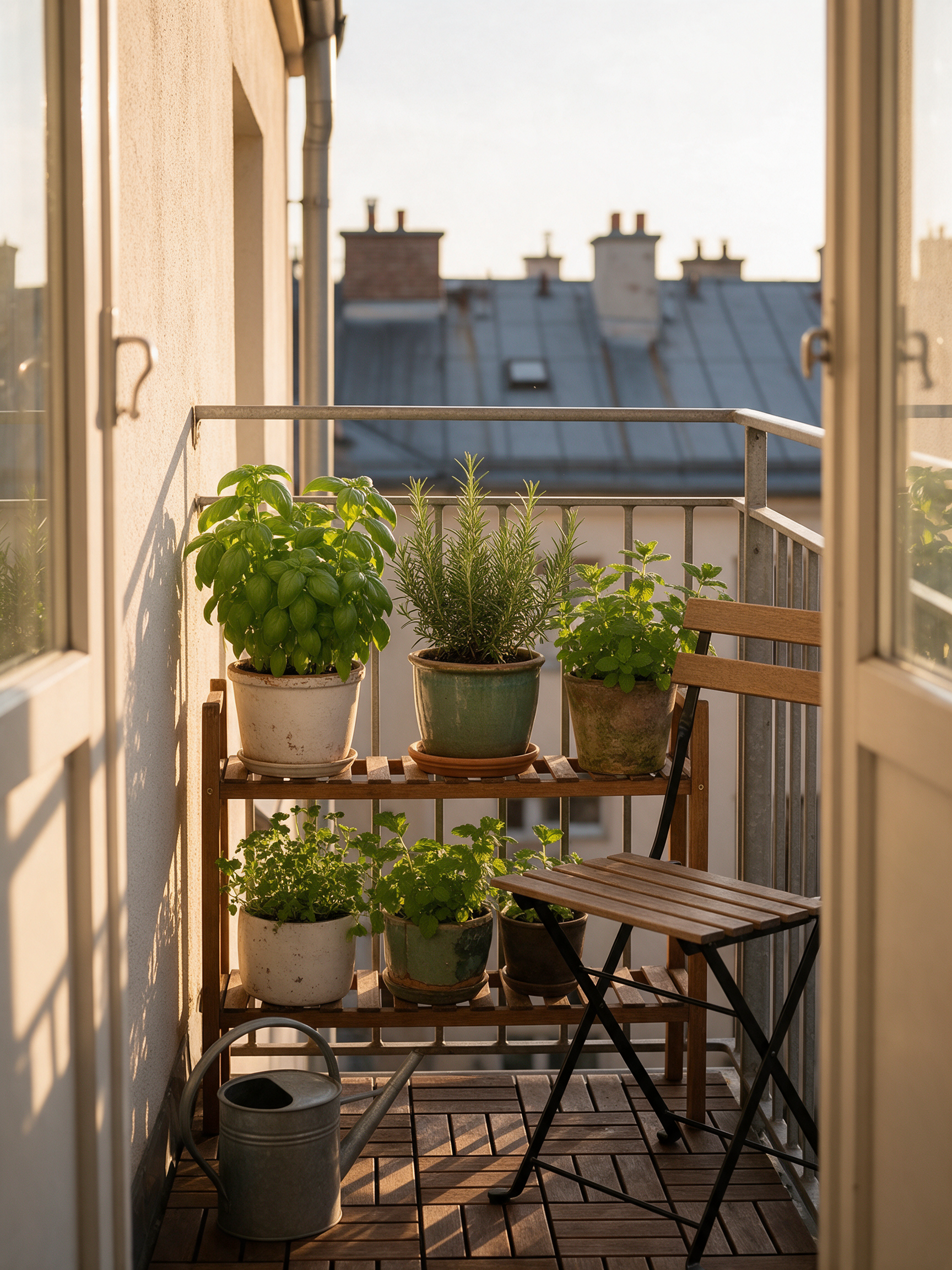
A lifestyle photo on Seedream 5.
Lifestyle photograph of a narrow city balcony turned into a herb garden, basil, rosemary and mint in mismatched pots on a wooden rack, a watering can and a folding chair, golden evening light, rooftops behind.
The same restore brief on four models
We gave all four models the same faded print and the same instruction. Each tile shows the settings and credits it used.
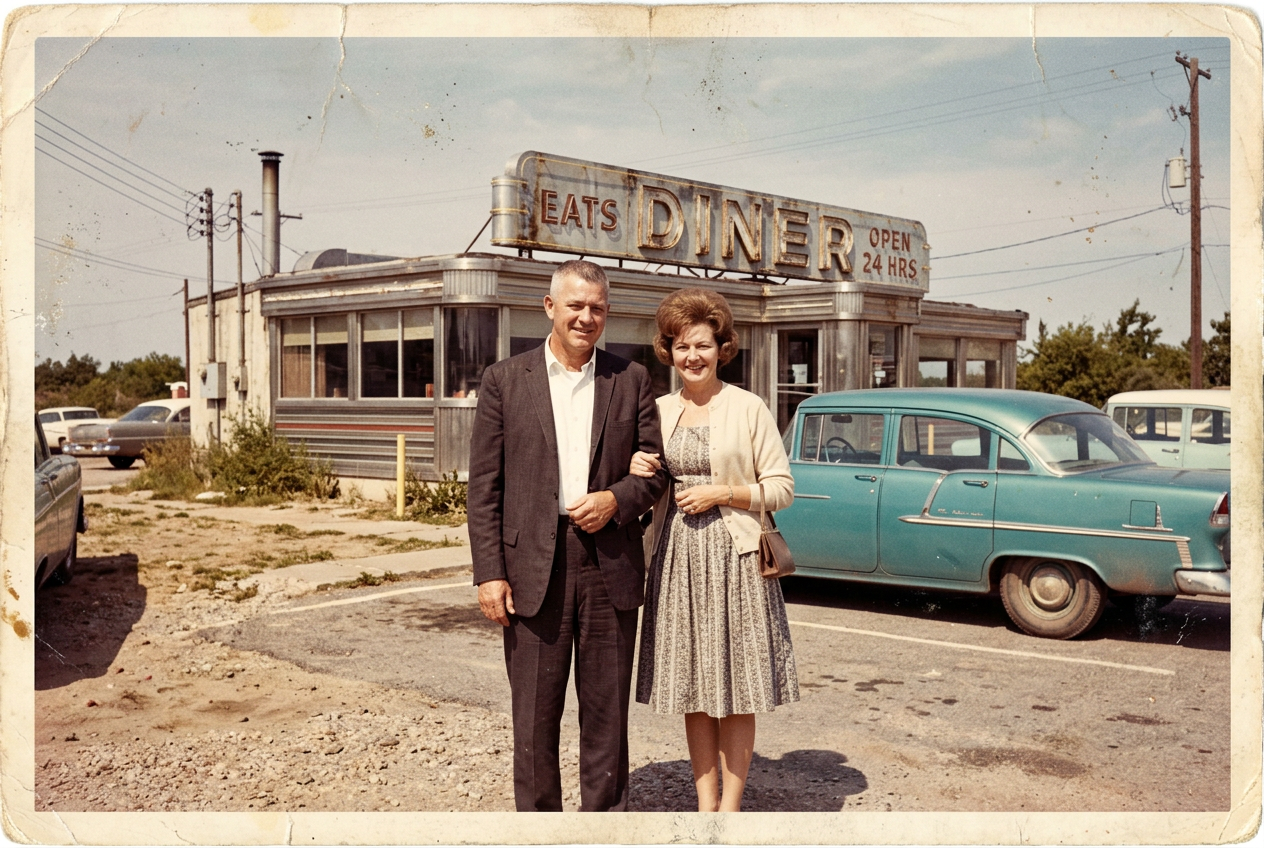
A faded and creased 1960s color snapshot of a middle aged couple standing arm in arm outside a roadside diner with a chrome sign and a turquoise sedan, washed out colors, scratches, dust specks and soft focus, old print look.

Restore this old photograph: remove the creases, scratches, dust and the worn border, bring back natural color and crisp detail, and keep both people, their faces, poses and clothes, the diner, the sign and the cars exactly the same.

Restore this old photograph: remove the creases, scratches, dust and the worn border, bring back natural color and crisp detail, and keep both people, their faces, poses and clothes, the diner, the sign and the cars exactly the same.

Restore this old photograph: remove the creases, scratches, dust and the worn border, bring back natural color and crisp detail, and keep both people, their faces, poses and clothes, the diner, the sign and the cars exactly the same.

Restore this old photograph: remove the creases, scratches, dust and the worn border, bring back natural color and crisp detail, and keep both people, their faces, poses and clothes, the diner, the sign and the cars exactly the same.
- Nano Banana 2.1 was the most faithful: same crop, same faces, every crease gone, for 1.5 credits. We used it for the clip.
- FLUX 3 Image kept the most period feel, a good pick when you want the photo to still look like the sixties.
- GPT Image 2.5 rebuilt the scene in vivid color and widened the frame, which looks striking.
- Seedance 2.5 then animated the Nano Banana 2.1 restore: the couple smile, she leans in and laughs, with wind and street sound.
AI Ease vs Pixel Dojo: terms and tools
Everything in the AI Ease column comes from its pricing and home pages, read on October 15, 2026.
| Question | AI Ease | Pixel Dojo |
|---|---|---|
| How do I pay? | A membership or credit packs, monthly or yearly, with yearly marked 50% off | Lite $10 a month for 160 credits, Pro $25 for 500 credits, Pro Max $50 for 1,100 credits |
| What does a membership unlock? | Unlimited use of image features, except advanced watermark removal, Headshot Pro and video features | Every model and tool on every plan, at the credit price shown on each model page |
| Can I get a refund? | No refunds; free credits are offered to try the tools first | A first purchase can be refunded within 7 days, in full if under 20% of credits are used, pro-rated after that |
| Which video models are there? | Wan 3.0, MiniMax H3, Seedance 2.5, Kling 3.0, Veo 3.1 and more | WAN 3.0, MiniMax H3, Seedance 2.5, Kling 3.0, Veo 3.1 and more |
| Can I build with it? | Browser tools and templates | Public API with docs generated from each model's spec, a hosted MCP server, and API credit packs from $5 |
Why AI Ease users switch to Pixel Dojo
Unlimited on every plan
On every paid plan, Relax runs Qwen Image 2.1, FLUX 3 Image Klein and MiniMax H3 Turbo, plus every video and photo effect, unlimited with no credits spent.
Sensei, the AI director
Describe a project and Sensei plans it, prices it, waits for your approval and reviews every take.
One job AI tools
35 single purpose tools each do one edit from an upload: remove a watermark, an object or text, restore and colorize an old photo, swap a background, retouch a portrait or make a thumbnail.
Photo effects
45+ photo effects restyle a picture in one click, from a hand painted anime still to a boxed action figure or a magazine cover, and every one starts from your own upload.
Character Studio
Save a face once and call it by @name in any prompt, so the same person shows up in every image and clip.
Credits that roll over
Your credits roll over while you stay subscribed, so nothing you pay for disappears at the end of the month.
Every top model, plus an API
More than 80 image and 60 video models in one account, with a public API and a hosted MCP server for your own apps and AI assistants.
What the whole restore cost us
Plans are Lite $10 a month for 160 credits, Pro $25 for 500 credits, Pro Max $50 for 1,100 credits. Every plan includes every model and commercial use. Credits roll over while you stay subscribed.
The four restores cost between 1 and 2.5 credits each, and the clip 30. Every tile lists its own price.
Under our refund policy, a first purchase can be refunded within 7 days, in full if under 20% of the credits are used and pro-rated after that.
AI Ease questions
What is a good alternative to AI Ease?
Pixel Dojo runs the image models behind photo editing and restoration, such as Nano Banana 2.1, Qwen Image 2 Edit, FLUX 3 Image and GPT Image 2.5, plus video, upscalers and a public API, with each price shown first.
Does AI Ease offer refunds?
AI Ease says on its pricing page that it does not offer refunds, and provides free credits so you can try the tools before you pay.
Do AI Ease credits expire?
AI Ease says purchased credits are valid for one year from the date of purchase and then expire.
Which AI model restores old photos best?
In our test Nano Banana 2.1 kept the original framing and faces most faithfully. FLUX 3 Image kept the most period color, and GPT Image 2.5 gave the brightest result.
Can I animate a restored photo?
Yes. Use the restored image as the first frame on Seedance 2.5 or Kling 3.0 and describe a small action. The diner clip above was made that way.
Video Effects New
Your first video is free. One photo, one click.
310 ready-made effects, from AI Hug and Earth Zoom In to product spins and listing walkthroughs. Upload a photo and press Generate. No prompt to write, and a free account gets 3 a day.






Switch from AI Ease to Pixel Dojo today
Write a prompt above or start from any example on this page. One plan covers every top model, six studios and Sensei, and your credits roll over.
Start with Seedance 2.5Sources
Facts about AI Ease come from these public pages, checked on Oct 15, 2026. Prices and plans change; check the source before you buy.