Animaker alternative
Animaker alternative: a narrated explainer from one topic
Animaker builds explainers from a library of characters and templates. On Pixel Dojo, Faceless Studio builds the whole explainer for you: type a topic and get a script, an AI voiceover, a picture for every scene, captions and music, in one consistent look.
For single shots, you can also describe a scene and generate it on any top video model. We wrote one flat 2D recycling explainer and ran it on four of them; the clip above is Kling 3.0, which followed the whole story from the bin to the new jar.
27.5 credits ($1.72) per 5 s clip with audio. Included in every plan, from $10/month.
Already a member? Sign in
By Brian Lovett · Updated
More explainer pieces we made the same afternoon
Every clip and image below was made on Pixel Dojo with the prompt shown.
A talking explainer host on Seedance 2.5, with the spoken line built in.
Flat 2D animated explainer: a cartoon pharmacist in a white coat stands beside a giant pill bottle, points at its label and says to the camera, "Twice a day, always with food." Clean vector shapes, soft mint background, a friendly ding.
Isometric motion graphics on WAN 3.0 for 10 credits. Good as a cutaway behind a voice over.
Isometric animated illustration of a small pastel city where tiny delivery drones lift parcels from a central hub and fly them to rooftops, cars glide along the streets, clean flat shading, soft propeller buzz and a light marimba loop.
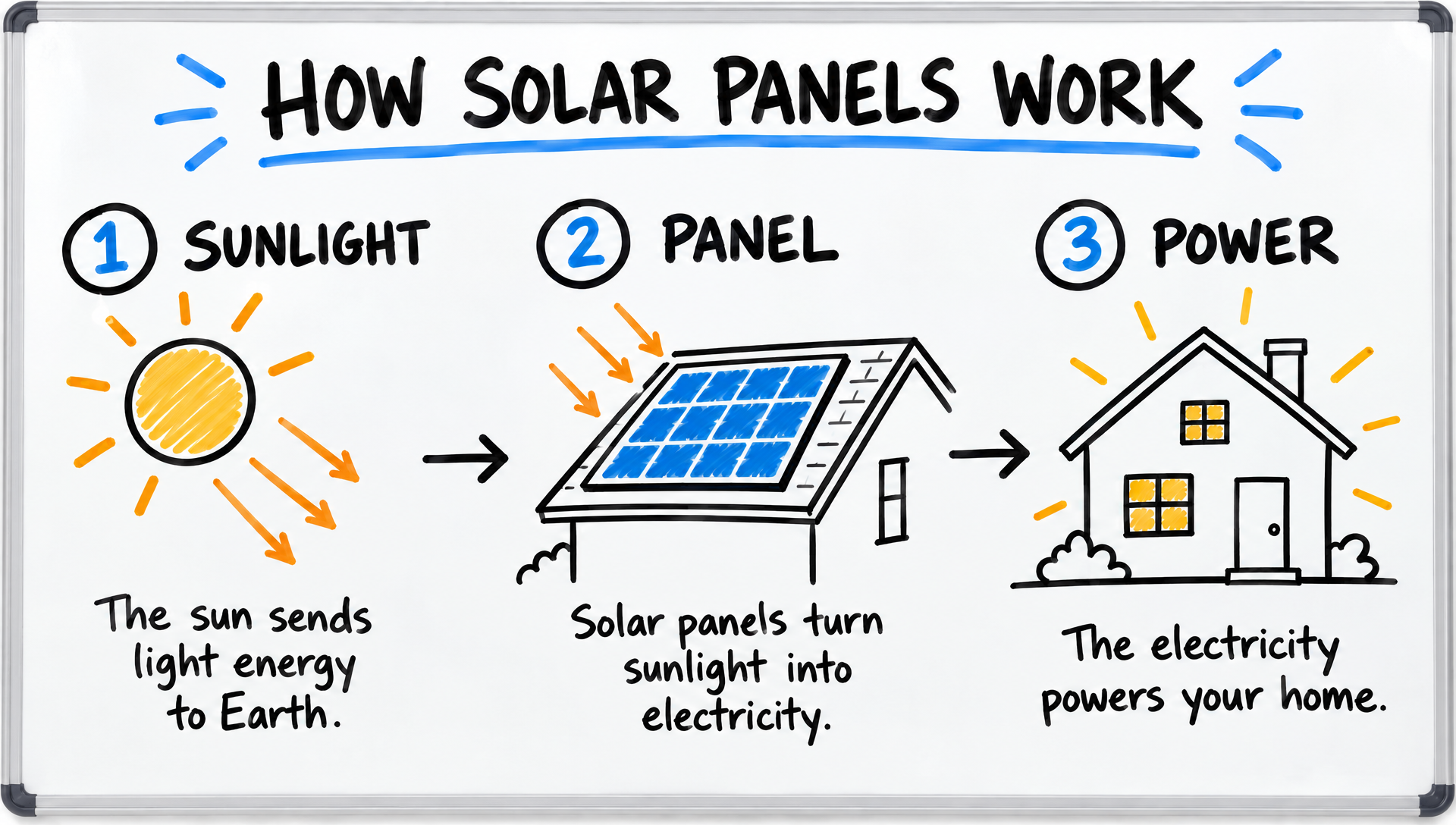
A whiteboard explainer frame on GPT Image 2.5 with every label spelled right.
Whiteboard sketch explainer frame titled "HOW SOLAR PANELS WORK" with three numbered hand drawn panels: SUNLIGHT, PANEL, POWER, simple black marker drawings of a sun, a rooftop panel and a glowing house, one short caption under each, a few blue and orange marker accents on a clean white board.
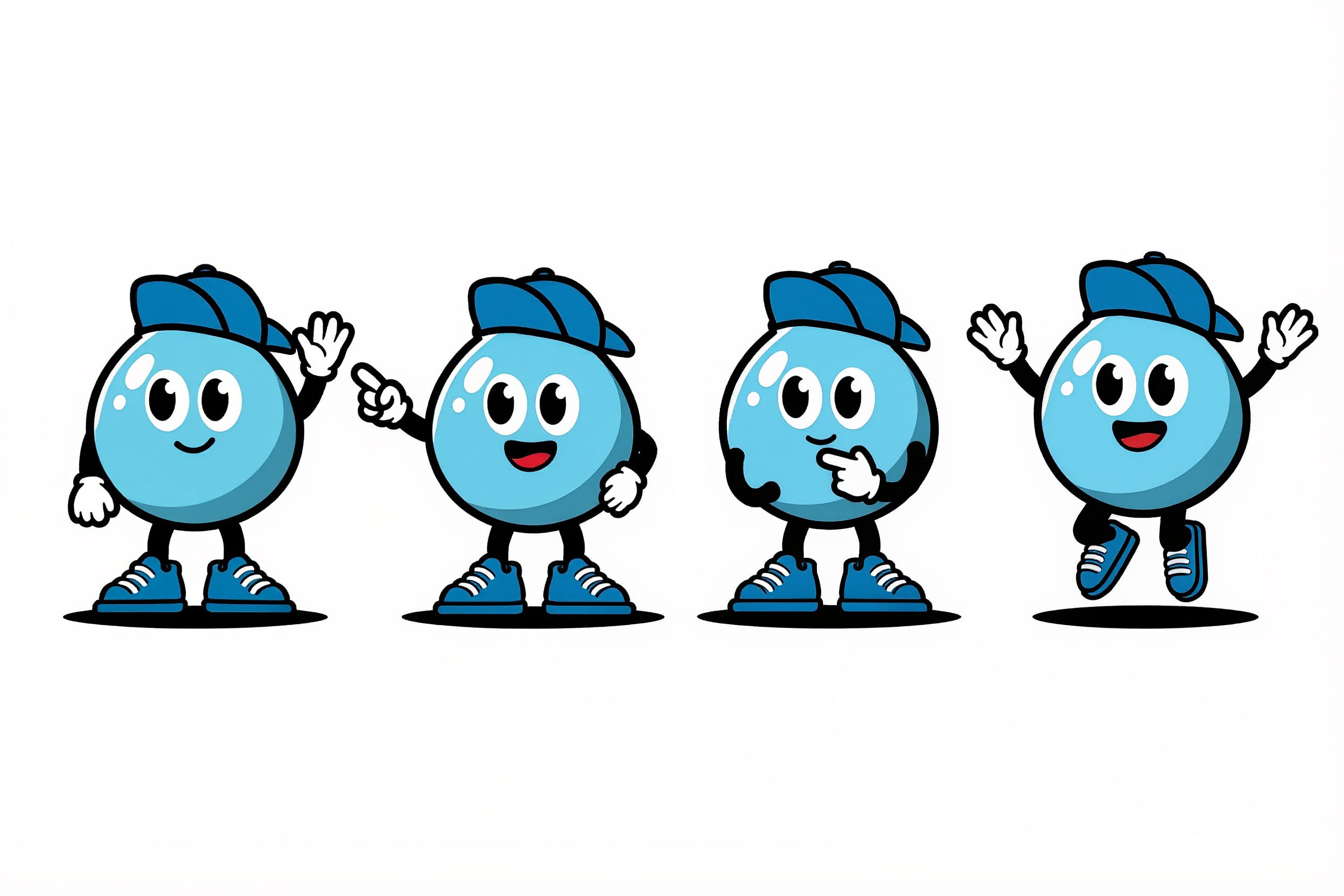
A mascot sheet on Kling Image, four poses in one render, ready to reuse across scenes.
Flat vector character design sheet of an original mascot: a cheerful round water droplet with tiny arms, sneakers and a blue cap, shown in four poses (waving, pointing, thinking, jumping) on a clean white background, bold outlines, consistent proportions.
The usual advice: build explainers from a template library
For years the safe way to make an explainer was a DIY animation app. You pick a template, drag in stock characters, set their actions and time them to a voice over. Animaker is one of the best known tools for exactly that.
We think it is no longer the fastest way to get a scene that looks made for your story. Today a video model can draw the whole shot, with motion and sound, from two sentences.
So we tested the claim with a brief any explainer team would recognise: a bottle goes into a recycling bin and comes back as a new jar.
Faceless Studio: the whole explainer from one topic
Script from a sentence
Type the topic. Faceless Studio writes the script and splits it into scenes, and you can edit every narration line and every visual prompt before anything renders.
AI voiceover, captions, music
Pick an AI narrator and the whole script is voiced in one take. Scenes are cut to the real voiceover, captions are burned in, and an optional music bed sits underneath.
One look, every scene
Choose a visual style once per episode and every scene keeps it, so the last scene matches the first, the job Animaker does with templates.
Widescreen or vertical
Export one MP4 in 16:9 for YouTube or 9:16 for TikTok and Shorts. Planning and export cost nothing; scenes, voice and music use your plan credits, with every price shown first.
One recycling explainer on four video models
The same flat 2D prompt on Kling 3.0, Veo 3.1 Fast, Seedance 2.5 and WAN 3.0. Each tile shows the settings and the credits it cost.
Flat 2D cartoon explainer animation: a cheerful character in a green sweater drops a glass bottle into a blue recycling bin, the bottle zips along a dotted line into a small factory and pops out as a shiny new jar, clean vector shapes on a pastel background, a pop, a whoosh and a bright chime.
Flat 2D cartoon explainer animation: a cheerful character in a green sweater drops a glass bottle into a blue recycling bin, the bottle zips along a dotted line into a small factory and pops out as a shiny new jar, clean vector shapes on a pastel background, a pop, a whoosh and a bright chime.
Flat 2D cartoon explainer animation: a cheerful character in a green sweater drops a glass bottle into a blue recycling bin, the bottle zips along a dotted line into a small factory and pops out as a shiny new jar, clean vector shapes on a pastel background, a pop, a whoosh and a bright chime.
Flat 2D cartoon explainer animation: a cheerful character in a green sweater drops a glass bottle into a blue recycling bin, the bottle zips along a dotted line into a small factory and pops out as a shiny new jar, clean vector shapes on a pastel background, a pop, a whoosh and a bright chime.
- Kling 3.0 told the whole story in one move: the bottle leaves his hand, rides the dotted line and arrives at the factory as a jar.
- Veo 3.1 Fast kept everything in one flat frame, closest to a classic slide, with the new jar appearing beside him.
- WAN 3.0 drew the busiest scene, with a park, a steaming factory and a jar with a recycling label, for 10 credits.
- Seedance 2.5 had the softest pastel look.
Animaker plans vs Pixel Dojo for explainer work
Animaker figures come from its pricing page and plan comparison table, read on October 15, 2026.
| At a glance | Animaker | Pixel Dojo |
|---|---|---|
| Paid plans | Basic $15 a month billed yearly; Starter $45 a month, or $25 billed yearly; Pro $79 a month, or $43 billed yearly | Lite $10 a month for 160 credits, Pro $25 for 500 credits, Pro Max $50 for 1,100 credits |
| Generative video | 90 seconds a month on Starter, 180 seconds on Pro | Kling 3.0, Veo 3.1, Seedance 2.5 and WAN 3.0 on every plan, priced per clip before you generate |
| Characters | Build 15 custom characters on Starter, 30 on Pro | Character Studio saves a character to call by @name, plus LoRA trainers |
| Voice and captions | AI text to speech and auto subtitles with monthly minute limits | Text to speech, auto captions and models that generate speech inside the clip |
Why Animaker users switch to Pixel Dojo
Unlimited on every plan
On every paid plan, Relax runs Qwen Image 2.1, FLUX 3 Image Klein and MiniMax H3 Turbo, plus every video and photo effect, unlimited with no credits spent.
Sensei, the AI director
Describe a project and Sensei plans it, prices it, waits for your approval and reviews every take.
Faceless Studio
Type a topic and get a narrated episode: script, AI voiceover, a picture for every scene, captions and music, in 16:9 or 9:16.
Film Studio
An idea becomes a finished film: script, cast, storyboard, clips and an editor pass that trims every shot, with each step priced before it runs.
One click video effects
300+ one-click video effects turn a photo into a trend clip, from AI Hug to AI Inflate, with no prompt to write, and 3 are free every day.
Start from a genre
Pick a format such as a UGC ad, a micro drama, a movie trailer or an explainer, and the matching studio opens with the settings and a sample idea filled in.
Credits that roll over
Your credits roll over while you stay subscribed, so nothing you pay for disappears at the end of the month.
Every top model, plus an API
More than 80 image and 60 video models in one account, with a public API and a hosted MCP server for your own apps and AI assistants.
What explainer clips cost on Pixel Dojo
Plans are Lite $10 a month for 160 credits, Pro $25 for 500 credits, Pro Max $50 for 1,100 credits. Every plan includes every model and commercial use. Credits roll over while you stay subscribed.
The four explainer clips in our test cost between 10 and 30 credits each, and every tile shows its own price.
Under our refund policy, a first purchase can be refunded within 7 days, in full if under 20% of the credits are used and pro-rated after that.
Animaker questions
Can Pixel Dojo make a full narrated explainer like Animaker?
Yes. Faceless Studio writes the script from your topic, voices it with an AI narrator, renders a picture for every scene in one consistent style, times captions to the voice and adds optional music, then exports one MP4 in 16:9 or 9:16.
What is a good alternative to Animaker?
For whole narrated explainers, Pixel Dojo's Faceless Studio turns one topic into a scripted, voiced, captioned video with music. For single animated shots, Pixel Dojo lets you describe the scene and generate it on Kling 3.0, Veo 3.1, Seedance 2.5 or WAN 3.0, with sound and the credit price shown first.
How much does Animaker cost?
Animaker's pricing page lists Basic at $15 a month billed yearly, Starter at $45 a month or $25 billed yearly, and Pro at $79 a month or $43 billed yearly, plus a free plan and custom Enterprise pricing.
How much generative video does Animaker include?
Animaker's comparison table lists 90 seconds of generative video a month on Starter and 180 seconds on Pro.
Can I make whiteboard style explainers on Pixel Dojo?
Yes. We made the solar panel whiteboard frame above on GPT Image 2.5, and any image can become the start frame of a clip on Seedance 2.5, Kling 3.0 or Veo 3.1.
Which model is best for 2D cartoon explainers?
In our test Kling 3.0 followed the full story best, WAN 3.0 was the cheapest at 10 credits, and Veo 3.1 Fast gave the cleanest slide style frame.
Video Effects New
Your first video is free. One photo, one click.
310 ready-made effects, from AI Hug and Earth Zoom In to product spins and listing walkthroughs. Upload a photo and press Generate. No prompt to write, and a free account gets 3 a day.






Switch from Animaker to Pixel Dojo today
Write a prompt above or start from any example on this page. One plan covers every top model, six studios and Sensei, and your credits roll over.
Start with Kling 3.0Sources
Facts about Animaker come from these public pages, checked on Oct 15, 2026. Prices and plans change; check the source before you buy.