Character Turnarounds AI Generator
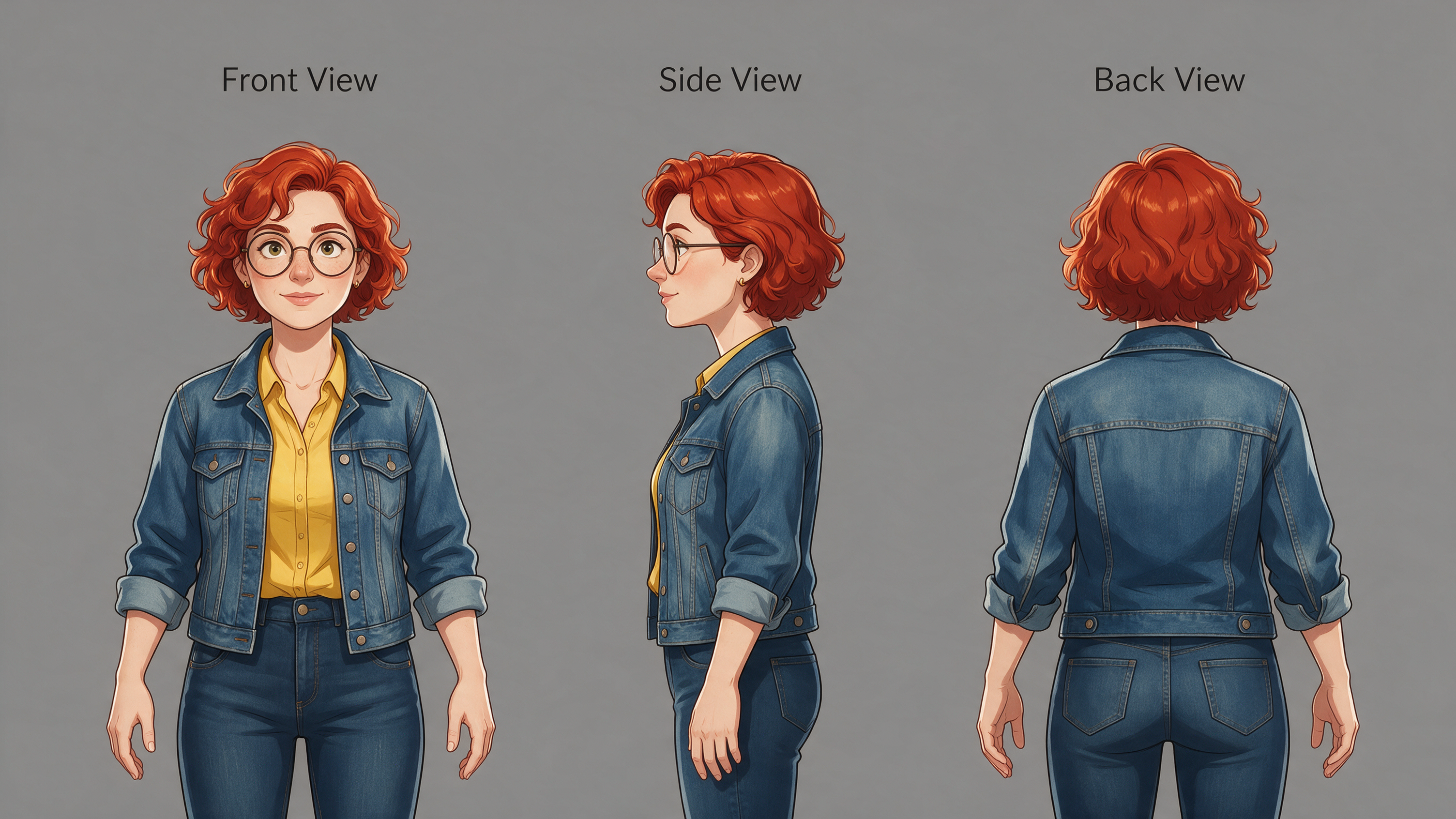
Generated on PixelDojo with Seedream 5. Produced by PixelDojo's generation pipeline.
Seedream 5 is the best model for character turnarounds. From one prompt it returns a real model sheet: three full body views, lined up and labelled front, side and back, with the face and outfit holding across all three. For the tightest likeness across angles, Consistent Characters turns one reference portrait into new poses of the same person, and Character Sheets builds a full sheet from one photo on Nano Banana 2.1. Save the result in Character Studio and the same face follows you into every image and video.
Side-by-side, same prompt
Every model below ran the identical prompt on PixelDojo so the outputs are directly comparable: “Character turnaround sheet of a woman in her 30s with short curly red hair, round glasses, a denim jacket over a yellow shirt, front view, side view and back view lined up on a plain grey background, consistent proportions, concept art reference sheet”
Seedream 5
A true sheet in one file: three full body figures on flat grey, labelled front, side and back, identity and outfit consistent across all three. 2816 by 1584 pixels.
2.5 credits per image at 2K
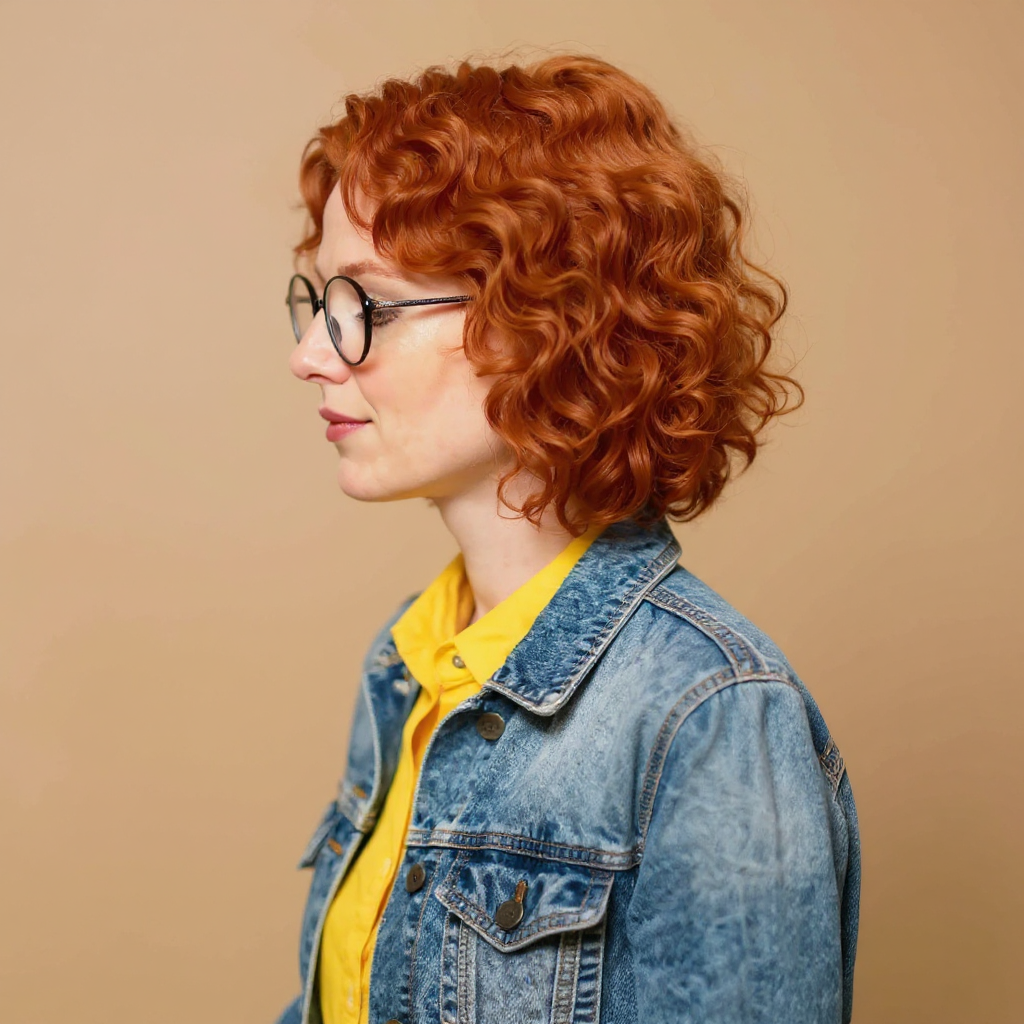
Consistent Characters
The tightest identity lock: front, three quarter and full profile frames of the same face from one reference portrait. Lay them out in any arrangement you like.
5 credits per 4 images
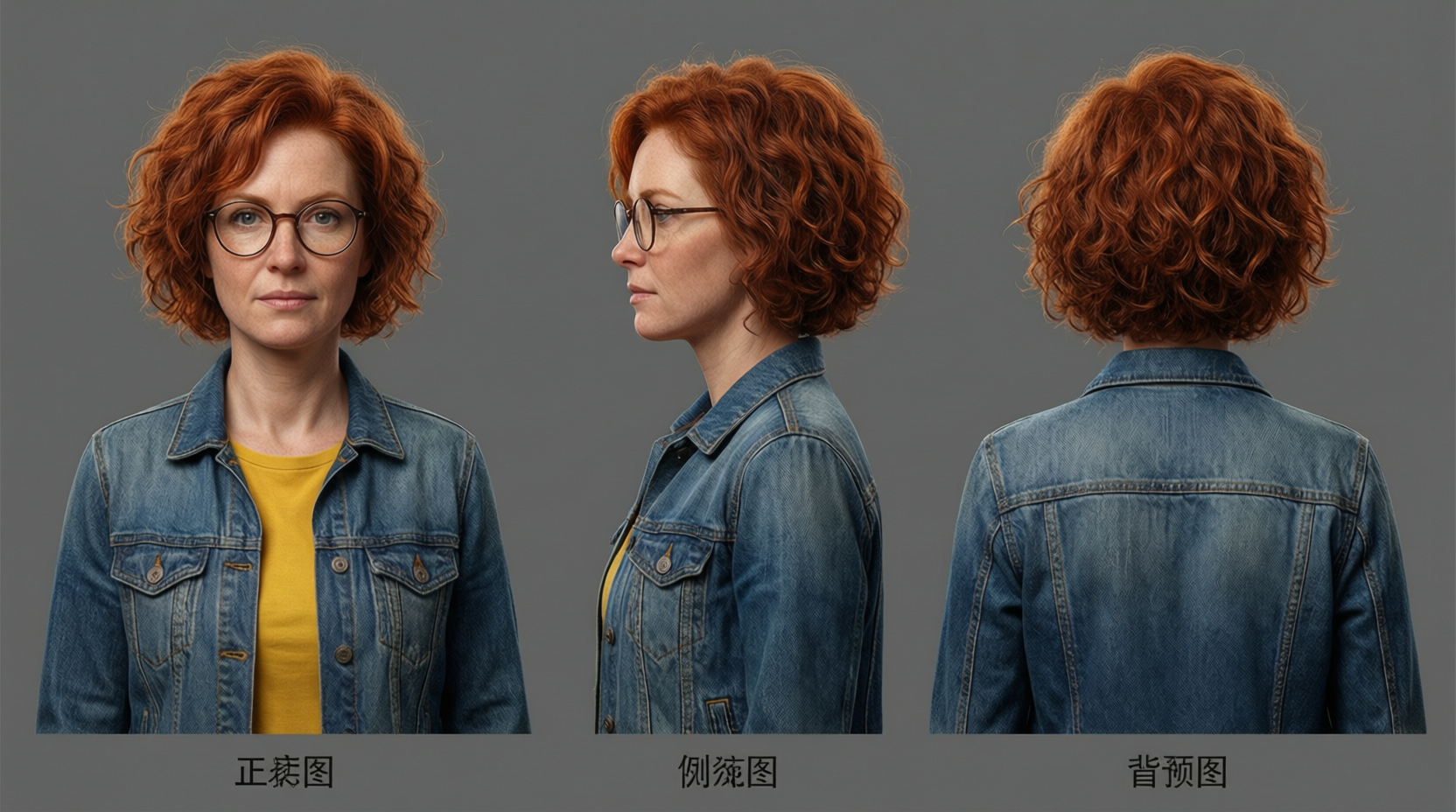
QWEN Image Max
The most photoreal faces: three consistent head and shoulders angles of the same person, ideal as a photographic character reference.
2 credits per image
Three routes to a model sheet
1. Seedream 5: the full model sheet
One file, 2816 by 1584 pixels, with three full body figures evenly spaced on flat grey and the words Front View, Side View and Back View spelled out above them. The same short red curls, the same round glasses, the same denim jacket over a yellow shirt and the same proportions on all three. The pose is a proper reference stance with arms down and away from the body, exactly what an animator or a modeller needs. From 1.25 credits.
2. Consistent Characters: the tightest likeness
Feed it one reference portrait and the turnaround prompt, and it returns new poses of the same person: near frontal, three quarter and a clean full profile. The face is the same face in every frame, down to the freckles and the tortoiseshell glasses. Arrange the frames into any layout you like. 1.25 credits per image.
3. QWEN Image Max: photoreal reference angles
Front, side and back of the same person as three photoreal portraits on grey, with the same copper curls, round glasses and worn denim jacket in every angle. The pick when you want a photographic character reference.
One character, three routes to a model sheet, all on one credit balance.
Why Choose Pixel Dojo for Character Turnarounds
Professional-quality results with cutting-edge AI technology
A sheet in one prompt
Name the views and the layout, and Seedream 5 hands back one file your team can use as is.
One photo is enough
Consistent Characters and Character Sheets work from a single reference portrait, which keeps the likeness tight across every angle.
Every model on one balance
80+ image models and 60+ video models share one credit balance. Try the same character on three models with one click each.
Build the character once, reuse it everywhere
Character Studio saves your character with its photos, and typing @Name in any prompt brings that identity into every later shot. Character Sheets turns one photo into a full model sheet on Nano Banana 2.1 for 1 credit.
How It Works
Three steps to a model sheet:
Describe the character once, in full
Hair, glasses, jacket, shirt, proportions. Use the same wording on every model so the character stays the same.
Add a reference portrait for the tightest likeness
Seedream 5 works from the words alone. Consistent Characters and Character Sheets take one photo and hold that exact face across every angle.
Save it in Character Studio
Keep the sheet as your character and type @Name in any prompt. The same face follows you into every image and video.
Loved by creators on PixelDojo
Real feedback from people using PixelDojo, pulled from our in-product surveys.
Love you guys!!
Trained my Lora super fast. Still working out how to creat content wit it, but I love it so far.
I love this app
It has all the tools I can think of...
deployment rate of splendid features is incredible. Legend
large selection of tools on one platform
Explore more AI tools on PixelDojo
Popular AI Models
AI Tools
Compare & Switch
- All AI Tool Alternatives
- Pollo AI Alternative
- PixelDojo vs Pollo AI
- Pollo AI Review
- MotionMuse AI Alternative
- MioCreate Alternative
- Dessi AI Alternative
- Runway Alternatives
- CapCut Alternatives
- Leonardo Alternatives
- OpenArt Alternatives
- Midjourney Alternatives
- Canva AI Alternatives
- Pika Alternatives
- InVideo Alternatives
- Higgsfield Alternatives
- Krea Alternatives
- Luma Alternatives
- Magic Hour Alternatives
- HeyGen Alternatives
- PixAI Alternatives
- Vidu Alternatives
- Seedream Alternatives
- Tensor.Art Alternatives
Common Questions
Everything you need to know about Character Turnarounds
Which AI model is best for character turnarounds?
Seedream 5. It returns a single file with three full body views lined up and labelled front, side and back, with the face and outfit consistent across all three.
How do I get the same character from every angle?
Start from one reference portrait. Consistent Characters returns front, three quarter and full profile frames of the same face at 1.25 credits per image, and Character Sheets builds a full sheet from one photo on Nano Banana 2.1.
How do I prompt for a proper reference sheet?
Name the views and the layout. For example: front view, side view and back view lined up on a plain grey background, consistent proportions, concept art reference sheet.
Will my character stay the same across shots?
Yes. Character Studio locks the face across every image and video: save the character once and type @Name in any prompt. Train a LoRA when you want it perfect.
Can I use the results commercially?
Yes. You own what you create, on every plan. No per model licence to check.
Is Pixel Dojo free to try?
Yes. A free account gets 3 free effects every day, no card needed. Plans from $10/mo unlock every model, every studio and Sensei, with Unlimited on every plan.