GoEnhance AI alternative
GoEnhance AI alternative: restyle a clip on the engine you choose
Pixel Dojo restyles your footage on Runway Aleph, WAN 2.7 Video Edit, Kling Video Edit or Seedance 2.5 Video Edit, names the engine on every result and shows the credit price before you click.
GoEnhance AI made its name on video to video: upload a clip, pick a style, get the same motion in a new look. We ran that exact job here, turning one live action beach clip into felted wool stop motion on four engines.
13 credits ($0.81) per 2 s clip at 1080p. Included in every plan, from $10/month.
Already a member? Sign in
By Brian Lovett · Updated
Styles you can prompt from scratch
Every image and clip below was made on Pixel Dojo with the prompt shown on its tile.
Pixel art animation on WAN 3.0 for 10 credits, with sound.
Pixel art animation of a little night train crossing a desert under a huge pale moon, glowing windows, saguaro cactus silhouettes scrolling past, stars twinkling, 16 bit palette. Sound: a soft chiptune melody and train clatter.

An anime frame on Seedream 5, ready to animate.
Anime key visual of a swordsmith in her forties with a short black bob examining a finished blade in her forge at dusk, orange embers floating, cel shading with painted background, dramatic rim light.
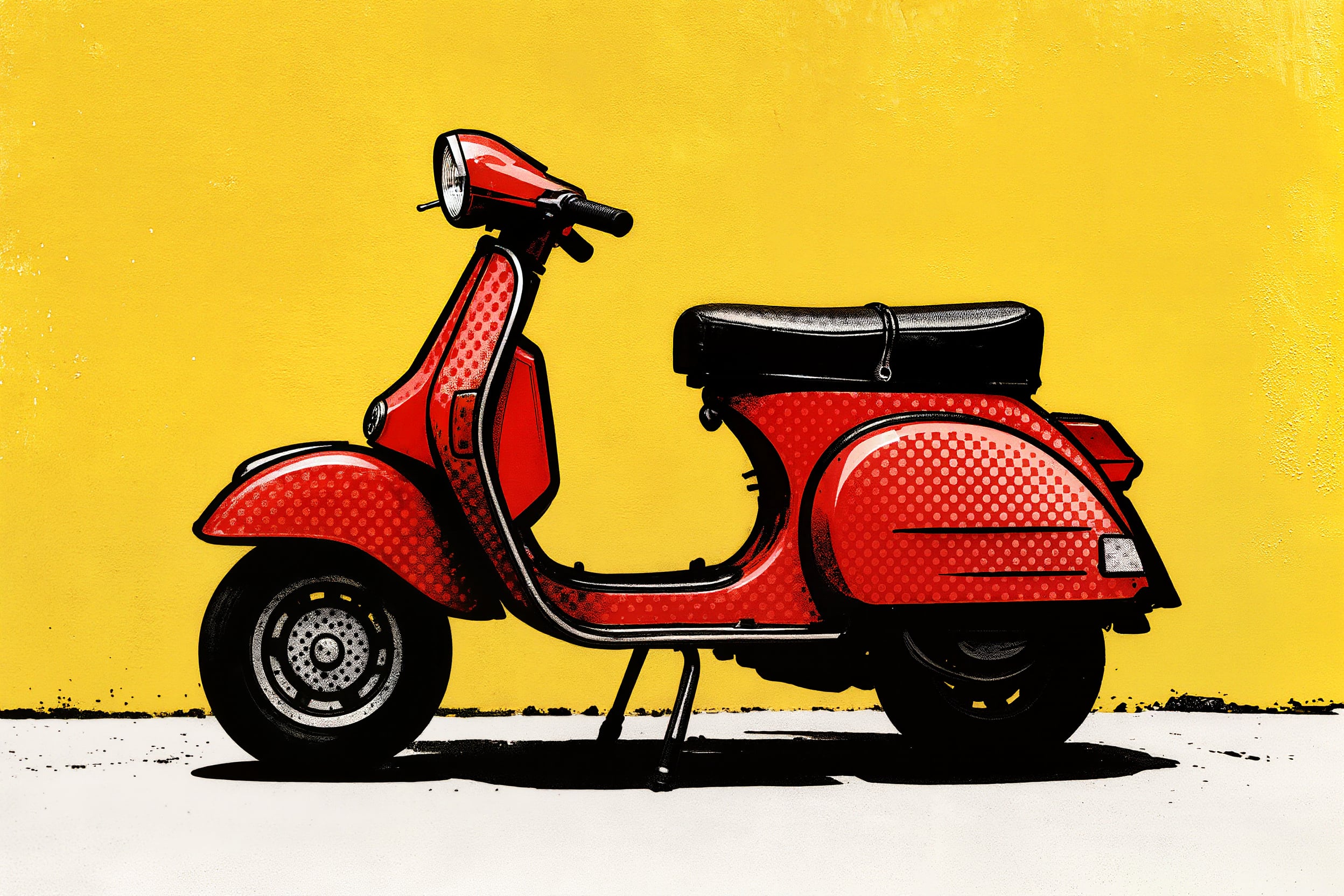
Pop art on Kling Image for 1 credit.
Pop art style illustration of a red vintage scooter parked against a sunny yellow wall, bold black outlines, halftone dot shading, flat bright colors, comic print texture.
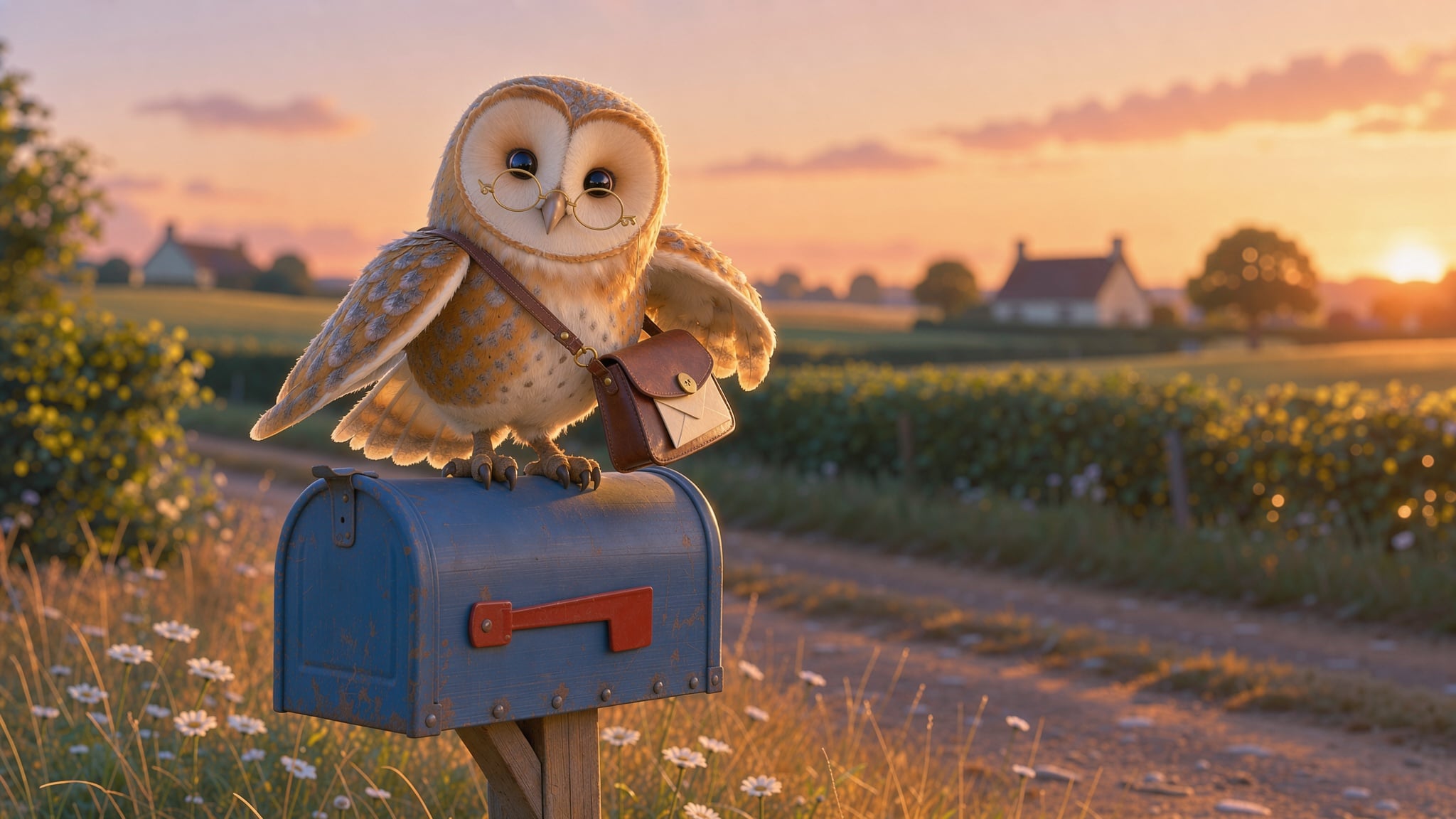
An animated film look on FLUX 3 Image for 1 credit.
3D animated film style character of a round barn owl postman with a tiny satchel and spectacles perched on a mailbox, soft fur and feather detail, warm sunset light, shallow depth of field.
The problem with a style button you cannot see behind
GoEnhance AI's Video to Video page lists dozens of styles, from anime and clay to knit and pixel art, but it does not name the model that does the work. When a restyle drifts, changes a face or loses the motion, you cannot try a different engine on the same clip.
Every restyle engine reads a style differently. We wanted to show how much, so we kept the clip and the instruction fixed and changed only the engine.
One beach clip, felted four ways
We shot the source on Seedance 2.5: a woman in her fifties in a yellow raincoat walks a bulldog on a pebble beach and tosses a ball. Then each engine got the same 5 second clip and the same felted wool instruction. Each tile shows its credits.
Medium wide handheld shot of a woman in her fifties in a yellow raincoat walking a bulldog along a pebble beach on a grey morning, she stops and tosses a tennis ball, the dog bounds after it, fishing huts behind, soft overcast light. Sound: crunching pebbles, waves and one happy bark.
Restyle the whole clip as a needle felted wool stop motion animation: fuzzy felt figures with visible fibers, a woolly pebble beach and knitted waves, small bead eyes on the dog, slightly choppy stop motion timing. Keep the woman, her yellow raincoat, the bulldog, the ball toss, the fishing huts, the camera move and the timing the same.
Restyle the whole clip as a needle felted wool stop motion animation: fuzzy felt figures with visible fibers, a woolly pebble beach and knitted waves, small bead eyes on the dog, slightly choppy stop motion timing. Keep the woman, her yellow raincoat, the bulldog, the ball toss, the fishing huts, the camera move and the timing the same.
Restyle the whole clip as a needle felted wool stop motion animation: fuzzy felt figures with visible fibers, a woolly pebble beach and knitted waves, small bead eyes on the dog, slightly choppy stop motion timing. Keep the woman, her yellow raincoat, the bulldog, the ball toss, the fishing huts, the camera move and the timing the same.
Restyle the whole clip as a needle felted wool stop motion animation: fuzzy felt figures with visible fibers, a woolly pebble beach and knitted waves, small bead eyes on the dog, slightly choppy stop motion timing. Keep the woman, her yellow raincoat, the bulldog, the ball toss, the fishing huts, the camera move and the timing the same.
- WAN 2.7 Video Edit made the fullest felt world, from the pebbles to the beach huts, and kept the woman, the bulldog and the ball toss, for 23 credits. It is our hero.
- Runway Aleph kept the shot closest in layout and made the sea the star, knitted into rows of blue yarn, for 50 credits.
- Kling Video Edit gave everyone a soft toy like face on a sandy beach, for 28 credits.
- Seedance 2.5 Video Edit stayed nearest to live action while it felted the surf, the right pick for a light touch, for 45 credits.
GoEnhance AI plans vs Pixel Dojo
Everything in the GoEnhance AI column comes from its home and Video to Video pages, read on October 15, 2026. Its public pages did not list plan prices.
| Question | GoEnhance AI | Pixel Dojo |
|---|---|---|
| How do I pay? | A free tier with tokens, then Basic, Standard, Pro and Mega plans, plus a Relax Mode that uses no tokens | Lite $10 a month for 160 credits, Pro $25 for 500 credits, Pro Max $50 for 1,100 credits |
| Can I use results commercially? | On all paid plans; free tier results are for personal and trial use | Commercial use on every plan |
| Which engine restyles my video? | Not named on its Video to Video page | Runway Aleph, WAN 2.7 Video Edit, Kling Video Edit or Seedance 2.5 Video Edit, your pick |
| Which video models are there? | Veo 3.1, Kling 3.0, Sora 2, Seedance 2.0, Wan 3.0, Hailuo 2.3 and others | Veo 3.1, Kling 3.0, Seedance 2.5, WAN 3.0, MiniMax H3 and more |
Our verdict
For a full style change, start on WAN 2.7 Video Edit: it gave the richest result at the lowest price in our test. Move to Runway Aleph when the layout must match the source closely, and to Seedance 2.5 Video Edit for a light touch.
Why GoEnhance AI users switch to Pixel Dojo
Unlimited on every plan
On every paid plan, Relax runs Qwen Image 2.1, FLUX 3 Image Klein and MiniMax H3 Turbo, plus every video and photo effect, unlimited with no credits spent.
Sensei, the AI director
Describe a project and Sensei plans it, prices it, waits for your approval and reviews every take.
Video Studio
Generate, edit and extend a clip in one place, on whichever top video engine suits the shot.
One click video effects
300+ one-click video effects turn a photo into a trend clip, from AI Hug to AI Inflate, with no prompt to write, and 3 are free every day.
One job AI tools
35 single purpose tools each do one edit from an upload: remove a watermark, an object or text, restore and colorize an old photo, swap a background, retouch a portrait or make a thumbnail.
Credits that roll over
Your credits roll over while you stay subscribed, so nothing you pay for disappears at the end of the month.
Every top model, plus an API
More than 80 image and 60 video models in one account, with a public API and a hosted MCP server for your own apps and AI assistants.
What each restyle cost
Plans are Lite $10 a month for 160 credits, Pro $25 for 500 credits, Pro Max $50 for 1,100 credits. Every plan includes every model and commercial use. Credits roll over while you stay subscribed.
The source clip cost 30 credits. The restyles cost 23 on WAN 2.7 Video Edit, 28 on Kling Video Edit, 45 on Seedance 2.5 Video Edit and 50 on Runway Aleph.
Under our refund policy, a first purchase can be refunded within 7 days, in full if under 20% of the credits are used and pro-rated after that.
GoEnhance AI questions
What is a good GoEnhance AI alternative for video to video?
Pixel Dojo restyles footage on Runway Aleph, WAN 2.7 Video Edit, Kling Video Edit and Seedance 2.5 Video Edit, so you can pick the engine and see the price before each run.
Which AI restyles video best?
In our felted wool test WAN 2.7 Video Edit gave the fullest style change for 23 credits, Runway Aleph kept the layout closest, and Seedance 2.5 Video Edit stayed nearest to the live footage.
Can I use GoEnhance AI videos commercially?
GoEnhance AI says all paid plans include commercial usage rights and free tier results are for personal and trial use only.
Does GoEnhance AI have a free plan?
GoEnhance AI's FAQ mentions a free tier with tokens, paid Basic, Standard, Pro and Mega plans, and a Relax Mode that does not cost tokens.
Video Effects New
Your first video is free. One photo, one click.
310 ready-made effects, from AI Hug and Earth Zoom In to product spins and listing walkthroughs. Upload a photo and press Generate. No prompt to write, and a free account gets 3 a day.






Switch from GoEnhance AI to Pixel Dojo today
Write a prompt above or start from any example on this page. One plan covers every top model, six studios and Sensei, and your credits roll over.
Start with WAN 2.7 Video EditSources
Facts about GoEnhance AI come from these public pages, checked on Oct 15, 2026. Prices and plans change; check the source before you buy.