Style.me alternative
Style.me alternative for try-on photos on every body type
Pixel Dojo turns one flat lay and one model photo into a try-on image in a single step on Nano Banana 2.1, so a store can show a garment on many bodies without a scan, a studio or a plugin.
Style.me builds 3D fitting rooms that recommend sizes inside an online store. We wanted to show the lighter job many brands actually need first: the same garment, pictured on different people.
1 credit ($0.06) per image at 1K. Included in every plan, from $10/month.
Already a member? Sign in
By Brian Lovett · Updated
Two different jobs: fitting a body and picturing a look
A 3D virtual fitting room answers "which size fits me". Style.me says shoppers build an avatar from their measurements and body shape, and its fit engine matches garment patterns and sizes to it. That takes real garment data: Style.me's team scans each item in 4K at its New York or Taipei offices.
AI try-on answers a different question: "what does this look like on someone like me". It needs no measurements. A generative image model reads a product photo and a person photo and draws the person wearing the garment, keeping their face, build, pose and backdrop.
That makes AI try-on fast and cheap for catalog shots, ads, size inclusive galleries and social posts.
More fashion imagery made on Pixel Dojo
We made each image and clip below on Pixel Dojo with the prompt shown.
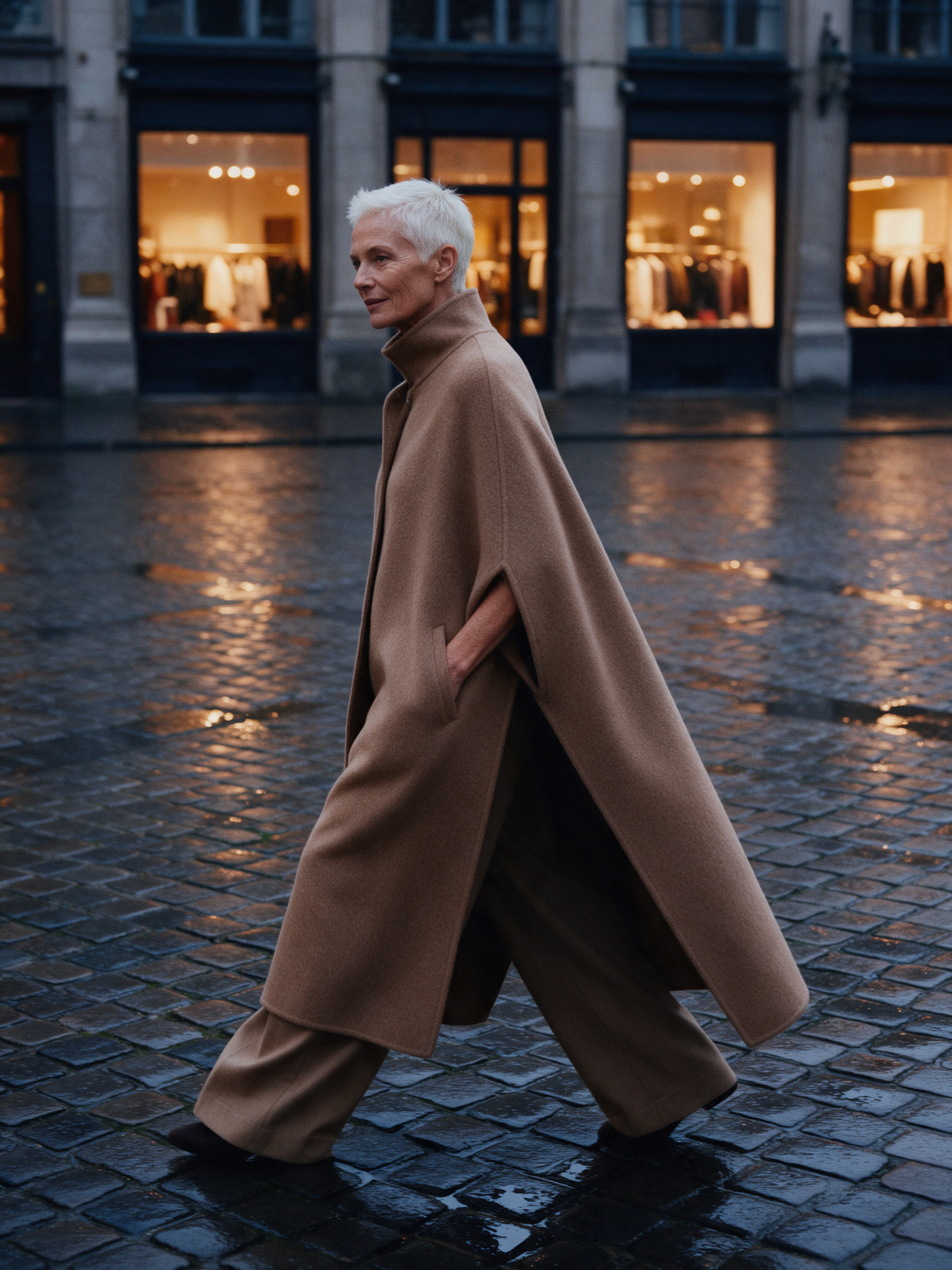
A campaign image on Seedream 5 with warm shop windows behind.
Fashion campaign photograph of a woman in her sixties with cropped white hair wearing a long camel wool cape and wide trousers, crossing a rain wet cobbled square at dusk, warm shop windows behind her, editorial medium format look.
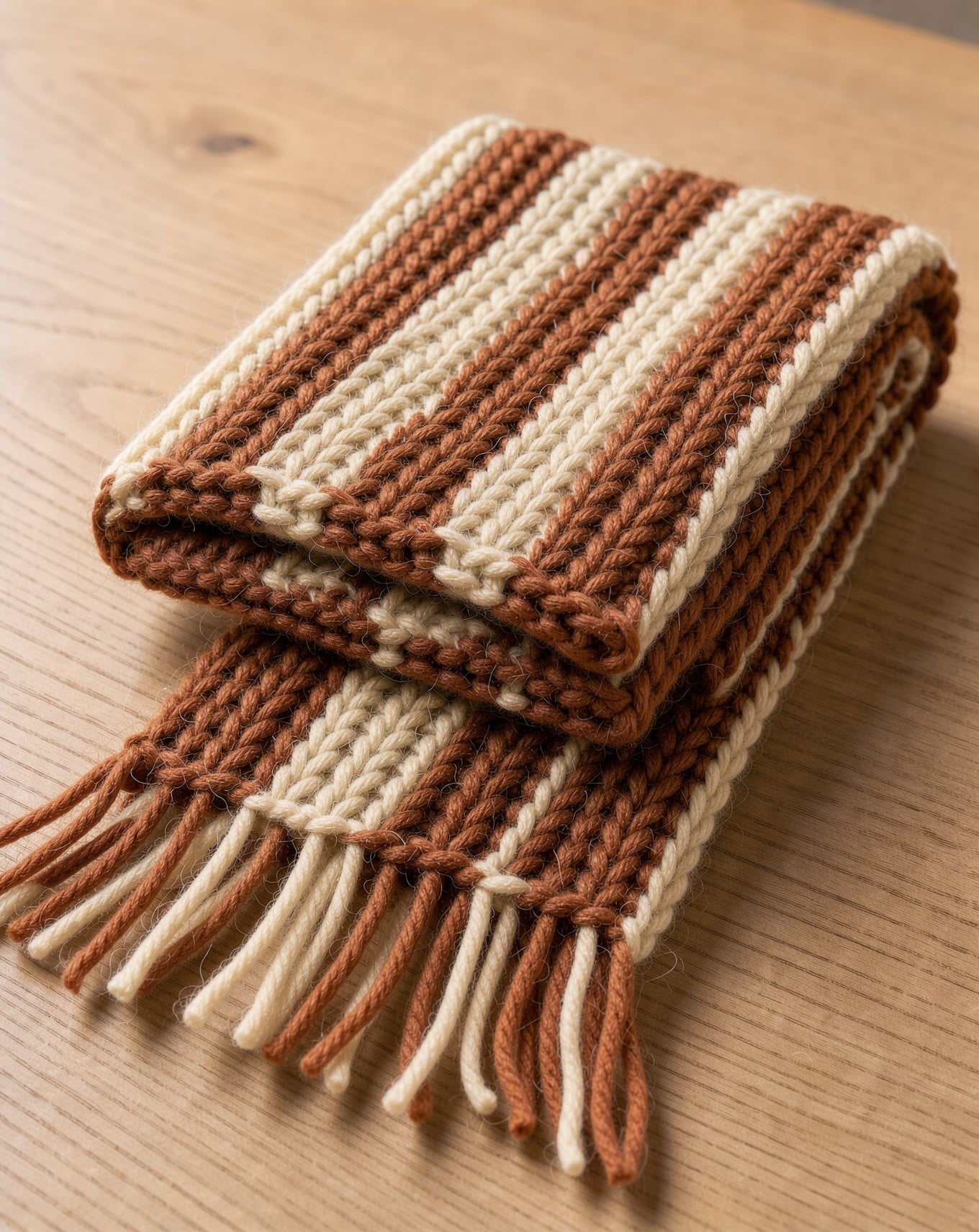
A texture close up on FLUX 3 Image where every stitch reads.
Macro detail product photograph of a hand knitted merino scarf in rust and cream stripes folded on a pale oak table, soft fibers catching side light, every stitch visible, warm neutral tones.
A vertical product spin on WAN 3.0 for 10 credits, with a soft whoosh in the sound.
Vertical product video of a pair of oxblood leather chelsea boots with no logos turning slowly on a round stone plinth, a soft light sweep crossing the polished leather, warm taupe backdrop. Sound: a gentle whoosh and low ambient hum.
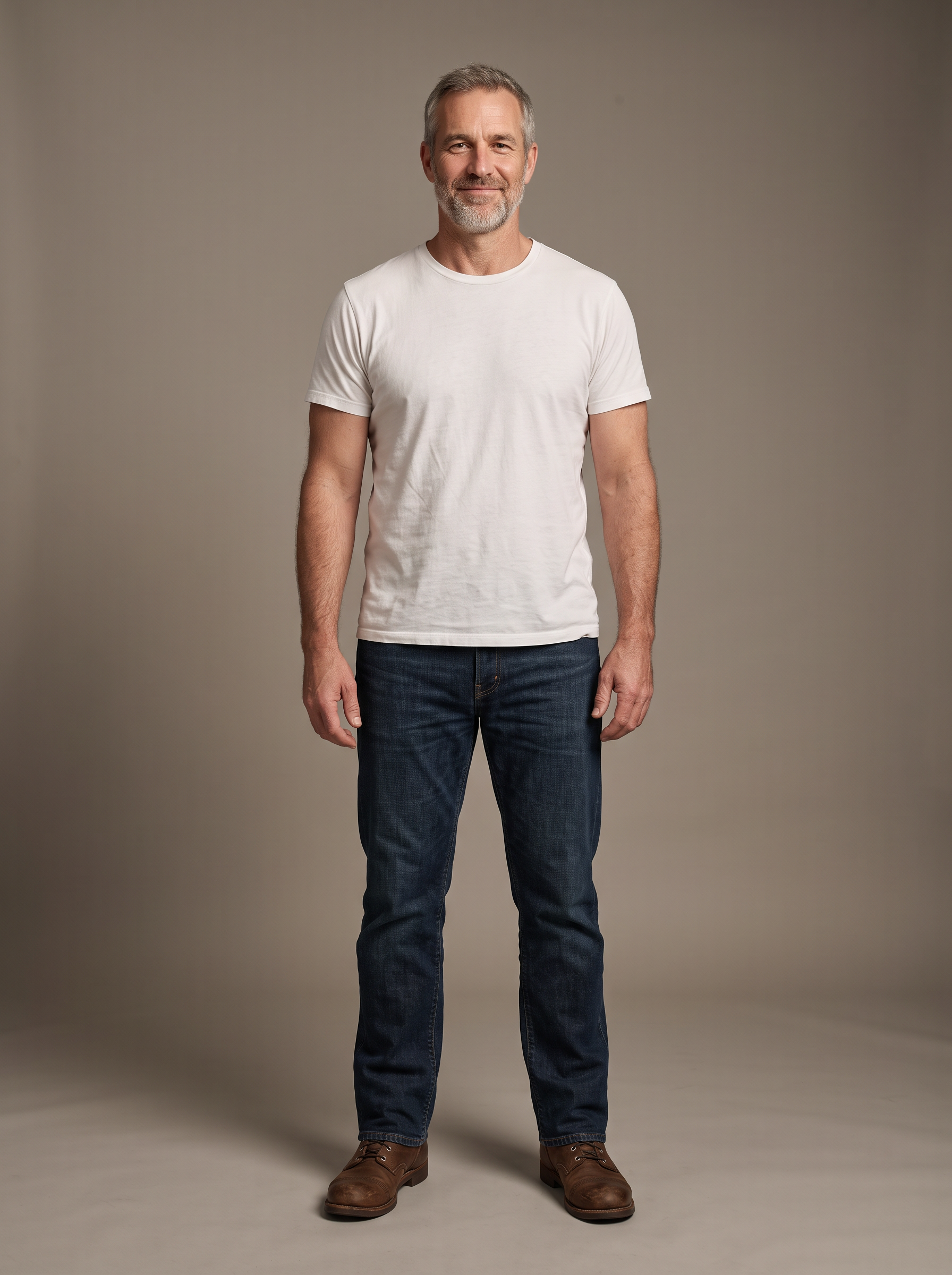
One of the two base photos from our test, made on Nano Banana 2.1.
Full length studio photo of a tall, broad shouldered man in his fifties with a short grey beard and laugh lines, wearing a plain white crew neck t-shirt, dark straight jeans and brown leather boots, standing relaxed with arms at his sides, seamless warm grey backdrop, soft even studio light.
One chore jacket, two different bodies
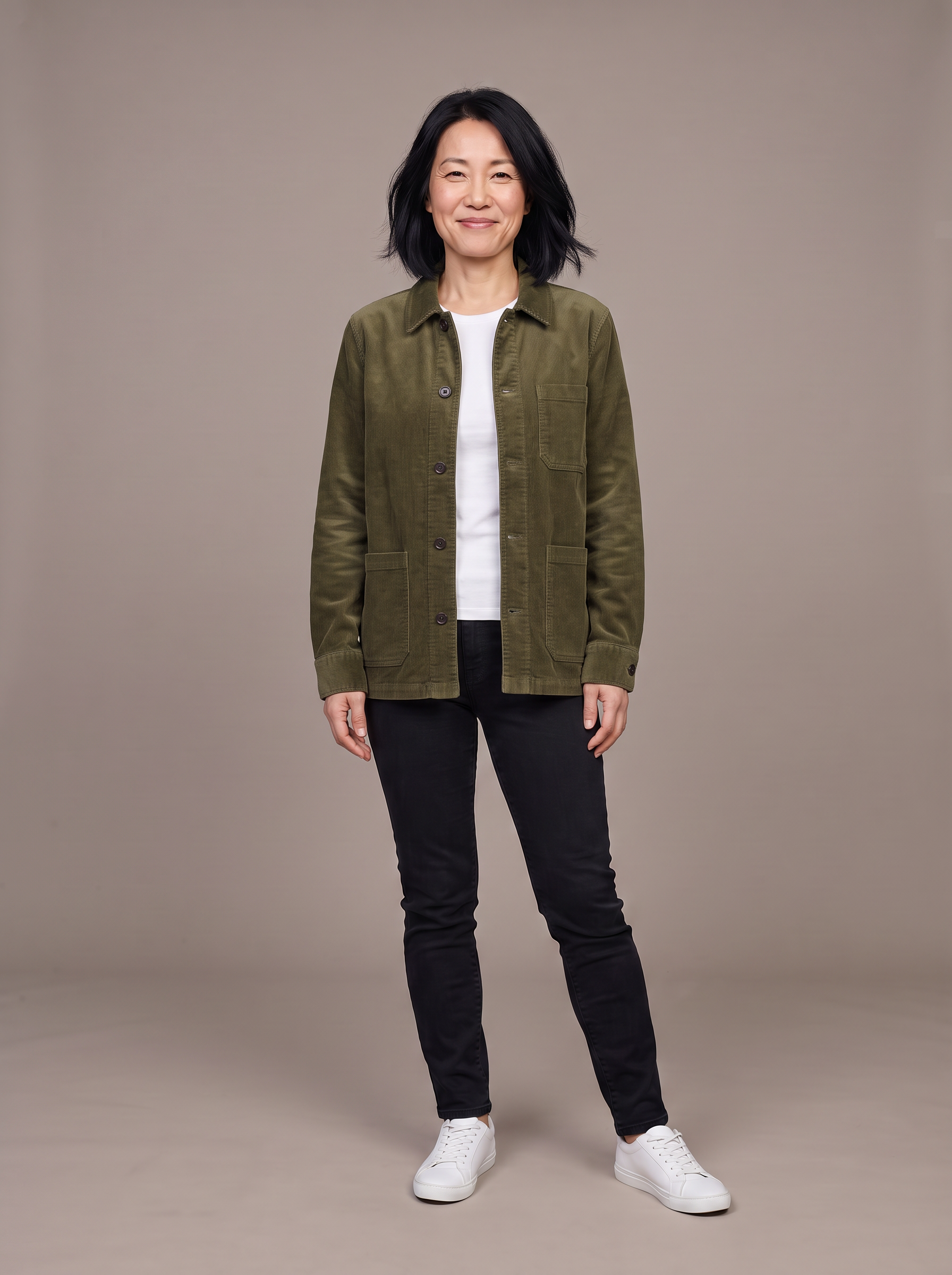
We made a flat lay of an olive corduroy chore jacket and two base photos, a petite woman and a tall, broad man. Then Nano Banana 2.1 dressed each of them from the same flat lay.
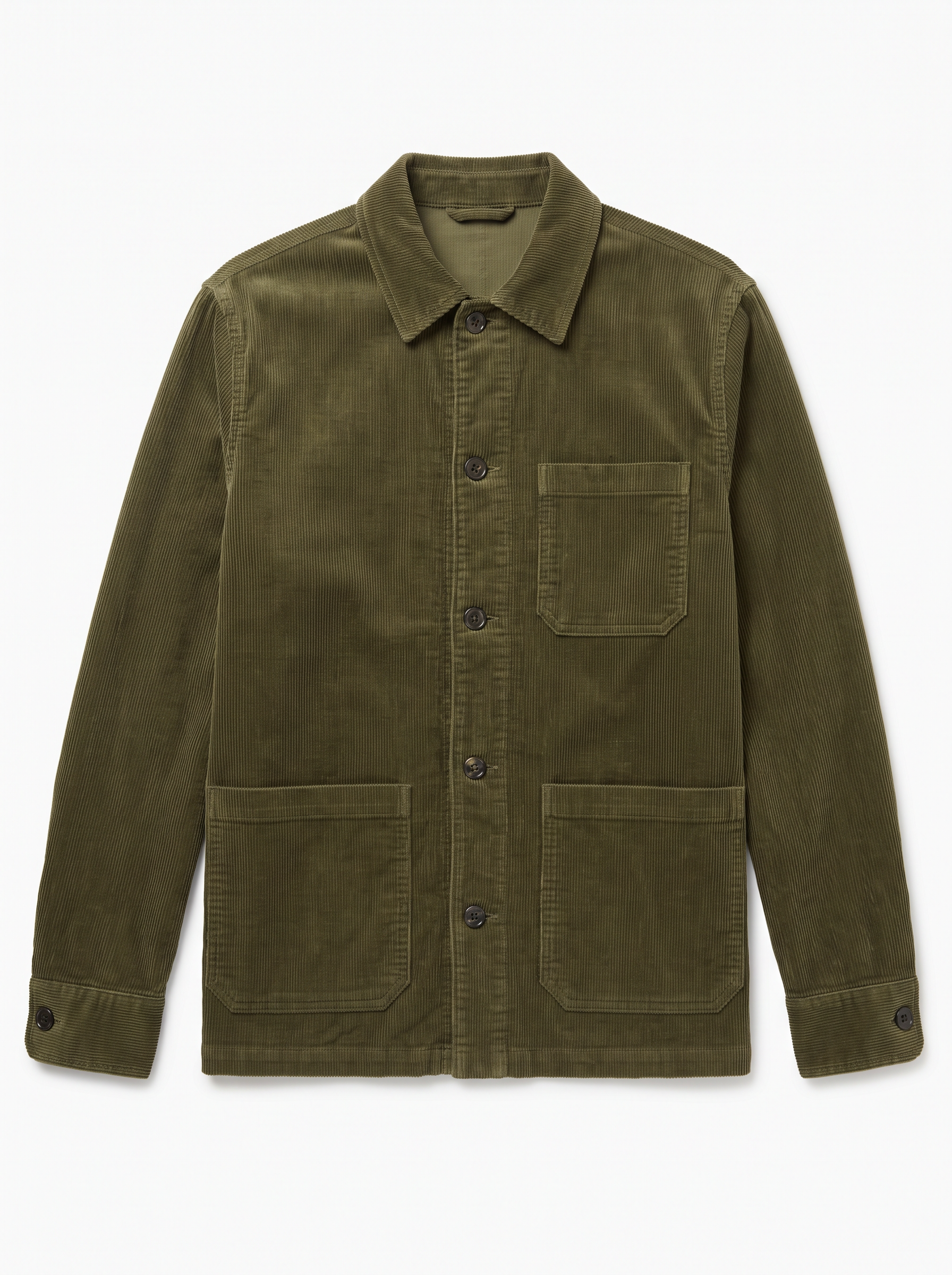
E-commerce product photo of an olive green corduroy chore jacket with three patch pockets and dark horn buttons, laid flat on a pure white background, shot from directly above, even soft light, every corduroy rib visible, no model, no logos.
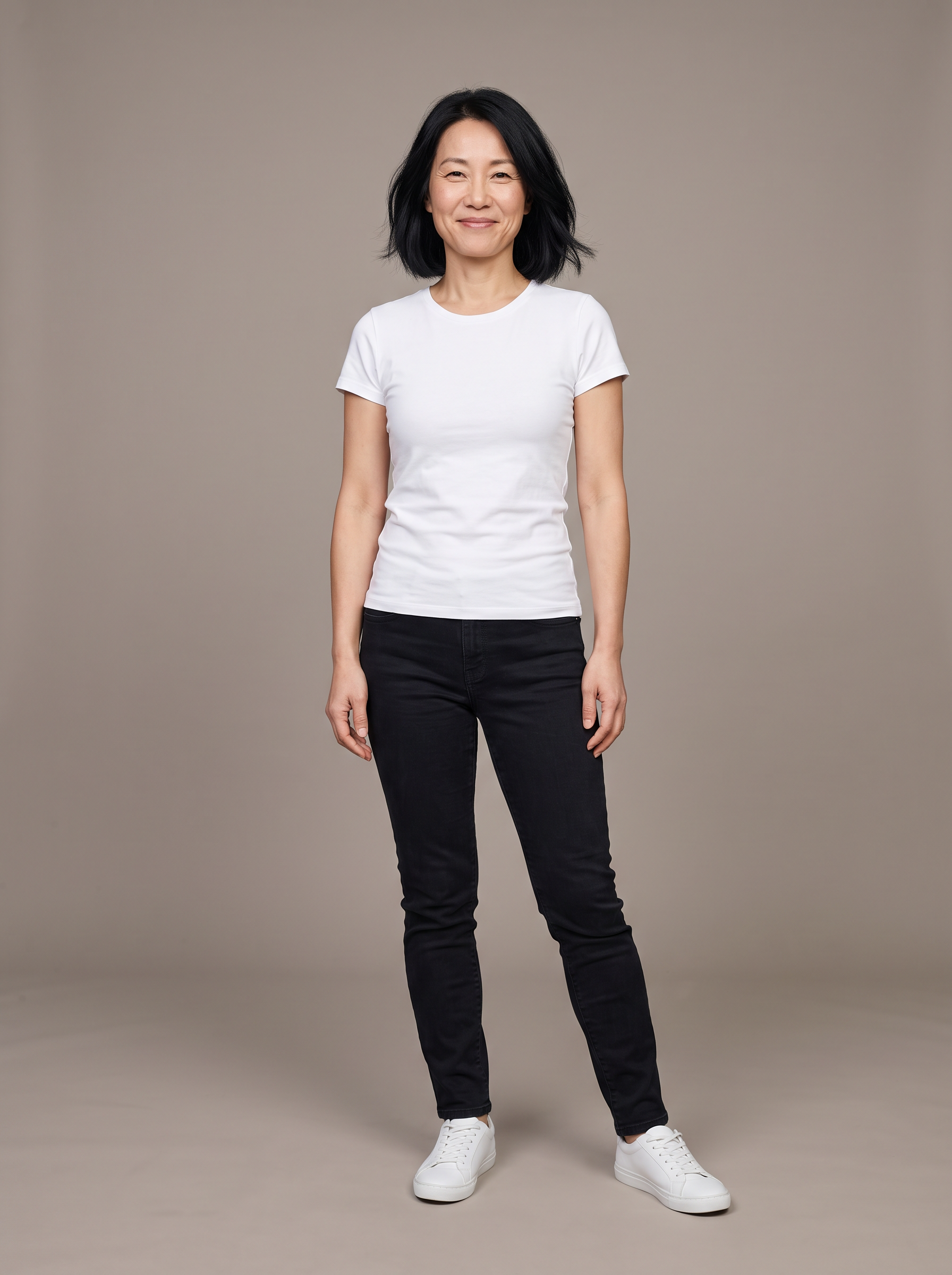
Full length studio photo of a petite woman in her forties with a black chin length bob and laugh lines, wearing a plain white fitted t-shirt, black slim jeans and white sneakers, standing relaxed with arms at her sides, seamless warm grey backdrop, soft even studio light.
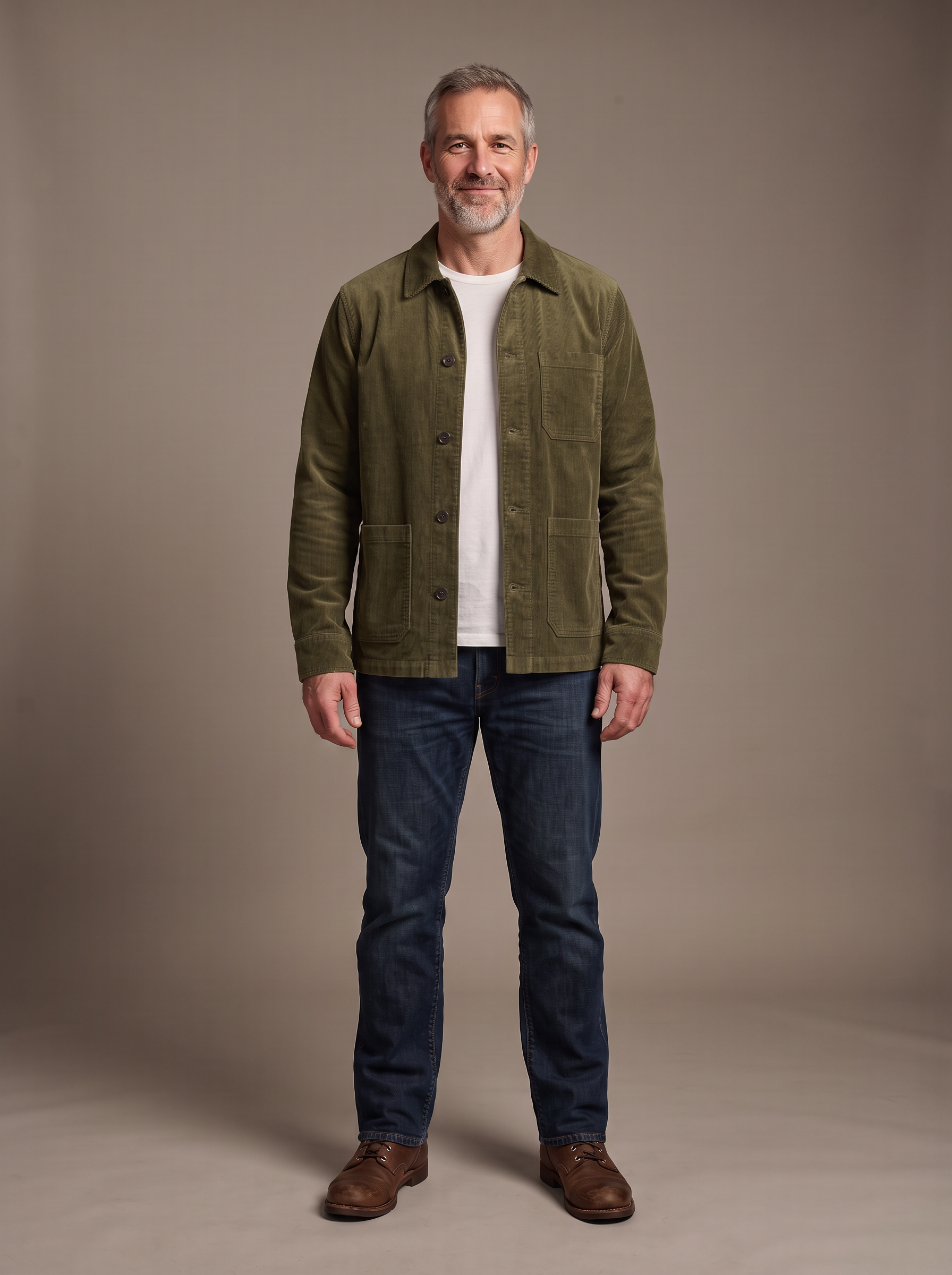
Virtual try on: dress the man from the first image in the exact olive green corduroy chore jacket from the second image, worn open over his white t-shirt, sized correctly for his tall, broad frame. Keep his face, grey beard, jeans, boots, pose, backdrop and lighting exactly the same. Keep the jacket's color, corduroy ribs, three patch pockets and dark horn buttons.
- Both try-ons kept the jacket true to the flat lay: the olive corduroy, three patch pockets and dark buttons. The petite result is the image at the top of the page.
- The jacket was redrawn for each body, cropped neatly at her hips and roomier across his broad shoulders.
- Faces, hair, jeans, footwear and the grey backdrop stayed as they were in each base photo.
- Each try-on cost 1.5 credits, so dressing a whole size range of models costs little.
How to get try-on photos that hold up
Shoot the garment flat and plain
A top down flat lay on white with no model gives the model one clear source for color, pockets and buttons.
Match the base photos
Use the same backdrop, light and framing for every model so the gallery reads as one shoot.
Name what must not change
Tell the model to keep the face, hair, pose and other clothes, and to keep the garment's details. Our prompts on the tiles show the wording.
Cover the size range
Run the same garment on petite, tall, broad and curvy base photos, so shoppers see someone like them.
Then add motion
Hand a try-on to Kling 3.0 or Seedance 2.5 as a start frame for a short walk or turn on a product page.
Style.me vs Pixel Dojo for fashion imagery
Style.me details from its home, virtual fitting and FAQ pages, read October 15, 2026.
| At a glance | Style.me | Pixel Dojo |
|---|---|---|
| What you get | A 3D virtual fitting room inside your online store, with size recommendations | Try-on images and video of your garment on any model you choose |
| Garment input | Its team scans each garment in 4K; one size per item is needed | A flat lay or product photo you upload |
| Time to start | Generally live within 4 weeks | Start right away in the browser or through the public API |
| Platforms | Plugins for Shopify, Magento and more, or its SDK | Images and clips you post anywhere, plus a public API and hosted MCP server |
| Pricing | Monthly subscription quoted on the number of digitized items and traffic | Lite $10 a month for 160 credits, Pro $25 for 500 credits, Pro Max $50 for 1,100 credits |
Why Style.me users switch to Pixel Dojo
Unlimited on every plan
On every paid plan, Relax runs Qwen Image 2.1, FLUX 3 Image Klein and MiniMax H3 Turbo, plus every video and photo effect, unlimited with no credits spent.
Sensei, the AI director
Describe a project and Sensei plans it, prices it, waits for your approval and reviews every take.
Photo effects
45+ photo effects restyle a picture in one click, from a hand painted anime still to a boxed action figure or a magazine cover, and every one starts from your own upload.
One job AI tools
35 single purpose tools each do one edit from an upload: remove a watermark, an object or text, restore and colorize an old photo, swap a background, retouch a portrait or make a thumbnail.
Character Studio
Save a face once and call it by @name in any prompt, so the same person shows up in every image and clip.
Start from a genre
Pick a format such as a UGC ad, a micro drama, a movie trailer or an explainer, and the matching studio opens with the settings and a sample idea filled in.
Credits that roll over
Your credits roll over while you stay subscribed, so nothing you pay for disappears at the end of the month.
Every top model, plus an API
More than 80 image and 60 video models in one account, with a public API and a hosted MCP server for your own apps and AI assistants.
What try-on images cost on Pixel Dojo
Plans are Lite $10 a month for 160 credits, Pro $25 for 500 credits, Pro Max $50 for 1,100 credits. Every plan includes every model and commercial use. Credits roll over while you stay subscribed.
The flat lay, base photos and try-ons in our test cost 1.5 credits each, and every tile lists its price.
Under our refund policy, a first purchase can be refunded within 7 days, in full if under 20% of the credits are used and pro-rated after that.
Style.me questions
What is a good Style.me alternative?
If you need try-on imagery rather than a size engine, Pixel Dojo dresses any model photo in your garment from one flat lay on Nano Banana 2.1 or GPT Image 2.5, and has a Virtual Try-On tool, with no scanning or plugin.
How much does Style.me cost?
Style.me does not publish prices. Its FAQ says pricing is a monthly subscription based on how many items are digitized and how much traffic they get.
What does AI try-on show?
AI try-on shows how a garment looks on a person while keeping their face, build and pose. Style.me is built around size advice from measurements and garment scans.
Can I show one garment on different body types?
Yes. Use the same flat lay with several base photos, as we did with a petite woman and a tall, broad man. Each try-on in our test cost 1.5 credits.
Switch from Style.me to Pixel Dojo today
Write a prompt above or start from any example on this page. One plan covers every top model, six studios and Sensei, and your credits roll over.
Start with Nano Banana 2.1Sources
Facts about Style.me come from these public pages, checked on Oct 15, 2026. Prices and plans change; check the source before you buy.