PixelDojo 實際生成圖片範例
以下每個範例都是在 PixelDojo 上製作。將滑鼠移到上方即可查看提示詞。

Holding a red shampoo bottle that reads "Pixel Dojo" edited with Flux Kontext Max
flux-studio

Make it photo realistic edited with Flux Kontext Pro
flux-studio

A massive post-apocalyptic steampunk pirate ship navigating through a flooded
flux

Low-angle three-quarter view
wan-image

A post-apocalyptic African cyborg warrior with dreadlocks and green steampunk goggles
flux
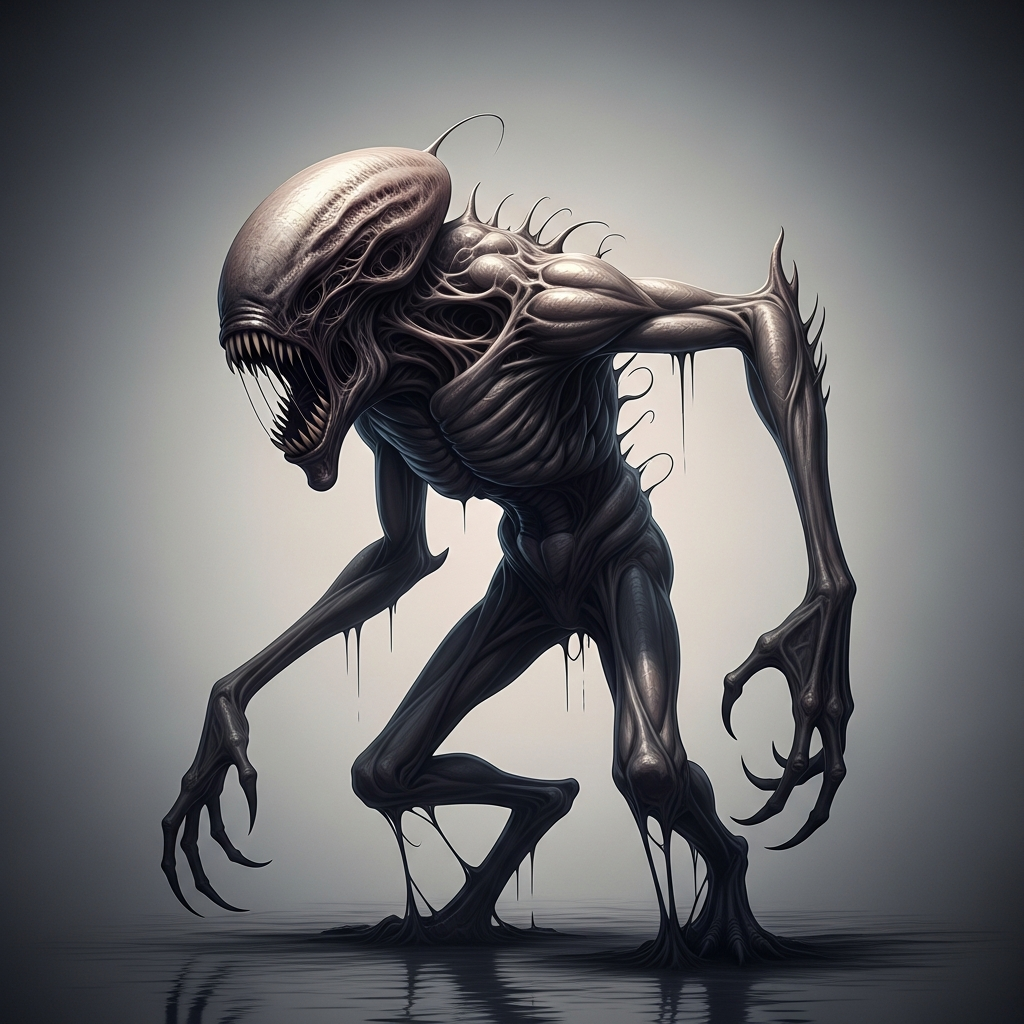
“Generate a creature that cannot be categorized or compared to anything within human imagi…
imagen
PixelDojo 上可用於 Flux Inpainting 的模型
換模型不必換工具,所有模型都在同一個 PixelDojo 工作室執行。
用 PixelDojo 的 Flux Inpainting 能做什麼
遮罩區域編輯
透過 Flux Inpainting,選取圖片中的指定區域並替換內容。
提示詞引導填補
創作者輸入文字提示詞,引導遮罩區域生成所需內容。
場景匹配生成
生成與原圖光線、色彩及紋理一致的填補內容。
多版本生成
每個局部重繪區域都會提供多個生成版本,供你挑選。
加入數千位滿意創作者的行列,用 Flux Inpainting 的尖端 AI 技術,讓影像更出色。
為什麼選擇 Pixel Dojo 製作Flux Inpainting
最先進的 AI 技術,帶來專業級成果
無痕移除物件
移除照片中多餘的元素,不留痕跡,讓畫面乾淨俐落、展現專業質感。
輕鬆擴圖
將圖片延伸到原本的邊界之外,生成與現有元素自然融合的新內容。
自然加入元素
為影像加入新物件或細節,保留原有光線與透視,讓新舊元素無縫融合。
使用方式
用 Flux Inpainting 改造影像,步驟簡單,成果專業。
步驟 1:上傳圖片
選取並上傳想編輯的圖片。Flux Inpainting 支援多種格式,讓你的檔案順利匯入。
步驟 2:選定編輯區域
使用直覺的筆刷工具,塗抹出想修改的遮罩區域。精準的控制功能,讓你即使面對複雜場景,也能準確選取。
步驟 3:描述想要的修改
輸入文字提示詞,詳細描述遮罩區域中想要的變化。AI 會理解你的描述,生成你想要的結果。
The Pixel Dojo Advantage
看看 Flux Inpainting 如何在眾多影像編輯工具中脫穎而出。
| Others | Pixel Dojo |
|---|---|
| 傳統修圖軟體 | Flux Inpainting 自動完成複雜修圖,減少所需時間與技術門檻,輕鬆呈現無縫效果。 |
| 一般 AI 修圖工具 | 我們的進階 AI 能理解複雜場景,讓修改後的畫面保留自然光線與透視。 |
| 手動局部重繪 | Flux Inpainting 提供手動方式難以企及的精準度與一致性,輕鬆完成專業級修圖。 |
PixelDojo 創作者好評推薦
來自 PixelDojo 使用者的真實回饋,取自我們的產品內問卷。
it is an amazing site to create a pics and vids for those who don't have the hardware themselves
good tools in one place
Prompt updates, strong features, and a community that is always willing to help and hear/act on professional feedback. I've never had a better experience.
user friendly all in one thing
I really like the schedule of AI work performed!
The best tools for IA on the web !
探索更多 PixelDojo AI 工具
熱門 AI 模型
AI 工具
常見問題
關於Flux Inpainting,你需要知道的一切
Flux Inpainting 如何讓修圖不留痕跡?
Flux Inpainting 運用先進的 AI 演算法理解複雜場景,保留光線、透視與場景脈絡,讓修改成果自然融合。
Flux Inpainting 可以用於商業專案嗎?
當然可以!Flux Inpainting 同時適用於個人與商業用途,提供符合專業專案需求的高品質成果。
Flux Inpainting 容易上手嗎?
Flux Inpainting 具備直覺介面與易用工具,無論是新手還是有經驗的使用者,都能輕鬆上手。
Flux Inpainting 支援哪些檔案格式?
Flux Inpainting 支援 JPEG、PNG、WebP 等多種圖片格式,與你的檔案相容。
處理一張圖片需要多久?
處理時間會依修改的複雜程度而異,但 Flux Inpainting 已針對速度最佳化,通常幾秒內就能完成修圖。
如果不滿意結果,可以還原修改嗎?
可以,Flux Inpainting 讓你檢視並調整修改內容,確認達到理想效果後再完成圖片。