Get started · Lesson 7 of 9
How to write a better AI prompt with Prompt Studio
Prompt Studio turns one sentence into a prompt written for the model you will use, and changes it in plain words, before you spend a credit.
You need: An idea in one sentence.
Step by step
Start with one sentence
Open Prompt Studio, type your idea, like "A product shot of an iced coffee for a cafe ad, summer morning vibe", and press Start with the agent.
Pick the model you will use
Your sentence becomes version one. Open the model menu under it and pick the model, like Nano Banana 2.1. The agent rewrites for that model: subject, setting, camera, light and the exact words in quotes.
Refine in plain words
Say what to change:
Make the text read SUMMER STARTS HERE and add a fresh croissant beside the glass.
Press Refine. Every version stays in the tabs at the top, so you can go back.
Open it in the tool
Press Open in, and the model opens with the prompt already in the box. Two images on Nano Banana 2.1 cost 2 credits.
Why it works
- Prompt Studio turns are included with your plan: iterate here, pay only when you generate.
- Quick chips like More cinematic or Tighten are one-tap refinements.
Made this way
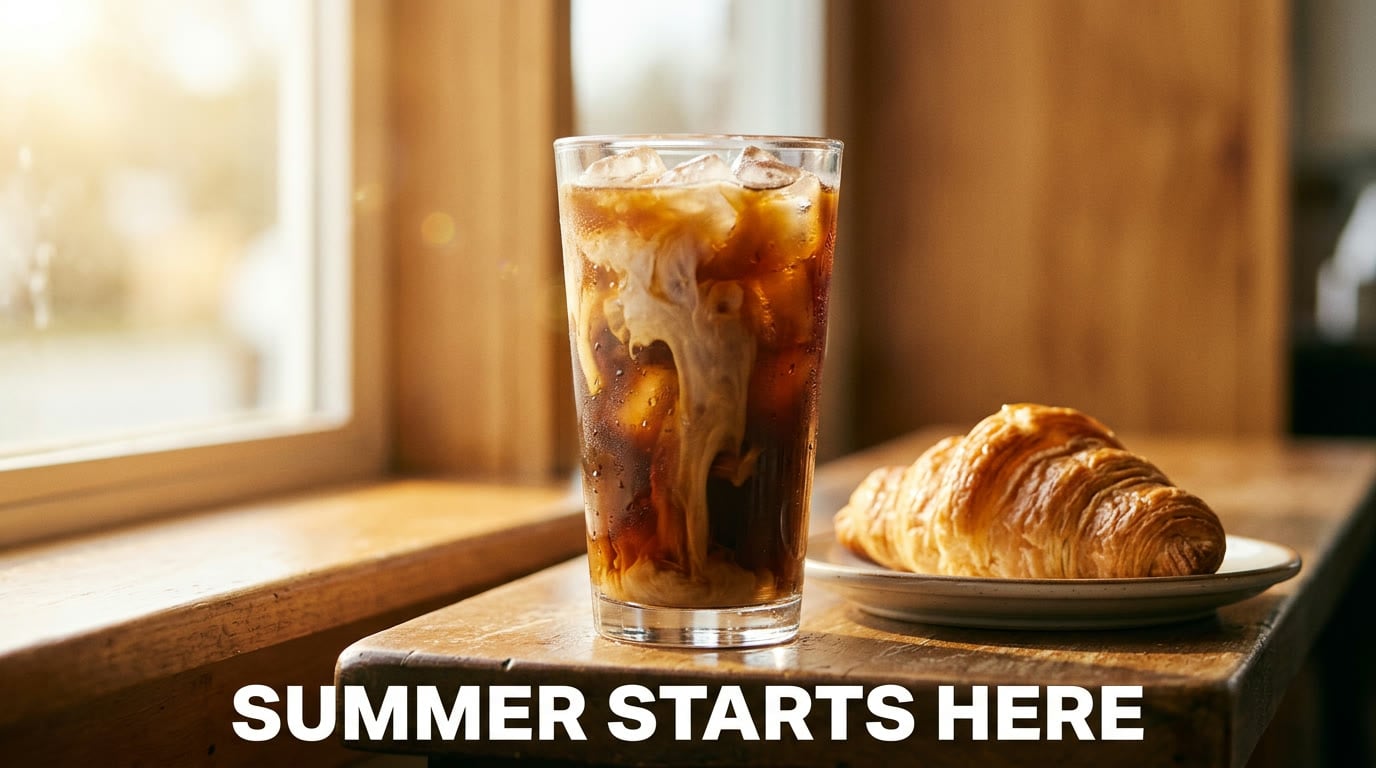
Your practice task
Shape one idea for an image model, then switch the model to a video one and compare the two prompts.
Read the transcript(1:59)
Turn one sentence into a model-ready prompt in PixelDojo Prompt Studio before you spend a credit generating images. Start in Prompt Studio where you shape the prompt before spending a credit. Type your idea in one sentence. Here, the idea is a product shot of iced coffee for a cafe ad with a summer morning vibe. Press start with the agent. Your sentence becomes version 1. Underneath, open the model selector to choose the model you'll use. The agent writes in that model's grammar. Search for nano, then pick nano banana 2.1 from the image models. This sets the model for the rewrite. The agent prepares a model-specific rewrite. Subject, setting, camera, light, and the exact ad words and quotes. Press refine to build that prompt. Version 2 is a full prompt, ready to copy. All versions stay available at the top, so you can always go back. Want to change? Type it in plain words. Make the text read, summer starts here, and add a fresh croissant beside the glass. Press refine again. Version 3 keeps the prompt with just your requested change. Prompt Studio turns are included with your plan. Now press open in at the bottom right. Nano banana 2.1 opens with your prompt already in the box. Two images cost two credits here. Press generate. Here are two takes, iced coffee, a croissant, and warm morning light. Both spell, summer starts here, exactly as requested. Start simple, choose your model, and refine before generating. Next, try shaping another cafe ad in Prompt Studio.