Get started · Lesson 2 of 9
How to make an AI image from a text prompt
Describe the subject, the place, the light and the look, pick the shape, make two at once and keep the best. Your first image in under a minute.
You need: An idea for one picture. Nothing to upload.
Step by step
Open an image model
Open Nano Banana 2.1 from Models, or any image model: they all share the same composer.
Describe four things
The subject, where it is, the light and the look:
A red vintage motorbike parked on a rain-soaked Tokyo side street at night, neon signs reflecting in the puddles, shot on 35mm film, shallow depth of field.
Light and look are the lines most people skip, and they change the picture the most.
Pick the shape first
Widescreen 16:9 for a banner or a video frame, Mobile 9:16 for a story, Square for a post. The model composes for the shape, so cropping later loses the picture.
Make two at once
Set the count to 2 images. Two takes of the same prompt show you what your words really say, and you keep the better one.
Keep the winner
Hover your pick: Edit changes it with words, Upscale takes it to 4K, and Save keeps it in your library for good. Unsaved results go after 24 hours.
Why it works
- Write what the camera sees, in order: subject, place, light, look. A list of adjectives gives the model nothing to stand on.
- Change one line at a time. Swap "at night" for "at golden hour" and keep the rest, and you learn exactly what that line does.
Made this way
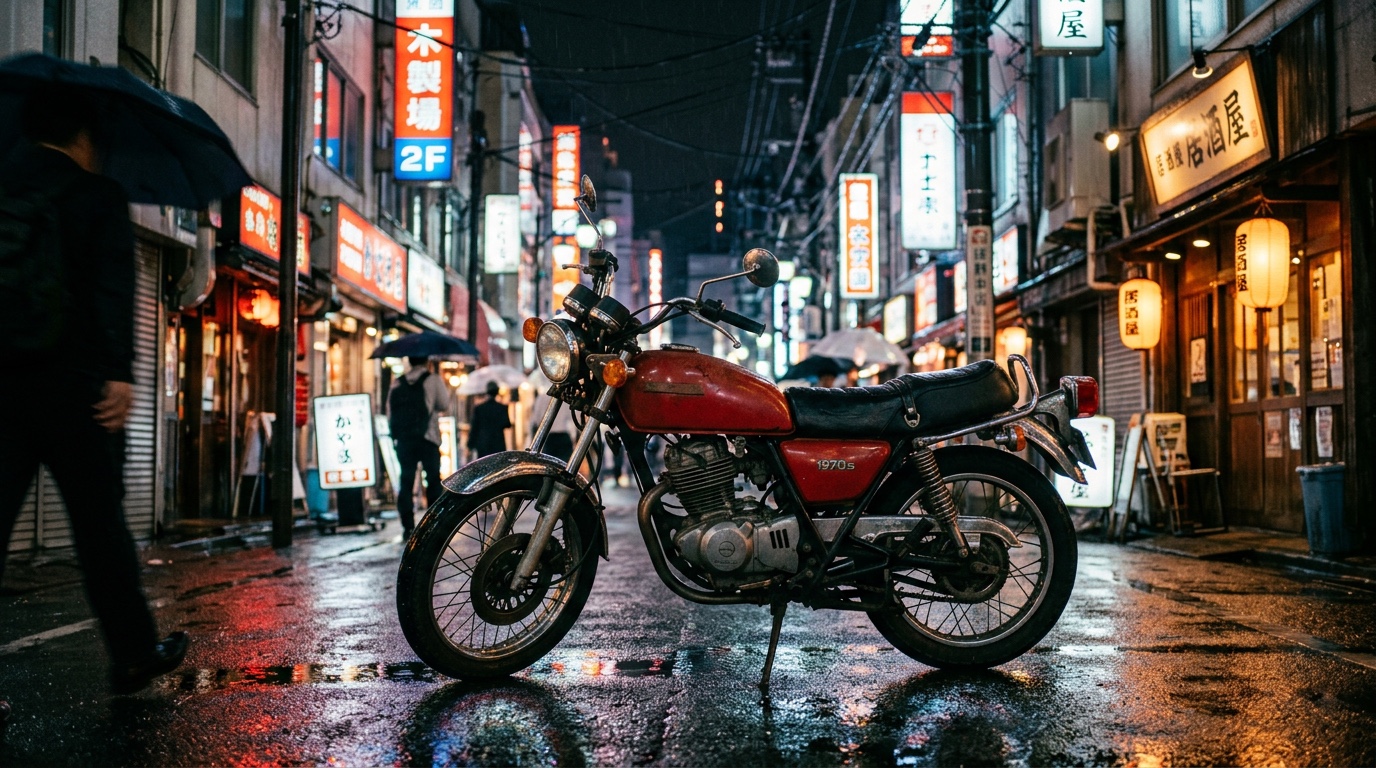
Your practice task
Make the same subject twice: once at night in the rain, once at golden hour. Keep the one you would post.
Read the transcript(1:44)
Make your first image with NanoBanana 2.1, compare two takes, and save the one you like best. Start in NanoBanana 2.1. Your prompt needs four things. The subject, where it is, the light, and the look. Put them together in the prompt box. Describe a red vintage motorbike parked on a rain-soaked Tokyo side street at night. Neon signs reflecting in the puddles, shot on 35mm film, with shallow depth of field. Pick the shape before generating. Square suits a post, mobile 9x16 suits a story, and widescreen 16x9 suits a banner or video frame. Choose widescreen for this street. Set the image count to two images. Two takes of the same prompt help you see how the words translate into pictures. Add one credit for each image. Press Generate to make both images from your prompt. With two images selected, this run costs two credits. Give it a few seconds to create the pair. Now compare the two takes. The left image gives more room to the rainy street. The right brings the motorbike closer. Pick the one that tells your story better. Hover over your pick to reveal its controls. Edit lets you change the image with words, while upscale takes it to 4K if you want a larger version. Click Save to keep your favorite in your library for good. History only keeps generations for 24 hours, so save the image you want to come back to. You described four details, compared two takes, and saved your favorite. Next, try changing the light in your prompt.