Get started · Lesson 4 of 7
How to make AI images and video without credits (Relax mode)
Relax mode runs selected image and video models for free on every plan, with no daily cap. Here is how to switch it on.
You need: Any PixelDojo plan. Relax runs on all of them. · Start to finish, step 4 of 10
Step by step
Open a Relax model
Start with Qwen Image 2.1: native 2K images with sharp text, the perfect model to try ideas on for free.
Check the queue switch says Relax
Beside the prompt, the queue switch reads Relax and the Generate button says Free. Click the switch to choose: Fast uses credits and starts right away, Relax costs nothing and waits in a slower queue.
Put the exact words in quotes
"A vintage travel poster for Lisbon at dusk, a yellow tram on a steep hill, with the words "LISBON BY NIGHT" in bold letters." Quotes tell the model exactly what to spell.
Generate, then change one line
The poster costs nothing, so change one line and run it again until it is right. Save the keeper to My Library.
Do the same for video
On MiniMax H3 Turbo, set the queue to Relax and Generate says Free. When the queue is busy, we email you when your clip is ready.
Run one at a time
Relax has no daily cap, with one run in flight per account. Start the next idea as soon as one finishes.
Why it works
- Use Relax to explore and Fast to deliver. Find the prompt for free, then spend credits on the final.
- Relax is included in every plan. There is no daily cap.
Made this way
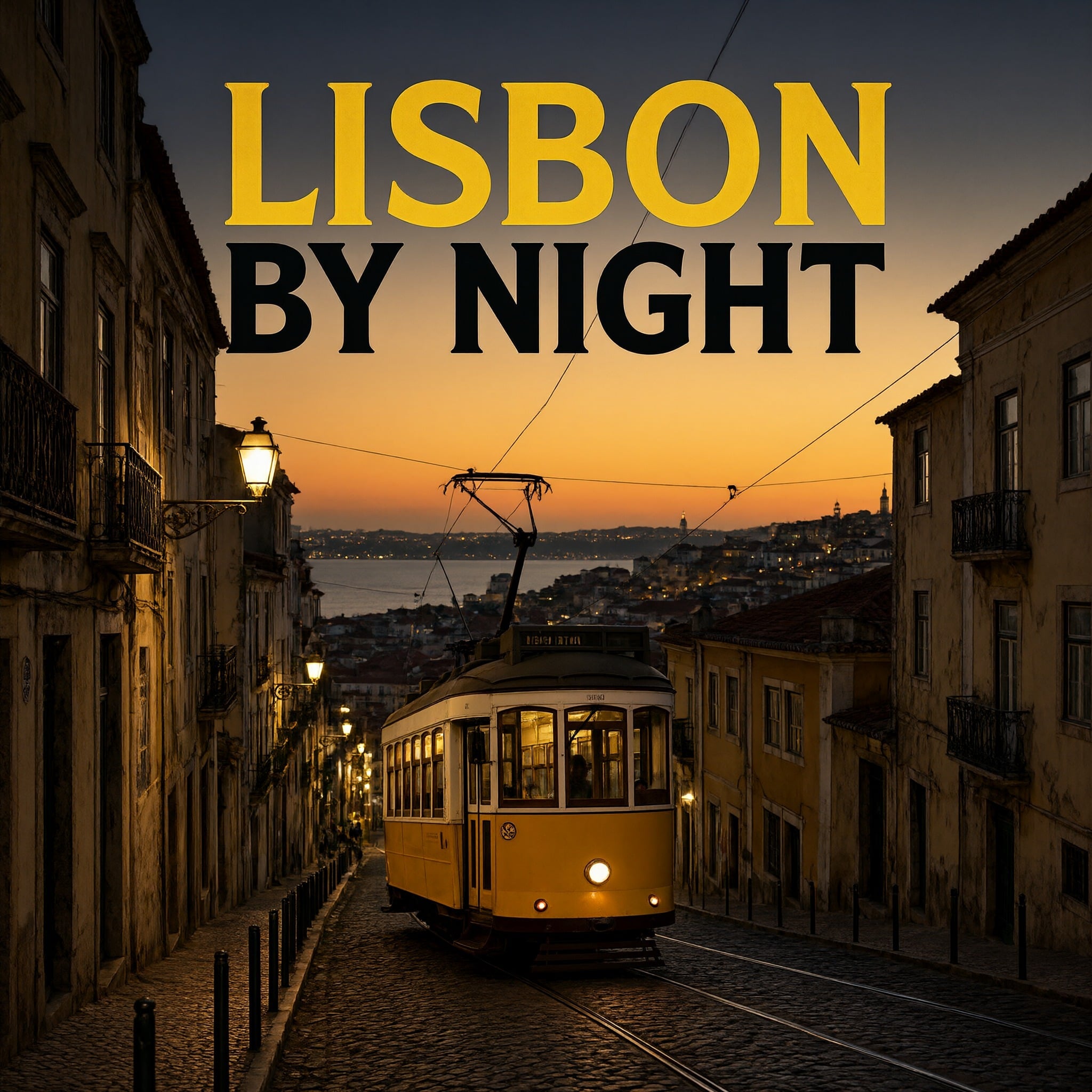
Your practice task
Make five versions of one poster idea on Relax, then pick the best wording.
Read the transcript(1:40)
Make images and video in PixelDojo without spending credits, using Relax mode on every plan with no daily cap. Open Qwen Image 2.1. Beside the prompt, Relax is selected and generates as free. This queue is included on every plan. Click Relax to see the choices. Fast uses credits and starts right away. Relax costs nothing, but waits in a slower queue. There is no daily cap, so choose Relax when you can wait. Type your idea in the prompt. Here, we're making a vintage Lisbon travel poster at dusk, with a yellow tram and the words Lisbon by night in bold letters. Put the exact words you want in quotes. This model draws sharp, correctly spelled text. Then press Generate, with the free badge confirming you're using Relax. Here's the free 2K poster. Lisbon by night is spelled correctly, above the yellow tram. Save it to keep it beyond the history window. Want another version? Change one line in the prompt and run it again. On Relax, trying another idea costs nothing, so you can keep experimenting. Video works the same way. On MiniMax H3 Turbo, set the queue to Relax. The Generate button says Free, just as it does for images. If the queue is busy, we'll email you when your clip is ready. Keep in mind that each account can have only one Relax run at a time. That's Relax for images and video, without spending credits. Next, try a different poster idea in Qwen Image.