ai camera angle AI Generator
Generated on PixelDojo. Produced by PixelDojo's generation pipeline.
You no longer need a film crew, expensive lenses or multiple photoshoots to capture the perfect camera angle. PixelDojo puts professional cinematography in your hands so you can generate or reframe any image from low-angle hero shots that convey power, high-angle views that suggest vulnerability, dramatic Dutch tilts that build tension, intimate POVs, sweeping bird's-eye landscapes or worm's-eye monumental scale. Marketers turn one product photo into a full catalog of perspectives that boost conversions. Storytellers build visual narratives with consistent characters across every viewpoint. Designers explore compositions that would take hours in traditional software. Start with a simple prompt in Flux.2 Studio, Seedream 5 or Nano Banana 2 that begins with the exact angle you want, or upload any existing photo to the dedicated Change Camera Angle editor for precise 360-degree orbit, tilt and zoom control. You keep full creative direction while the AI handles the complex 3D-aware perspective shift, lighting consistency and subject identity. The result is magazine-quality, cinematic images ready for social campaigns, e-commerce listings, storyboards or print—created in seconds instead of days.
Real image examples generated on PixelDojo
Every example below was produced on PixelDojo. Hover to see the prompt.
The camera tilts upward past character1
grok-r2v
The camera tilts upward toward the open sky
grok-video-extend
The camera tilts upward
kling-reference-to-video
The camera tilts upward
wan-reference-to-video
The camera glides sideways
grok-video-extend
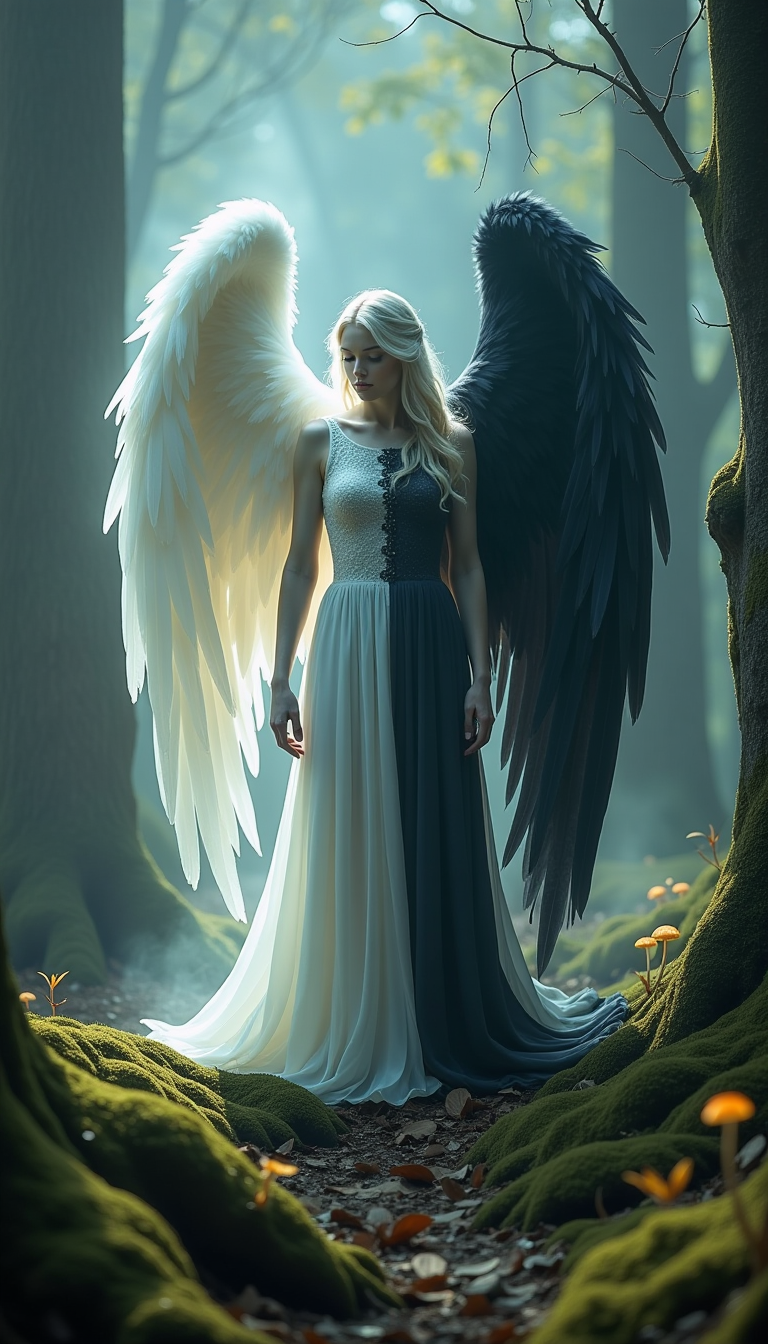
In a mystical forest shrouded in ethereal fog
flux
Models you can run on PixelDojo for ai camera angle
Switch models without switching tools. Each one runs in the same PixelDojo studio.
What you can do with ai camera angle on PixelDojo
Pick the Camera View
We let you specify high, low, eye-level, and other camera angles when you generate images so the shot matches the scene you have in mind.
Frame Wide or Tight
You can request wide, medium, or close framing along with the angle so composition stays consistent across a set of stills.
Lock Angle Across Prompts
We support reusing the same camera angle in follow-up generations so characters and sets stay aligned from image to image.
Describe Lens and Height
You can name lens feel and camera height in plain language and we apply that to the rendered viewpoint without extra setup.
Loved by thousands of creators worldwide who rely on PixelDojo's 40+ cutting-edge AI tools for professional camera angle control. Join them today—cancel anytime with zero risk.
Why Choose Pixel Dojo for ai camera angle
Professional-quality results with cutting-edge AI technology
Cinematic Storytelling From Any Perspective
You instantly produce Hollywood-caliber shots that make subjects look heroic, vulnerable, mysterious or epic. Low-angle views tower over the viewer for authority, bird's-eye compositions reveal patterns and scale, Dutch angles inject unease—all without leaving your browser. Your audience feels the emotion you intend because every image now has the visual language of professional film.
One Photo Becomes Every Angle You Need
You upload a single portrait, product shot or scene and generate side views, three-quarter turns, overhead, ground-level and behind-the-subject perspectives while the subject, clothing, materials and lighting stay perfectly consistent. E-commerce sellers create complete listing galleries. Character designers build full reference sheets. Social creators produce endless variations that keep feeds fresh.
Professional Results With Zero Photography Skills
You skip lighting setups, location scouts, models and reshoots. PixelDojo's Change Camera Angle tool plus generators like Flux.2 Studio, QWEN Image 2 and Seedream 5 understand cinematic vocabulary so you simply describe or slide the controls. Then polish with Reality Polisher, Style Transfer or P-Image Upscale. Anyone can now deliver studio-quality work that converts viewers into customers.
How It Works
Whether you are generating brand-new cinematic images or reframing photos you already have, PixelDojo makes professional AI camera angles simple and fast. These three steps take you from idea to download-ready file using the exact tools built for perspective control.
Step 1: Choose Your Tool
Open Generate Images and pick Flux.2 Studio, Seedream 5, Nano Banana 2, Grok Image or Qwen 3 Pro when you want a completely new scene. These models excel at interpreting camera-angle language. If you already have a photo, portrait or product image, go straight to Edit Images and select the dedicated Change Camera Angle tool. It uses advanced multi-angle LoRA technology for 360-degree orbit, precise tilt and zoom without losing identity or details. You can also start with Image to Image for hybrid workflows.
Step 2: Enter Your Prompt or Upload & Adjust
For new generations, lead your prompt with the camera angle and shot type using the proven formula that current models follow best: [low-angle / bird's-eye / Dutch / worm's-eye / POV] + [close-up / medium / wide] + subject + setting + lighting + style. Example: 'Low-angle medium shot of a confident founder in a glass office at golden hour, cinematic lighting, sharp details'. For existing images, upload to Change Camera Angle, then use the intuitive sliders for horizontal_angle (full 360° orbit), vertical_angle (tilt from -30° to 90°) and zoom (wide to close-up). Real-time preview lets you fine-tune until the perspective feels exactly right. Add a short prompt if you want extra guidance on mood or lighting.
Step 3: Customize, Enhance & Download
Once the new angle looks perfect, refine further with Image to Image, Inpainting, Style Transfer or Magic Lighting to match your brand. Keep characters identical across a whole series using Consistent Characters and Character Sheets. Upscale to print or billboard quality with P-Image Upscale, Magnific Upscaler or Clarity Pro. Download high-resolution files ready for ads, social posts, websites or video storyboards. You now have a complete multi-angle set that would have required an entire production day.
The Pixel Dojo Advantage
Why PixelDojo outperforms other options for AI camera angle image generation
| Others | Pixel Dojo |
|---|---|
| Traditional photography and film production | You eliminate camera gear, studio rental, models, lighting crews and reshoot costs. Generate professional angles from one image or a short prompt in seconds instead of scheduling days of production, giving you complete creative freedom at a tiny fraction of the budget. |
| Generic AI image tools | You get a purpose-built Change Camera Angle editor with precise orbit, tilt and zoom sliders plus specialized models like Flux.2 Studio, Seedream 5, QWEN Image 2 and Nano Banana 2 that understand cinematic terms far more reliably. Combine them with 40+ complementary tools for characters, upscaling and editing that generic platforms simply do not offer. |
| Manual photo editing software | You skip hours of tedious perspective warping, cloning, lighting matching and 3D reconstruction. PixelDojo's AI performs true camera-aware 3D shifts that keep anatomy, textures and identity intact, letting you iterate on dozens of angles in the time it would take to finish one manual composite. |
Loved by creators on PixelDojo
Real feedback from people using PixelDojo, pulled from our in-product surveys.
All the tools, plus the guidance
Excellent tools. Ease of use. Well thought out interface. Wide variety of AI tools and features which are up to date with more added each month
I really like how the site is kept up to date, and the leaderboard (where I'm currently #11 most popular artist)
This is the best image generator I've used so far. Well done!
es facil de comprender asi uno no sea programador
amazing web site
Explore more AI tools on PixelDojo
Popular AI Models
AI Tools
Compare & Switch
- Best AI Image Generators
- Best AI Video Generators
- Midjourney Alternatives
- Civitai Alternatives
- Runway Alternatives
- Leonardo Alternatives
- Pika Alternatives
- Luma Alternatives
- Magnific Alternatives
- Veo Alternatives
- Flux Alternatives
- Freepik Alternatives
- Seedance Alternatives
- Seedream Alternatives
- Pixverse Alternatives
- GPT Image Alternatives
- Synthesia Alternatives
- Playground Alternatives
- NightCafe Alternatives
- Canva AI Alternatives
- ElevenLabs Alternatives
- ComfyUI Alternatives
- Fal Alternatives
- Replicate Alternatives
Common Questions
Everything you need to know about ai camera angle
How do I generate AI images with specific camera angles like low angle or bird's eye view?
On PixelDojo you have two powerful paths. For brand-new images, open Generate Images, choose Flux.2 Studio, Seedream 5, Nano Banana 2 or Grok Image, and start your prompt with the exact angle: 'Low-angle shot of...' or 'Bird's eye view wide shot of...'. Current models respond best when the camera instruction comes first. For photos you already have, upload them to the Change Camera Angle tool in Edit Images and use the sliders for instant, consistent reframing. Both methods give you cinematic results in seconds and you can cancel anytime.
What is the best AI tool to change the camera angle of an existing photo?
PixelDojo's dedicated Change Camera Angle editor is built exactly for this. Upload any image, then control full 360-degree horizontal orbit, vertical tilt from ground-level to overhead, and zoom from wide establishing shots to intimate close-ups. The tool uses Qwen Image Edit with a specialized multi-angle LoRA so your subject, clothing and details stay recognizable. Follow up with Reality Polisher or Image Outpainting if you need extra refinement. No photography experience required.
Can AI create worm's eye view, Dutch angle or POV images from a regular photo?
Yes. PixelDojo's Change Camera Angle tool handles extreme perspectives including worm's-eye (camera on the ground looking straight up), Dutch/canted angles that tilt the horizon for tension, overhead, over-the-shoulder and true POV. Simply adjust the vertical and horizontal sliders or add a short prompt. Generators such as Kling Image, WAN Image and Recraft V4.1 also interpret these terms accurately when you include them at the start of a new-image prompt.
How do I keep the same character consistent when generating multiple camera angles with AI?
Combine PixelDojo's Change Camera Angle or angle-aware generators with Consistent Characters, Character Sheets and Ideogram Character. Upload one strong reference image, then generate or reframe from every viewpoint you need. The tools lock identity, outfit, hairstyle and facial features so your storyboards, marketing campaigns or product models stay perfectly cohesive across an entire series.
What prompt formula works best for AI camera angle image generation?
Lead with the camera instruction: [angle] + [shot type] + [subject] + [action or setting] + [lighting] + [style]. Example: 'Dutch angle medium close-up of a detective in a rain-soaked alley, neon reflections, film-noir lighting, cinematic'. PixelDojo models including Flux.2 Studio, Qwen 3 Pro, Seedream 5 and Luma UNI 1 follow this structure reliably. Test a few variations in seconds until the mood is perfect.
Is PixelDojo's AI camera angle generator good for product photography and e-commerce?
It is one of the fastest ways to create professional multi-angle product galleries. Upload one hero shot, then generate side, three-quarter, overhead, low-angle and lifestyle views while keeping materials, labels and lighting consistent. Pair with Background Remover, Virtual Try-On, Marketing Studio and P-Image Upscale. Thousands of sellers already use these 40+ tools to replace expensive photoshoots—try it today and cancel anytime if it is not the perfect fit.