Kapwing alternative
Kapwing alternative: make the clip, then reframe and caption it
Kapwing is an editor that added AI. Pixel Dojo starts from the AI: generate the shot with sound and dialogue, reframe it for vertical and burn in captions, each step priced before you click.
We wrote one shoe repair tip, generated it as a talking clip on Veo 3.1 Fast, turned it vertical and captioned it, three steps in one tab. Then we put Kapwing's plans, credits and refund policy next to ours.
36 credits ($2.25) per 8 s clip at 1080p with audio. Included in every plan, from $10/month.
Already a member? Sign in
By Brian Lovett · Updated
Kapwing alternative: quick answers
What is Kapwing?
A browser video editor with AI tools: subtitles, text to speech, dubbing, lip sync on Business, and an AI video generator that names Seedance, Veo, Kling, MiniMax H3 and others.
What does Kapwing cost?
Kapwing lists Free at $0, Pro at $16 and Business at $50, with 10, 1,000 and 4,000 AI credits. Annual billing saves 33%.
Does Kapwing add a watermark?
Yes on Free. Kapwing says free exports, AI generated clips included, carry its watermark, and Pro removes it.
Can you get a refund from Kapwing?
Kapwing's refund policy says it does not refund subscriptions once you upgrade; unresolved technical issues get an account credit, not a refund.
The rest of the episode, made here
Every image and clip below was made on Pixel Dojo with the prompt shown. Tap one to start from the same prompt.

A thumbnail on GPT Image 2.5 with the headline spelled right on the first try.
Video thumbnail: close up of weathered hands holding a resoled brown leather boot on a workbench, a hammer and brass tacks beside it, bold white headline "SAVE YOUR BOOTS" with a thick black outline on the left, high contrast, warm colors.
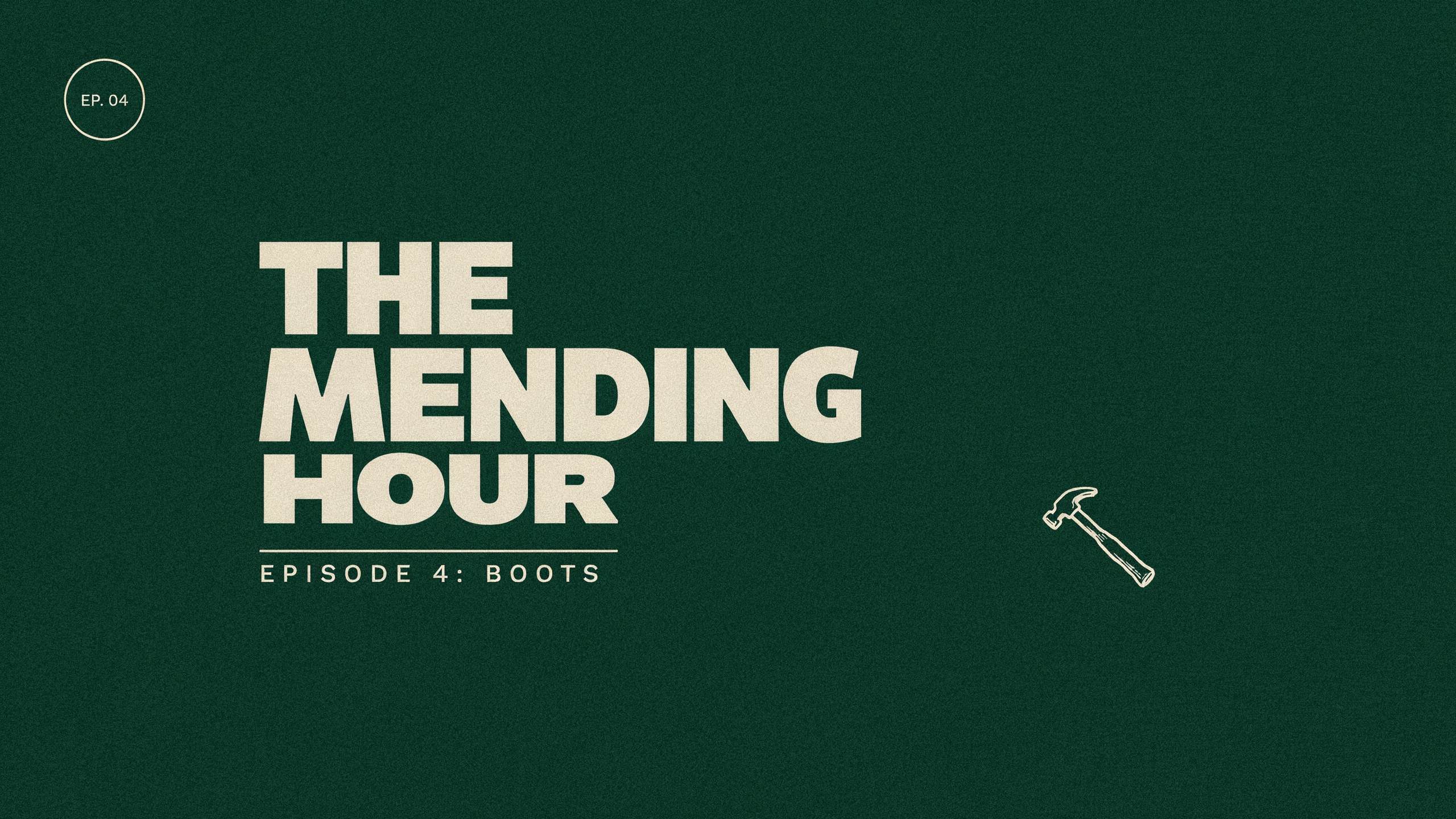
A series title card on Ideogram 4.5.
Wide title card for a video series reading "THE MENDING HOUR" in a bold cream slab serif, with the smaller line "Episode 4: Boots" underneath, set over a dark green background with a simple line drawing of a cobbler's hammer, clean modern layout.
B-roll on Kling 3.0 with the pull of the thread in the sound.
Overhead close up b-roll of hands in their forties stitching a leather wallet with two needles and waxed thread, the thread pulled tight with each pass, a wooden stitching pony holding the leather, warm desk lamp. Sound: the pull of waxed thread and a soft wooden creak.
Vertical b-roll on WAN 3.0 with market chatter, for the cutaways.
Vertical handheld b-roll at a Saturday flea market: a vendor in her sixties arranges polished vintage leather boots on a wooden crate, she turns one to the light and smiles at a passing shopper, bunting flutters overhead. Sound: market chatter, a distant busker and footsteps on gravel.
One shoe repair tip: generate, reframe, caption
Each step used the output of the one before. Each tile shows the settings and credits it used.
Medium shot of a shoe repairer in his fifties with rolled sleeves and a canvas apron at a cluttered workbench, he holds up a leather boot, taps the worn heel and says to the camera, "Fix the heel before it reaches the leather. It saves the whole boot." Warm lamp light, shelves of polish tins behind him. Sound: his voice, a soft tap, quiet shop ambience.
- Veo 3.1 Fast spoke the full line, tapped the heel on cue and kept the shelves of polish tins in focus behind him, in a 6 second clip for 27 credits.
- Video Reframe kept him and the boot centered in the 9:16 frame, with the dark bench below him left as room for captions, for 9 credits.
- Auto captions read his line back word by word and highlighted each word as he said it, for 5 credits.
- Nothing left the browser and nothing needed a timeline: three prompts, three tiles.
Deep dive: editor first or generator first?
Kapwing grew up as an editor. Its plans are built around export minutes, upload size, cloud storage and minutes of subtitles, text to speech and dubbing, with AI credits on top for generation.
Pixel Dojo is built the other way round. The shot itself comes from a model, Veo 3.1, Kling 3.0, Seedance 2.5 or WAN 3.0, and the finishing tools, reframe, auto captions, text to speech, text to music and upscalers, run on the same credit balance. Every tool page shows its price before you press generate.
For longer pieces, Film Studio writes the script, keeps the cast, storyboards and runs an editor pass that trims every shot. For faceless channels, the faceless video generator builds whole shorts for you.
Kapwing plans vs Pixel Dojo
Everything in the Kapwing column comes from its pricing page, refund policy and AI video generator page, read on October 15, 2026.
| At a glance | Kapwing | Pixel Dojo |
|---|---|---|
| Paid plans | Pro $16 with 1,000 AI credits a month, Business $50 with 4,000 | Lite $10 a month for 160 credits, Pro $25 for 500 credits, Pro Max $50 for 1,100 credits |
| Refunds | No refunds once you upgrade; technical issues get account credit | A first purchase can be refunded within 7 days, in full if under 20% of the credits are used and pro-rated after that |
| Price per generation | Each AI generation costs a different number of credits | Shown on every model page before you generate |
| Auto subtitles | Up to 1,000 minutes a month on Pro, 4,000 on Business | Auto captions on every plan, priced per clip |
| Video models | Seedance 2.0 and 2.5, Veo 3, MiniMax H3, Happy Horse, Kling, Grok Imagine | Veo 3.1, Seedance 2.5, Kling 3.0, WAN 3.0, MiniMax H3 and more |
Why Kapwing users switch to Pixel Dojo
Unlimited on every plan
On every paid plan, Relax runs Qwen Image 2.1, FLUX 3 Image Klein and MiniMax H3 Turbo, plus every video and photo effect, unlimited with no credits spent.
Sensei, the AI director
Describe a project and Sensei plans it, prices it, waits for your approval and reviews every take.
Marketing Studio
Paste a product link and get a video ad with a voiceover, in UGC, unboxing, try on or commercial styles, with every take priced first.
One click video effects
300+ one-click video effects turn a photo into a trend clip, from AI Hug to AI Inflate, with no prompt to write, and 3 are free every day.
Character Studio
Save a face once and call it by @name in any prompt, so the same person shows up in every image and clip.
Start from a genre
Pick a format such as a UGC ad, a micro drama, a movie trailer or an explainer, and the matching studio opens with the settings and a sample idea filled in.
Star in any video
Upload a short clip, pick a saved character or a photo, and Character Swap puts your star in the lead while the scene, camera moves and sound stay the same.
Credits that roll over
Your credits roll over while you stay subscribed, so nothing you pay for disappears at the end of the month.
Every top model, plus an API
More than 80 image and 60 video models in one account, with a public API and a hosted MCP server for your own apps and AI assistants.
What our three steps cost
The talking clip was 27 credits on Veo 3.1 Fast, the vertical reframe 9 credits and the captions 5 credits. Each tile lists its own price.
Plans are Lite $10 a month for 160 credits, Pro $25 for 500 credits, Pro Max $50 for 1,100 credits, and every plan includes commercial use. Credits roll over while you stay subscribed.
Under our refund policy, a first purchase can be refunded within 7 days, in full if under 20% of the credits are used and pro-rated after that.
Kapwing questions
What is the best Kapwing alternative for AI video?
If you want to generate the footage and not just edit it, Pixel Dojo runs Veo 3.1, Kling 3.0, Seedance 2.5 and WAN 3.0, then reframes and captions the result, with every price shown before you click.
How much is Kapwing Pro?
Kapwing's pricing page lists Pro at $16 with 1,000 AI credits a month and Business at $50 with 4,000, with 33% off on annual billing.
Does Kapwing refund subscriptions?
Kapwing's refund policy says it does not refund subscriptions once you upgrade to a paid plan. If support cannot fix a technical issue, it may apply an account credit instead.
How do I turn a horizontal clip into a captioned vertical?
On Pixel Dojo, run Video Reframe at 9:16, then Auto captions on the result. Our shoe repair clip took two steps after the generation.
Can I make a video thumbnail with readable text?
Yes. GPT Image 2.5 and Ideogram 4.5 set headlines cleanly. Our SAVE YOUR BOOTS thumbnail is on this page.
Video Effects New
Your first video is free. One photo, one click.
310 ready-made effects, from AI Hug and Earth Zoom In to product spins and listing walkthroughs. Upload a photo and press Generate. No prompt to write, and a free account gets 3 a day.






Switch from Kapwing to Pixel Dojo today
Write a prompt above or start from any example on this page. One plan covers every top model, six studios and Sensei, and your credits roll over.
Start with Veo 3.1 FastSources
Facts about Kapwing come from these public pages, checked on Oct 15, 2026. Prices and plans change; check the source before you buy.