Riverside alternative
Riverside alternative for everything after you hit stop
Pixel Dojo handles the AI work around your show: vertical reframes, auto captions, generated b-roll, cover art and thumbnails, each priced before you click.
Riverside records studio quality interviews in the browser and adds AI editing on top. If you already record somewhere you like, we wanted to see how much of the AI side one generation studio covers, so we took a talking clip through the same steps.
36 credits ($2.25) per 8 s clip at 1080p with audio. Included in every plan, from $10/month.
Already a member? Sign in
By Brian Lovett · Updated
B-roll, cover art and a thumbnail for the same episode
Every clip and image below was made on Pixel Dojo with the prompt shown on its tile.
Close up b-roll on Seedance 2.5, with the pour and clink built in.
Macro b-roll: a hand pours steaming amber tea from a small clay teapot into a pale green celadon cup on a wooden tray, steam curling in a beam of window light, the trickle of tea and a soft clink.
City b-roll on Kling 3.0 with sound built in.
B-roll: an elevated commuter train crosses a steel bridge over a city street at dusk, its windows glowing, the camera pans with it, a low rumble and distant traffic.
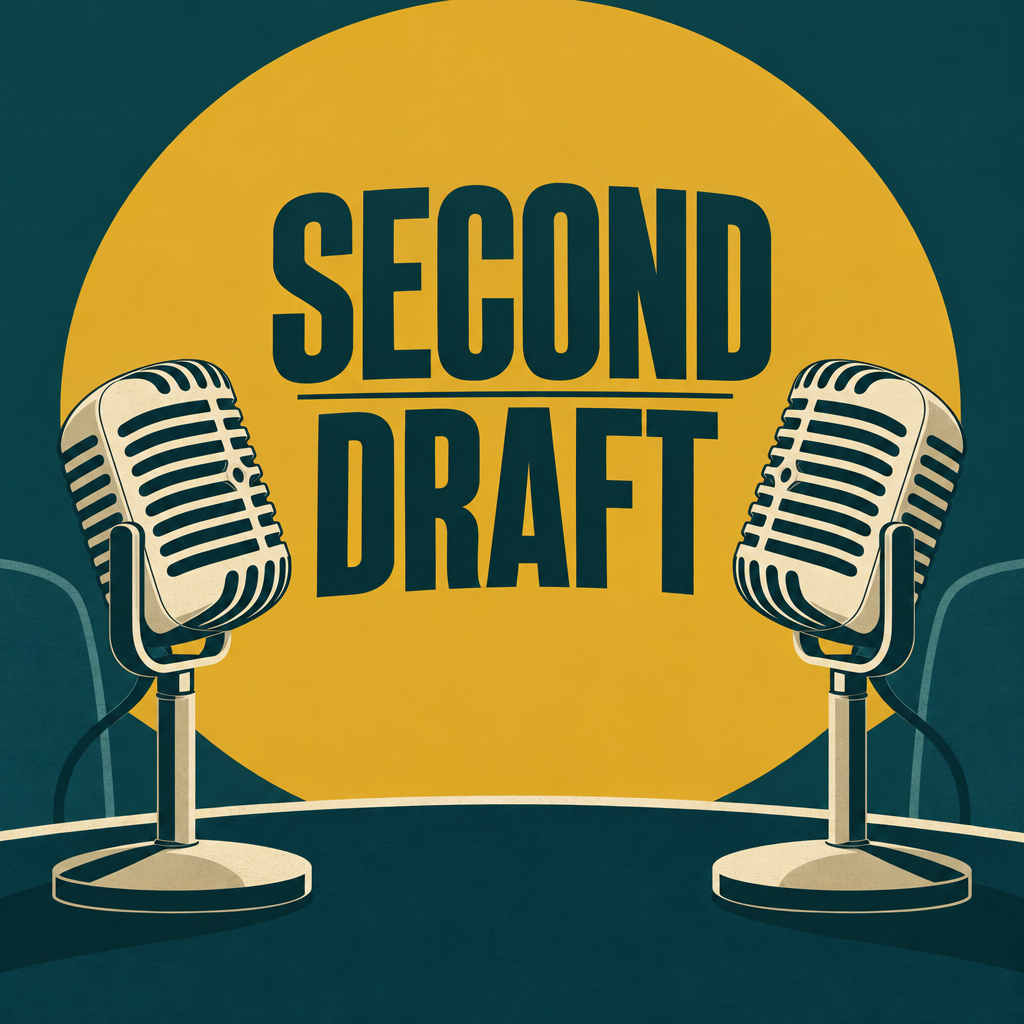
Cover art on GPT Image 2.5 with clean title text.
Square podcast cover art for a fictional interview show named "SECOND DRAFT": two vintage microphones facing each other, bold sans serif title, mustard and deep teal palette, flat graphic style, no other text.
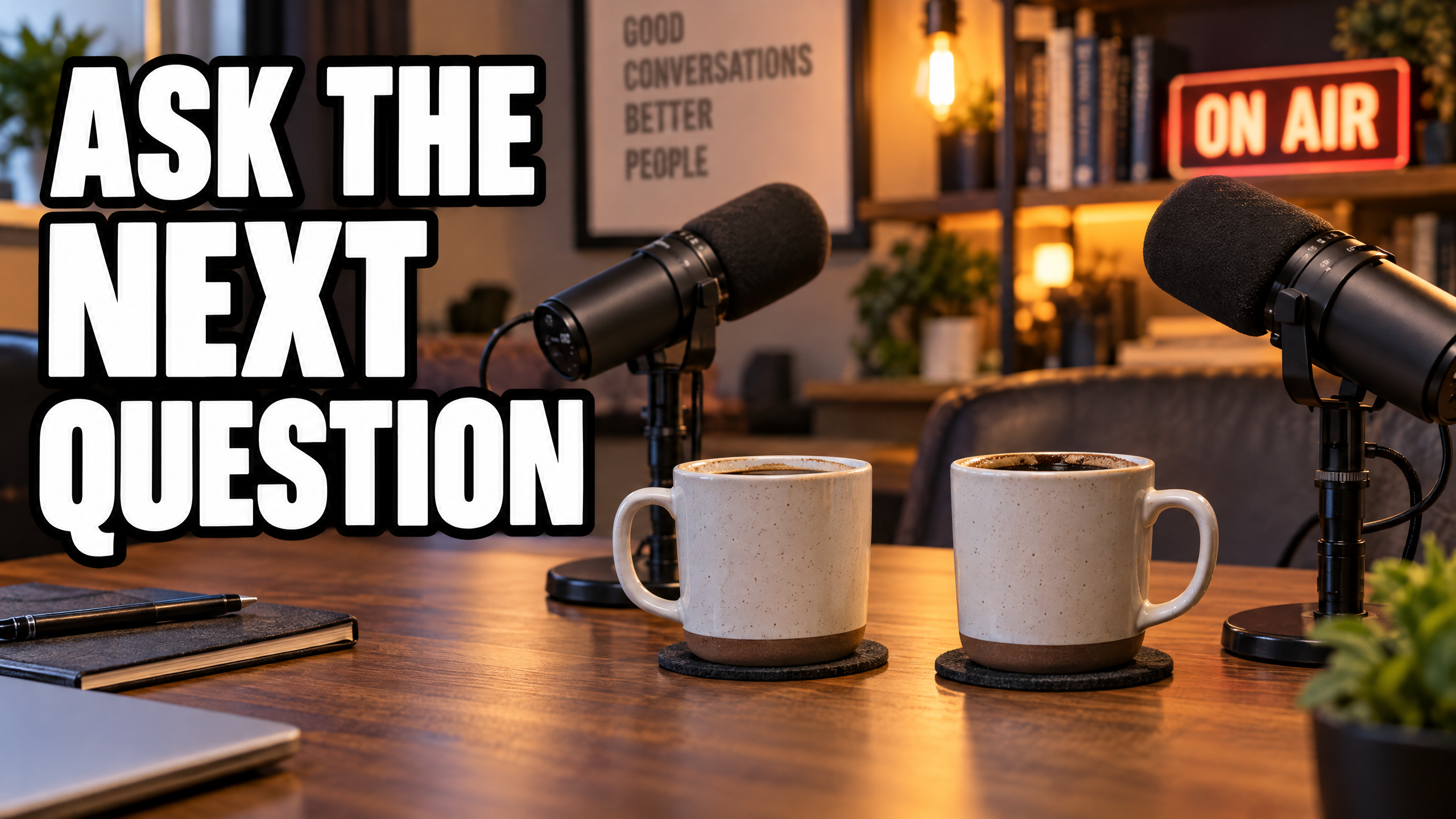
A bold episode thumbnail on GPT Image 2.5.
Video thumbnail: two cups of coffee on a studio desk between two microphones, the words "ASK THE NEXT QUESTION" in big bold white letters with a black outline on the left side, warm studio light, shallow depth of field.
The counter take: recording is solved, the clips are the work
Most podcasters already own a decent way to record. What eats the week is everything after: cutting the vertical clip, burning in captions, finding b-roll for the parts where nobody is on camera, and making a cover and a thumbnail that get the click.
Riverside bundles those AI steps with its recorder. We think it is worth asking whether you need the recorder at all. If you record on Zoom, a camera or a phone, a studio built for AI generation does the after part, and makes visuals a recorder never could.
For this test we used a generated talking clip as a stand in for your recording, so every step below is one you can run on your own footage.
One talking clip, from wide to captioned vertical
We started with an 8 second wide shot of a host on Veo 3.1 Fast, reframed it to 9:16 with Video Reframe, then added captions with Video Autocaption. Each tile shows the settings and credits it used.
Medium shot of a podcast host in her forties with curly auburn hair and a green cardigan at a wooden desk with a broadcast microphone on a boom arm, acoustic panels and a bookshelf behind her, she leans in and says, "The best interview question is the one you almost did not ask." Warm practical lamps, quiet room tone.
- Video Reframe did not just crop. It extended the scene above and below the host, so her hands, the microphone and the bookshelf all stayed in frame.
- The reframe kept the original audio, so her line still plays in sync on the vertical version.
- Video Autocaption transcribed the line and burned it in as bold captions with the current word highlighted, with no prompt at all.
- The source clip cost 36 credits and the reframe 12. Each tile lists its own price.
Riverside plans vs Pixel Dojo
Everything in the Riverside column comes from its pricing and Magic Clips pages, read on October 15, 2026.
| Question | Riverside | Pixel Dojo |
|---|---|---|
| Does it record? | Yes, multi track recording in the browser, up to 4K on Pro | Works on footage from any recorder |
| What does it cost? | Free $0; Pro $24 a month billed $288 a year; Grow $34 a month billed yearly | Lite $10 a month for 160 credits, Pro $25 for 500 credits, Pro Max $50 for 1,100 credits |
| Vertical clips | Magic Clips picks highlights and reframes for TikTok, Instagram and YouTube | Video Reframe turns a clip vertical by extending the scene |
| Captions | Customizable captions on Magic Clips | Video Autocaption on any clip |
| B-roll | AI B-roll on Pro | Generate b-roll from a prompt on Seedance 2.5, Kling 3.0, Veo 3.1 and WAN 3.0 |
| Cover art and thumbnails | AI thumbnails on Grow | Ideogram 4.5, GPT Image 2.5 and Nano Banana 2.1 for covers and thumbnails |
Why Pixel Dojo for visuals around your show
If your recording setup already works and you want better visuals around it, b-roll, covers, thumbnails and vertical captioned clips, Pixel Dojo does that whole job on one plan.
Why Riverside users switch to Pixel Dojo
Unlimited on every plan
On every paid plan, Relax runs Qwen Image 2.1, FLUX 3 Image Klein and MiniMax H3 Turbo, plus every video and photo effect, unlimited with no credits spent.
Sensei, the AI director
Describe a project and Sensei plans it, prices it, waits for your approval and reviews every take.
Marketing Studio
Paste a product link and get a video ad with a voiceover, in UGC, unboxing, try on or commercial styles, with every take priced first.
One click video effects
300+ one-click video effects turn a photo into a trend clip, from AI Hug to AI Inflate, with no prompt to write, and 3 are free every day.
Character Studio
Save a face once and call it by @name in any prompt, so the same person shows up in every image and clip.
Start from a genre
Pick a format such as a UGC ad, a micro drama, a movie trailer or an explainer, and the matching studio opens with the settings and a sample idea filled in.
Star in any video
Upload a short clip, pick a saved character or a photo, and Character Swap puts your star in the lead while the scene, camera moves and sound stay the same.
Credits that roll over
Your credits roll over while you stay subscribed, so nothing you pay for disappears at the end of the month.
Every top model, plus an API
More than 80 image and 60 video models in one account, with a public API and a hosted MCP server for your own apps and AI assistants.
What our podcast test cost
Plans are Lite $10 a month for 160 credits, Pro $25 for 500 credits, Pro Max $50 for 1,100 credits. Commercial use is included on every plan. Credits roll over while you stay subscribed.
The 8 second source clip cost 36 credits and the vertical reframe 12. The b-roll clips cost 27.5 and 30 credits, and the cover art and thumbnail 2 credits each.
Under our refund policy, a first purchase can be refunded within 7 days, in full if under 20% of the credits are used and pro-rated after that.
Riverside questions
What is a good alternative to Riverside?
Pixel Dojo covers the AI side: it turns clips vertical, adds captions, and generates b-roll, cover art and thumbnails on one plan with every price shown first.
Does it work with my existing recordings?
Yes. Record anywhere, then bring your clips here for reframing, captions and generated visuals.
How much does Riverside cost?
Riverside lists a Free plan, Pro at $24 a month billed $288 a year, Grow at $34 a month billed yearly, Webinar and a custom Business plan.
How do I turn a wide podcast clip vertical?
Run it through Video Reframe at 9:16. In our test it extended the scene above and below the host instead of cropping her, and kept the audio.
Can AI make b-roll for my podcast?
Yes. Describe the shot on Seedance 2.5, Kling 3.0, Veo 3.1 or WAN 3.0. Our tea pour and train clips above came from one prompt each.
Video Effects New
Your first video is free. One photo, one click.
310 ready-made effects, from AI Hug and Earth Zoom In to product spins and listing walkthroughs. Upload a photo and press Generate. No prompt to write, and a free account gets 3 a day.






Switch from Riverside to Pixel Dojo today
Write a prompt above or start from any example on this page. One plan covers every top model, six studios and Sensei, and your credits roll over.
Start with Veo 3.1 FastSources
Facts about Riverside come from these public pages, checked on Oct 15, 2026. Prices and plans change; check the source before you buy.