Comic Strip Workflow AI Generator
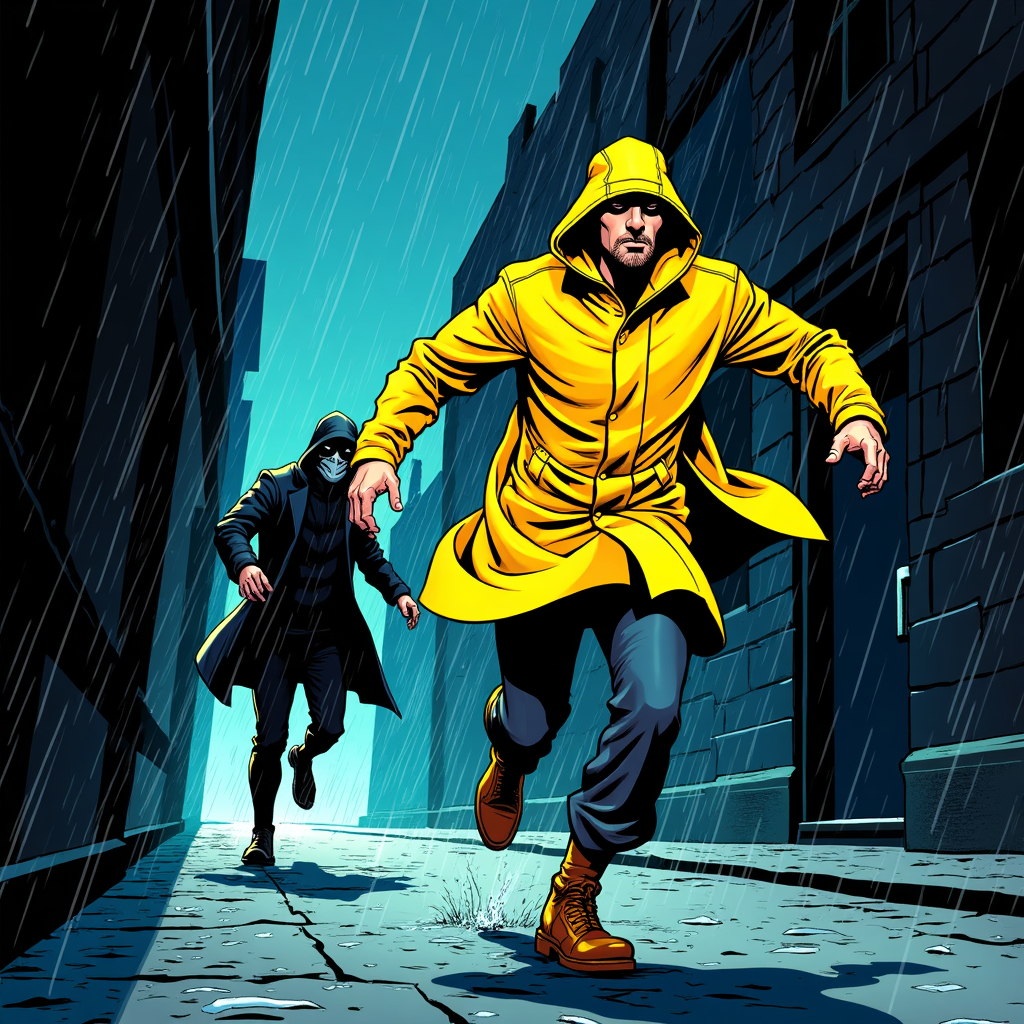
Generated on PixelDojo with flux. Produced by PixelDojo's generation pipeline.
You can turn a script into a comic strip with AI in three steps: write each scene as a panel description, generate the artwork with an image model, and lock your character so every panel stays on model. A panel costs 1 credit on Flux or Nano Banana 2.1. Save your hero in Character Studio and type @Name in each panel prompt. Or hand the whole script to Sensei and it plans and generates the strip for you.
The panel from step one, first result
Every example below was produced on PixelDojo. Hover to see the prompt.
Comic book panel illustration of a courier in a yellow raincoat sprinting through a rain soaked alley at night, a masked figure chasing close behind, bold black ink outlines, flat cel shaded colors, dynamic diagonal panel composition, halftone dot shading, dramatic action linework
flux
One script beat, one finished comic panel, first try. 1 credit on Flux. Used by 1M+ creators on Pixel Dojo.
Why Choose Pixel Dojo for Comic Strip Workflow
Professional-quality results with cutting-edge AI technology
1 credit a panel
Flux and Nano Banana 2.1 each make a panel for 1 credit, no matter how many characters are in frame.
One workspace for the whole strip
Canvas chains generation, character locking and editing in the same session, so a multi panel strip never means juggling files.
Sensei directs the rest
Describe what you want and Sensei, the AI director, picks the models, reviews every take and hands you the finished result.
Unlimited on every plan
Relax mode runs FLUX 3 Image Klein and Qwen Image 2.1 at zero credits, as much as you want. Credits roll over every month while you are subscribed. Plans from $10/mo.
How It Works
Three steps, one script, panels that stay on model:
Write the scene as a panel description
Skip screenplay slug lines like INT. or EXT. and describe what the panel shows: the character, the action and the art style. Our script beat was a courier fleeing through a rainy alley, so the prompt named a courier in a yellow raincoat sprinting from a masked figure, bold black ink outlines and flat cel shaded colors. Flux returned a 1024 by 1024 panel with two clean figures, brick alley walls and visible rain streaks, for 1 credit.
Lock the character before the next panel
A strip works when the hero looks the same in every panel. Save one clean reference shot in Character Studio, then type @Name in every later panel prompt: the saved photos ride along as references automatically, on Nano Banana 2.1 at 1 credit a panel or any model that takes reference images. For a quick turnaround sheet, Consistent Characters returns new poses of the same person at 1.25 credits per image.
Edit each panel into the finished strip
With the character locked, run each remaining beat through the Image Editor at 1 credit per edit on the Flux Edit model: change the pose, swap the background or add a caption box on the existing panel. Chaining generation, character locking and editing inside one Canvas session keeps every panel of the strip in a single workspace instead of downloading and re-uploading between tools.
Loved by creators on PixelDojo
Real feedback from people using PixelDojo, pulled from our in-product surveys.
Lots of Tools, and the one time I needed support I got help right away
Easy to use once you get the hang of it
Love it make anything I can think of so far
Great for all your ideas use it encourage more people to use it
Because it is awesome
exceptional quality and great overall design of platform and interface. very intuative. love the creative freedom.
Explore more AI tools on PixelDojo
Popular AI Models
AI Tools
Compare & Switch
- All AI Tool Alternatives
- Pollo AI Alternative
- PixelDojo vs Pollo AI
- Pollo AI Review
- MotionMuse AI Alternative
- MioCreate Alternative
- Dessi AI Alternative
- Runway Alternatives
- CapCut Alternatives
- Leonardo Alternatives
- OpenArt Alternatives
- Midjourney Alternatives
- Canva AI Alternatives
- Pika Alternatives
- InVideo Alternatives
- Higgsfield Alternatives
- Krea Alternatives
- Luma Alternatives
- Magic Hour Alternatives
- HeyGen Alternatives
- PixAI Alternatives
- Vidu Alternatives
- Seedream Alternatives
- Tensor.Art Alternatives
Common Questions
Everything you need to know about Comic Strip Workflow
What does an AI comic panel cost?
1 credit per panel on Flux or Nano Banana 2.1. Consistent Characters is 1.25 credits per pose, and an Image Editor edit is 1 credit.
Can I add dialogue and captions?
Yes. Send the finished panel to the Image Editor with an instruction to add a caption box or speech balloon in a stated spot, at 1 credit per edit.
Can AI do the whole strip for me?
Yes. Hand the script to Sensei, the AI director. It plans the panels, keeps your character on model, generates every one and reviews each take.
Will my character stay the same?
Yes. Character Studio locks the face across every image and video: save a character once and type @Name in any prompt. Train a LoRA when you want it perfect.
Can I use the images commercially?
Yes. You own what you create, on every plan. No watermark on paid plans.
Is it free to try?
Yes. A free account gets 3 free effects every day, no card needed. Plans from $10/mo unlock every model, with Unlimited on every plan.