AI Influencer AI Generator
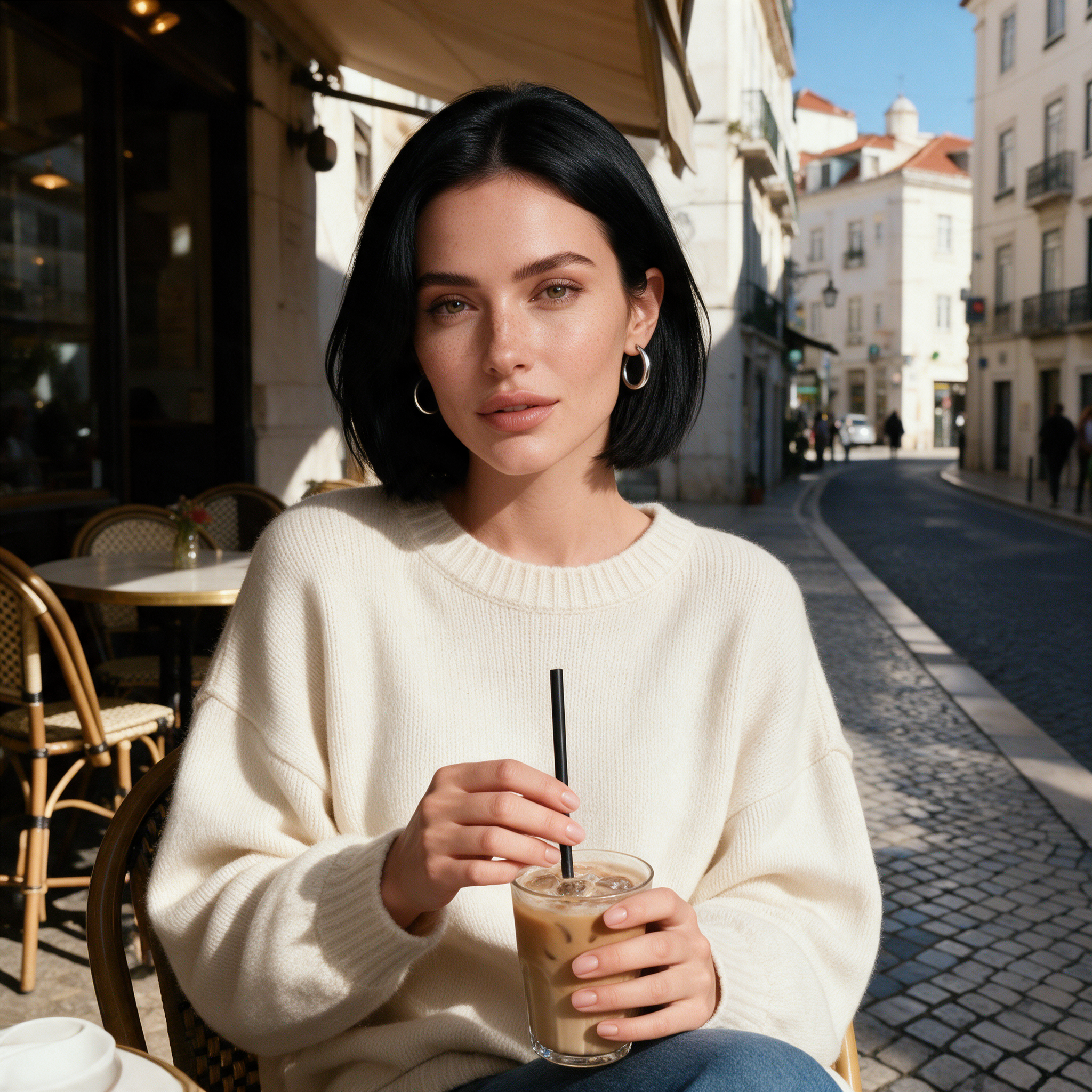
Generated on PixelDojo. Produced by PixelDojo's generation pipeline.
Build the character once, then reuse that identity in every shot. On Pixel Dojo you save her in Character Studio, type @Name in any prompt, and the same face, hair and details show up in every photo and video. Here is one we made from scratch: a single studio portrait, then two very different scenes that both use that portrait as the only reference.
One character, three places
Every example below was produced on PixelDojo. Hover to see the prompt.
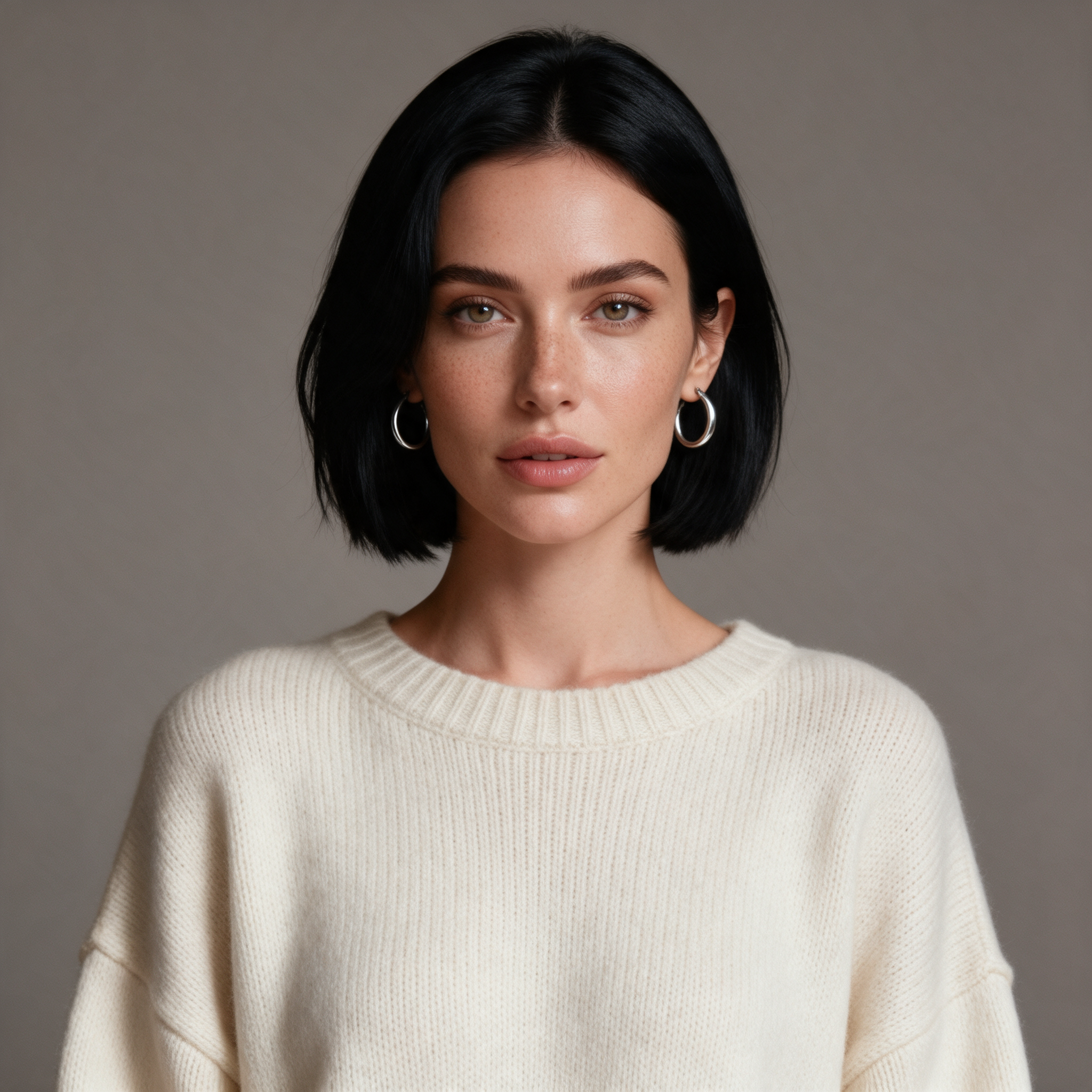
Front-facing portrait of a 27-year-old woman with a sleek black bob, light freckles, silver hoop earrings and an oversized cream knit sweater, plain warm-gray studio background, soft beauty lighting, photorealistic, looking at the camera
Seedream 5
The same woman sitting at a sunny sidewalk cafe in Lisbon, holding an iced latte, candid lifestyle influencer photo, golden afternoon light, shot on 35mm
Seedream 5, portrait as reference
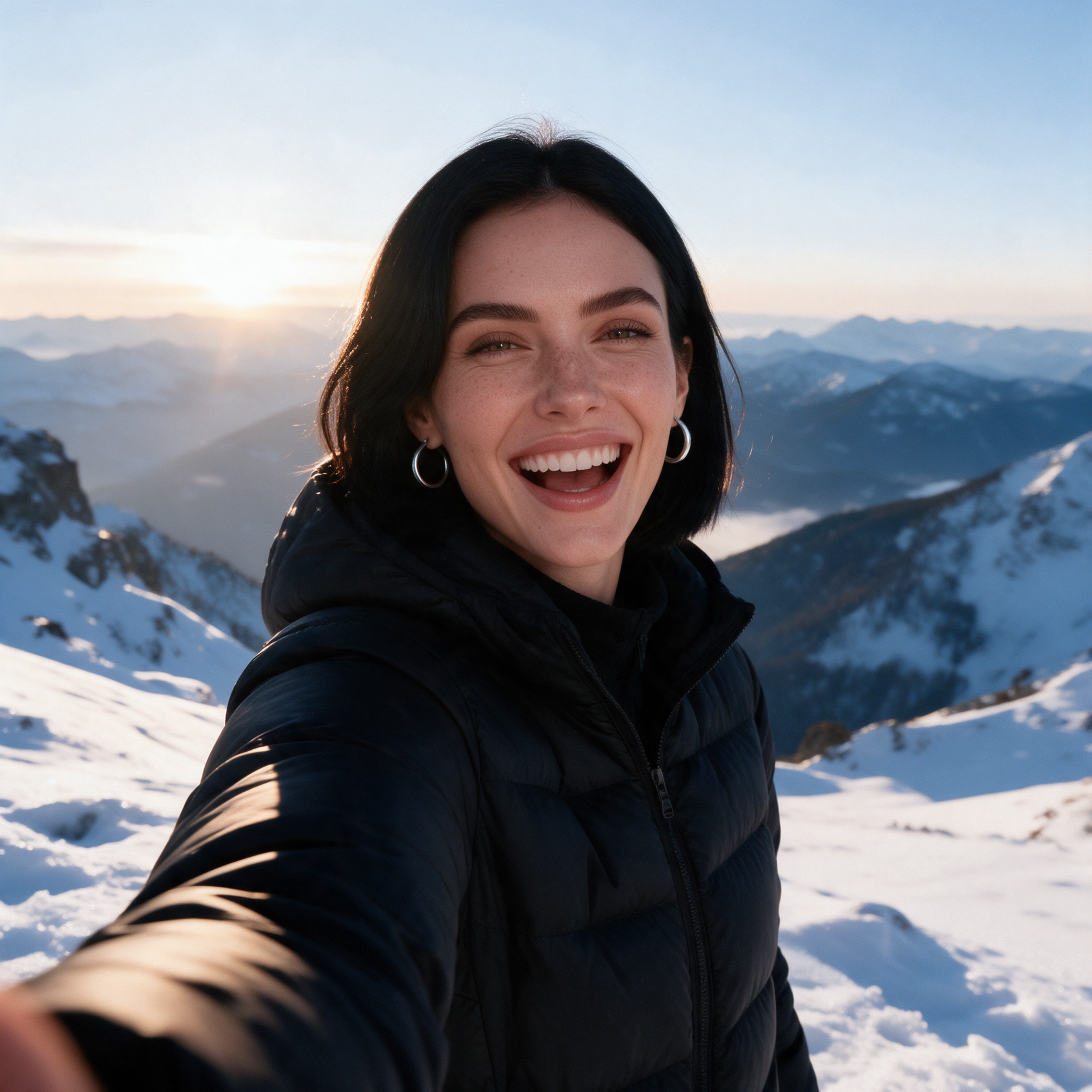
The same woman in a black puffer jacket on a snowy mountain overlook at sunrise, laughing, mirror-selfie style travel influencer photo, crisp morning light
Seedream 5, portrait as reference
How we built her
The brief
One creator persona for a lifestyle and travel feed: sleek black bob, light freckles, silver hoops, a signature cream sweater. Distinct enough that any drift would show.
The anchor portrait
We started with a front-facing studio portrait on a plain background. A clean, well-lit face is the reference everything else is built from.
Scene one: a Lisbon cafe
Golden afternoon light, an iced latte, a cobbled street. The portrait was the only reference, and the face, bob, freckles and hoops came through intact.
Scene two: a mountain sunrise
A new outfit, a big laugh and a selfie angle in snow light. Same woman, same hair and earrings, while the wardrobe and mood changed completely.
One portrait, two new scenes, one identity: all three images were made on Pixel Dojo on October 22, 2026.
Why Choose Pixel Dojo for AI Influencer
Professional-quality results with cutting-edge AI technology
Same face in every shot
Character Studio locks the face across every image and video, so your feed reads as one person.
Any scene, any outfit
Change the location, wardrobe and mood freely. The identity stays put.
Photos, video and films
The same character works in images, in video and as the lead in Film Studio stories.
You own her
Everything you create is yours, on every plan, with commercial use included.
How It Works
Do the same with your own character:
Make or upload the anchor
Generate a clear, front-facing portrait, or upload 3 to 5 photos of the look you want. More angles hold the face even better.
Save her in Character Studio
Give her a name. Character Studio keeps the photos together as one reusable identity.
Type @Name in any prompt
Write the scene and mention her by name. Her photos ride along as references automatically, on images and on video.
Put her on video
Use her as the cast in a video, a film or an ad, or have her act out a scene with Perform.
Train a LoRA when you want it perfect
For a whole feed at scale, train a LoRA on her best shots and lock the look even tighter.
The Pixel Dojo Advantage
Building an AI influencer on Pixel Dojo:
| Others | Pixel Dojo |
|---|---|
| Re-describing the face in every prompt and hoping it matches | Save the character once, then @Name in any prompt |
| A separate tool for photos and another for video | One character across images, video, films and ads |
| Training a model before you can post anything | Post today from one portrait, train a LoRA later if you want |
Loved by creators on PixelDojo
Real feedback from people using PixelDojo, pulled from our in-product surveys.
Trained my Lora super fast. Still working out how to creat content wit it, but I love it so far.
I love this app
It has all the tools I can think of...
deployment rate of splendid features is incredible. Legend
large selection of tools on one platform
the amount you can do on this site
Explore more AI tools on PixelDojo
Popular AI Models
AI Tools
Compare & Switch
- All AI Tool Alternatives
- Pollo AI Alternative
- PixelDojo vs Pollo AI
- Pollo AI Review
- MotionMuse AI Alternative
- MioCreate Alternative
- Dessi AI Alternative
- Runway Alternatives
- CapCut Alternatives
- Leonardo Alternatives
- OpenArt Alternatives
- Midjourney Alternatives
- Canva AI Alternatives
- Pika Alternatives
- InVideo Alternatives
- Higgsfield Alternatives
- Krea Alternatives
- Luma Alternatives
- Magic Hour Alternatives
- HeyGen Alternatives
- PixAI Alternatives
- Vidu Alternatives
- Seedream Alternatives
- Tensor.Art Alternatives
Common Questions
Everything you need to know about AI Influencer
How do I keep my AI influencer looking the same?
Save her in Character Studio and type @Name in your prompts. Her photos go along as references every time, so the face, hair and details hold from shot to shot.
How many photos do I need?
One clear front-facing portrait is enough to start, as our example shows. Three to five angles hold the face even better.
Can my AI influencer be in videos?
Yes. Use her in any video model that takes references, cast her in a Film Studio story, put her in an ad, or have her act out a scene with Perform.
Do I need to train a LoRA?
No. Character Studio works from photos alone. Train a LoRA when you want the look perfect across a large feed.
Can I use her commercially?
Yes. You own what you create, on every plan, including sponsored posts and brand work.
Is it free?
Yes, to start: 3 free video effects every day, no card needed. Plans from $10/mo unlock Character Studio and every model, with Unlimited on every plan.