Image to Image
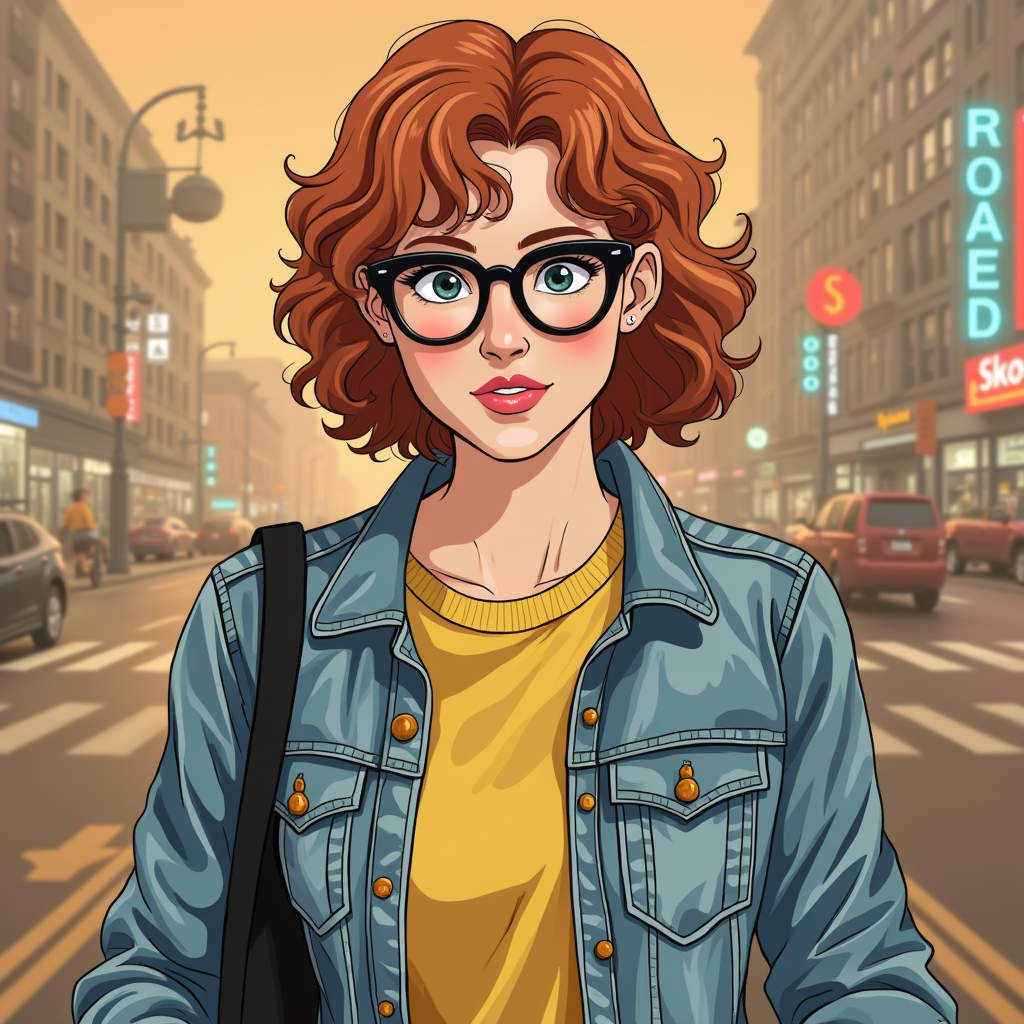
Generated on PixelDojo with Image to Image. Produced by PixelDojo's generation pipeline.
Image to Image costs 1 credit per edit. It runs on FLUX Dev LoRA and turns a source photo plus an instruction into a new image. Hand it a photo and it carries the identity details through, the red curly hair, round glasses and denim jacket in our test, while restyling the whole picture into a clean illustrated look. For exact photographic scene changes, Nano Banana 2.1 at 1 credit holds the face and the realism.
The 1 credit restyle
Every example below was produced on PixelDojo. Hover to see the prompt.
Place this exact woman on a bicycle crossing a rainy city crosswalk at dusk, neon shop signs reflecting in puddles, cinematic wide shot, keep her face, glasses, red curly hair, denim jacket and yellow shirt identical
Image to Image
What Image to Image does best
What it kept
Red curly hair, round glasses, and the blue denim jacket over a yellow top all carried through from the source. Those were the identity details the instruction named.
What it made
A bright city street, redrawn in a flat, illustrated cel-shading style. Image to Image leans into FLUX Dev aesthetics, which makes it a fast way to restyle a photo.
Pick the right edit model
For keeping a face and outfit exact while changing the scene, use Nano Banana 2.1 or Kling Image Edit, both 1 credit. For a restyle, Image to Image is the tool.
1 to 4 outputs per request
The num_outputs field takes 1 to 4, priced at 1 credit each, so a four-image spread from one instruction is 4 credits in one call.
prompt_strength is the dial to reach for
It defaults to 0.8 on a 0 to 1 range. Lower it toward 0.5 to stay closer to the source pixels, raise it for a bolder restyle.
It takes a custom LoRA
Send an hf_lora reference plus a lora_scale value alongside the edit for your own trained look.
1 credit per edit, up to four outputs per call, custom LoRA support. One of 80+ image models on Pixel Dojo.
Why Choose Pixel Dojo for Image to Image
Professional-quality results with cutting-edge AI technology
1 credit per edit
Flat per output image. Four outputs from one call is 4 credits.
Identity details carry through
Hair color, glasses and jacket color all survive a full style change.
Unlimited on every plan
Relax mode runs FLUX 3 Image Klein and Qwen Image 2.1 at zero credits, as much as you want. Credits roll over every month while you are subscribed. Plans from $10/mo.
Sensei directs the rest
Describe what you want and Sensei, the AI director, picks the models, reviews every take and hands you the finished result.
How It Works
Restyle a photo in three steps:
Send a source image with the instruction
Image to Image needs both a prompt and an image URL. Without the image it behaves like a blank text-to-image call instead of an edit.
Name every identity detail you want kept
List the face, glasses, hair color and outfit you want kept. Named details carry through the restyle.
Tune prompt_strength
The 0.8 default restyles boldly. A lower value stays closer to the source pixels.
Loved by creators on PixelDojo
Real feedback from people using PixelDojo, pulled from our in-product surveys.
Top notch quality and strong prompt adherence.
A well resourced sunscription with attention to updates.
Easy to use and there's lots of options.
super lora download
Great variety of tools to create and modify images and video.
Lots of Tools, and the one time I needed support I got help right away
Explore more AI tools on PixelDojo
Popular AI Models
AI Tools
Compare & Switch
- All AI Tool Alternatives
- Pollo AI Alternative
- PixelDojo vs Pollo AI
- Pollo AI Review
- MotionMuse AI Alternative
- MioCreate Alternative
- Dessi AI Alternative
- Runway Alternatives
- CapCut Alternatives
- Leonardo Alternatives
- OpenArt Alternatives
- Midjourney Alternatives
- Canva AI Alternatives
- Pika Alternatives
- InVideo Alternatives
- Higgsfield Alternatives
- Krea Alternatives
- Luma Alternatives
- Magic Hour Alternatives
- HeyGen Alternatives
- PixAI Alternatives
- Vidu Alternatives
- Seedream Alternatives
- Tensor.Art Alternatives
Common Questions
Everything you need to know about Image to Image
What does Image to Image cost?
1 credit per output image. A single request returns 1 to 4 images.
Does it keep the source photo's style?
Image to Image restyles. Lower prompt_strength below its 0.8 default to stay closer to the source. To keep the photographic look while changing the scene, use Nano Banana 2.1 or Kling Image Edit at 1 credit.
Can I use a custom LoRA with an edit?
Yes. Pass an hf_lora reference and a lora_scale value alongside your prompt and image.
Will my character stay the same?
Yes. Character Studio locks the face across every image and video: save a character once and type @Name in any prompt. Train a LoRA when you want it perfect.
Is it free to try?
Yes. A free account gets 3 free effects every day, no card needed. Plans from $10/mo unlock every model, with Unlimited on every plan.
Can I automate it?
Yes. Every model is in the API and the MCP server. POST to /api/v1/models/image-to-image-flux/run with your key, or use Pixel Dojo inside Claude, ChatGPT and Cursor at https://pixeldojo.ai/mcp.